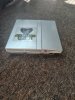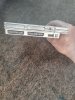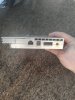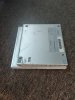
PS2 Ultra Slim

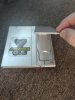
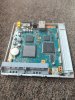
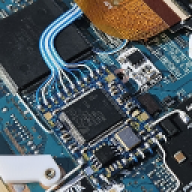
Here we go the PS2 Super slim. The sticker is there to cover up some deep scratch / tagging by a previous owner ;) Overall the stock look is very attractive! I still have to add all the other goodies.. hdmi, blueretro, SD card and a sd2psx board. As i used a case in really bad shape I really didn't do a great job cutting and gluing all the parts together. May have to try on a black console next time. I will post again after its completed.
 

Attachments

  • IMG_20250710_094411912_HDR.jpg
    IMG_20250710_094411912_HDR.jpg
    2.9 MB · Views: 124
  • IMG_20250710_094440480_HDR.jpg
    IMG_20250710_094440480_HDR.jpg
    3.3 MB · Views: 91
  • IMG_20250710_094516842_HDR.jpg
    IMG_20250710_094516842_HDR.jpg
    2 MB · Views: 99
  • IMG_20250710_094541217_HDR.jpg
    IMG_20250710_094541217_HDR.jpg
    2.9 MB · Views: 100
  • IMG_20250710_094554041_HDR.jpg
    IMG_20250710_094554041_HDR.jpg
    2.5 MB · Views: 100
  • IMG_20250710_094743101_HDR.jpg
    IMG_20250710_094743101_HDR.jpg
    3 MB · Views: 106
I like the way you think. The sd2psx is the future. I am planning on replacing MX4SIO with SD2PSX on my builds.

I had this idea today, think Im going to give it a go. Even if you did not use the mSD to USB you still could have a wireless Ultra. That router could fit in there real nice, maybe?

1752195478901.png
 
Nice! you can run SMB on that tiny router? Have a link? Never seen router that small before. I love to use network instead of regular MX4SIO as it's faster.
 
Thanks.. ordered one for $10, will gitve it a shot for an internal install. I heard it gets very hot so might have to connect to the ps2 heatsink
 
Thanks.. ordered one for $10, will gitve it a shot for an internal install. I heard it gets very hot so might have to connect to the ps2 heatsink
Agreed. I read that too. Depending on how you use it, you can turn off the Wi-Fi—that seems to be what causes the heat.

Design change (well for me, I plan on building one like this too, lol):

  • Cut the shell completely to fit the board fully into the internal cavity of the console.
  • Drill holes into the RF shield so the capacitors can slide through, allowing you to mount the board face down (i.e., with the ICs facing the RF shield).
  • Add thermal pads to the chips. These will also double as spacers to clear the micro USB port.
I think it can work—provided the router performs the way we want. Ha!

The Ultra Slim (Wesk's Design) has plenty of room in the same area.
 
Last edited:
That mini router only supports SMB it seems which is fine.
Its in spanish but theres auto translation you can turn on.

My setup will have :
- Blueretro - a ESP32 WROOM module only. Wired internally to both controller ports.
- Internal HDMI mod - One of those PS2 to HDMI found on aliexpress
- SD2PSXTD - Bitfunx psxmemcard gen2. Wired internally and maybe cut out a window on the top for the OLED and buttons.
- mini 3g/4g router wired internally with a microSD or a 2.5" sata hdd.
This will be the ultimate ultra slim ps2!
 
Last edited:
That mini router only supports SMB it seems which is fine.
Its in spanish but theres auto translation you can turn on.

My setup will have :
- Blueretro - a ESP32 WROOM module only. Wired internally to both controller ports.
- Internal HDMI mod - One of those PS2 to HDMI found on aliexpress
- SD2PSXTD - Bitfunx psxmemcard gen2. Wired internally and maybe cut out a window on the top for the OLED and buttons.
- mini 3g/4g router wired internally with a microSD or a 2.5" sata hdd.
This will be the ultimate ultra slim ps2!

Nice! Thanks
 
I have combined a few things in this stl file which was mentioned before, but i cant find a file so i edited the PS2 Ultra Slim Top v1.2 ElectronAnalog file.
USB-C PD combined with the original charger so you can choose what you want to use.
Electron Analog is flush with the outside of the Shell and is a bit more secured through the wall of the case.
Also the hole for the PS2 Logo was way to big for my 79004 Model. So a smaller hole with the slot for the original mounting bracket.

1757009970253.webp
 

Attachments

Hi, I hate to necro this old of a post, but I have to ask, does the SD-card soldered to the memcard spot work just as a normal memory card? and does it work on Playstation 1? retro console memory cards are really expensive in my country, i was wondering if i could solder an sd card micro sd card adapter to the second memory card slot to just, well have a memory card? i have a ton of 1gb sd card from old phones. or could i use it as freepsxboot in the second slot?
 
Hi, I hate to necro this old of a post, but I have to ask, does the SD-card soldered to the memcard spot work just as a normal memory card? and does it work on Playstation 1? retro console memory cards are really expensive in my country, i was wondering if i could solder an sd card micro sd card adapter to the second memory card slot to just, well have a memory card? i have a ton of 1gb sd card from old phones. or could i use it as freepsxboot in the second slot?
Q: Does the SD card soldered to the memory card slot work just like a normal memory card?
A:
No, not like an OEM memory card. For the SD card to work, you need homebrew software—usually some sort of exploit with wLaunchELF (wLE) to browse files and OPL to launch games.


Q: Does it work on PlayStation 1?
A:
No. Try SD2PSX


If you’re looking for memory card functionality, you should check out SD2PSX, which is a memory card emulator. Both the PS2 and PS1 have variations of this emulator, and you can even get them running with a Raspberry Pi Pico. This falls under what’s called the Multi-Purpose Memory Card Emulator (MMCE) SD2PSX project—it’s fairly new to the scene but really cool, and it might be exactly what you’re looking for since it lets you emulate a memory card instead of relying on OEM ones.

Oh, and I almost forgot the best part: once you have it set up, MMCE can handle everything in one. You can use it for your exploit (via FMCB), for tons of virtual memory cards (VMCs), and even for game storage. It’s a full all-in-one solution! BOOM!! so kewl
 
Last edited:
^ another benefit to MMCE devices, the SAS/UMCS (save application support/ universal memory card structure) team is maintaining ALL-IN-ONE mmce downloads at PS2 Homebrew Store

The thought is custom unlimited path PS2BBL as exploit and mc?:/BOOT/BOOT.ELF and wLE ISR exFAT as mc?:/BOOT/BOOT2.ELF

Then pre-setup in the mc?:/SYS-CONF is PS2BBL.INI, FMCB config file, OSDMenu config file, wLE config file and network config file IPCONFIG.DAT

This way it autoboots to users choice for homebrew and OSDSYS patch of choice (OSDMenu then FMCB Decrypted variants) So it is as universal as it can get for modchips, protokernel and 90k opentuna....

I still need to cleanup and writeup the thought process especially failover to each hacked OSDSYS to wLE to OSDSYS....and how to edit.
 
^ another benefit to MMCE devices, the SAS/UMCS (save application support/ universal memory card structure) team is maintaining ALL-IN-ONE mmce downloads at PS2 Homebrew Store

The thought is custom unlimited path PS2BBL as exploit and mc?:/BOOT/BOOT.ELF and wLE ISR exFAT as mc?:/BOOT/BOOT2.ELF

Then pre-setup in the mc?:/SYS-CONF is PS2BBL.INI, FMCB config file, OSDMenu config file, wLE config file and network config file IPCONFIG.DAT

This way it autoboots to users choice for homebrew and OSDSYS patch of choice (OSDMenu then FMCB Decrypted variants) So it is as universal as it can get for modchips, protokernel and 90k opentuna....

I still need to cleanup and writeup the thought process especially failover to each hacked OSDSYS to wLE to OSDSYS....and how to edit.
change of plans, i now have a ps2, 77004 and a 90004, can i use the sd card trick, basically solder an sd card internally to the second memcard slot and have a card running... fmcb? in the first slot? is that the best mod for the ps2 slim? its sadly not a 79000 and i believe those just dont exist in finland, i had work practice at a game store, they had 38 ps2 slims, none were 79000 and i messaged over 60 ps2 slim sellers on tori (finnish equivalent of ebay) no one has a 79000, soo what should i do to load backups? i cant afford one of those fancy expensive memory cards with screens and buttons and memory cards and that
 
change of plans, i now have a ps2, 77004 and a 90004, can i use the sd card trick, basically solder an sd card internally to the second memcard slot and have a card running... fmcb? in the first slot? is that the best mod for the ps2 slim? its sadly not a 79000 and i believe those just dont exist in finland, i had work practice at a game store, they had 38 ps2 slims, none were 79000 and i messaged over 60 ps2 slim sellers on tori (finnish equivalent of ebay) no one has a 79000, soo what should i do to load backups? i cant afford one of those fancy expensive memory cards with screens and buttons and memory cards and that
change of plans, i now have a ps2, 77004 and a 90004,
Are you planning on building an ultra slim?

can i use the sd card trick, basically solder an sd card internally to the second memcard slot and have a card running... fmcb?
Yes, solder the SD to mem card slot 2. Then in slot 1 use a OEM mem card with FMCB 1.966 for your exploit, then use the latest version of OPL.

in the first slot? Yes, your FMCB card goes in mem card slot 1.

is that the best mod for the ps2 slim?
depends on the model and what you want to do. MX4SIO works but it has some issues. MMCE is better.

no one has a 79000, soo what should i do to load backups?
Continuing my question above. You only need a 79k if you want to trim the board and make an Ultra Slim, other slims will work with MX4SIO / MMCE. Alternately you can load games via SMB/UDPBD using your ethernet port.

i cant afford one of those fancy expensive memory cards with screens and buttons and memory cards and that
The MemCardPro2 or the PSX Mem Card Gen2? You can build your own from a pico pi.
 
change of plans, i now have a ps2, 77004 and a 90004,
Are you planning on building an ultra slim?

can i use the sd card trick, basically solder an sd card internally to the second memcard slot and have a card running... fmcb?
Yes, solder the SD to mem card slot 2. Then in slot 1 use a OEM mem card with FMCB 1.966 for your exploit, then use the latest version of OPL.

in the first slot? Yes, your FMCB card goes in mem card slot 1.

is that the best mod for the ps2 slim?
depends on the model and what you want to do. MX4SIO works but it has some issues. MMCE is better.

no one has a 79000, soo what should i do to load backups?
Continuing my question above. You only need a 79k if you want to trim the board and make an Ultra Slim, other slims will work with MX4SIO / MMCE. Alternately you can load games via SMB/UDPBD using your ethernet port.

i cant afford one of those fancy expensive memory cards with screens and buttons and memory cards and that
The MemCardPro2 or the PSX Mem Card Gen2? You can build your own from a pico pi.
im not building an ultra slim as 79K models are quite literally impossible to come by in finland, im using a 77k, with fmcb and an internally soldered sd card and a card running fmcb in the first slot, i dont have a pico pi, the shipping is expensive here in finland and i dont really feel like i need an MMCE. ill just use the sd cord in the second slot. thanks a lot for the help! this will be a system i will be taking with me to parties etc, so i wont be able to use the network port unfortunately, and i want to use it for games with revived network functionality anyways. Is fmcb the best exploit? ill install it with freedvdboot, i have some blank DVD-Rs. Ive also heard opentuna is the best or something? im a bit confused
 
Back
Top