Question AV Trouble

Joined
Mar 29, 2017
Messages
95
Likes
17
Portables
1
IMG_0660.JPG
IMG_0661.JPG
Okay so I’m on my second Wii now (I accidentally fried my first one), and I’ve run into some trouble.
I opted not to trim my Wii because I’m not very experienced with that type of stuff.
So on to the problem: I soldered the “ground” and “composite” wires from the Wii to the “AV2” and “ground” pins on the monitor, but when I turned on the screen and plugged in the Wii nothing happened!

So far what I think may have gone wrong is:
  • No the right gauge wire
  • Bad soldering job
  • Composite and AV may not be solderable to each other
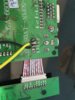
Pictures are at the top (sorry they are sideways)
 

Attachments

  • IMG_0662.JPG
    IMG_0662.JPG
    1.4 MB · Views: 474
Did you try AV1? I have that screen and I'm not sure how you switch it to AV2 or even if the two AV ports are switchable. Worth a shot at least.

EDIT: You should also use shielded wire on the composite line. Interference could distort or negatively impact your image, although I'm not sure if interference could keep you from getting any image.

Also be sure to check and see if ground might be shorted to either AV spot elsewhere on your screen.
 
Did you try AV1? I have that screen and I'm not sure how you switch it to AV2 or even if the two AV ports are switchable. Worth a shot at least.

EDIT: You should also use shielded wire on the composite line. Interference could distort or negatively impact your image, although I'm not sure if interference could keep you from getting any image.

Also be sure to check and see if ground might be shorted to either AV spot elsewhere on your screen.

I tried AV1 as well, but with the same result. Also, neither wire is shorted to the adjacent wire.

Forgive my n00bishness, but what exactly is shielding?
 
Shielded with is wire that has a ground wire ensconing it to block interference. You generally find it in video and audio cables, as well as sensitive data lines that can be garbled with interference.
 
Shielded with is wire that has a ground wire ensconing it to block interference. You generally find it in video and audio cables, as well as sensitive data lines that can be garbled with interference.
Oh, ok. I don’t think that is the problem because I’m not getting any signal al all.
 
-Is this the same screen you ran 12v to earlier or a different one?
-Did you test the wii before you began this process?
-Are you sure you soldered it to the right place on the screen board? (your soldering locations on the wii are correct)
-You are using solid core wire, which is not advised. It sometimes breaks in the middle, with no visual cue. Check continuity on both ends of each wire to ensure it hasn't broken internally.

Use the process of elimination to figure out where your issue is. Run another composite video source to that screen, and run that wii to another screen. That will let you know where the issue is.
 
-Is this the same screen you ran 12v to earlier or a different one?
-Did you test the wii before you began this process?
-Are you sure you soldered it to the right place on the screen board? (your soldering locations on the wii are correct)
-You are using solid core wire, which is not advised. It sometimes breaks in the middle, with no visual cue. Check continuity on both ends of each wire to ensure it hasn't broken internally.

Use the process of elimination to figure out where your issue is. Run another composite video source to that screen, and run that wii to another screen. That will let you know where the issue is.

1. Yes, it’s the same screen.
2. I confirmed that the Wii could power on, but as my Wii video cable is broken I wasn’t able to verify if it could output video.
3. Yes, I soldered to the correct places on the monitor (unless for some reason I need to solder a wire to the ‘VCC’ pin on the monitor)
4. I tested for continuity, and the multimeter didn’t beep, so I’m pretty sure that means the wire is broken :( any tips on what kind of wires I should get?

 
If you have some spare video cables you could use those since they will be shielded, and you can test that they work before wiring them.
I got some of those lying around – I’ll give it a try.
 
I got some of those lying around – I’ll give it a try.
Okay so just an update, I resoldered actual av wires on both the AV 1 and AV 2 pins on the display l, but still no signal!
I also tested for continuity, and there wasn’t a beep. The only feedback I got from my multimeter was the number 75 on the display. I’m not white what that means, but hopefully it’s good.
 
Are you testing for continuity between composite and ground? Because that's a perfectly normal amount of resistance between composite and ground.
 
Are you testing for continuity between composite and ground? Because that's a perfectly normal amount of resistance between composite and ground.
Yes. I am testing between composite and ground. I still don’t understand why I’m not getting any video input though :/
 
Well, checkout for continuity between composite and ground just tells us that there isn't an unwanted short. I believe Shank was talking about putting the multimeter on either end of a single wire to make sure that one of your wires doesn't have an internal break. You may have a problem with your Wii though.

EDIT: Also, you made sure that the Wii worked before taking components off, right? Just making sure.
 
Well, checkout for continuity between composite and ground just tells us that there isn't an unwanted short. I believe Shank was talking about putting the multimeter on either end of a single wire to make sure that one of your wires doesn't have an internal break. You may have a problem with your Wii though.

okay so I tested continuity for the AV - Composite wire and the multimeter beeped and the reading was .4; the reading for the ground wire was .6.

sadly, I wasn't able to test the wii before I removed the ports because my wii AV cable was used for the wires on the last wii I attepted to make into a portable :/ the wii does turn on though.
 
Your wires are good then. You definitely should have tested the Wii before modifying it, because is reality the green light means nothing in terms of whether the Wii works or not.

Also, I'm not sure, but removing the disc drive may be causing issues. I know that there are calls for it at certain times, but I'm not sure how that works on a stock Wii.
 
Also, I'm not sure, but removing the disc drive may be causing issues. I know that there are calls for it at certain times, but I'm not sure how that works on a stock Wii.
Nah, stock Wii is moderately forgiving, everything except the wifi and bluetooth modules can be removed with no ill effects. Have you tried plugging something else into the screen to make sure it works? Also make sure your wifi and bluetooth modules are properly seated in their connectors. Unplugging them and plugging them back in should make sure of that.
 
Nah, stock Wii is moderately forgiving, everything except the wifi and bluetooth modules can be removed with no ill effects. Have you tried plugging something else into the screen to make sure it works? Also make sure your wifi and bluetooth modules are properly seated in their connectors. Unplugging them and plugging them back in should make sure of that.
Yes, the screen does show a signal when I plug in a different video source. I’ll take a look at the Bluetooth and wifi modules and report back when I’m done

EDIT: both Bluetooth and wifi are intact and in the correct locations.
 
Last edited:
Back
Top