Release Wii native VGA - version 1.5

I have checked both and I'm still not getting a signal. Could it be software related?

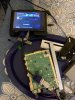
My screen and driver board are the following Dalian models. The silkscreeen for the keyboard screen controls was reversed so I am wondering whether the pinout for VGA is also reversed as well...
Try redoing the sync soldering on the ave, especially the VSync, it looks a bit flimsy
 
Try redoing the sync soldering on the ave, especially the VSync, it looks a bit flimsy

I re-did the wiring and checked continuity from the top of the pins rather than the wires and they're connected well. There's no shorts on either side of the pins either... :/

IMG_3439.PNG
 
When you say that composite works fine you mean by disconnecting the mode pin from 3.3V, right? Because otherwise the issue could be there
 
When you say that composite works fine you mean by disconnecting the mode pin from 3.3V, right? Because otherwise the issue could be there

I definitely bridged the mode sense line and 3.3v when reconnecting RGBHV. Shouldn't the Wii default to postloader on startup and not the settings editor GUI? That's what's happening right now. Maybe I should reinstall postloader from priiloader with my composite cable?
 
I have joined the VGA club! Aurelio, you're a legend. Thank you for making this possible. Reinstalling the correct version of postloader worked beautifully. The screen looks gorgeous!

Thank you for your hard work. I'm super pleased.

IMG_3442.JPG
 
I have joined the VGA club! Aurelio, you're a legend. Thank you for making this possible. Reinstalling the correct version of postloader worked beautifully. The screen looks gorgeous!

Thank you for your hard work. I'm super pleased.

View attachment 8060
Awesome! If you like my works remember that I have a patreon page :P
 
You can connect the component Y signal to a composite port and short mode to 3.3v to get a black and white video output
Thanks! I actually thought of that right after posting that. I just didn't know if i needed to short mode or not.
 
Hey Guys,
I am actually having a problem with testing my VGA install. I am currently waiting for my screen for my portable to come in and have been trying to test this with my tv in my room. I am currently getting a weird image on screen when I boot my console. I've been soldering a 15pin female dsub to my board for testing and those connections are unshielded, then i am plugging a vga cable from there to my tv. Is my issue because i'm using unshielded wires? Or what?

C3MzsUMLAAARPHYpw6GReaNrNisN1X9vrajuUggqPz3C21uR9qWDLlX3lOFYIxNeLzE1PB5AFKJekZpGES6qNcxPWyJZ-97RShydGuX7tloVAD41jLVl2GNohS06eJvEPbWSeN9qedZQvPEYABXtgGxyfcmkOichPb3ZdVfFWa9F7i57vlAp4rSuqbTEZMknlK3AMhT3qa2DWkpNXgsaHyABFaDmazivttfyhMwpkbjo-rMvaFgQl1ZLOX1oQxUcrdecSsh6aCDavRzZ4nPXuHgIkYtG2o8HZegJnqPLEveeX9gYslLRRvCwjpy6IKO1FHb6eWU4ABV0cmGXb7bXqYAwnmDz1hi726OoWWg9v_nrPhzMbNdQAYgjhhtGPb9JUjvoBJ5PQljoeX77ll0gVnlzfEHmNowi8BWt0nHsyuLINuuCMRS7mh3D0ZOYZTkbvOWbqNh99PE9U1uFXEzNt_vM3wx3DmNSfR4XULUKgODBUAPHmoUJzn1CBeS45QKH7_oUcC8gNAfJDzxJ5yP6u0mIYrczuhZuO6dGGHvsQQW_mVGd9H2nwzSE6ZQwVfsjL2h8xRTs5QZeVDCceTLud33gShBwg3tswnn03Xpoiso5RKdAy1ZJ9j5cflr7jPM8DkE3TM0clHhMBv8QlLRbGzJJ3XP8SKQ=w1184-h888-no

HXr6tM1bZjDZEiqu6
 
Hey Guys,
I am actually having a problem with testing my VGA install. I am currently waiting for my screen for my portable to come in and have been trying to test this with my tv in my room. I am currently getting a weird image on screen when I boot my console. I've been soldering a 15pin female dsub to my board for testing and those connections are unshielded, then i am plugging a vga cable from there to my tv. Is my issue because i'm using unshielded wires? Or what?

C3MzsUMLAAARPHYpw6GReaNrNisN1X9vrajuUggqPz3C21uR9qWDLlX3lOFYIxNeLzE1PB5AFKJekZpGES6qNcxPWyJZ-97RShydGuX7tloVAD41jLVl2GNohS06eJvEPbWSeN9qedZQvPEYABXtgGxyfcmkOichPb3ZdVfFWa9F7i57vlAp4rSuqbTEZMknlK3AMhT3qa2DWkpNXgsaHyABFaDmazivttfyhMwpkbjo-rMvaFgQl1ZLOX1oQxUcrdecSsh6aCDavRzZ4nPXuHgIkYtG2o8HZegJnqPLEveeX9gYslLRRvCwjpy6IKO1FHb6eWU4ABV0cmGXb7bXqYAwnmDz1hi726OoWWg9v_nrPhzMbNdQAYgjhhtGPb9JUjvoBJ5PQljoeX77ll0gVnlzfEHmNowi8BWt0nHsyuLINuuCMRS7mh3D0ZOYZTkbvOWbqNh99PE9U1uFXEzNt_vM3wx3DmNSfR4XULUKgODBUAPHmoUJzn1CBeS45QKH7_oUcC8gNAfJDzxJ5yP6u0mIYrczuhZuO6dGGHvsQQW_mVGd9H2nwzSE6ZQwVfsjL2h8xRTs5QZeVDCceTLud33gShBwg3tswnn03Xpoiso5RKdAy1ZJ9j5cflr7jPM8DkE3TM0clHhMBv8QlLRbGzJJ3XP8SKQ=w1184-h888-no

HXr6tM1bZjDZEiqu6
It might be your TV not supporting the resolution of the Wii. Can you try on another screen?
 
I recently brought out my old Wii to start speedrunning Ocarina of Time. With only an hd tv and benq monitor I thought my only options were some type of analog to digital converter. I tried 2 different AV to hdmi converters and a Wii2Hdmi, none of these options offered a decent enough picture and introduced noticeable delay which is not ideal for speedrunning. Looking for other options I came across this thread and remembered that my benq rl series monitor could support VGA. I must have ran into every single issue possible while attempting this but it was all solved in the thread replies already! Finally finished and hooked up to the VGA port on the benq, the picture is incredible. The clarity, depth and colors are amazing. No delay at all. This mod is incredible and exceeds what I thought was possible with my set up. Thank you so much for releasing this and for the hard work.

 
I recently brought out my old Wii to start speedrunning Ocarina of Time. With only an hd tv and benq monitor I thought my only options were some type of analog to digital converter. I tried 2 different AV to hdmi converters and a Wii2Hdmi, none of these options offered a decent enough picture and introduced noticeable delay which is not ideal for speedrunning. Looking for other options I came across this thread and remembered that my benq rl series monitor could support VGA. I must have ran into every single issue possible while attempting this but it was all solved in the thread replies already! Finally finished and hooked up to the VGA port on the benq, the picture is incredible. The clarity, depth and colors are amazing. No delay at all. This mod is incredible and exceeds what I thought was possible with my set up. Thank you so much for releasing this and for the hard work.
Thanks for the kind words. I am very glad you like them
 
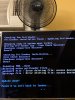
I got my screen “not support “shown ,in my settings editor GUI 480i only no 480p ,brothers Are there any hints you gays can give to me?
 

Attachments

  • D03759DA-4ECE-484D-B2BF-3C17BC1FBF25.jpeg
    D03759DA-4ECE-484D-B2BF-3C17BC1FBF25.jpeg
    1.5 MB · Views: 590
I set to 480p using my component cable, and followed to step 7 by my composite cable and got a black screen, any clue?

-merge-

I set to 480p using my component cable, and followed to step 7 by my composite cable and got a black screen, any clue?

-merge-

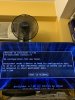
After selecting boot or pressing B black screen
 

Attachments

  • 03B33E6D-A1A9-4382-B1CC-D9950918A0CC.jpeg
    03B33E6D-A1A9-4382-B1CC-D9950918A0CC.jpeg
    1.3 MB · Views: 777
Last edited by a moderator:
That's not an issue with VGA. Your USB drive is not wired up properly or plugged in. The black screen is because it's booting back to the system menu from postloader which is not supported by the vga hack
 
I did it ,you are a genius !!!!!!the picture is perfect, I have worked for four days because of the goddamn USB driver, I only can make it because of your help,Thank you very much.
 

Attachments

  • C39D1EBE-9EEE-47F7-9C0D-E64891D0F056.jpeg
    C39D1EBE-9EEE-47F7-9C0D-E64891D0F056.jpeg
    2.1 MB · Views: 837
Back
Top