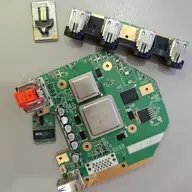
Worklog Noldendo Wii Miicro

Joined
Aug 15, 2025
Messages
11
Likes
28
I have a longer term goal of rackmounting all of my consoles as densely as reasonable, and accomplishing that will eventually require safe board trims. To do that, I'll need to practice with builds that involve trimmed boards. The Wii Miicro was recommended as a good starter build to accomplish that, and it looks interesting even outside of my bigger goal, so I decided to try my hand at building one. My only console modding experience to this point has been the PS2 Ultra Slim.

I will be making a couple alterations to the original Miicro build:
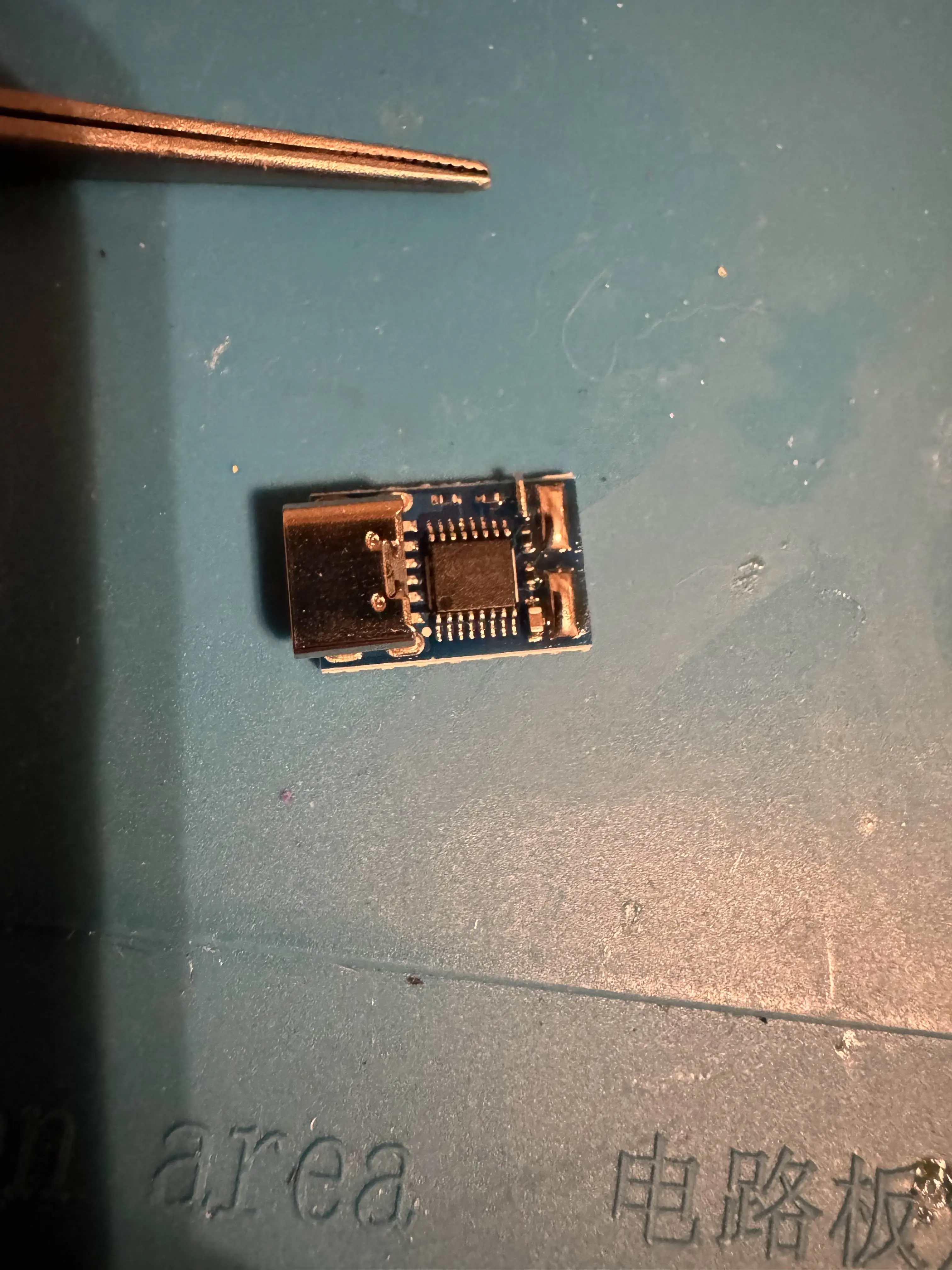
  1. I will be using a USB PD 12v trigger module instead of a barrel jack, since many of my other consoles are already USB-C powered and I eventually want them all to be so
  2. I have a different style of tactile button that I'll try to reuse here even though they're a bit bigger than the example ones. I'll figure it out
  3. I will also be installing an ElectronAVE. I currently have a Wii2HDMI in my main Wii and I was going to install it in that one, but now I can get two birds with one stone
  4. I ordered and will be installing a PSU-Plus
I didn't have a 6 layer Wii, so I ordered a "broken" one off ebay that ended up not being broken at all. I even got a free copy of New Super Mario Bros Wii out of it. While I was waiting for the Wii to arrive, I changed the configuration on my USB-C PD trigger modules to flip them from their 9v default to 12v, which involved connecting a jumper between two unpopulated pads. I also pre-tinned the +/- pads since I was there and I had the iron heated up.

IMG_7886.webp


After confirming 12v on the module, I took another one from the set and tried designing a mounting system for it inside of the Miicro case. A benefit of the barrel jack style of installation is that a nut can secure the connector from both sides of the Miicro's shell. The modules that I bought don't have that benefit. If I were doing this again, I would have tried to find friendlier modules for this style of installation, but instead I'm making do with what I have.

I tried a couple iterations and ended up with this goofy fabrication. I will change the inside of the shell to have a sliding dock much like how the other inside wall of the shell have drawers for sliding PCBs into. If people have any better ideas, I'd like to hear them.

IMG_7889.webp


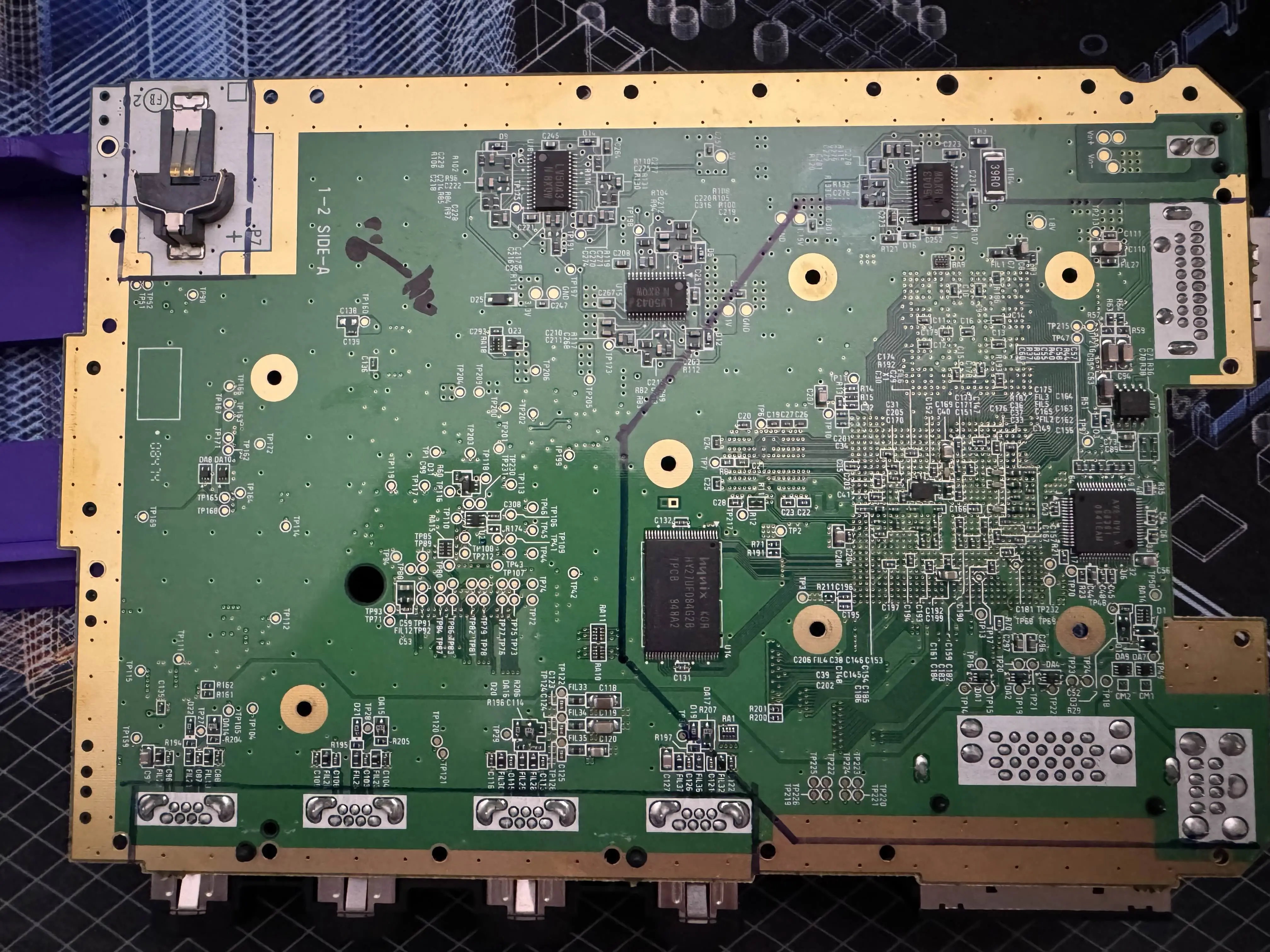
A couple days later, my Wii came and I installed RVLoader on it. I then disassembled it and cleaned everything. I traced out the cut lines and desoldered R164 (not pictured) for use for the sensor bar.

IMG_7893.webp

IMG_7892.webp


Now I just need to wait for it to stop raining here so I can attempt the trim and also for the PSU-Plus to arrive in the mail. I'll work on the shell updates while I wait.
 
Today, I tried doing the U10 relocation and ended up with a black screen. I found out my cheap multimeter doesn't have a continuity mode so I have another one arriving tomorrow. I also have a hot air station arriving as well since I tried removing the GameCube memory card ports and couldn't do it with just an iron, solder wick, and solder suckers.

On a more positive note, my minor case tweaks for my own switches mostly worked on the first try. Only the USB-C part isn't perfect because it still gets pushed back too easily. Otherwise, it sits perfectly between the fan and the power switch. I'll continue thinking about a better mount for it.

IMG_7908.webp
 
I damaged both U10 and U9 testing out why the relocation wasn't working so the console modding is on pause while I wait for another Wii to arrive. I am still working on the USB-C mounting and will try designs with screws and screw posts while I wait for the Wii.
 
I have a USB-C mount that I'm happy enough with. I reuse 2 of the black screws from the shell to clamp the module to the rear face of the shell. I printed a mockup of the rear shell to confirm that the screw posts would print fine when printing the real shell. The clamp is thick enough to resist bowing out if someone vigorously inserts the USB-C power cable. I won't print out the top shell until the mod is complete since I'm not sure exactly where the ElectronAVE's mini-HDMI port will sit when the board is trimmed and inserted into the shell.

IMG_7913.webp


I'm still waiting for the replacement Wii I ordered to arrive, so there's no progress on that front.
 
Last edited:
I got my replacement Wii yesterday so I disassembled it last night and did all of the pre-trim prep today.

After dusting the board, I removed U10 by applying new flux and then flooding it with fresh solder. I then did the same to U5, and removed all of the little caps around both U10 and U5. I then cleaned the pads with IPA and took this photo.

IMG_7942.webp


I then did the same process to remove R164 and set it aside for using later.

I then used my scribe to cut the U5 trace right above the correct via and did the U10 to U5 relocation. I soldered the other end of the 34AWG wire to the relocation via near C190 on the back of the board. I tested continuity with each leg on U10 after relocation, cleaned everything up, and removed the GC memory card slot (a massive PITA without a desoldering gun).

IMG_7945.webp


IMG_7947.webp


I wrapped things up by desoldering U9 and soldering a jumper between the 4th and 5th pads where it was originally installed so that I could try to use U9 on my first Wii that I was using in the OP.

I verified that this Wii still booted after doing that work, so I think that all of the pre-trim relocations and work are now done. I don't think that I'll do the trim and sanding until my PSU Plus arrives next week since I won't have any way to verify that the trim worked until I can connect power to the board. I might try to salvage my first Wii tomorrow or Monday instead.
 
I was able to resurrect my original Wii from the OP here as well.

I think the issue was that I didn't cut deeply enough when severing the trace during the U10 relocation so things were shorting to ground. I would have found this out if I had successfully bodged the original U10 and U9 instead of breaking their legs.

This time around, I used carbide tip scribes to do the trace cutting and cut until I saw fiberglass past the copper.

Now I have to decide which of the two Wiis I'm going to use for this project, since I only want to buy the one PSU and I only have one ElectronAVE.
 
Grats on the resurrect! Always good to have an emergency spare
 
I had some other projects I got unblocked on so I did work on those earlier this week.

I first designed a mounting bracket for the PSU-Plus. It will screw into the holes originally used by the memory card port:
IMG_7969.webp


I then did the trim with my dremel and diamond cutting wheel. I first taped off the CPU/GPU, did the trim, did the sanding, used my compressed air to dust it, then removed the tape.

IMG_7968.webp


After the trim, I tested the resistances and got these values:
1769220890375.webp

Next steps will be to desolder the components that were cut during the trim and (I think) those electrolytic caps in the bottom left.
 
I connected positive on my trigger module to PWR IN on my power toggle switch, PWR OUT on my switch to VIN on the PSU-Plus, GND on the PSU-Plus to negative on my trigger module, and then confirmed that the switch worked as expected with my multimeter.

I then connected each voltage wire to the suggested locations in the 6 layer trim guide and connected them to the corresponding places on the PSU-Plus. I did not remove the LDO and connect 1v8 to the 1v8 capacitor on the Wii.

Afterward, I connected magnet wire to the reset via to my NO momentary switch. I did not wire that to ground yet since I'm not sure what ground point I'm going to use for it yet.

Finally, I plugged everything in, toggled the switch on, then held the reset switch down and touched it to a ground pad to cause the Wii to boot. All good so far!

Sorry for no pictures with this update.
 
I finally "got gud" at soldering magnet wire to the vias and finished everything up. I was able to verify that my wavebird worked as well as the wiimote and sensor bar. No pictures yet because it's a horrible nest of magnet wires.

My next steps are to try running it off of 9v instead of 12v, to compare power consumption and see if I can avoid using 12v in general, and figure out the ElectronAVE installation so I can finally print the case and get things buttoned up.
 
I successfully ran it off 9v with everything intact, so I left it with the 9v jumper set on the trigger module. I don't think it was saving any reasonable amount of electricity, and that wasn't a priority either way.

I also installed the ElectronAVE and had to wait to test it until I got a mini-HDMI to HDMI dongle. It's kind of a pain that the mod didn't just include a full sized HDMI port.

I finally got everything inserted into the shell I printed and it still ran, so I'm calling this project a success.

Here are some photos, then I'll write up a little postmortem.

IMG_7984.webp

IMG_7985.webp


Postmortem:

I first want to thank Nold for coming up with the idea, and everyone in these forums and on the discord for being so helpful.

This was a great project for leveling up my motherboard trimming and microsoldering skills. I know this build is designed to be easier than 4 layer trims and relocations, and I'm glad that it was, because I might have given up if it were any harder.

I ran into a lot of issues soldering to the vias until I found the how-to on the forums.

I also had a lot of trouble running 3v3 wires everywhere, like everywhere. The PSU-Plus only has one 3v3 pad and there's the one big cap on the board, but I needed to run something like 7 3v3 cables when it was all said and done. 5v was almost as bad. I was really struggling on finding places to connect wires to run them to all of the places. There are undoubtedly other good solder points for getting 3v3, but I didn't see any in the trim guides other than the AV connector, so I ended up using a wago to connect a bunch of wires to.

I will use my other 6 layer board that I mentioned earlier in this thread in my future rackmounting project. I originally was going to cannibalize this now that I have successfully built it, but I also kind of want to keep it around as a memento.
 
This is awesome! Would you mind sharing some more WIP photos of your Wii Micro build?
I’d love to see more of your progress. Thanks a lot!
 
Nice work!
Would you mind sharing the stl files you made for your project?
I am currently working on a wii miicro and added a usb-c trigger board. Thanks in advance!
 
Back
Top