
You are using an out of date browser. It may not display this or other websites correctly.
You should upgrade or use an alternative browser.
You should upgrade or use an alternative browser.
Worklog Ewhizz Portable Wii
- Thread starter Ewhizz
- Start date
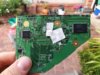

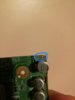
Yes, but that is pretty close to the nand traces, so be carefulIs it safe to trim to this black line on top?

BocuD
.
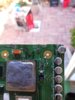

If you cut through it, remove it. Half chopped components are a surefire way to get shorts.Thanks! Are these components important ? C51, C77, FIL11, C47, C68, FIL8.
All located in upper right .
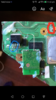

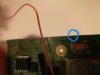
The blue and red spots are internally connected. So any 3.3v source will do.Can all the connections on the Bluetooth which require 3.3v be soldered in the blue circle (see image) or must they be soldered to the spot in the red circle ?
BocuD
.
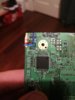
Yes, you can cut off that area. However it is not recommended since you are cutting of your USB protection circuitry. You CAN also just solder the USB data lines to the visa next to the components, since they aren't cut off however if you then plug a faulty USB device into your wii the data lines might be damaged.
This was explained in the trimming guide:
This was explained in the trimming guide:
Note: It is recommended to connect the data lines to the CM1 and CM2 components for added safety, especially if using an external USB port; as a bad drive or device has potential to damage the USB data lines going to the GPU.

- Joined
- Dec 16, 2016
- Messages
- 1,144
- Likes
- 2,868
- Location
- The Oregon Wildlands
- Portables
- just so many i am so cool
Also, do you really need that space? You shouldn't bother chopping off bits and pieces of the motherboard if you don't need the space, and escpescially if you don't have a really good knowledge of the Wii motherboard. Also, another issue with a cut like that is that if you look at extreme trims like the ones Gman and ShockSlayer have used and shown off, they never cut a perfect 90 degree chunk out of the motherboard. This is because sanding well on those kinds of cuts is near impossible, and it sounds like sanding on shallower angles is painful too.
Before you go any further in trying to cut, go ahead and sand down the motherboard, wire up a few peripherals, and make sure your trim is working. There's no point in pulling riskier maneuvers on a potentially dead board, but I hope for the best. Good luck!
Before you go any further in trying to cut, go ahead and sand down the motherboard, wire up a few peripherals, and make sure your trim is working. There's no point in pulling riskier maneuvers on a potentially dead board, but I hope for the best. Good luck!

@Ewhizz - for all of these questions you may want to consider joining the discord where we can help you better in real time. Also, feel free to change the worklog title.
As a note to everyone, I moved this discussion into a worklog for Ewhizz. The questions that are being asked are better suited here rather than filling up the Noob thread.
As a note to everyone, I moved this discussion into a worklog for Ewhizz. The questions that are being asked are better suited here rather than filling up the Noob thread.
Ewhizz
.
- Joined
- Oct 16, 2017
- Messages
- 154
- Likes
- 6
thanks very much for setting this thread up for me, much appreciated. Am going to sand the motherboard and leave the usb area alone. When sanding to remove shorts how is it determined that you've successfully done it ? Is it removing the copper bits that extend along the cut line ? See the photo:
https://i.imgur.com/xtdQCmM.png
https://i.imgur.com/xtdQCmM.png
Last edited:
BocuD
.
By measuring continuity between each voltage rail and gnd. So measure these:
1v to 1.15v
1v to 3.3v
1v to gnd
1.15v to 3.3v
1.15v to gnd
3.3v to gnd
They should all have a resistance higher then 15-20 ohms. If its lower, keep sanding and use higher grit sandpaper.
Edit: yes, those copper bits are probably going to short out layers but once you fully sanded your motherboard they should be gone
1v to 1.15v
1v to 3.3v
1v to gnd
1.15v to 3.3v
1.15v to gnd
3.3v to gnd
They should all have a resistance higher then 15-20 ohms. If its lower, keep sanding and use higher grit sandpaper.
Edit: yes, those copper bits are probably going to short out layers but once you fully sanded your motherboard they should be gone
Last edited:
BocuD
.
If you cut through it using the guide it basically means it is safe to remove.
You should go up to 600 if you're able, for safety.
Similar threads

- Replies
- 11
- Views
- 6K


- Replies
- 10
- Views
- 4K

