Question Gc+ help

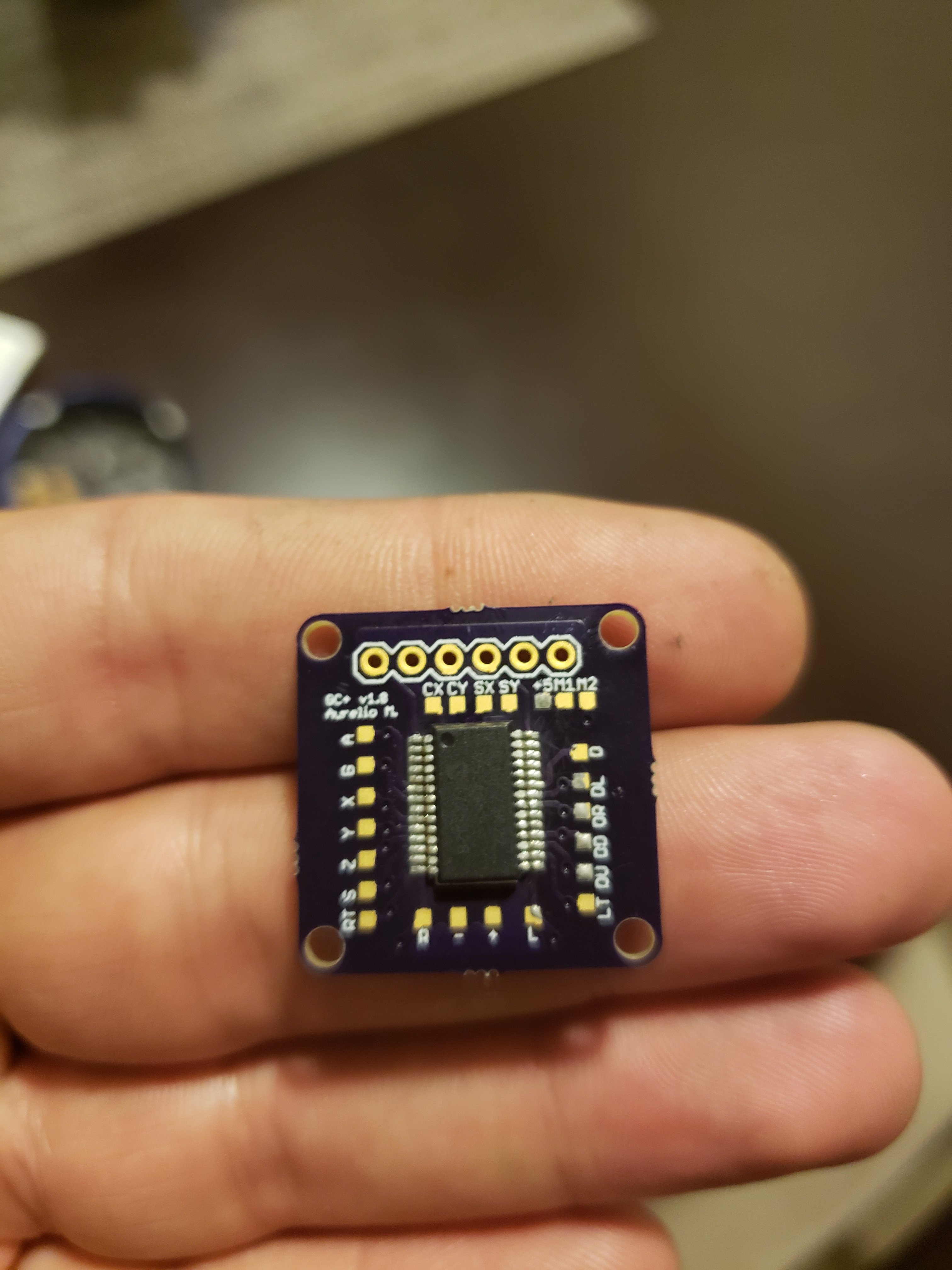
So I finished soldering my first gc+ board which was a pita, and looks horrendous but I'm hoping for the best.
20180521_223922.jpg
20180521_223913.jpg
 
Damn, Good job

Uh, make sure these two pins are soldered correctly (it might just be camera angle)
upload_2018-5-22_7-30-55.png
 
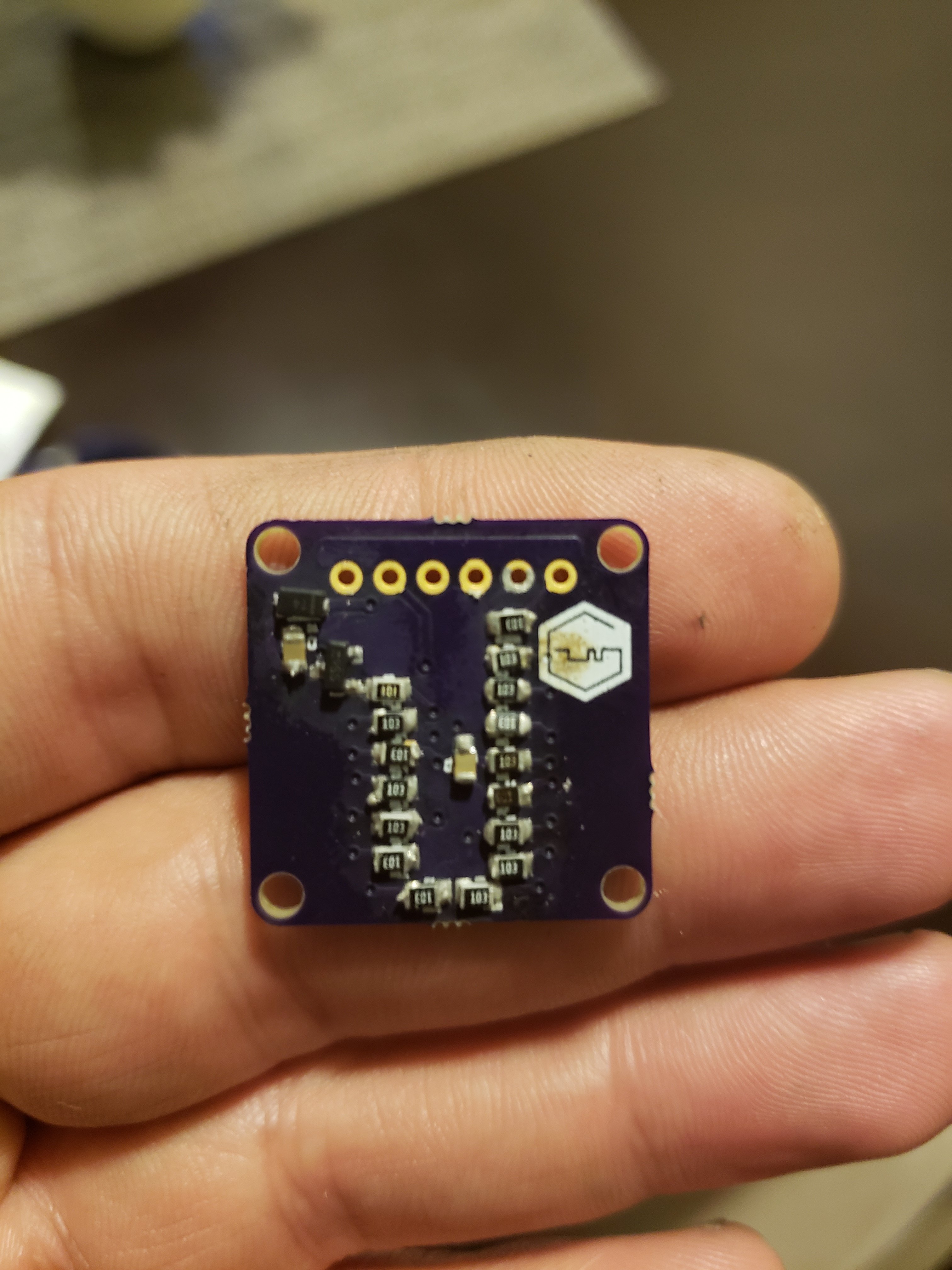
The top component for some reason wouldn't fit on the two pads i believe I ordered the correct chip according to the bom but I almost had to bend the legs a little to get it to fit right. The other one with three legs i was having a little trouble with i believe its making contact but I'll double check it. I didn't realize how freaking small those components were!!... :/
 
I'm having trouble programming the gc+ I'm using mplab and have gc+hex loaded into the program but when I program I'm getting a "Device ID (0x0) is an invalid device ID. Please check your connections to the target device." I don't think I'm connecting the 6 leads to the correct vias ln the gc+ board, and cant determine which vias go to which pins on the pic. Any advice?
 
Are you powering the GC+? If not, you need to enable powering from the pickit in the settings
 
Hmm. Anyway if you look at the GC+ from the side with the PIC on it and with the 6 pads at the top, then the first pin of the pickit (the one with the triangle) is the leftmost.
Also I power it with 3.3V, but 5V should still be fine for programming
 
That's actually the orientation I had tried. Odd. I'll mess with it later today maybe I'm shorting somewhere or not getting a good connection, I was leaning the pickit3 cable with minor pressure to make good contact with the pads so I'm not sure why Its basically saying no connection. Hopefully I can figure it out. If not I'll go back to trying to repair that messed up one..I have enough parts to build a few more boards if I screw this one up also..lol.

Just thought, would powering the board with my battery reg. Setup work and disabling the pickit powering in case it's not getting power from the device for some reason? It doesn't get warm or anything when powering from pickit
 
Check if you have shorts on the 4th and 5th programming pad from top left. Also check for shorts between the 2nd and the 3rd.
Anyway if you end up making another one, you can try programming it even if you solder only the PIC. If that works then you can solder the other parts.
 
Another day, another problem, yay! So it seems anyway. Well some issues were cleared up, when I wired up the c stick it did correct my funky main stick bug I was having. Everything seems to be working pretty good the only issue I believe I'm having at this point is mario (super mario sunshine) keeps jumping(A) button, i thought possibly bad tact switch? I tried switching it with the same problem persisting. I noticed When I touch a part of the ds slider contacts (A) will also make contact for some strange reason. Possibly a bad gc+? The solder pads for the main stick and "a" arent right next to each other so idk how that's possible..this is the only thing holding up my project atm and would really like it sorted out in time so I can enter the contest. Thanks in advance for everyone's help so far, especially @Aurelio
 
Another day, another problem, yay! So it seems anyway. Well some issues were cleared up, when I wired up the c stick it did correct my funky main stick bug I was having. Everything seems to be working pretty good the only issue I believe I'm having at this point is mario (super mario sunshine) keeps jumping(A) button, i thought possibly bad tact switch? I tried switching it with the same problem persisting. I noticed When I touch a part of the ds slider contacts (A) will also make contact for some strange reason. Possibly a bad gc+? The solder pads for the main stick and "a" arent right next to each other so idk how that's possible..this is the only thing holding up my project atm and would really like it sorted out in time so I can enter the contest. Thanks in advance for everyone's help so far, especially @Aurelio
Try replacing the pullup resistor that is connected to the A button on the board. Might be either broken or not well soldered
 
Tbh I'm not really sure which on that is being on the other side of the board and all
 
Tbh I'm not really sure which on that is being on the other side of the board and all

I don’t have an assembled board with me, but this should do it. Check the resistor marked with red (second from the top on the right column)
421B96B6-29D6-45D0-8CAD-EFFE6BE30262.jpeg
 
Hi everyone.

I'm new here and this is my first post.

i've seaching, reading informations and guides about the wii system here

I would like to know where i can buy the GC+ finished to use because i don't have hardware to build my own and is hard to buy all the parts
in my country(Brazil).

the bitbuilt store are in maintenance

can anyone sell, ship to me?

thanks
 
Hi everyone.

I'm new here and this is my first post.

i've seaching, reading informations and guides about the wii system here

I would like to know where i can buy the GC+ finished to use because i don't have hardware to build my own and is hard to buy all the parts
in my country(Brazil).

the bitbuilt store are in maintenance

can anyone sell, ship to me?

thanks
The store is currently in maintenance. It should reopen around the end of June. If I was you I would just wait until it opens and then order a new GC+ directly from the store.
 
@Aurelio you were right, it was the smc on the board. Redid that one and now the "A" button works perfectly! Thanks a lot man you've been extremely helpful I would have never been able to get it to work without you. All that's left is audio and assembly. So excited. Thanks again
 
Back
Top