Worklog another ashida build, ITS FINALLY DONE!!! (kinda)

Joined
Sep 3, 2024
Messages
19
Likes
3
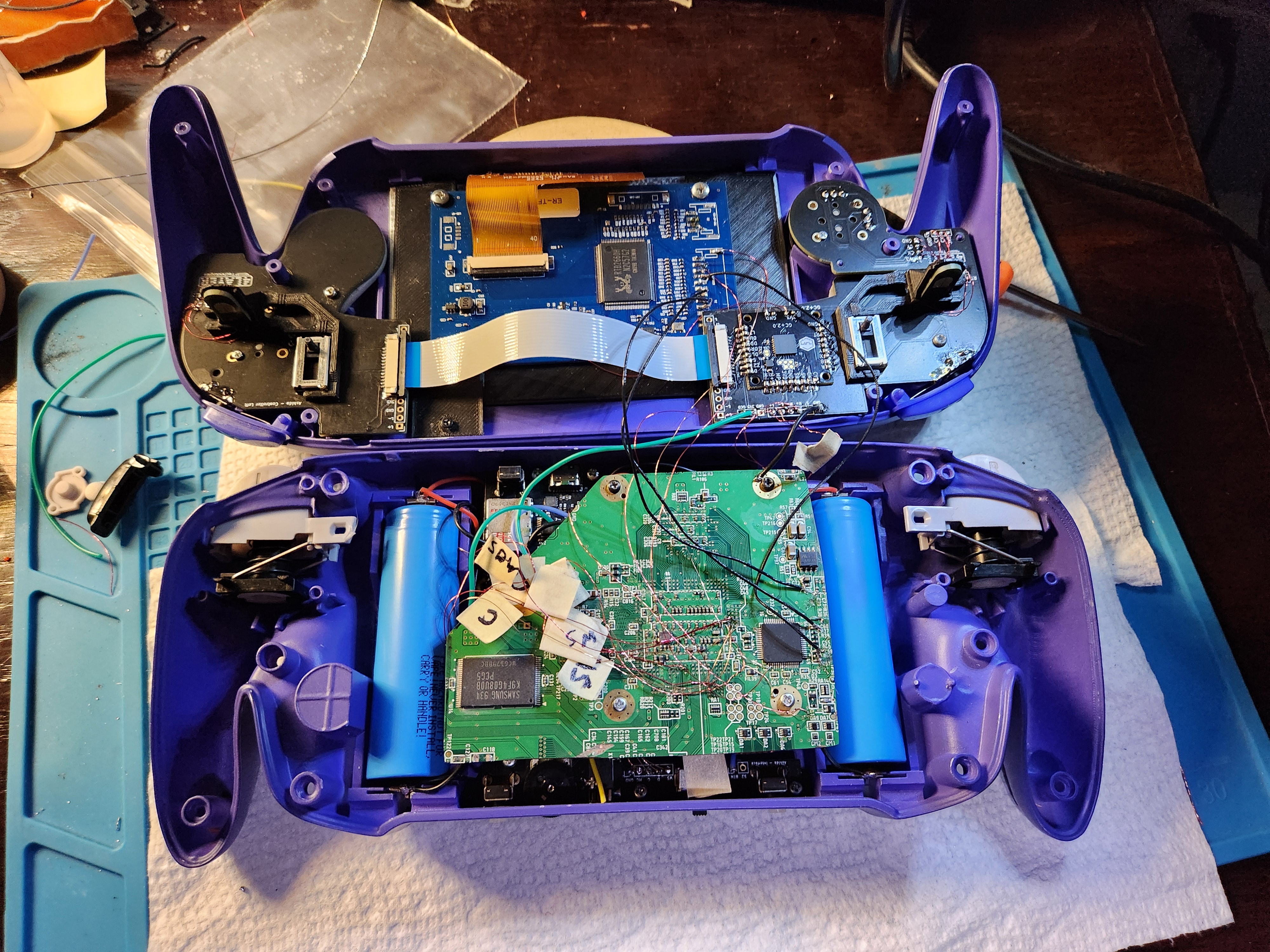
I just got into console modding, in fact this is my first ever electronics project in general. Luckily everything went well (mostly). I followed dubeisenhower's tutorial on YouTube as well as GingerofOz's candy build.
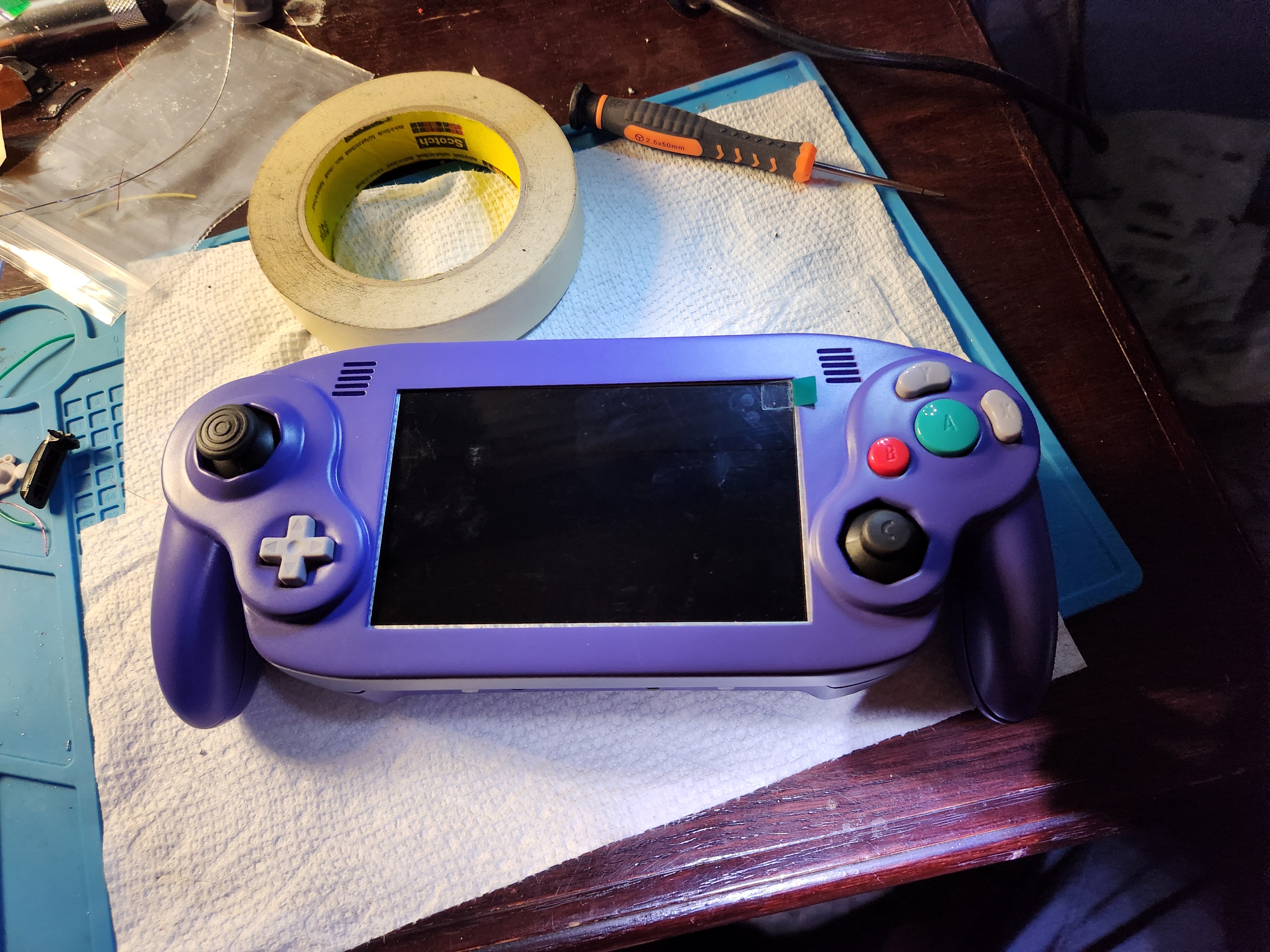
1000005192.jpg

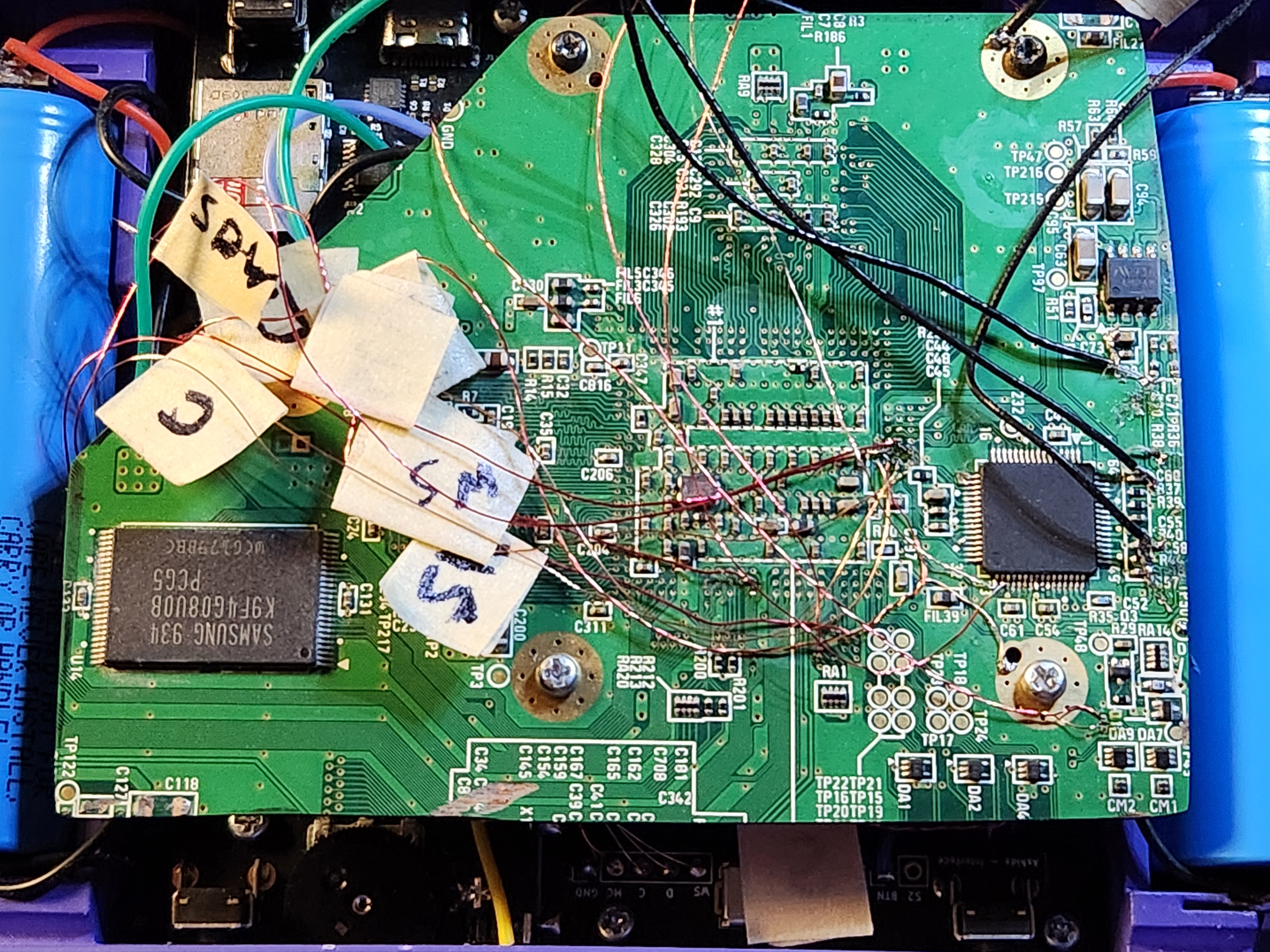
The bad news is there's a problem i was hoping i could get some help with: the screen turns on and says vga, the fan starts, but shortly after that the screen goes black. Dubeisenhower had the same problem in his video, but when I followed the instructions to get the USB wire as short as possible, nothing changed. Hopefully someone knows what I did wrong.
1000005193.jpg
1000005194.jpg

Also i want to add that it still worked when I tested it on a TV before I started working on the front half.
 
Hello, for your problem with the screen, I think There may be interferences in your wires.Are you using magnetic wires?
Also, be sure to roll up your wires between us.
 
Hello, for your problem with the screen, I think There may be interferences in your wires.Are you using magnetic wires?
Also, be sure to roll up your wires between us.
Yeah I'm using wrapped magnetic 34 awg wires for most of it, and I'm using the shielded wire from the wifi module for the rgb wires.
 
Last edited:
That's weird...have you checked the voltage of the screen?maybe it is trying to switch in composite
 
Could you also post a more clear picture of the H/V sync wires on the Wii motherboard they look shorted.
 
Just a few things you could try: It seems like there are some solder blobs in your close up picture you can try to clean those first. It looks like the V sync red wire is way too exposed and could cause shorting as well. You also can make sure that there is continuity between the H/V sync wires and thew screen. It looks like mode might be missing too you need to wire mode TP47 to 3.3v on the Wii motherboard to enable vga.
 
I can definitely tell you that USB pair is not anywhere near tight enough. Did you twist it by hand? if so, that's not happening. You need to use a drill or a dremel or something like that. If should be, as Tuco said, tight.

Other than that, I see a few random blobs of solder near the AVE, a lof of cold solder joings, some magnet wire that seems to have way too much removed insulation possibly shorting with one another, the soldering of those black shielded wires leave a lot to be desired... I'd strongly suggest you remove the batteries on this build, practice soldering on scraps of boards and then come back later with a better technique.
 
1000005201.jpg

I wired the 3.3v wire and used capton tape to cover the h/v wires. The continuity is good but still no change.
 
Just a general tip when working with portables you need to isolate as much as possible in each testing scenarios and try to add things one at a time. What I mean by this is first test the trim with just video hooked up, then try switching to vga, wiring USB and audio. Its hard to do things all at once. For now try confirming you are getting all the voltages correctly. I would also try to clean the back of the motherboard with a toothbrush and some rubbing alcohol to remove the excess solder blobs. Then try hooking one RGB line at a time. You could also try desoldering SCW/SDW and the audio lines because this could cause the Wii not too boot as well. Also one last thing just to confirm did you make sure to enable vga in the installer?
 
I can definitely tell you that USB pair is not anywhere near tight enough. Did you twist it by hand? if so, that's not happening. You need to use a drill or a dremel or something like that. If should be, as Tuco said, tight.

Other than that, I see a few random blobs of solder near the AVE, a lof of cold solder joings, some magnet wire that seems to have way too much removed insulation possibly shorting with one another, the soldering of those black shielded wires leave a lot to be desired... I'd strongly suggest you remove the batteries on this build, practice soldering on scraps of boards and then come back later with a better technique.
Just a general tip when working with portables you need to isolate as much as possible in each testing scenarios and try to add things one at a time. What I mean by this is first test the trim with just video hooked up, then try switching to vga, wiring USB and audio. Its hard to do things all at once. For now try confirming you are getting all the voltages correctly. I would also try to clean the back of the motherboard with a toothbrush and some rubbing alcohol to remove the excess solder blobs. Then try hooking one RGB line at a time. You could also try desoldering SCW/SDW and the audio lines because this could cause the Wii not too boot as well. Also one last thing just to confirm did you make sure to enable vga in the installer?
Ok I'll keep these in mind and update when I get anything. Also yes I did enable vga in the installer. Thank you to both of you
 
1000005202.jpg
1000005203.jpg

I desoldered the tp47 3.3v line and tested the board and it still works connected to a TV so I know the problem is between the board and the screen (or the tp47 line). Im going to try and clean up my solder joints between the wii and the screen because I think thats what the issue is. Also I tested continuity between the h/v pins and the driver board and there is continuity so it's at least not that.
 

Attachments

  • 1000005202.jpg
    1000005202.jpg
    2.6 MB · Views: 121
Check all these points I circled in red some of them look like they’re bridged some look like they’re not soldered correctly.

IMG_7745.jpeg
 
Check all these points I circled in red some of them look like they’re bridged some look like they’re not soldered correctly.

View attachment 37908
Do you think it would work better if I just used wrapped wire instead? I know the shielded wire gives a cleaner signal but I am struggling to solder them to the board without any shorts or blobs
 
1000005314.jpg
1000005313.jpg

I redid the rgb wires as magnet wire and I desoldered, cleaned the board, then soldered the signal wires. Still not working tho. :/ idk where the problem is. I don't think it's the h/v wires, they're not shorting and they have connection to the pads on the driver board. My only guess is that I'm just bad at soldering.
 

Attachments

  • 20250314_175011.jpg
    20250314_175011.jpg
    2.3 MB · Views: 106
I think you have the H and V sync wires swapped on the driver board. I would try to switch them and see if that fixes it if not you could double check to make sure you have VGA Installed. If your Wii is showing up on the TV it shouldn't be an issue with the rest of the board.
 
I second this ^^^^
Sometimes the H and V sync labels get swapped on driver boards. It won't damage anything, so it's worth a check
 
I think you have the H and V sync wires swapped on the driver board. I would try to switch them and see if that fixes it if not you could double check to make sure you have VGA Installed. If your Wii is showing up on the TV it shouldn't be an issue with the rest of the board.
I second this ^^^^
Sometimes the H and V sync labels get swapped on driver boards. It won't damage anything, so it's worth a check
It worked!!! However, it is inconsistent on whether it boots or not and when I checked the controls the left joystick and triggers don't work. I'll keep looking at it and see if I can fix that.
 
Back
Top