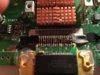
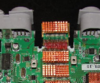
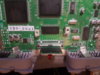
Hi this this is my first thread but i been working on a n64 portable and i need the jumper pak relocated. I tried to bend the slot but it broke off. So i need to know how to wire the jumper pak directly to the motherboard? Thank you
The first time I tried to make an n64 more portable I soldered the expansion pack directly to the pins from the slot it should sit in.
But this is quite hard to do because of the precise removal of the slot and not breaking 1 pin in the process.
Miceeno has some great pictures of this method.
Then I tried to remove the slot fully and solder wirewraping wire to the expansion pack.
This is also quite hard to do because of the n64 is very picky about the length of the wires to the ram chips.
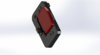
The last option I think is the best because you don't remove the slot you don't solder you just put the expansion pack in the slot without its plastic.
Great render i think from downingsbasement.com
To make it slimmer cut the sides of the expansion pack
Hi this this is my first thread but i been working on a n64 portable and i need the jumper pak relocated. I tried to bend the slot but it broke off. So i need to know how to wire the jumper pak directly to the motherboard? Thank you
Basically what you have to do is this:
Connect pins 3 and 17 together.
Connect pins 5, 7, 9, 11, 13, 15, 19, 21, 23, 25, 27, 29, 31 each to their own 51ohm resistor then connect the other side of the resistors to the 2.54 voltage source (pins 8 and/or 28).
EDIT: This is for the Jumper Pak. If you mean the Expansion Pak good luck soldering the whole thing.
The jumper pak resistors and capacitors are used for terminating the RAM bus. This is true for both the expansion pak and the jumper pak (they both use an identical method to terminate the RAM bus) with the difference between the two of them being that the expansion pak also has an extra 4 MB RAM chip on it. If you want expansion RAM on your console, the best way to do it is to buy two expansion paks, remove the RAM chips from them, remove the RAM chips from a stock N64, and replace them with the expansion RAM sticks found on the expansion RAM. This is known by the community as a "RAM swap" and allows you to include the expansion pak without taking up any additional space.
I hope this answers any questions you may have had.