Worklog WiiVision Build

Tron

.
Joined
May 26, 2020
Messages
83
Likes
57
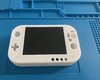
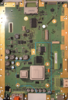
My ten-year-old son recently turned me onto Wii portablizing. After spending days reading various BitBuilt threads, watching Noah’s epic 10+ hour, 2-part YouTube video, and getting a case from the ever gracious Gman, I am starting my WiiVision build. I'll post my progress and share my BOM once I'm further along. In the meantime, because of the unusual trim required for the WiiVisiion case, I want to double check to see if the proposed trim (in the attached photo) based on Noah’s video and ABH’s worklog looks correct to those who have done it. Thanks in advance.
 

Attachments

  • Wii RVK-01 Proposed WiiVision Trim.png
    Wii RVK-01 Proposed WiiVision Trim.png
    3.3 MB · Views: 726
Trim looks alright, make sure it's not cutting into the NAND on the back. Once you cut a little and put the shoulder buttons in, pretty easy to see if you need to go any further if it fits or not
 
As I’m installing PortablizeMii on multiple Wiis, I’m wondering if the individual MAC address only affects the content of SD card or the USB’s as well? In other words, can I just copy the newly generate SD content onto the SD card and reuse the same USB content from a prior PortablizeMii generation?
 
As I’m installing PortablizeMii on multiple Wiis, I’m wondering if the individual MAC address only affects the content of SD card or the USB’s as well? In other words, can I just copy the newly generate SD content onto the SD card and reuse the same USB content from a prior PortablizeMii generation?

I believe the SD contents is console dependant, however whats written to the USB drive doesn't matter (the MAC address is only needed for the initial payload aka LetterBomb).
 
Thank you, Moo. I'll give it a try and report back.
 
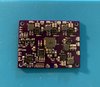
I finally received my stencil and soldered a PMS board (shown in the attached photo) with a rework station. I have a couple of questions and would appreciate some guidance.

One, I noticed that the photo of the PMS in the BitBuilt store shows the C28 pads with a capacitor and C26 being empty but the BOM in the GitHub lists a capacitor for C26 but nothing for C28. Should I switch C26 and C28 on my board?

Two, I bought a PICKIT3 kit. Where can I find instructions for programming the PMS? How do the holes on the bottom of the PMS board correspond to the pinouts of the PICKIT3?

Thanks.

IMG_1373.jpg
 
Nice job

C26 and C28 are the same value. It's OK if one of them is not present, no difference.

Download MPLAB IPE, you will select PIC16F15324, select the RVLPMS hex code on the github, connect the pickit (the 5 pin connector on rvlpms is same first 5 pins of the pickit). Then hit program. If it says programming succeed, it's ready to test.
 
Thanks. Is pin 1 the square hole on the left on the bottom of the pms board?
 
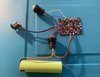
I made myself a pin header adaptor and wired up a battery to the PMS as shown in the video. I've soldered two PMS boards. One of them would not program and gave an error: "Target device was not found (could not detect target voltage VDD). You must connect to a target device to use PICkit 3." The second board appears to be programmed and I got a "Programming complete." But when I test the voltage on the 1v, 1.15v, 1.8v, and 3.3v, my multimeter shows 0 volts. The 5v pad shows 151 mv. What am I doing wrong? Thanks!
 
Did you make sure to plug the charger in momentarily and then hold the power button to turn it on?
 
Thanks, @cheese. Yes. I tried that. It didn't seem to make a difference. I am attaching a photo of the my set up. Since I posted my last question, I tried to reprogram the PMS board that I was able to program before. But this time, I got an error:

Invalid command response (sent 0x41, received 0x3f)
Connection Failed.

IMG_1405.jpg
 
Could you double check, it looks like there may be a short on U7 on the left side, though that shouldn't prevent you from programming the board... I'll have to look through the documentation to see if I can find something else soon.
 
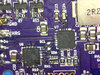
Thanks. I cleaned the left side of U7 up (see the attached photo), but it did not make a difference. Only the 5v pad shows a .696V. Also, L6 feels pretty warm whenever I connect B+.

S20200704_002.jpg
 
I replaced the PIC on both boards. Now, I'm getting "Target device was not found (could not detect target voltage VDD). You must connect to a target device to use PICkit 3." for both boards even though the boards are connected to a 3.7V battery source. I'm really at a loss here. Any suggestions for how to debug this thing would be greatly appreciated.
 
It is probably issue with soldering. Observe each pin and pad to verify it is making connection to pcb and not shorting to something next to it where it shouldnt be.
 
Thanks, @Gman. When you say issue with soldering, are you referring to the PIC specifically or just generally to any components on the board?
 
Thanks, @Gman. When you say issue with soldering, are you referring to the PIC specifically or just generally to any components on the board?
The whole board. Every chip and component.
 
Thanks. Since I have extra PMS PCBs, can I just solder the PIC to U6 on an empty board and power up with a battery to program the PIC?
 
Back
Top