Solved Trimmed Wii not detecting

Joined
Feb 2, 2018
Messages
85
Likes
37
I'm trying to wire my USB after trimming and my Wii isn't detecting any usb plugged in. I wired it and put hot glue over because the wires came off easily, I don't see any bridges and I'm getting contuinity between the wire and the two vias' they should connect too.
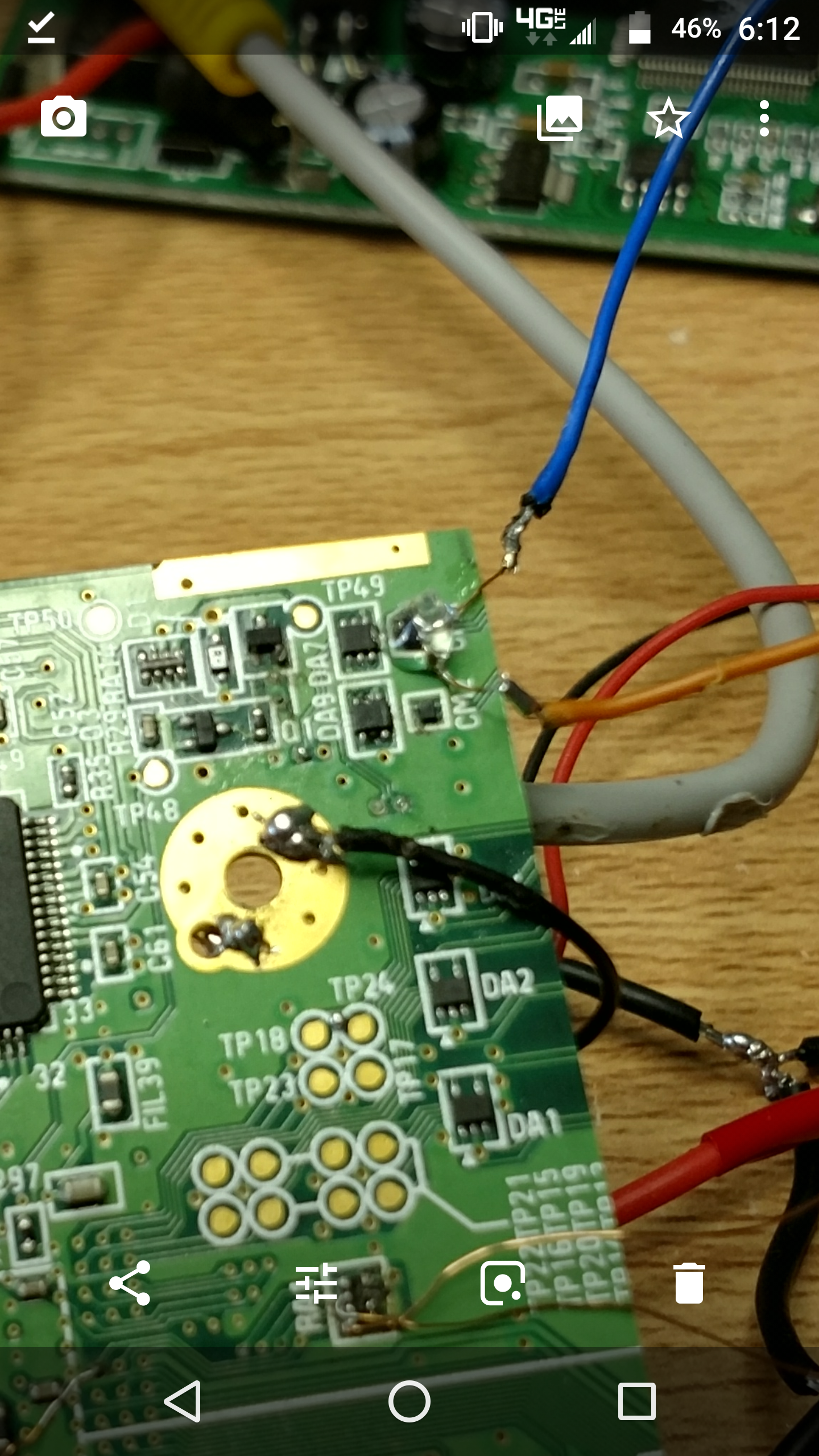
Screenshot_20180602-181222.png
 
USB data lines need to be twisted around each other. Use thinner wire for that.
 
USB data lines need to be twisted around each other. Use thinner wire for that.
Before trimming I didn't twist them and it worked, maybe because there wasn't that many power lines nearby so there was no interference? I'll definitely try it. I know the traces to GPU is fine, because it worked once when I moved the USB so it seems there is any connection problem but my multimeter is showing elsewise.
 
Why did you use magnet wire then solder a big wire to it?
The USB port I'm using is from a USB extension cable so I kept the inner cables from it because I was guessing it would have at least some protection. The reason there is magnet wire at the end is because it was soo much easier to solder to those two pins on cm1, I had a lot of struggle wiring it with the bulky wires. Yeah it would be easier to wire it to the viases but then it would be unprotected like the trimming guide said.
 
To USB port I'm using is from a USB extension cable so I kept the inner cables from it because I guessed it would have at least some protection. The reason there is magnet wire at the end is because it's Soo much easier to solder to those two pins on cm1, I had a lot of struggle wiring it with the bulky wires. Yeah it would be easier to wire it to the viases but then it would be unprotected like the trimming guide said.
I would suggest wiring the magnet wire from the board straight to the USB port instead of using that thicker wire at all.
 
I would suggest wiring the magnet wire from the board straight to the USB port instead of using that thicker wire at all.
Yeah that is what Stitches was saying. The USB port doesn't have a breakout board so I'll keep a teeny tiny amount of thick cable so I have something to actually solder too.
 
Honestly, I'd just attack the purple stuff on the end with a pair of pliers so that you can have access to just the raw port. It's what I do with mine and the ports have all been just fine.
 
Back
Top