PS2 Ultra Slim

Almost done.
1 Board is cut and powers on
2 HDMI Electron shepard done and working
3 The internal sd card mod
I tried it 3 times and is does not read the sdcard in opl or launcher, also evertime i cut the sd adapter it wont read in a pc either so i think its time to move on to using Gen2 MMCE in memory slot 1
I have the the gen2 with display as mention in earlier posts. The problem is it does not boot to FMCB at all with the supplied card is it supposed to or do i need seperate FMCB card? Seems like i should only need 1

BITFUNX PSxMemCard Gen2 the same thing as ps2sdx and if so can i just add a 256GB blank card and build it from zero​

If the bolded text is correct is there a good setup tutorial around

never mind i see it
 
@Densarc

There is not enough room. You can read a little from here.
 
Hi,
Those pictures look awesome with the 3d printed PS2 slim shells.

Today i received a bag full of PS2 parts. The person that gave it to me said "non working", fat motherboards and fat Cases, controllers,

And there is one PS2 slim 79001 motherboard without a drive, without the fan, just the bottom shell. i took a deep clean and the board works, just a little bit untill the heatsink got warm.

is there an STL file for an ultra slim shell but keeping the 2nd usb port?

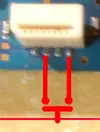
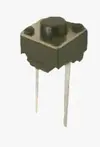
On this board the open tray switch was removed and they soldered a wire between 2 of the 4 pads. why would you need the tray switch or button if using it with OPL?
 
Hi,
Those pictures look awesome with the 3d printed PS2 slim shells.

Today i received a bag full of PS2 parts. The person that gave it to me said "non working", fat motherboards and fat Cases, controllers,

And there is one PS2 slim 79001 motherboard without a drive, without the fan, just the bottom shell. i took a deep clean and the board works, just a little bit untill the heatsink got warm.

is there an STL file for an ultra slim shell but keeping the 2nd usb port?

On this board the open tray switch was removed and they soldered a wire between 2 of the 4 pads. why would you need the tray switch or button if using it with OPL?
Q: Is there an STL file for an Ultra Slim shell that keeps the second USB port?
A: There are a few different Ultra Slim variations out there, including some in this thread, but I haven’t seen one that keeps both original USB ports. Some designs add a USB-C, usually for power in the rear.

You don’t necessarily have to lose the second USB port functions, though, especially if you want it for PS1 games, homebrew apps, or storage. When trimming the motherboard, you can save the piece containing the second USB port, solder it back in the motherboard, and mount the USB port somewhere internally. Then you can use the remaining external USB port for transferring files to and from it. I’ve posted a few examples in this thread showing how its been done.

Q: Why would you need the tray/lid switch or button if you're using OPL?
A: If you're only using OPL and don't have an optical drive installed, you really don't need the lid switch for normal use. So you are corect in your thinking.

Most likely, whoever had the board before you was still using the optical drive. The lid switches can fail over time, so it's common to bypass the rear lid switch by jumpering the pads. You would still have the front lid switch on the power-button board.
 
Last edited:
for the memory card flaps you will sand down the front frame and remove material so the door appears more at the front?
i wish i had the skills to design something 100% 3D printed, like remove material from the top front panel where the flaps are located
then just print some memory card flaps, all 3d printed
and then use the spring.
 
for the memory card flaps you will sand down the front frame and remove material so the door appears more at the front?
i wish i had the skills to design something 100% 3D printed, like remove material from the top front panel where the flaps are located
then just print some memory card flaps, all 3d printed
and then use the spring.
Here is the reason from Wesk:

 
Back
Top