

deesil
.
- Joined
- Mar 2, 2024
- Messages
- 26
- Likes
- 13
I began actually working on my Ashida back in March when I cut my (first) Wii. I've been documenting my work in my lab notebook and taking photos with my phone and (cheap) microscope.
I keep trying to tell the story of this work to my friends and family, but it's tough to explain this stuff to people outside of this community. I figured the solution is to just write out a worklog and share it if people are interested.
Before I dive in though, I want to give a huge shout-out to the members of the Discord who have provided awesome support and embody the spirit of engineering and growth. This community is awesome!
--------------------------------------------------
Okay, let's get started.
I began with a black Wii I got off Goodwill. I disassembled the Wii and did the OMGWTF trim and got to work sanding. I checked resistance and everything was good. So I wired up power. Unfortunately though I couldn't get video out of it.

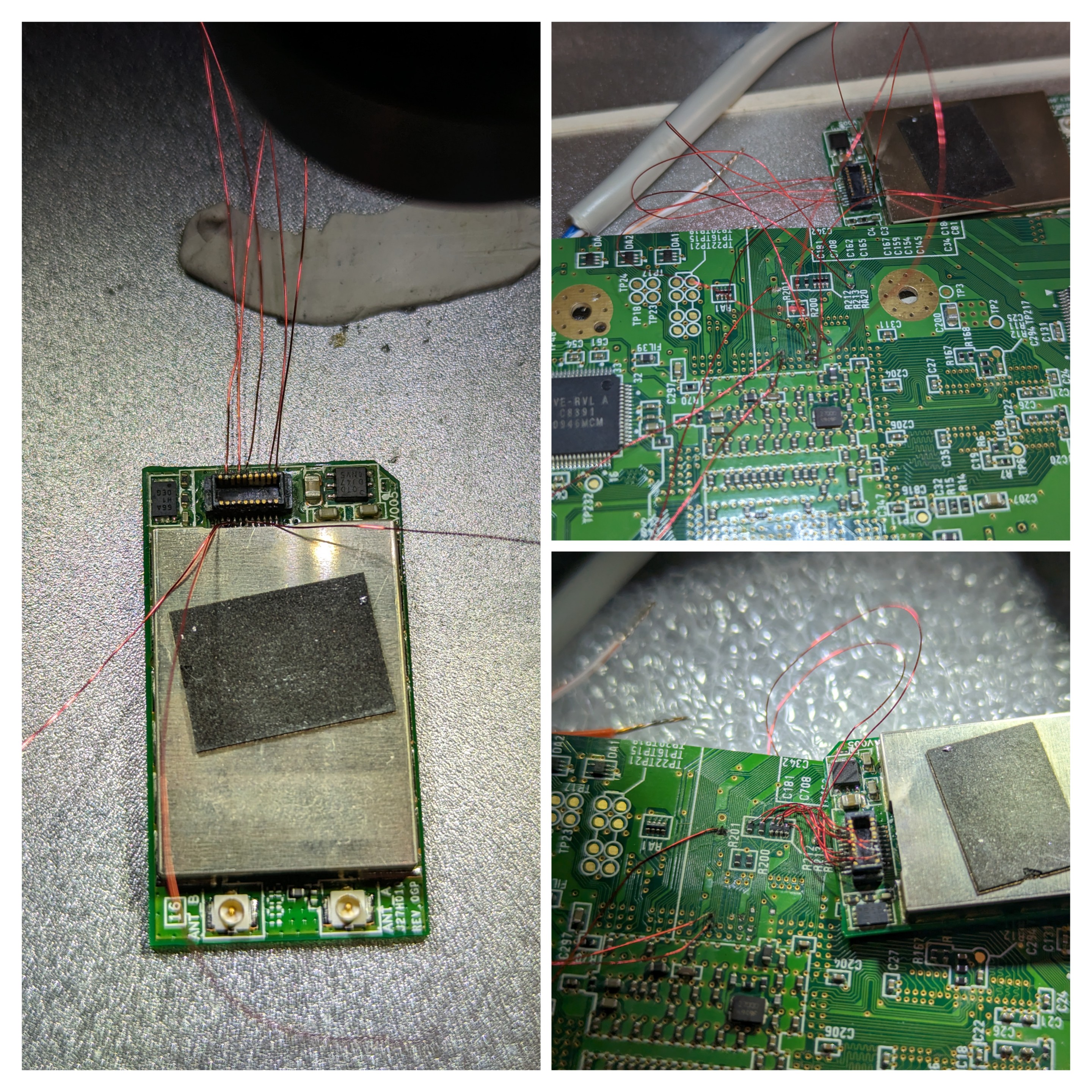
At this point it occurred to me that I MIGHT have left wifi on in the RVloader set up. I figured, how hard could wifi be? And assumed I'd want it.
So I tried to wire up WiFi. This got some laughs over in the discord . A noble effort, no doubt, but not going to cut it. I tried again following the guidance of the pros But I just couldn't get it to work. Given that I didn't even know if the trim was good, and with wifi being as challenging as it is, it was time to relegate this board to the "future projects" bin and move on.
I ordered a 3 pack of wiis on EBay, two of which were black, and set about starting over.
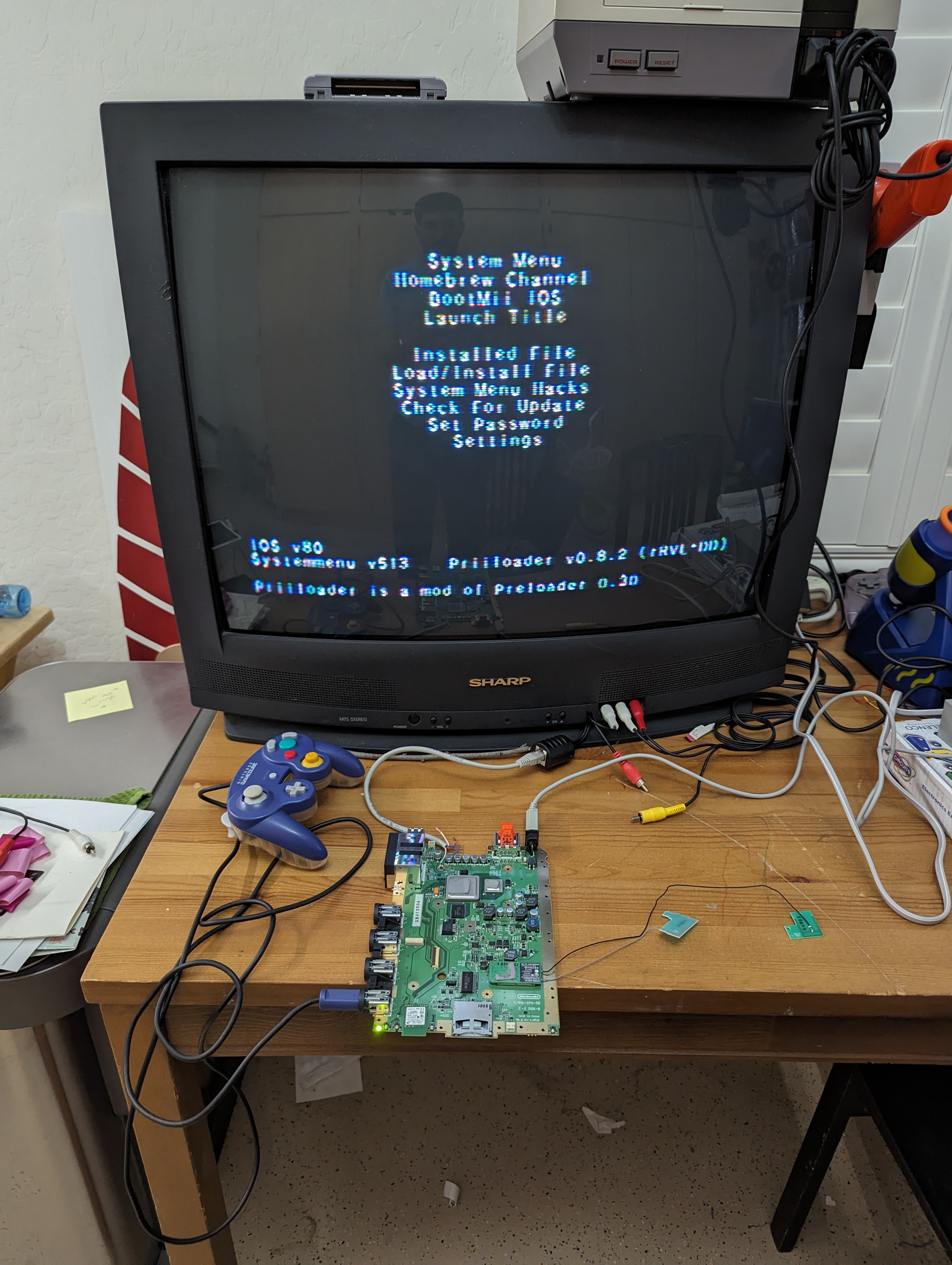
This time I was way more careful, and took it step by step. First, I wanted to confirm that the softmod had gone correctly, and that I could get video out of the wii using my janky solution. I didn't have a spare RCA cable, but I had this RJ45 to RCA adapter. I figured I could use some CAT-5 with an RJ45 connecter and get composite video from the Wii. Here it is working as I had hoped. I was now confident that this thing COULD boot. But going forward, I'd need to do some more testing before I was ready for the trim.
I keep trying to tell the story of this work to my friends and family, but it's tough to explain this stuff to people outside of this community. I figured the solution is to just write out a worklog and share it if people are interested.
Before I dive in though, I want to give a huge shout-out to the members of the Discord who have provided awesome support and embody the spirit of engineering and growth. This community is awesome!
--------------------------------------------------
Okay, let's get started.
I began with a black Wii I got off Goodwill. I disassembled the Wii and did the OMGWTF trim and got to work sanding. I checked resistance and everything was good. So I wired up power. Unfortunately though I couldn't get video out of it.
At this point it occurred to me that I MIGHT have left wifi on in the RVloader set up. I figured, how hard could wifi be? And assumed I'd want it.
So I tried to wire up WiFi. This got some laughs over in the discord . A noble effort, no doubt, but not going to cut it. I tried again following the guidance of the pros But I just couldn't get it to work. Given that I didn't even know if the trim was good, and with wifi being as challenging as it is, it was time to relegate this board to the "future projects" bin and move on.
I ordered a 3 pack of wiis on EBay, two of which were black, and set about starting over.
This time I was way more careful, and took it step by step. First, I wanted to confirm that the softmod had gone correctly, and that I could get video out of the wii using my janky solution. I didn't have a spare RCA cable, but I had this RJ45 to RCA adapter. I figured I could use some CAT-5 with an RJ45 connecter and get composite video from the Wii. Here it is working as I had hoped. I was now confident that this thing COULD boot. But going forward, I'd need to do some more testing before I was ready for the trim.
Last edited:


