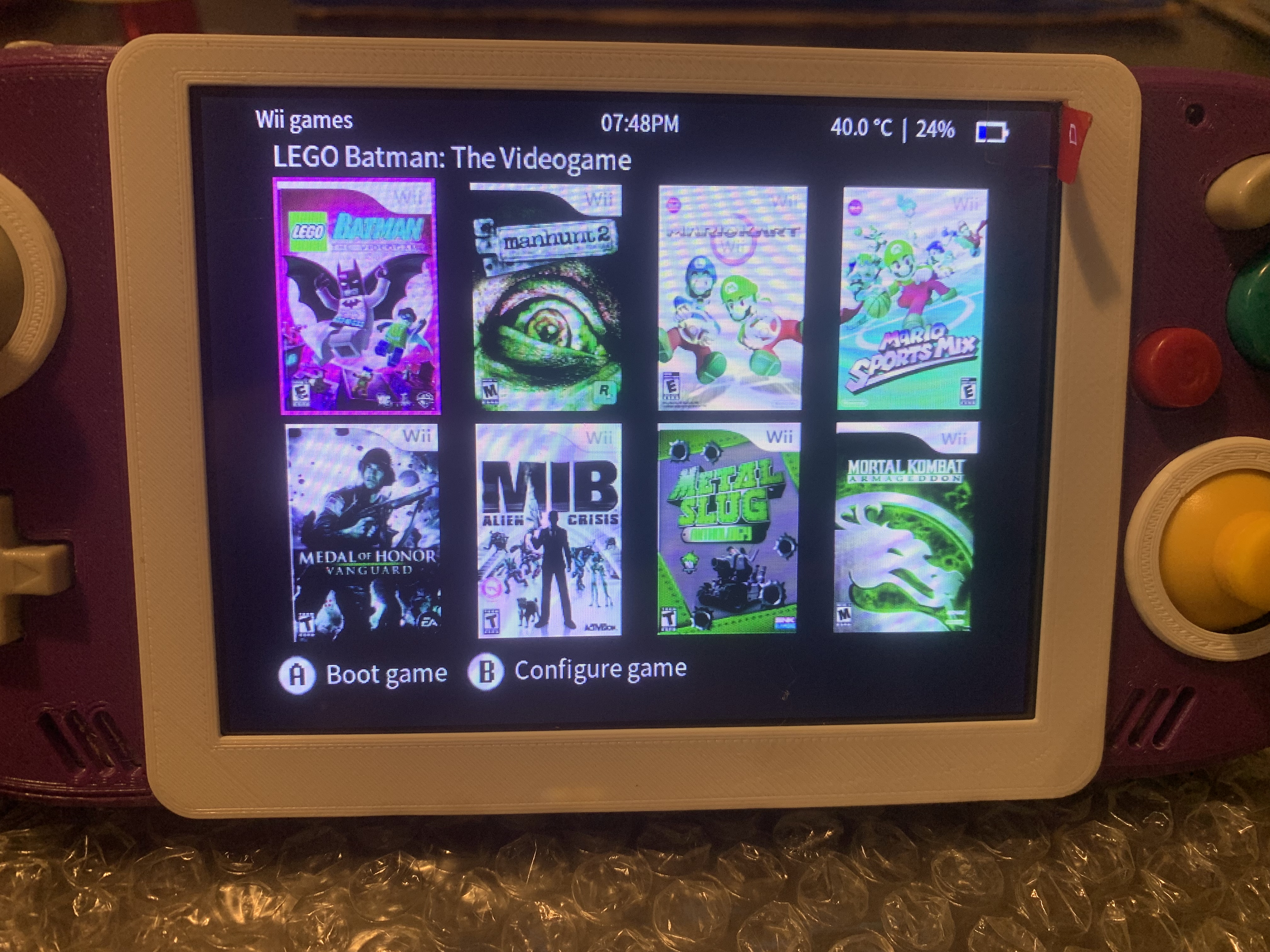
Solved Gwii green tint on lcd

Joined
Nov 9, 2017
Messages
868
Likes
823
Location
CA
Portables
8
Wired up my vga screen but I have a green tint Any help is appreciated.
75F7BF6E-C700-4A6C-9B63-739BFA1CDA4E.jpeg
 
I think you may have your RGB lines mixed up. When following the trimming guide did you go by the numbers or the colors? The colors are NOT coded to match RGB lines but for component video cable color code.

1645696609181.png

1645696658005.png


Thats my hunch about it. It looks like the colors are inverted. Sometimes you can get weird purple on whites if the green line is too hot.

Check that...

 
100% what is being mentioned about the video pin #s happened to me on my PS2 build. I have heard on occasion about turning down the green channel on the display but that was particular to a specific display but yours do looked like swapped channels
 
I think you may have your RGB lines mixed up. When following the trimming guide did you go by the numbers or the colors? The colors are NOT coded to match RGB lines but for component video cable color code.

View attachment 21327
View attachment 21328

Thats my hunch about it. It looks like the colors are inverted. Sometimes you can get weird purple on whites if the green line is too hot.

Check that...
Thanks for pointing this out, I think that’s going to be the issue, I’ve been testing with my portable lcd and just been matching the colors on the diagram. I’ll switch them over correctly and hopefully it works.

UPDATE
It works Thanks for the help
97E661BA-3173-487B-8DFA-07FC1DA2DB90.jpeg
 
Last edited:
Sometimes you can get weird purple on whites if the green line is too hot.
What do you mean by that? I just added an accu pack in my last portable to see how it works and I get that purple colors on white, if it's too bright.
 
Back
Top