Worklog First Ashida worklog update

Blabby

.
Joined
Jul 14, 2022
Messages
19
Likes
6
WORKLOG ---


The thought to begin my worklog hasn’t crossed my mind until now, so I’ll just cover the (very little) progress I’ve made until now.


I decided that making an Ashida Wii would be the best for my skill level, as it seems like a pretty good beginner’s option (ignoring the lack of detailed documentation regarding putting it together, minus the schematics/diagrams that can be found on the 4Layer website). I went ahead and ordered the Ashida PCB kit from 4Layer, along with all the components outlined in the parts list from Digikey. In the meantime, I upgraded from my El Cheapo 20 dollar soldering iron I got from amazon to a much nicer Yihua-939D+. While I was at it, I ordered a practice SMD PCB that should be arriving tomorrow.


Sorry for the short first-log, I’m excited to update this log with some more substantial progression!
 
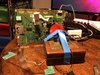
First major update! I got all the things required to boot a Wii PCB (including the best cooling solution my caveman brain could come up with) and installed RVLoader. Finding the required WAD files online was tricky, but I eventually found my solution. I turned the WiFi patch on and VGA on, but now my Wii's output gives a black screen. I imagine it has something to do with turning VGA on, but I guess I wont be sure until I put the thing into an Ashida case :P
 

Attachments

  • 04FFCA0C-15E6-4EDA-9C94-08B386169F09.jpg
    04FFCA0C-15E6-4EDA-9C94-08B386169F09.jpg
    4.9 MB · Views: 247
First major update! I got all the things required to boot a Wii PCB (including the best cooling solution my caveman brain could come up with) and installed RVLoader. Finding the required WAD files online was tricky, but I eventually found my solution. I turned the WiFi patch on and VGA on, but now my Wii's output gives a black screen. I imagine it has something to do with turning VGA on, but I guess I wont be sure until I put the thing into an Ashida case :P
When the VGA patch is installed, using any HDMI converter will just show a black screen. You can still use composite video normally
 
When the VGA patch is installed, using any HDMI converter will just show a black screen. You can still use composite video normally

That worked, thanks.

UPDATE:

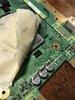
I managed to rip up a trace on the PCB while removing an inductor. How f*cked am I?
 

Attachments

  • IMG_0301.jpg
    IMG_0301.jpg
    1.4 MB · Views: 271
That's a capacitor, and it's no biggie. It's not needed anyway. Just cut it where it is so it's hanging off.
 
You can still grab signal further back, so it's fine
 
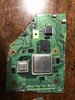
Finished my trim, and well... looks like I have *alot* of sanding to do.
 

Attachments

  • AD3E320A-AC0E-40B9-B22C-EA37D2B235C4.jpg
    AD3E320A-AC0E-40B9-B22C-EA37D2B235C4.jpg
    1.9 MB · Views: 232
  • 3AAA1B41-9F4E-48AA-B965-5B8F26E9951D.jpg
    3AAA1B41-9F4E-48AA-B965-5B8F26E9951D.jpg
    2 MB · Views: 256
Finished my trim, and well... looks like I have *alot* of sanding to do.
What did you use to trim it looks very unclean, when I trimmed a wii the trimming lines were mostly straight. Maybe you speed was too low. but I dont know much everything else looks fine.
 
What did you use to trim it looks very unclean, when I trimmed a wii the trimming lines were mostly straight. Maybe you speed was too low. but I dont know much everything else looks fine.

I used a rotary tool, & the speed was waaay too high for the pcb.
 
UPDATE:

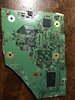
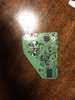
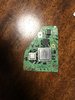
After about half an hour of sanding, I got it down to size. Still not great, but absolutely better than before.
 

Attachments

  • IMG_0316.jpg
    IMG_0316.jpg
    2.3 MB · Views: 259
  • IMG_0315.jpg
    IMG_0315.jpg
    2.4 MB · Views: 230
Back
Top