

The FC Mumu Pro is a brand new, fully-original Famicom flashcart designed by 沐沐 (Mumu) for the Chinese market.
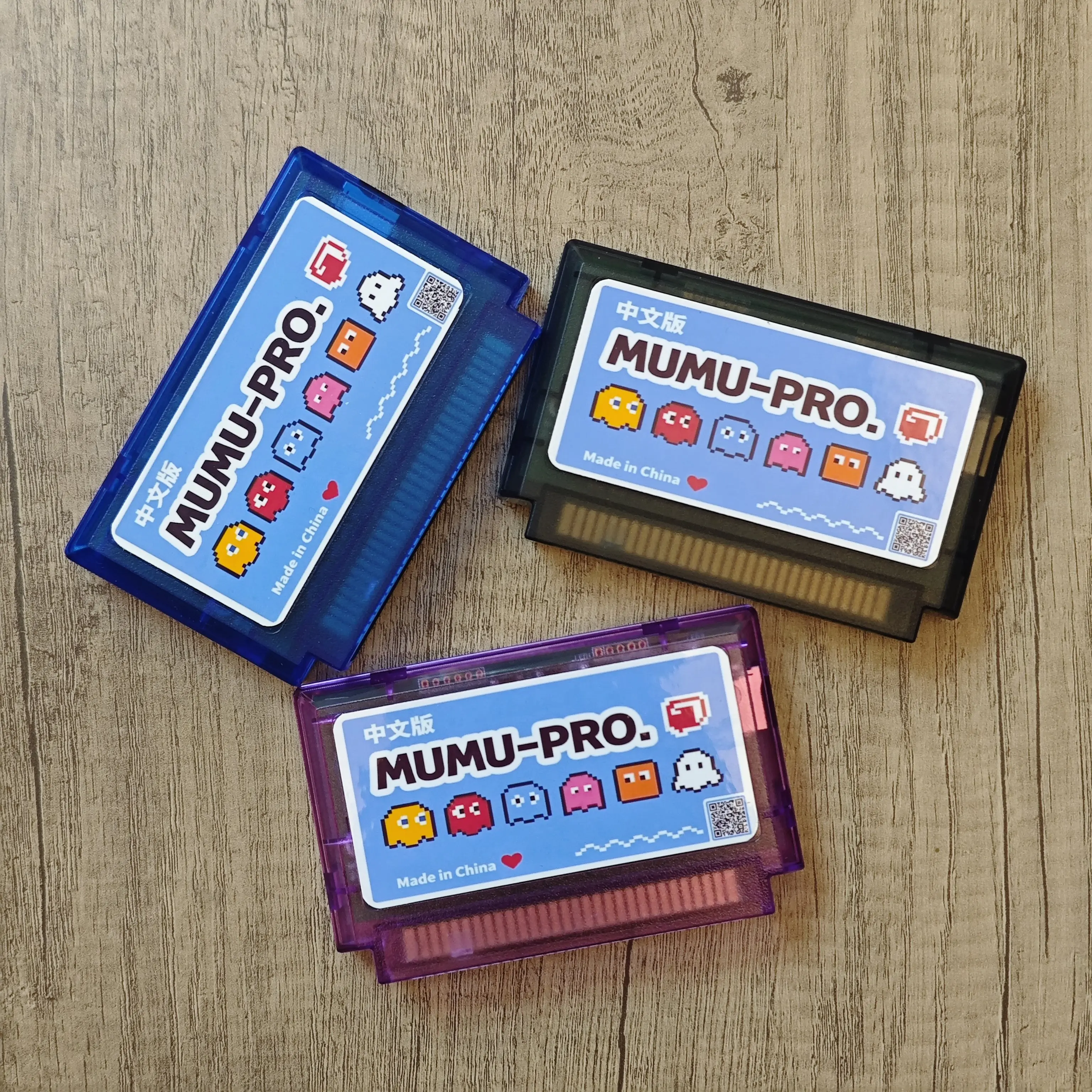
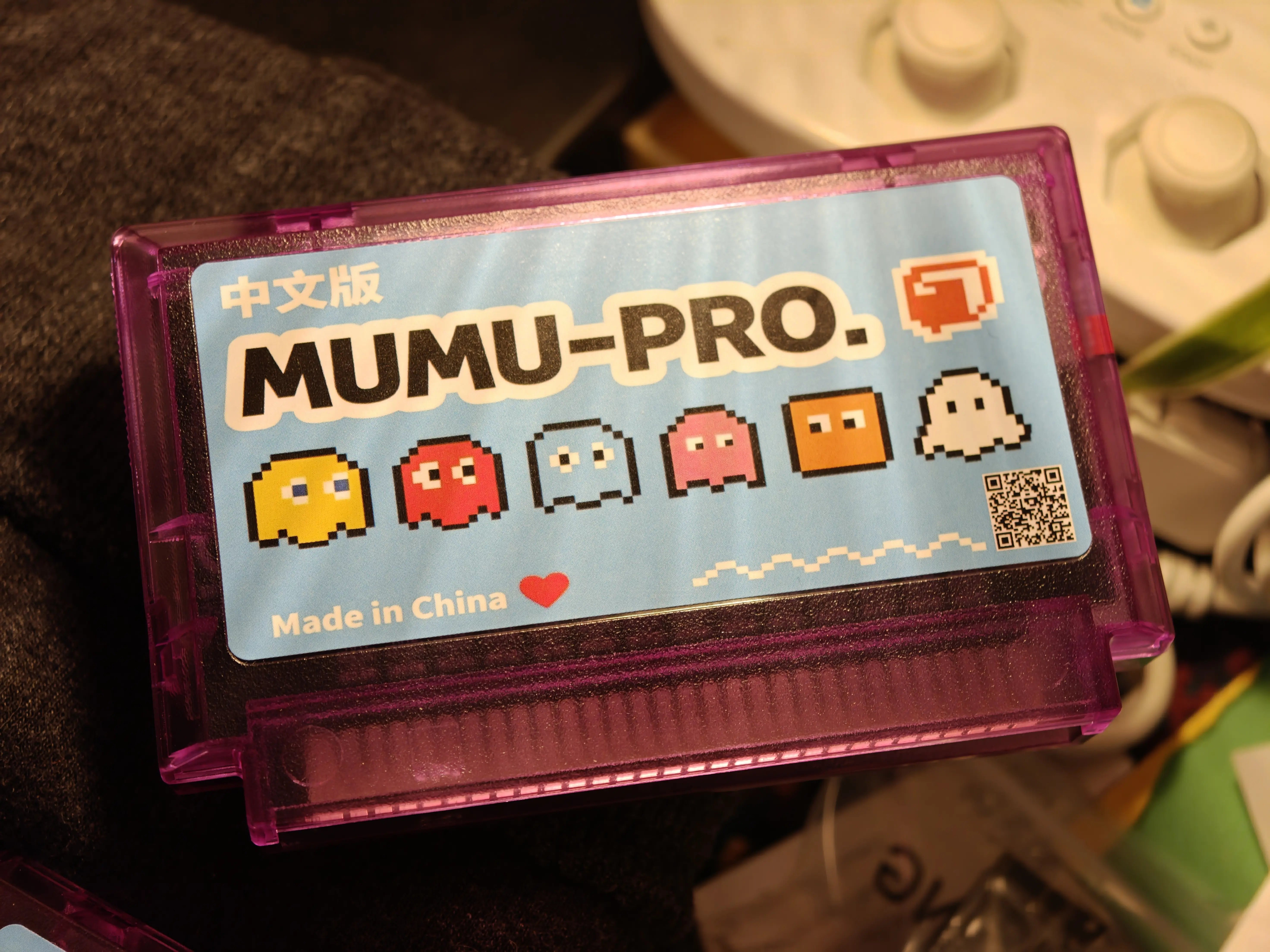
Currently, it's only available on Taobao and Xianyu, and costs 388 RMB (57USD).
Because it's China-only, there's no English documentation of its capabilities. So this post will detail what it can and can't do, and compare it to the Everdrive N8 Pro and existing N8 clones.
Hardware
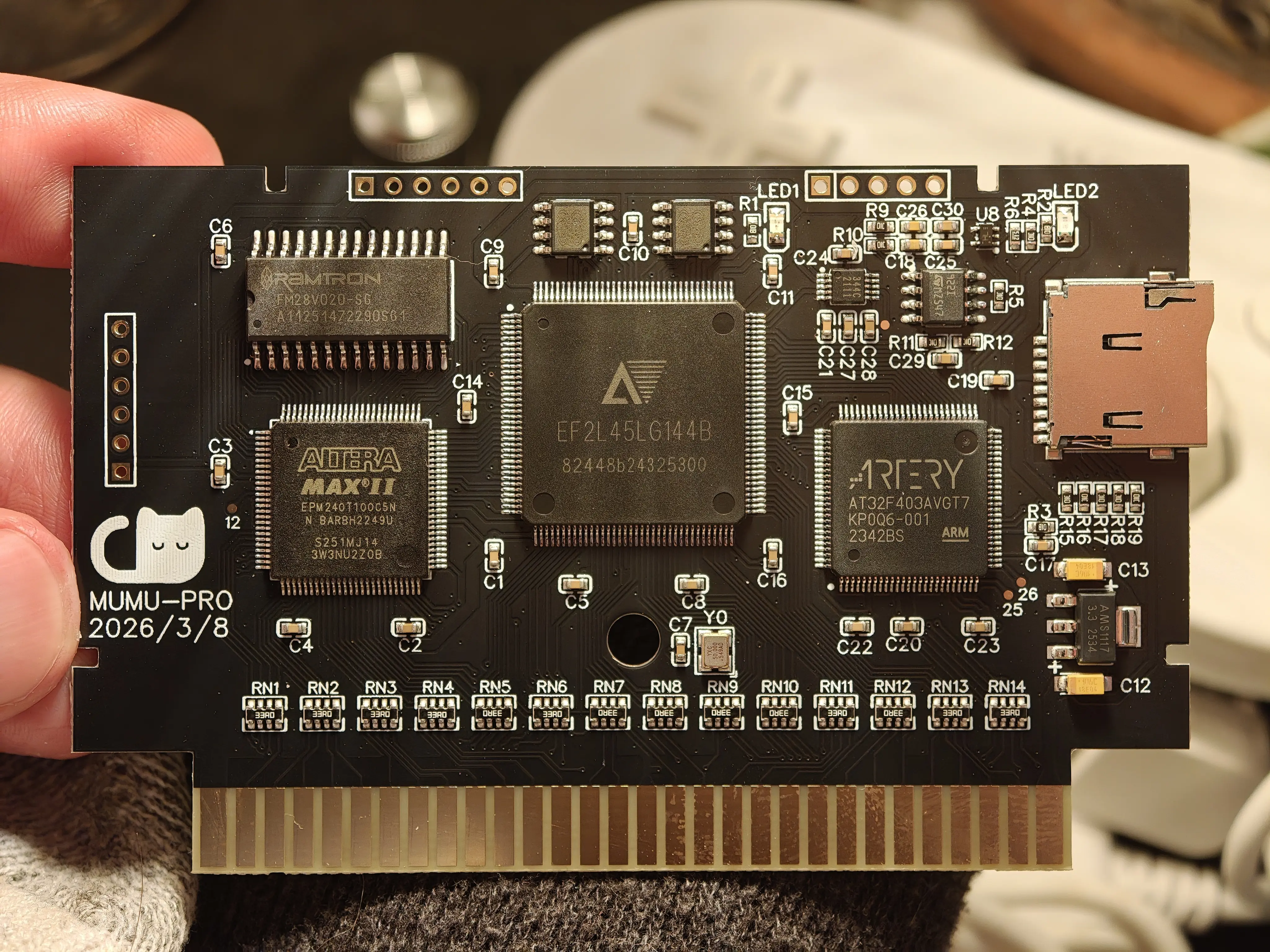
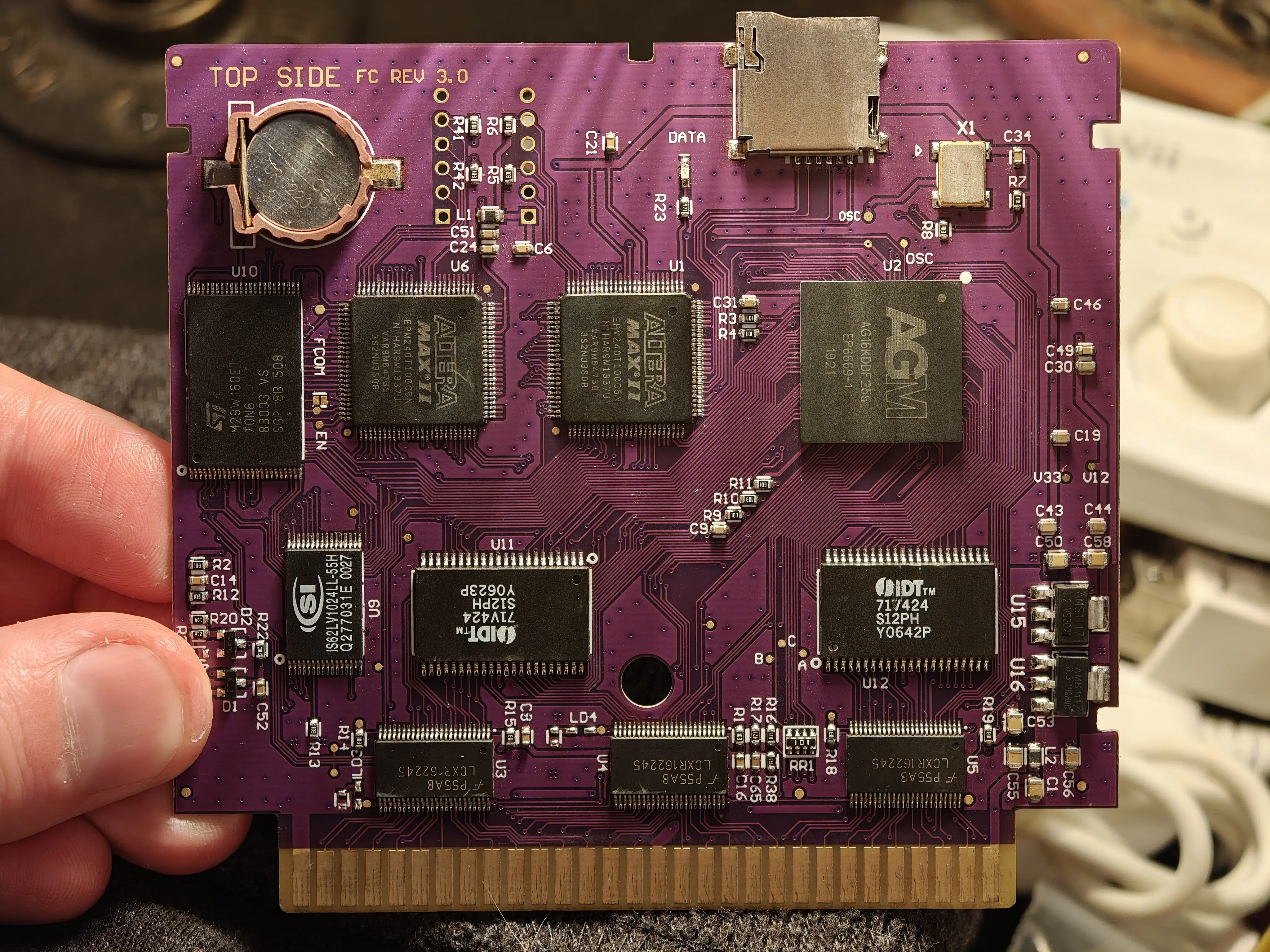
The Mumu Pro is an original design optimized for production within China. The PCB is the same size as a normal Famicom cartridge, which is a first for a flashcart packing this much punch.
Features & Compatibility
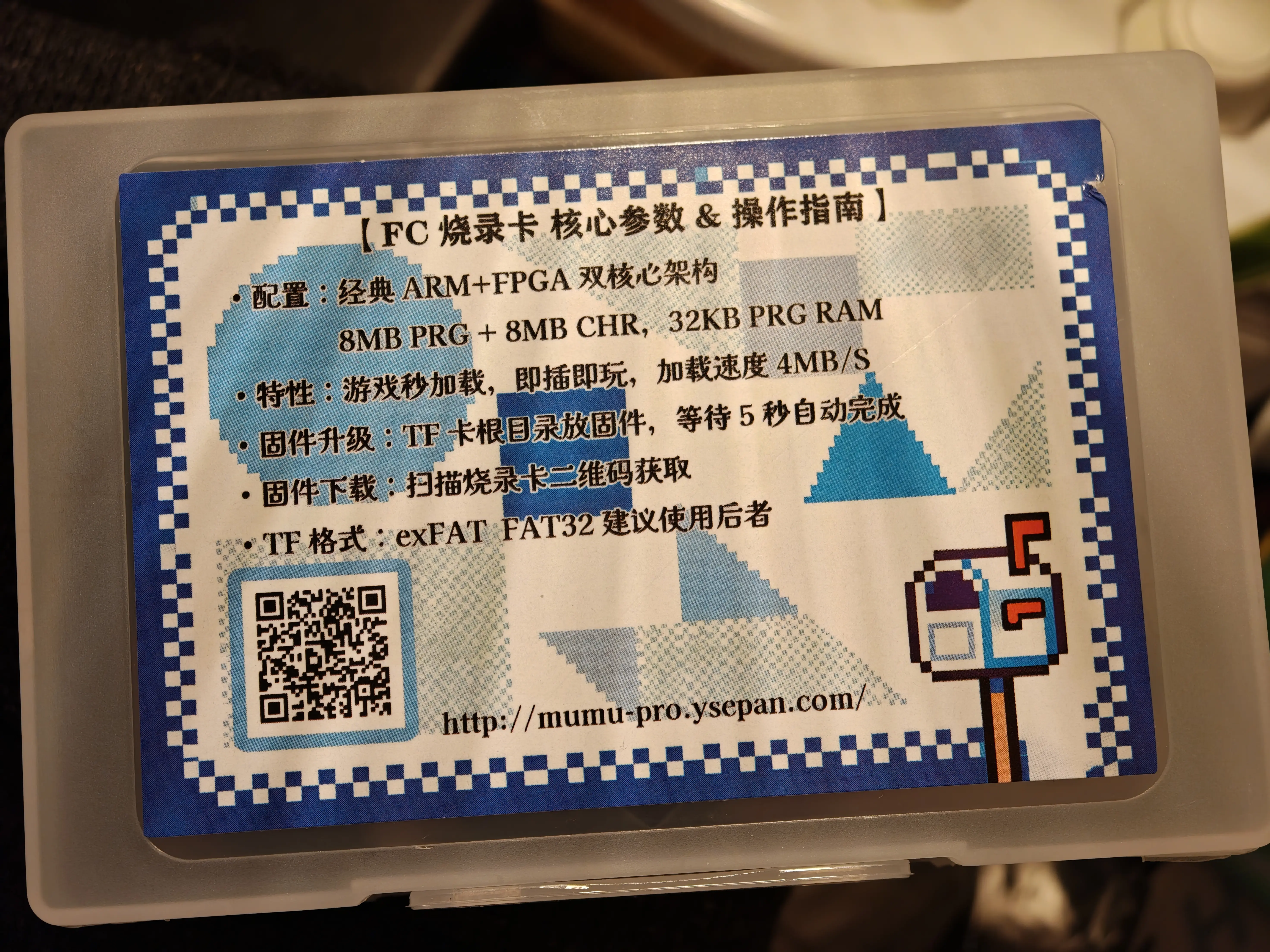
ROM support specs are 8MB PRGROM + 8MB CHRROM + 32KB PRGRAM. This is really incredible and puts it in the same ROM size class as the Everdrive N8 Pro, at a third the cost.
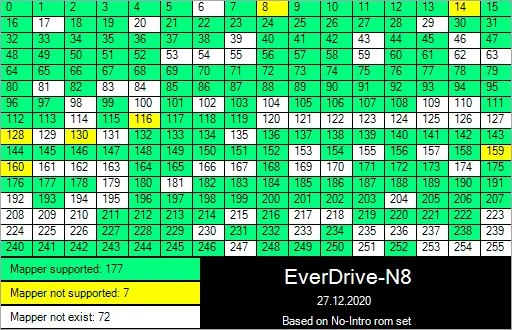
Mapper support is less impressive:
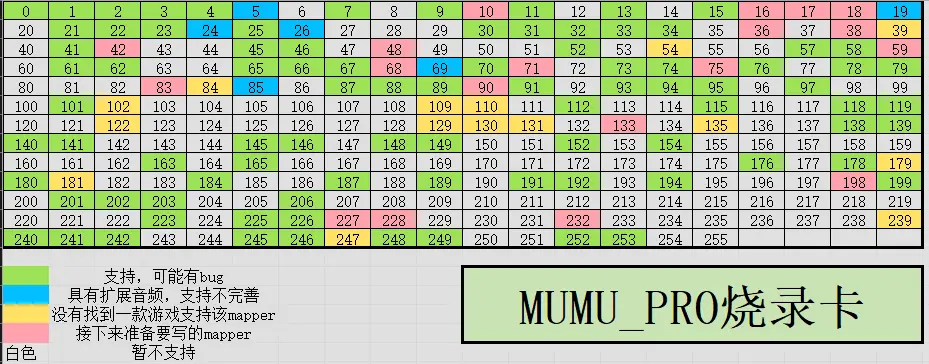
Green = Supported, but may have bugs.
Blue = Features extended audio, but support is incomplete.
Yellow = No games found to support this mapper.
Red = Support is planned for a future release.
White = Not currently supported, no plans to implement.
Compatibility for basic games is fine, but cheap flashcarts like Kryzsio and CoolBoy have had that solved for ages. Sadly, expansion audio and MMC5 compatibility is poor, meaning a lot of nice-sounding retail games and modern romhacks don't work.
Firmware updates have been released consistently over the last year and a half, and the hardware platform is super robust, so I'm eager to see how the mapper situation improves over time.
Download the latest firmware HERE (https://mumu-pro.ysepan.com/). As of June 2026, E11.1.12 is the latest version.
There is an anonymous issue reporting section on the support site, which might be a good way to request fixes for glitchy games.
The menu is barebones, but much more readable than the Everdrive one, in my opinion. There are navigation sound effects too, which is very nice. The menu fully supports Chinese characters, unlike the Everdrive menu.
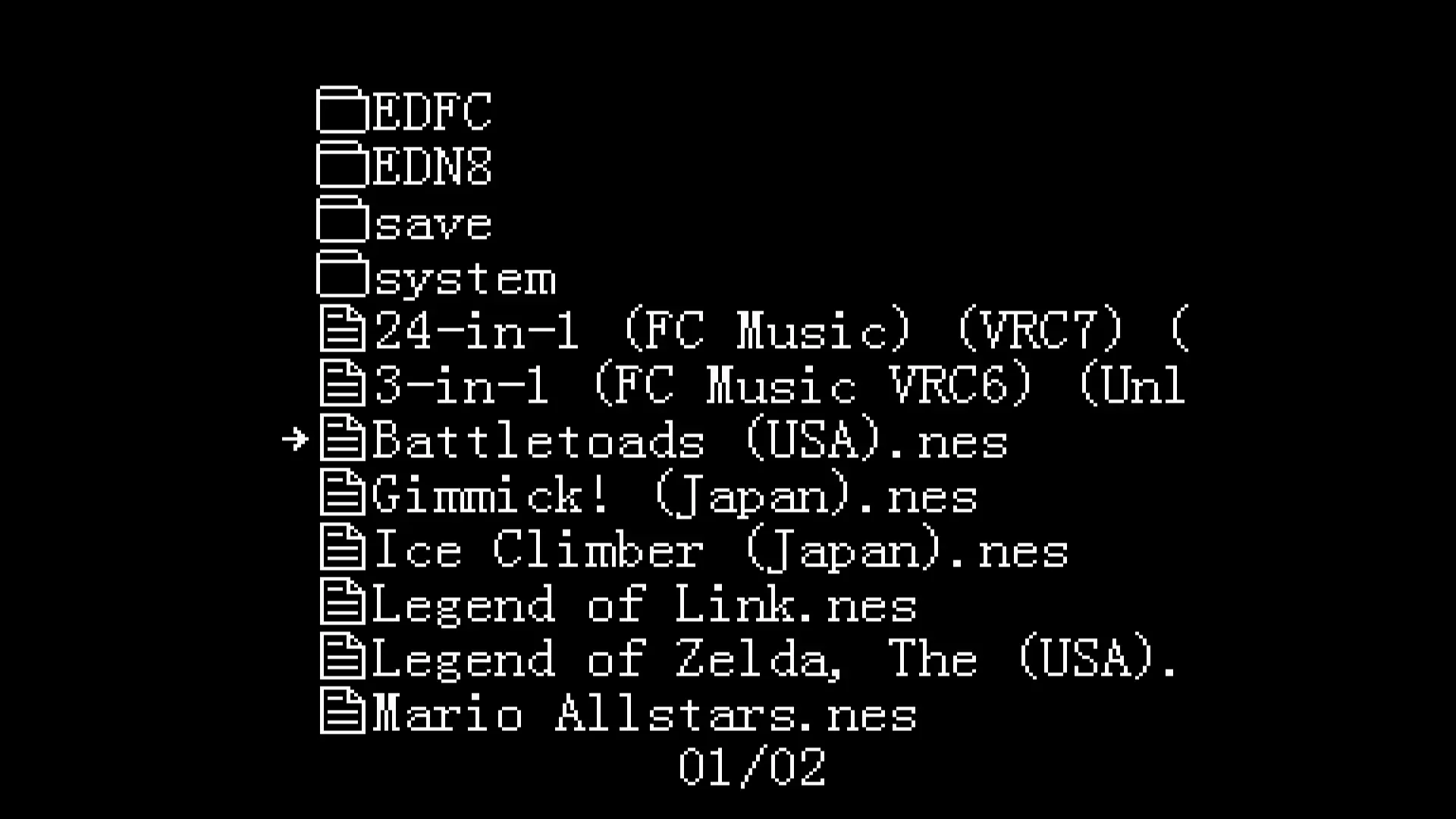
Game loading is literally instant, regardless of ROM size, which is very impressive.
However, there are no other features to speak of. No FDS support, no save states, no Game Genie codes, no OSD, and no in-game reset (IGR). I imagine if the cartridge continues to sell well, these things might eventually be implemented. But as of today, all you get is game loading.
Gameplay Demo
Notes:
Comparison with Everdrive N8 Pro
So obviously, the $60 Mumu Pro is not a slam dunk, and you still get what you pay for with NES/Famicom flashcarts. The $160 Everdrive N8 Pro remains king as far as compatibility and features.
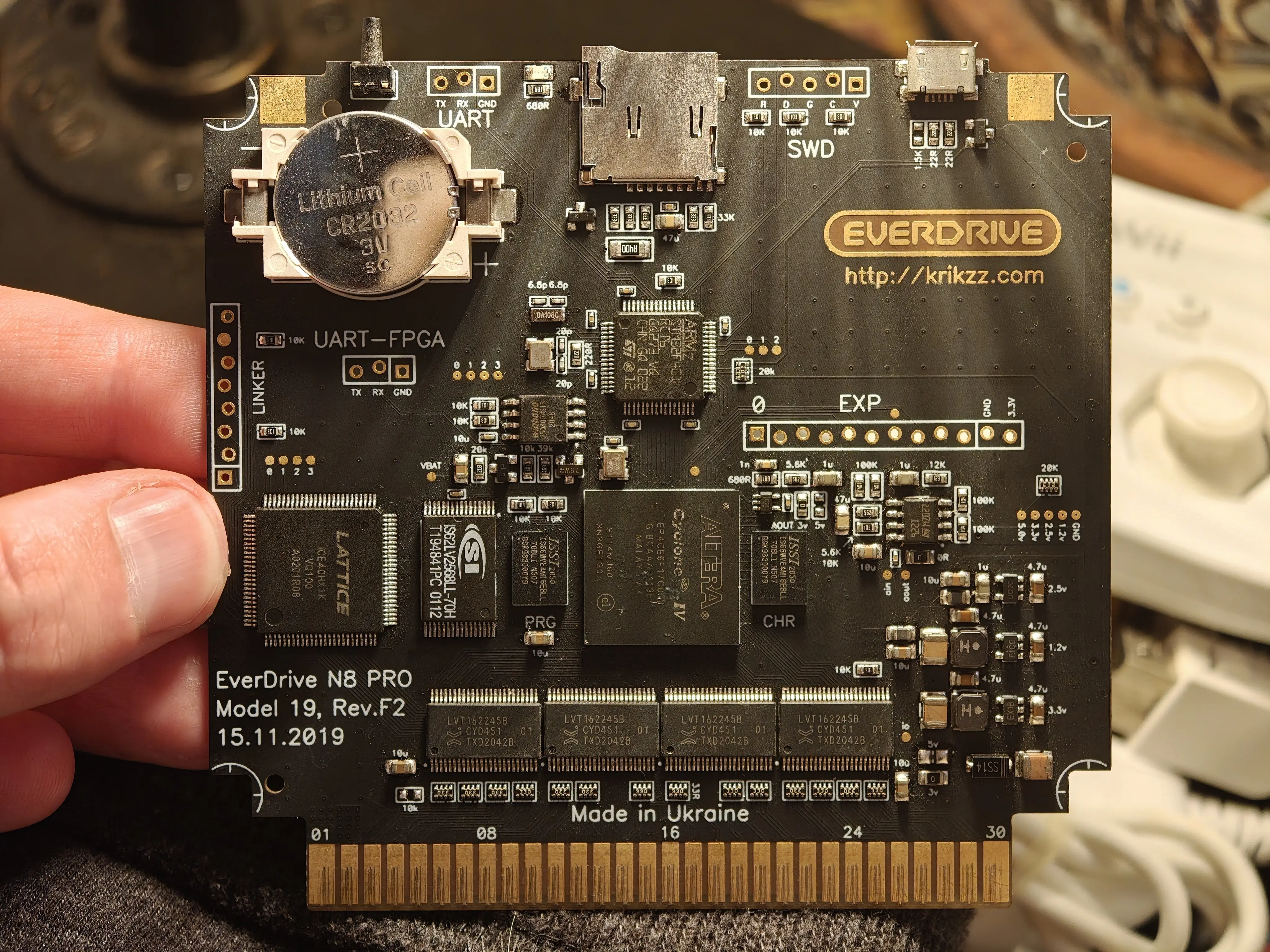
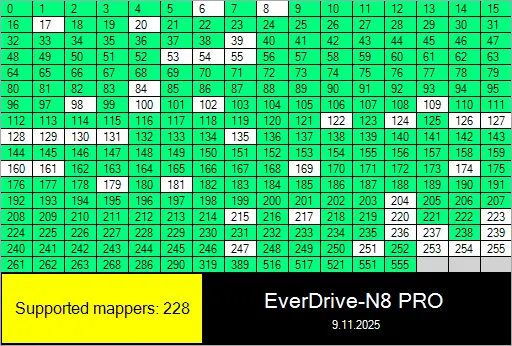
The N8 Pro has perfect mapper compatibility and even supports "fantasy" mappers like the one used in the Former Dawn demo. 8MB PRG and 8MB CHR, so virtually no limit on ROM size.
It also has:
As you can see, full MMC5 support, all expansion audio games sound great, and the OSD makes swapping games a breeze.
Is the $40 clone N8 better than the Mumu Pro?
Yes and no. The cheap clone N8 comes in two flavors, a small PCB and a big PCB. Neither version is an N8 Pro! The big PCB version is able to run newer N8 firmware, up to 1.26, while the small one can only run 1.13. That's the only difference between the two variants.
NOTE: If you put the official 1.24, 1.25 or 1.26 N8 firmware on your clone's microSD card, booting a game will trigger a killswitch that corrupts the microSD, destroying your saves and forcing you to reformat it.
Grab the patched firmware 1.25 and 1.26 from HERE instead. These have the killswitch patched out and work normally on clone N8s.
Mapper compatibility is virtually perfect, with only a few pirate and hack mappers left out.
The big caveats with the N8 clone cart are:
Conclusion
Currently, it's only available on Taobao and Xianyu, and costs 388 RMB (57USD).
Because it's China-only, there's no English documentation of its capabilities. So this post will detail what it can and can't do, and compare it to the Everdrive N8 Pro and existing N8 clones.
Hardware
The Mumu Pro is an original design optimized for production within China. The PCB is the same size as a normal Famicom cartridge, which is a first for a flashcart packing this much punch.
- Shanghai Anlogic Infotech Co., Ltd EF2L45LG144B FPGA (4480 LUTs, 684k eRAM)
- Artery Technology (Chongqing) AT32F403AVGT7 240MHz ARM 32-bit Cortex-M4F MCU
- x2 8MB SOP-8 PSRAM for PRG and CHR (lasered off?)
- Altera MAX II EPM240T100C5N CPLD (for mappers)
- Ramtron FM28V020-SG 256Kb FRAM (for saves w/ auto-flushing to SD?)
- microSD slot for firmware, games and saves
- Series resistors for 3.3v-5v interfacing
Features & Compatibility
ROM support specs are 8MB PRGROM + 8MB CHRROM + 32KB PRGRAM. This is really incredible and puts it in the same ROM size class as the Everdrive N8 Pro, at a third the cost.
Mapper support is less impressive:
Green = Supported, but may have bugs.
Blue = Features extended audio, but support is incomplete.
Yellow = No games found to support this mapper.
Red = Support is planned for a future release.
White = Not currently supported, no plans to implement.
Compatibility for basic games is fine, but cheap flashcarts like Kryzsio and CoolBoy have had that solved for ages. Sadly, expansion audio and MMC5 compatibility is poor, meaning a lot of nice-sounding retail games and modern romhacks don't work.
Firmware updates have been released consistently over the last year and a half, and the hardware platform is super robust, so I'm eager to see how the mapper situation improves over time.
Download the latest firmware HERE (https://mumu-pro.ysepan.com/). As of June 2026, E11.1.12 is the latest version.
There is an anonymous issue reporting section on the support site, which might be a good way to request fixes for glitchy games.
The menu is barebones, but much more readable than the Everdrive one, in my opinion. There are navigation sound effects too, which is very nice. The menu fully supports Chinese characters, unlike the Everdrive menu.
Game loading is literally instant, regardless of ROM size, which is very impressive.
However, there are no other features to speak of. No FDS support, no save states, no Game Genie codes, no OSD, and no in-game reset (IGR). I imagine if the cartridge continues to sell well, these things might eventually be implemented. But as of today, all you get is game loading.
Gameplay Demo
Notes:
- Gimmick! has working expansion audio, but the game itself is glitchy and can't be played
- Expansion audio is slightly muffled comapred to an Everdrive
- VRC6 and VRC7 games don't boot at all, which is very disappointing
- The Legend of Link is the only MMC5 game I tested that worked (Castlevania 3 is also known to work). Metal Slader Glory and Super Mario All-Stars don't work.
- There is no FDS support, despite the firmware including DISKSYS.rom in the syscore folder. Maybe support is on the roadmap?
Comparison with Everdrive N8 Pro
So obviously, the $60 Mumu Pro is not a slam dunk, and you still get what you pay for with NES/Famicom flashcarts. The $160 Everdrive N8 Pro remains king as far as compatibility and features.
The N8 Pro has perfect mapper compatibility and even supports "fantasy" mappers like the one used in the Former Dawn demo. 8MB PRG and 8MB CHR, so virtually no limit on ROM size.
It also has:
- In-game OSD with configurable hotkeys
- Save states with multiple slots
- In-game reset
- Full FDS support, with automatic disk swapping
- Game Genie support
- Top quality expansion audio
- RTC, partial NES2.0 support, more stuff that's not super relevant
As you can see, full MMC5 support, all expansion audio games sound great, and the OSD makes swapping games a breeze.
Is the $40 clone N8 better than the Mumu Pro?
Yes and no. The cheap clone N8 comes in two flavors, a small PCB and a big PCB. Neither version is an N8 Pro! The big PCB version is able to run newer N8 firmware, up to 1.26, while the small one can only run 1.13. That's the only difference between the two variants.
NOTE: If you put the official 1.24, 1.25 or 1.26 N8 firmware on your clone's microSD card, booting a game will trigger a killswitch that corrupts the microSD, destroying your saves and forcing you to reformat it.
Grab the patched firmware 1.25 and 1.26 from HERE instead. These have the killswitch patched out and work normally on clone N8s.
Mapper compatibility is virtually perfect, with only a few pirate and hack mappers left out.
The big caveats with the N8 clone cart are:
- Hard 512k + 512k PRG / CHR limit, just like the original N8. So no English Metal Slader Glory, no big MMC5 romhacks, and no huge music / homebrew games.
- Slower UI and longer load times
- No OSD, no IGR, no RTC, only one save state slot
- Huge PCB, higher power consumption than a real N8
- Full FDS support, with automatic disk swapping
- Game Genie support
- Top quality expansion audio
Conclusion
- If you want to run games with >512kB PRG/CHR from an SD card (not including most MMC5 games), Mumu Pro is the cheapest way to do that today.
- Do not get a Mumu Pro for expansion audio games-- compatibility just isn't there yet
- Mumu Pro is by far the smallest flashcart with actually decent mapper support. Totally trounces KryzsioCart, plus the shell is cuter
Last edited:


