
Can't Upload Images?

Joined
Jul 24, 2024
Messages
33
Likes
7
I've been lurking forever and finally created an account to post something for sale (I realized I'll never put it together and would rather it go to someone who would put it together and love it) but for some reason I tried uploading the pictures I took and am met with a message that says "The upload failed because the file could not be written to the server. The site administrator will need to resolve this before any files can be uploaded."

I tried just linking the Imgur link and using [ img ]imgurlink[ /img ]" (I added spaces to make this show up) to get the images to show up in the post as a workaround but the post was deleted (since my account is new it required approval for the Imgur link) and I'm at a loss as to what to do to make the post.

I don't know if I've done something wrong and if I have what I need to do to correct it and make the post. The image I try posting first is only 4.8MB and is a jpg, I've seen other posts with 9MB images so I don't think that's the issue but I honestly don't know.

Any help would be greatly appreciated!
 
Please do not use external file sharing hosts, they are against forum rules as we want all images uploaded to the forums for preservation reasons.

Regardless, I'll forward this to the rest of the team to see if its something on the site's end or something else that I'm missing. We were hit with a lot of traffic recently with all the media coverage on Kawaii, so I wouldn't be shocked if something broke.

Also, in regards to your deleted post, the use of external file hosts was only part of the reason why that post was deleted. The more important reason why it was deleted was that you are a brand new account posting a relatively high value item in the User Trading forum. We would appreciate it if you can interact more with the community first before you post in that forum, as staff as well as members need to be sure that you're trustworthy enough to conduct transactions in our community. I believe you should have been notified about this decision when the thread was deleted, but I apologize if that was missed or never made it through. I hope you can understand why this decision was made!
 
Please do not use external file sharing hosts, they are against forum rules as we want all images uploaded to the forums for preservation reasons.

Regardless, I'll forward this to the rest of the team to see if its something on the site's end or something else that I'm missing. We were hit with a lot of traffic recently with all the media coverage on Kawaii, so I wouldn't be shocked if something broke.

Also, in regards to your deleted post, the use of external file hosts was only part of the reason why that post was deleted. The more important reason why it was deleted was that you are a brand new account posting a relatively high value item in the User Trading forum. We would appreciate it if you can interact more with the community first before you post in that forum, as staff as well as members need to be sure that you're trustworthy enough to conduct transactions in our community. I believe you should have been notified about this decision when the thread was deleted, but I apologize if that was missed or never made it through. I hope you can understand why this decision was made!


Understood, I've always been around but never really made accounts because I don't have much to add on my end. I'm more of a "I can replicate this" type person and not a "I can trace this circuit board and figure out where everything goes in order to accomplish the OMGWTF trim". I guess what I'm saying is I'm good with seeing and doing but not good with figuring it out for myself, I lack the patience.

I don't mind interacting more but if it would be easier for everyone I can just sell it off site. I decided to finally create an account because this is where the kit originated from and the people who would appreciate the kit are here but I do understand the trust issue with a newbie account selling something like this. And I'd be more than happy to host images on the site when I eventually do repost, I just could not get anything to upload at all and every single time I tried I was met with the same exact error. Otherwise I'd never have used Imgur, I absolutely hate uploading in their app and have issues with it every single time (it either uploads everything multiple times or refuses to upload at all).

As for a notification about the deletion, there was none which is why I was so puzzled as to what was going on. I was expecting some kind of reply and even reached out to a staff member in DMs to see what was going on but got no reply so I decided to just create a thread.

Like I said though, if it would be easier or more preferred I can just sell it off site. I don't want to do anything that would make anyone uncomfortable or that oversteps boundaries. If you want to discuss with everyone what would be preferred and let me know I'll do whatever you guys think is the best route.

Thank you again for the help!
 
Screenshot from 2024-06-13 00-17-57.png1719247649639-0.jpg
I was able to upload a couple random images from my computer no problem. I know we have been doing some work on the server the past couple days, try uploading a picture in this thread to see if it works now for you.
 
View attachment 34511View attachment 34512
I was able to upload a couple random images from my computer no problem. I know we have been doing some work on the server the past couple days, try uploading a picture in this thread to see if it works now for you.


Maybe this will show? I tried the Gboy image I tried to upload and got the same error again but trying a different image allows me to upload it, however once it's uploaded it has a line through it.

After this image I tried several others and they all completely froze and would not even attempt to upload...
 
Nope. It didn't show up either. Idk what is going on. Maybe I'm doing it wrong and am just dumb when it comes to forum software? I'm clicking the "Attach Files" button, browsing to the image, and selecting it.

Edited to add that the freezing was happening at the end and after leaving it on the other images it will eventually give me the same message I quoted earlier.
 
Strangely enough a meme image I downloaded online from somewhere will upload. That must mean it is something to do with how my phone takes and stores the pictures that doesn't jive with the site? Sorry for the multiple replies, been trying a bunch of different images.
 

Attachments

  • 2229b522736f1ab2201c92b01d8ca0fcb531009295e5d6c8163866a2d8489383.png
    2229b522736f1ab2201c92b01d8ca0fcb531009295e5d6c8163866a2d8489383.png
    348.5 KB · Views: 147
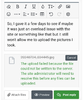
So, I gave it a few days to see if maybe it was just an overload issue with the site or something like that but it still won't allow me to upload the pictures I took. I've tried several different images of random things on my camera roll but I get the same message each time. Thankfully I don't get the same error for screenshots so I can include a screenshot of the error.

I'm honestly at a loss and don't have a clue what is wrong with the pictures that would cause this error...
 

Attachments

  • Screenshot_20240729_081743_Chrome.png
    Screenshot_20240729_081743_Chrome.png
    255.5 KB · Views: 146
I believe the server doesn't take .jpg format. Came to this conclusion while making my post. U should be good to go with .png
 
iOS defaults to saving photos as HEIC, which are smaller but not as compatible. I never have issues uploading JPEGs taken on Android phones (as long as they're <4500px wide).

If you're using an iPhone, maybe try disabling HEIC by going to Settings > Camera > Formats and selecting “Most Compatible” instead of “High Efficiency.”
 
I believe the server doesn't take .jpg format. Came to this conclusion while making my post. U should be good to go with .png

That was the issue. For some reason the forum just didn't want the jpgs. I hadn't even considered that since almost everything accepts either jpgs nowadays. Thanks for the heads up, I'd have been stuff here spinning my wheels lol.
 

Attachments

  • 20240724_034424.png
    20240724_034424.png
    6.3 MB · Views: 140
iOS defaults to saving photos as HEIC, which are smaller but not as compatible. I never have issues uploading JPEGs taken on Android phones (as long as they're <4500px wide).

If you're using an iPhone, maybe try disabling HEIC by going to Settings > Camera > Formats and selecting “Most Compatible” instead of “High Efficiency.”

It was definitely the server just not wanting jpgs. I've got a Fold5 and have HEIC set to off since it causes issues everywhere, most platform can't figure out what to do with them and the image has to be converted just to be uploaded so it's easiest just to not use HEIC.

Converting everything to Png and resizing them images to 3264x1836 (40% of the original image) fixed the issue. Thank you again El_Gerry
 
Good Lord, I feel even dumber now for not thinking of this before now....

I just tested on one of the original images and feel like such an idiot. It was all because the images was way way way too large for the site. They were all 8160x4592 and downsizing them to the same 3264x1836 fixed the upload issue.

So for anyone else with issue in the future, check what size your image is, apparently what is considered a normal picture on phones nowadays is oversized for what the forum server allows.

Thank you all for the help!
 

Attachments

  • 20240724_034424.jpg
    20240724_034424.jpg
    1,014.7 KB · Views: 144
Glad you got it working! Photobucket moment avoided.

@CrashBash can probably tell you what the actual X and Y limits are, but in my experience it's ~16MP (hence my 4500px recommendation for 4:3 photos)
 
Can confirm we do have a file size limit for uploads. I forget exactly how many megabytes it is, but an 8k uncompressed photo would certainly exceed it
 
It was definitely the server just not wanting jpgs. I've got a Fold5 and have HEIC set to off since it causes issues everywhere, most platform can't figure out what to do with them and the image has to be converted just to be uploaded so it's easiest just to not use HEIC.

Converting everything to Png and resizing them images to 3264x1836 (40% of the original image) fixed the issue. Thank you again El_Gerry
No prob mate! Glad i could help
 
Back
Top