Worklog Can someone help check my work

Gabobo

.
Joined
Jan 28, 2020
Messages
62
Likes
20
Sorry, I don't know how you guys would want me to do this on the forums but I'd like some expert thoughts on this. I also have some questions that I couldn't find answers for.

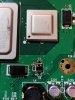
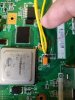
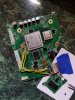
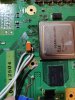
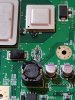
First, can anyone tell me if I removed the U10 and U9 correctly? The U10 has a bent corner leg and the U9's middle leg doesn't have that pop out like it's neighbor's.

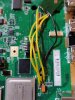
Second, some thoughts on the data wires. When are you supposed to braid the wires? I've seen work logs and videos of people doing that but I have no idea when I would want to do that. I was ready to do that all the time but that just feels wrong.

Third, people I know tell me to leave solder flux on but Google tells me it'll mess up my board. How should I clean off the flux? Obviously I've been told lies.

I'll try to ask questions sparingly so these are the only questions I have so far. Sorry if these have been answered already.
 

Attachments

  • 15819063592511247387687219569122.jpg
    15819063592511247387687219569122.jpg
    2.8 MB · Views: 523
1) The removal looks good from what I can see. Bent legs aren't an issue as long as it's close enough to solder to the pad.

2) "Braided" or "Twisted" wires are best used for video signal and USB data lines. Other lines don't require it.

3) Some types (not all) of flux will corrode connections over time. To be safe just use some isopropyl alcohol to clean it off the board when you're done soldering.
 
Sorry, I don't know how you guys would want me to do this on the forums but I'd like some expert thoughts on this. I also have some questions that I couldn't find answers for.

First, can anyone tell me if I removed the U10 and U9 correctly? The U10 has a bent corner leg and the U9's middle leg doesn't have that pop out like it's neighbor's.

Second, some thoughts on the data wires. When are you supposed to braid the wires? I've seen work logs and videos of people doing that but I have no idea when I would want to do that. I was ready to do that all the time but that just feels wrong.

Third, people I know tell me to leave solder flux on but Google tells me it'll mess up my board. How should I clean off the flux? Obviously I've been told lies.

I'll try to ask questions sparingly so these are the only questions I have so far. Sorry if these have been answered already.
U9 looks okay, the side with three legs are all ground connections so just pop a bit more solder on to make up the gap and it'll be fine.

For data wire twisting it's only important for USB data and the BT module relocation (but only if the BT wires are longer than an inch or so). For other data lines like video and audio, you can use shielded wire for better signal clarity if you want to, but it's normally not necessary. Just keep data lines from touching voltage lines and you'll be fine.

For flux cleaning just use Isopropyl Alcohol and a soft bristled toothbrush. Some cheap rosin fluxes will cause corrosion over time (years), but decent no-cleans do not. Never hurts to clean anyway, but some Kester 951 flux will make it easier.

EDIT: Dammit Wesk you beat me
 
Got it. Thanks you guys. I'll try the rest on my own but if I get stuck again, would it be better to open up a worklog or just ask another question here?
 
You could rename this thread and use it as a worklog. I'd keep posting questions here, it's harder to keep track when there are too many individual threads.
 
Got it. I'll turn this into a worklog if it gets excessive.
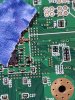
I guess I have one more question then. Is there an easier way to solder the wires onto the GPU pin? As in, should I have soldered it onto the board itself?
 

Attachments

  • 15819161750915769186503421062859.jpg
    15819161750915769186503421062859.jpg
    3.3 MB · Views: 553
  • 15819161976084354975567194997614.jpg
    15819161976084354975567194997614.jpg
    3.5 MB · Views: 504
The easiest way is to carefully scratch the solder mask off the round bit of the via, tin the end of the magnet wire, push it into the via hole, and add more heat and solder to get it really stuck in. You can do it the way you have, but it's more secure to put the wire inside the via. Makes it much harder to dislodge accidentally.
 
That's actually something I never thought of. Thanks, I'll try to figure out the rest on my own.
 
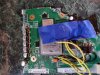
My guts are telling me to remove that blob and use the module pin on the other side for the last 3.3v connection. Would it better to reconnect the Bluetooth from scratch?
 

Attachments

  • 1581972735268434642725378548638.jpg
    1581972735268434642725378548638.jpg
    3.8 MB · Views: 500
  • 15819727539527720828316919841979.jpg
    15819727539527720828316919841979.jpg
    4.3 MB · Views: 482
  • 15819728630908726529437193038868.jpg
    15819728630908726529437193038868.jpg
    6 MB · Views: 505
I swear to god. I think I cried. I feel like this is right. Is this right? I'll find out after slice thing board up now.
 

Attachments

  • 15819888950538479691040349956261.jpg
    15819888950538479691040349956261.jpg
    5.3 MB · Views: 502
I swear to god. I think I cried. I feel like this is right. Is this right? I'll find out after slice thing board up now.
You can test the relocation before trimming, it's better to do that actually. I'd get thinner wires for power and ground tho, those ones are way too chonky for how little power that thing uses.
 
Too late. Just sliced off the MX chip as a test run for the dremel. How would the test run go? I assume you connect all that good stuff to the TV with the power source and the component cables on the motherboard and click that little button?
 
I think I messed up. Looks like a couple of important things relied on that top piece. Now I cry for a different reason.
 

Attachments

  • 1581994169696595710294721387108.jpg
    1581994169696595710294721387108.jpg
    5.5 MB · Views: 497
  • 15819942592985363926200057815352.jpg
    15819942592985363926200057815352.jpg
    5.5 MB · Views: 497
Too late. Just sliced off the MX chip as a test run for the dremel. How would the test run go? I assume you connect all that good stuff to the TV with the power source and the component cables on the motherboard and click that little button?
That, yes. Can't do it with MX cut out tho, too many traces necked.

I think I messed up. Looks like a couple of important things relied on that top piece. Now I cry for a different reason.
OOF
 
Noooooooo!
So I already ordered another Wii from eBay. Surprisingly enough, the Wii is the most replaceable part of the entire thing. So while I wait for that to show up I might as well ask a few more questions.
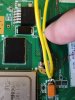
First, that Bluetooth relocation was a gosh darn nightmare. I doubt I should use 34 Gauge for the GND and 3.3v and the 26 gauge was just a little too thicc. Would these unidentified wires work for the purposes of connecting the rest of the Bluetooth?
Second, since the U10's GND was just a bit bent, could it still be used on another Wii?
Third, just checking the MX chip cut out. Would that cut work? Cause if I'm going to wait another wii for another attempt, I might as well save myself some extra time and take as many shortcuts as I can.
Lastly, I accidently fried the GND pad off that Bluetooth module and had to ghetto solder it to the tiny pin like that. Would that GND pin work?
 

Attachments

  • 15820001678157310174484366417875.jpg
    15820001678157310174484366417875.jpg
    5.8 MB · Views: 485
  • 15820003873236395461061523866739.jpg
    15820003873236395461061523866739.jpg
    7.4 MB · Views: 479
Noooooooo!
So I already ordered another Wii from eBay. Surprisingly enough, the Wii is the most replaceable part of the entire thing. So while I wait for that to show up I might as well ask a few more questions.
First, that Bluetooth relocation was a gosh darn nightmare. I doubt I should use 34 Gauge for the GND and 3.3v and the 26 gauge was just a little too thicc. Would these unidentified wires work for the purposes of connecting the rest of the Bluetooth?
Second, since the U10's GND was just a bit bent, could it still be used on another Wii?
Third, just checking the MX chip cut out. Would that cut work? Cause if I'm going to wait another wii for another attempt, I might as well save myself some extra time and take as many shortcuts as I can.
Lastly, I accidently fried the GND pad off that Bluetooth module and had to ghetto solder it to the tiny pin like that. Would that GND pin work?
  1. You can use as little as 30 gauge stranded to power small stuff like BT, wifi, MX, GC+. I can't judge the size of those wires, but pretty much any stranded wire will do.
  2. The U10 should be fine to use on another Wii, they're pretty hard to break.
  3. I think with a bit of cleaning up, that MX might be okay to use. It looks like the disk jumped heaps while trimming, so you might want to adjust the way you trim. Ideally you want to use a thin disk, spinning fast with low pressure. Draw your boundaries in sharpie and start cutting from one edge of the motherboard in long straight lines. If possible hold the dremel with both hands and secure the wii with a clamp so it can't move much.
  4. I dunno, but provided you didn't bridge anything it should be fine. That being said, I'd replace that wire with a smaller one with less solder to be safe.
 
Wanna know something funny? I actually have a clamp. That first time cutting with a Dremel was exciting though. My fingers were in danger the entire time.
MX looks okaaaay... It looks like I thankfully over cut the thing out. I'm more concerned about that goofy solder blob bridging the U9's grave site.

In a more serious note, I got 28 gauge wires coming in for the smaller components, I guess I'll use the 22 gauge for the battery and PMS and the 26 for the USB-C board, and Audio and Video voltages.

I have a better idea on the cut. I'll buy a hot air station to remove the Memory card slot and the USB ports, as well as all that goofy power components. I'll leave the top "rabbit ears" alone until I have to sand them down. That way, my Dremel doesn't kill the board or me by accident.

Thanks for sticking around. I'll be back in a week or whenever I continue this project.
 
Wanna know something funny? I actually have a clamp. That first time cutting with a Dremel was exciting though. My fingers were in danger the entire time.
MX looks okaaaay... It looks like I thankfully over cut the thing out. I'm more concerned about that goofy solder blob bridging the U9's grave site.

In a more serious note, I got 28 gauge wires coming in for the smaller components, I guess I'll use the 22 gauge for the battery and PMS and the 26 for the USB-C board, and Audio and Video voltages.

I have a better idea on the cut. I'll buy a hot air station to remove the Memory card slot and the USB ports, as well as all that goofy power components. I'll leave the top "rabbit ears" alone until I have to sand them down. That way, my Dremel doesn't kill the board or me by accident.

Thanks for sticking around. I'll be back in a week or whenever I continue this project.
Hot air is a good idea. You can use it to remove components along your trim line too, keep things neat and tidy.
 
How much GND should I be connecting? Also U10 works perfectly.
 

Attachments

  • 15824845712982842416845057574740.jpg
    15824845712982842416845057574740.jpg
    4.4 MB · Views: 444
  • 15824945069747376233023459164950.jpg
    15824945069747376233023459164950.jpg
    5.7 MB · Views: 448
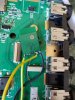
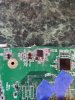
Need help finding a short. Also I figured out, there's only need for one GND.
 

Attachments

  • 15825049497746311878994227292436.jpg
    15825049497746311878994227292436.jpg
    5.8 MB · Views: 451
Back
Top