

LCandell
.
Hi pals!
I usually try to do DIY mods and builds aiming to use only soldering skills (without custom PCB designs and 3D printing)
And this time I'm glad to show you my latest build, the DS Lite Macro
Why not Gameboy Macro?
-Because this build keeps ABXY, the touch feature, does not remove the DS slot or the pencil holder, as well as adding three function buttons (Screen change, Picture in Picture, Transparency)
Limitations
To keep the original 3.5mm audio jack and the mentioned features, this build doesn't have a lot of space to place both speakers, so I decided to use only one speaker, disconnect the other audio signal and send the video out through the 3.5mm jack
Tools
-Multimeter
-Dremel and small drill bits
Materials (here's why is a budget build)
-DS Lite Console. I bought a "damaged" one in the flea market for $350MXN (~18dlls) It was in great conditions, and only had to do a cleaning and reconnect the top screen flex and the console was fully functional
-R4 or any functional flashcart. I bought a cheap one on AliExpress by $122MXN (~7dlls) and I was able to install Twilight Menu ++ on it
-SMD resistors. I've harvested all the resistors from some damaged PCBAs that I had, you will need 1x 330ohm, 6x 470ohm, 4x 220ohm
-3 push buttons. Harvested from a damaged speaker PCBA, you can find them in almost every device
-Speaker. There isn't a lot of space while making this build, so I'll use a cellphone speaker (harvested) instead of the original ones
-Magnet wire. You can harvest it from a coil component
-Kapton, Scotch Tape, Electrician Tape (Temporary). $10MXN (1-2 dll) if you use scotch tape maybe?
-EPOXY clay. In this case I have used one called "Plasti-LOKA", can be found here by $30MXN (~1.50dlls)
-Paint. A can of white paint, can be found here by $67MXN (~3.5dlls)
-Sandpaper. I have used only 2 different grids, can be found here by $30MXN (~1.50dlls)
-I've done some other mods to the console (such as LED replacements, USB-C charging mod), although the mods will not be considered in budget because they're not necessary, I'll write through the process when the mods got installed (highlighted in this color), however...
-LEDs (harvested from a damaged speaker PCBA)
-USB-C Charging mod $73MXN (~3.5dlls)
The Custom Firmware
First, need to patch custom firmware on the wifi module (here's where the OS is installed), but I can't provide here the steps to do it
Here's the official documentation about installing patch for TV Out mod:

 github.com
Removing Top Screen
Once the firmware is patched, saved the files for making more wifi modules and only swap them on future DS builds.
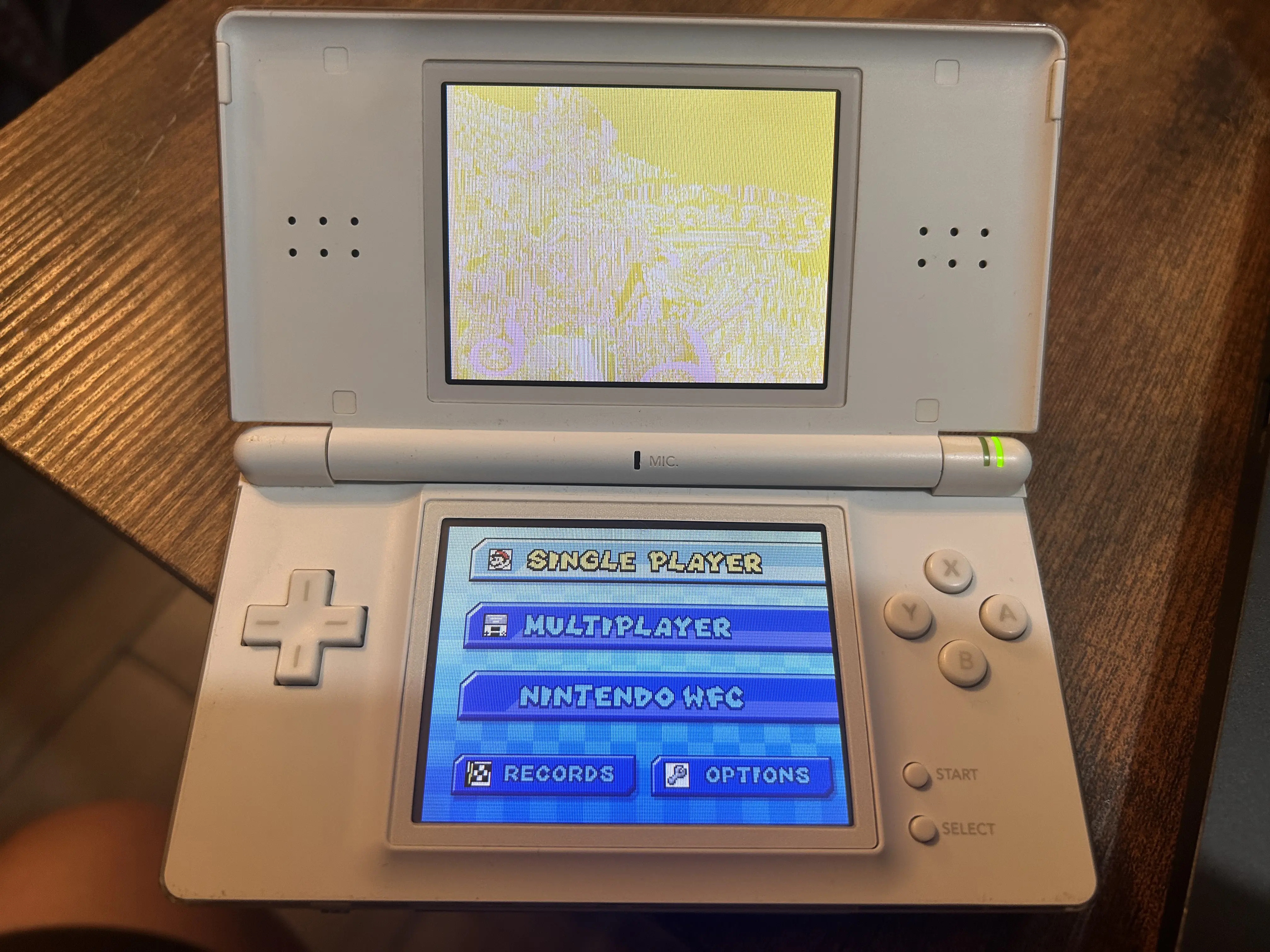
Once the firmware is patched, the top screen shows something like this:
REMEMBER: This patch is planned to be used for the bottom screen only, if someone wants to be able to use the console in handheld mode with both screens installed, must install the Dual-Wifi Mod:

 facelesstech.wordpress.com
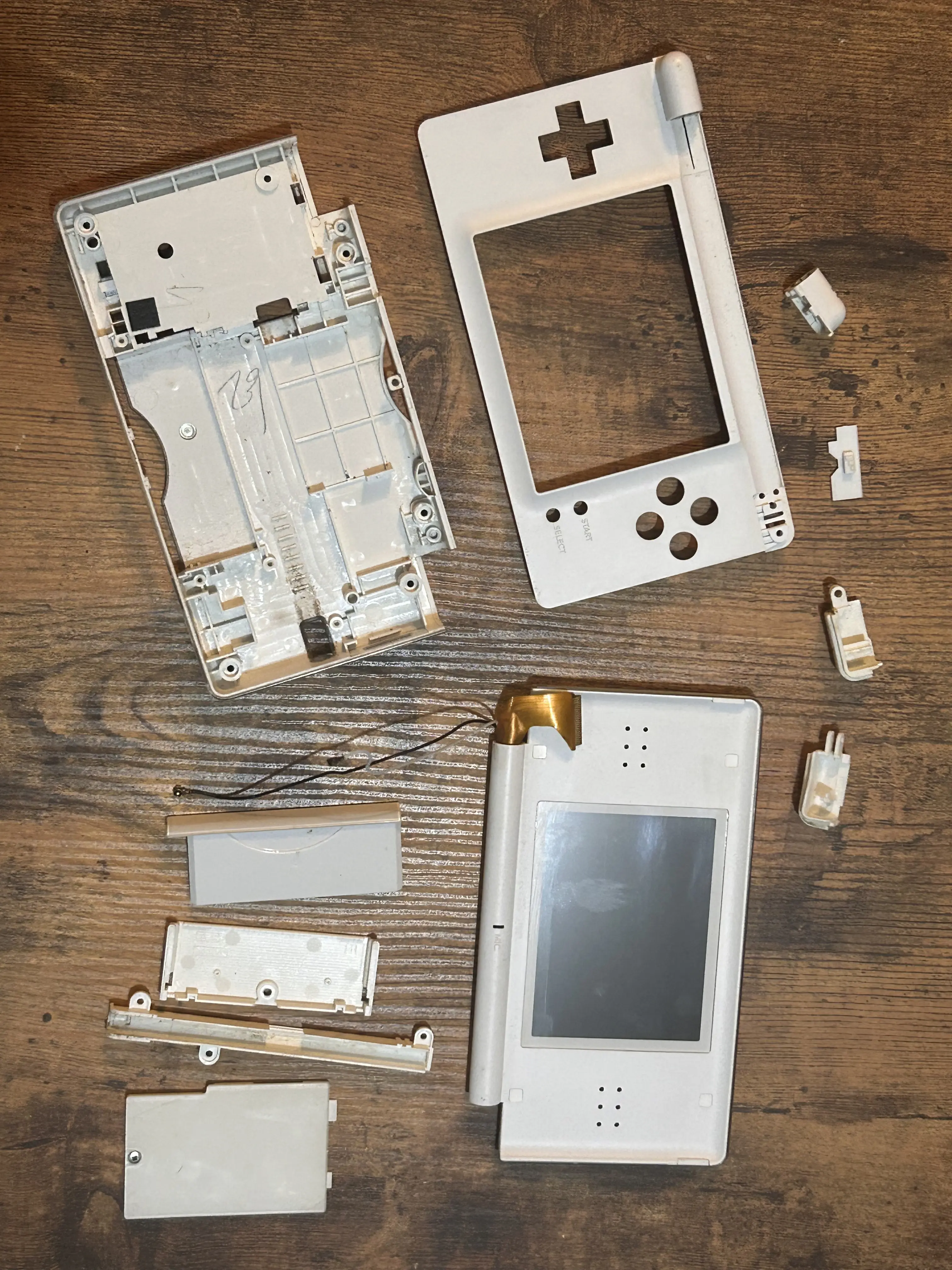
Now with the firmware ready, removed the top screen assembly (I have dismounted the whole console to do a deep cleaning):
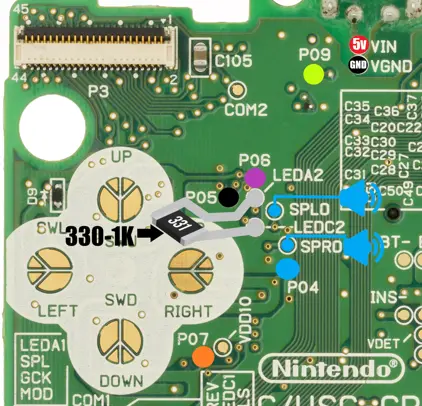
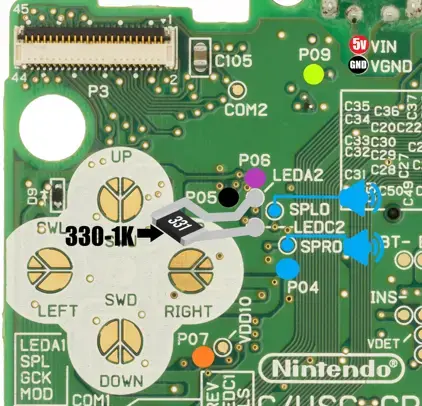
Installed the 330ohm resistor onto board to bypass the top screen (near the D-PAD)
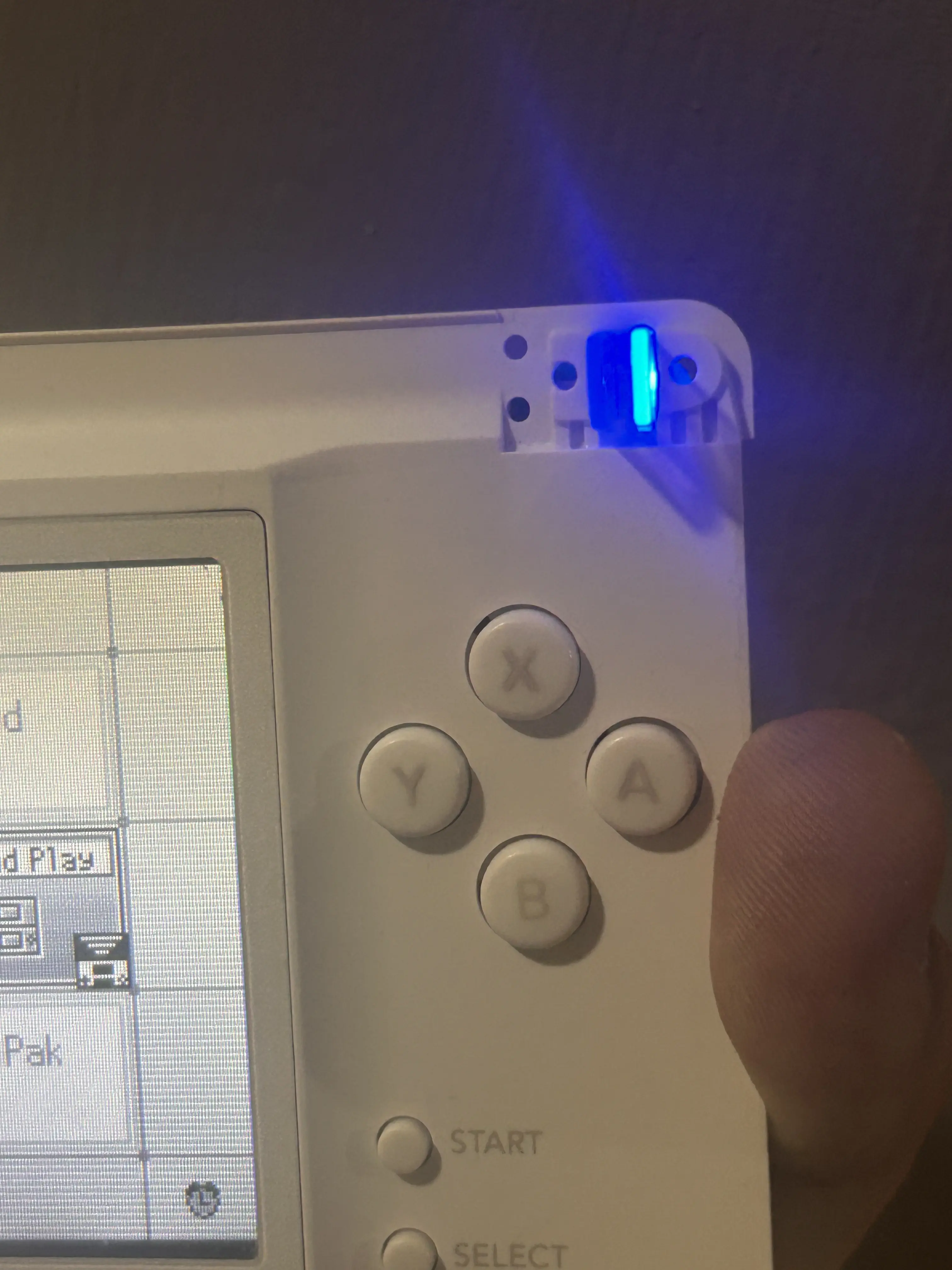
I've replaced the power and charging LEDs at this point
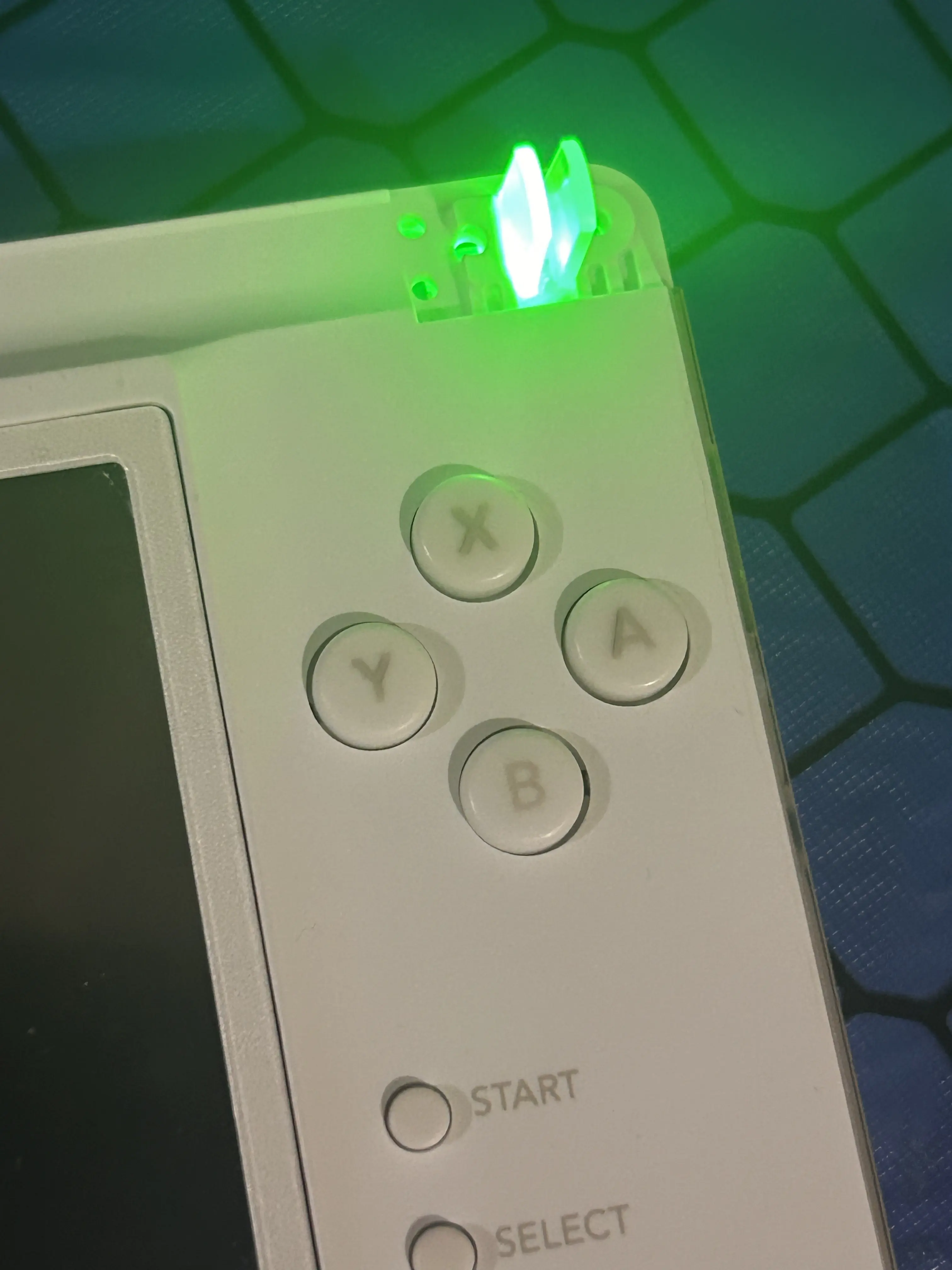
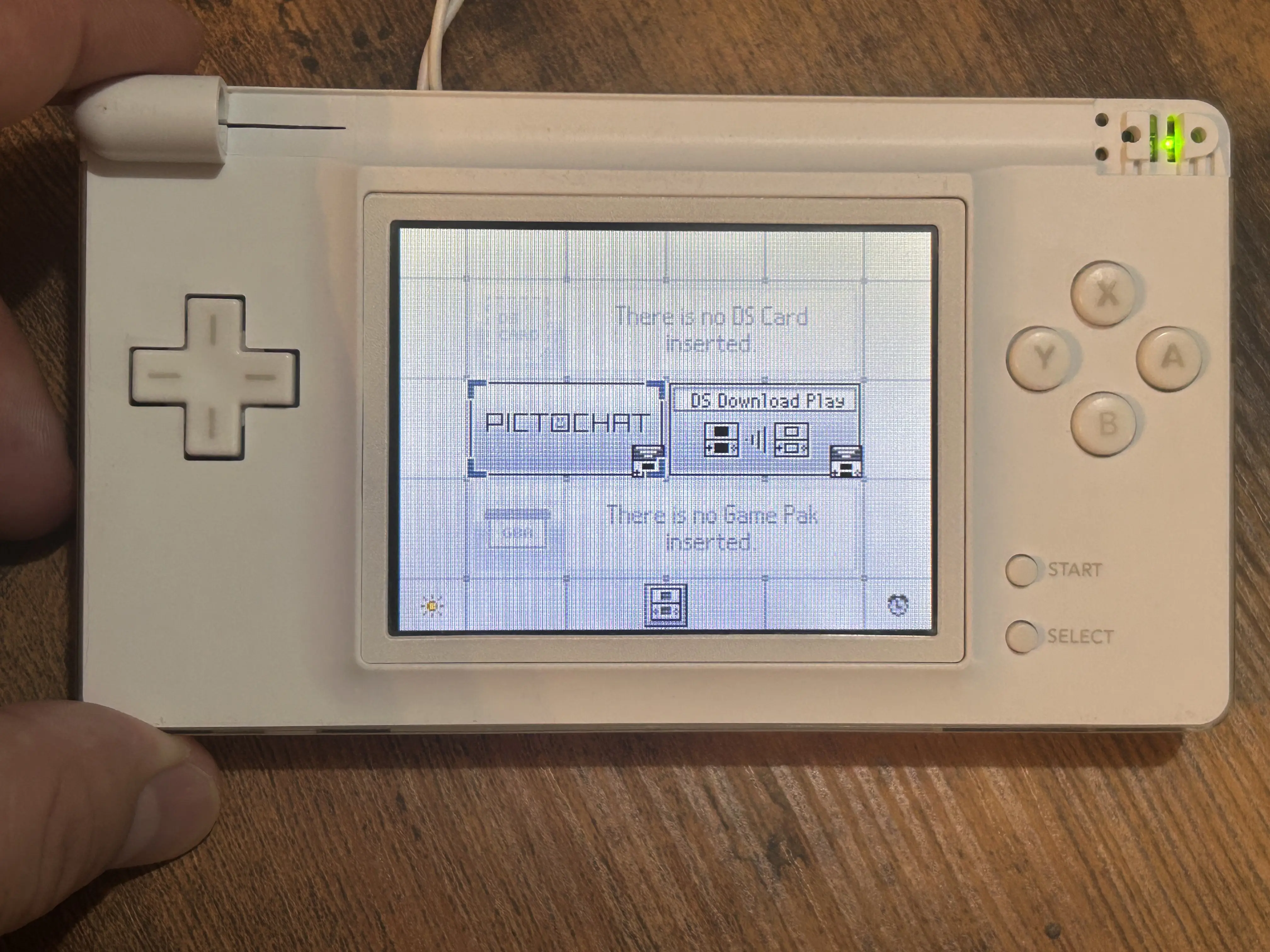
Mounted the console again to see if it's working (because I will be working on the board)
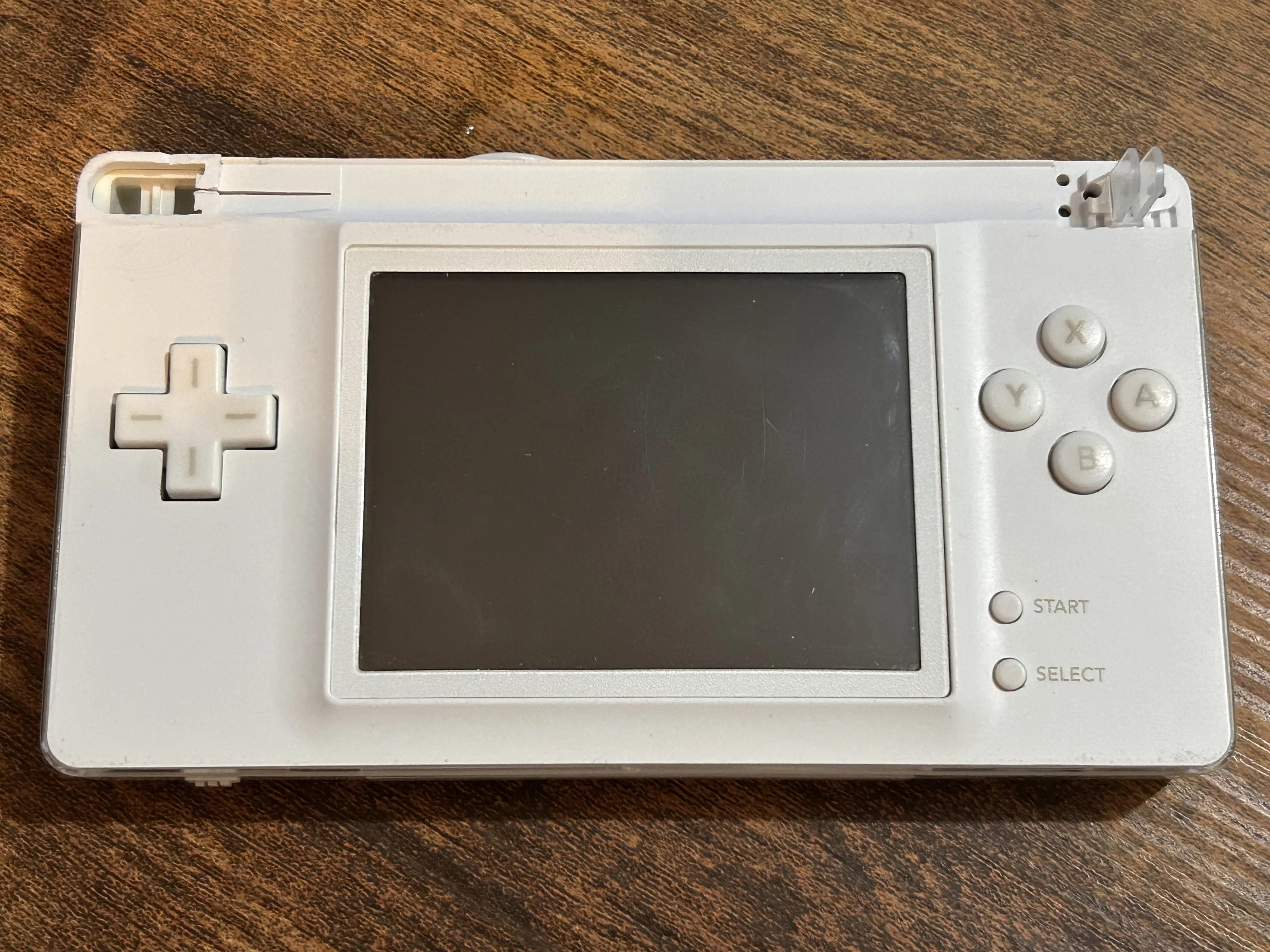
In this part I've sanded the left part of the hinge mechanism and glued the lightpipes to the front plate over the LEDs
TV-Out and Screen change buttons
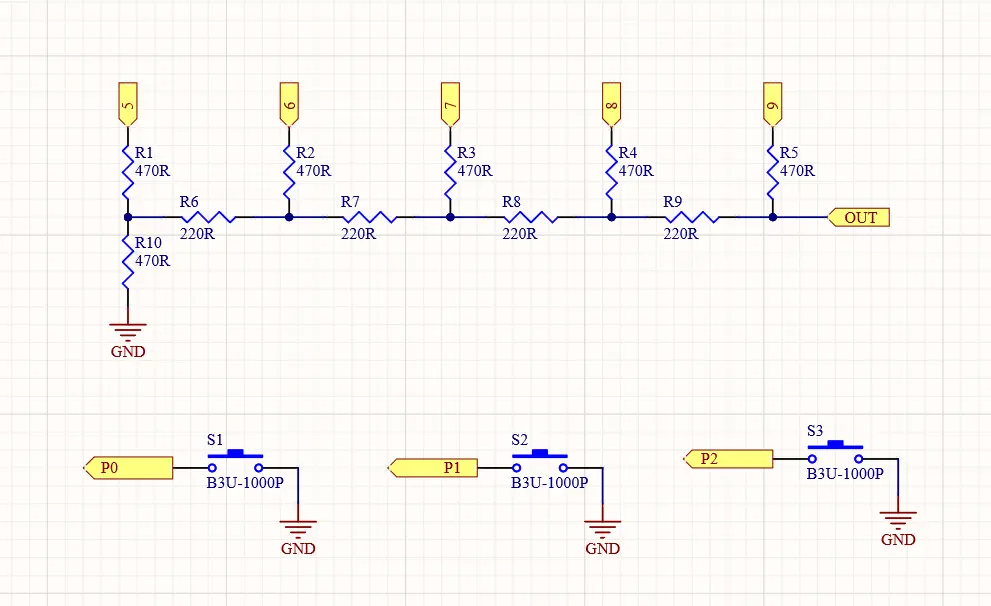
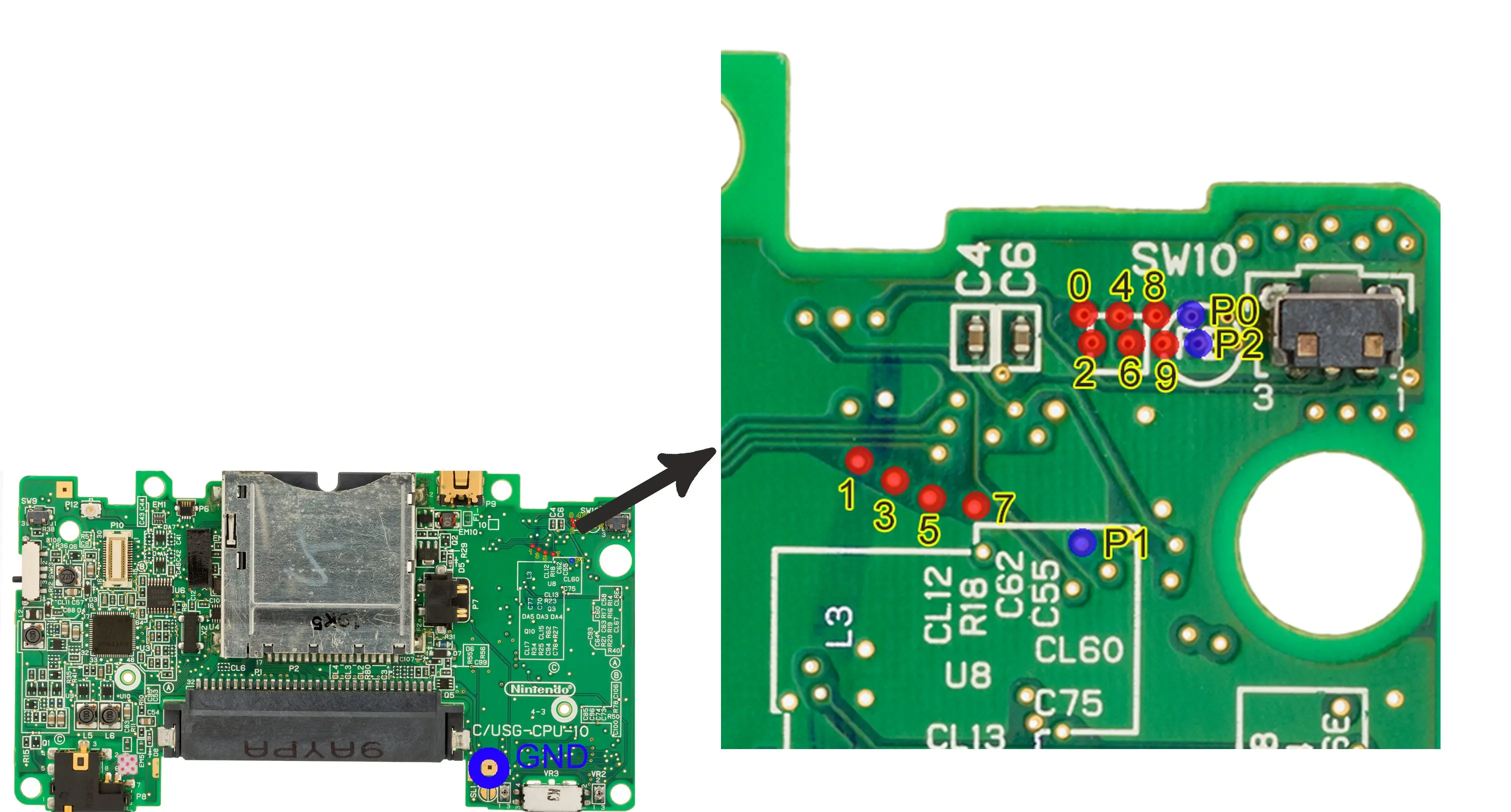
Made the resistor array to reach TV-Out, as well as installing the three function buttons (near the L button)
Followed this diagram:
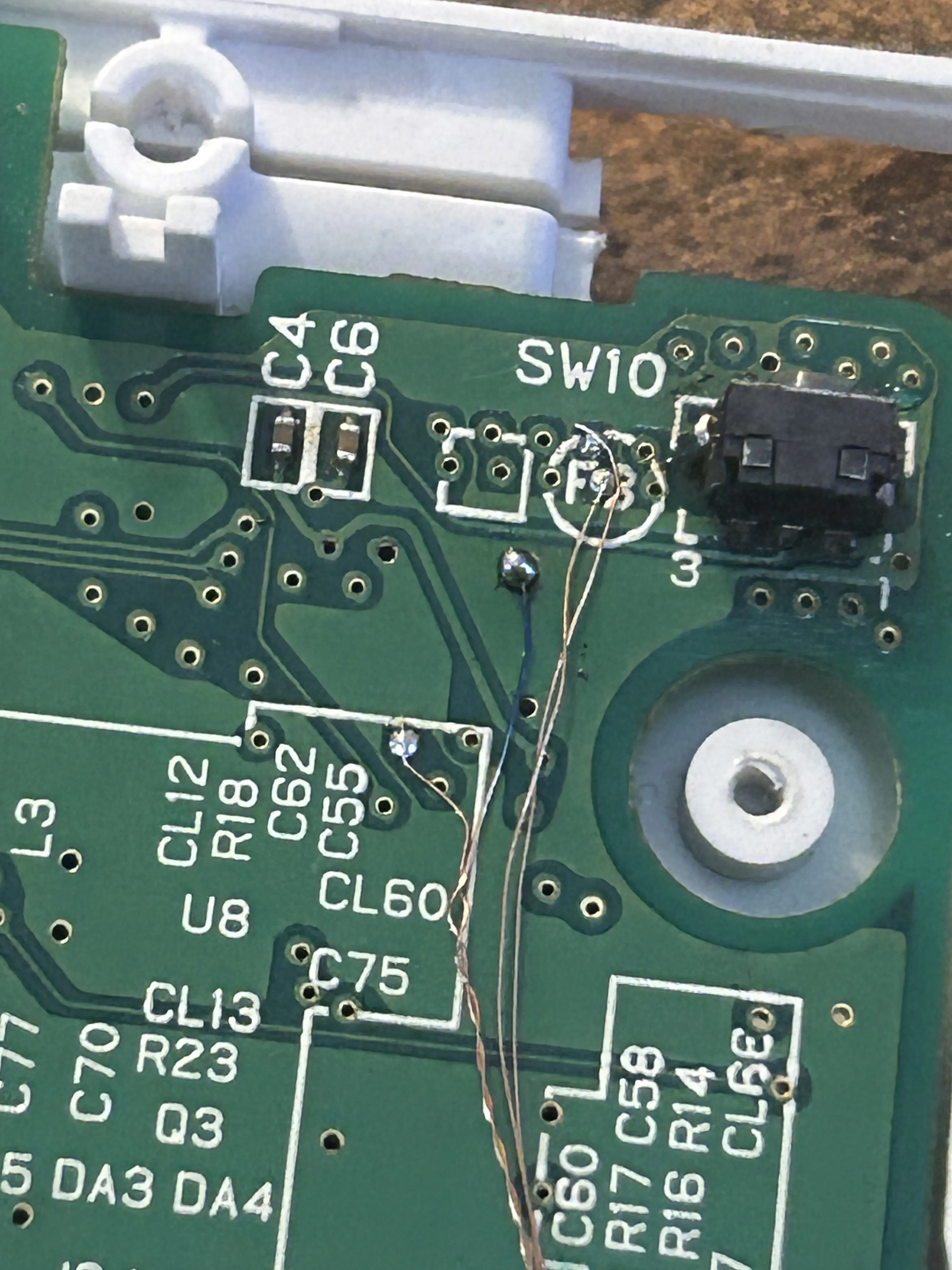
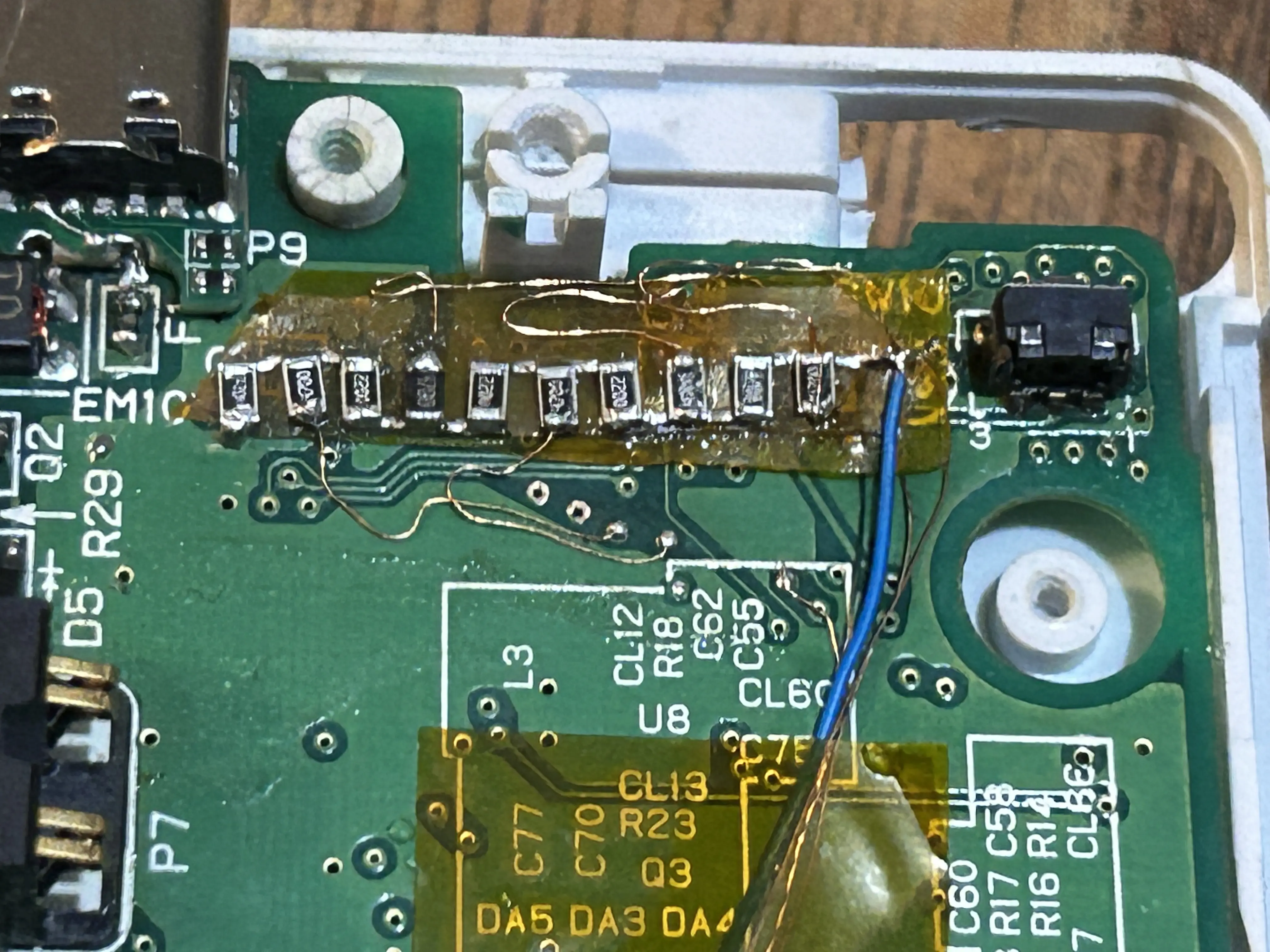
In this part I placed some kapton tape to isolate the connections, but after testing will be glued in place
I've installed the USB-C charging port at this point
Wired the video out to the 3.5mm audio jack
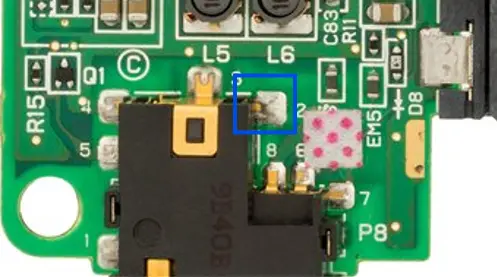
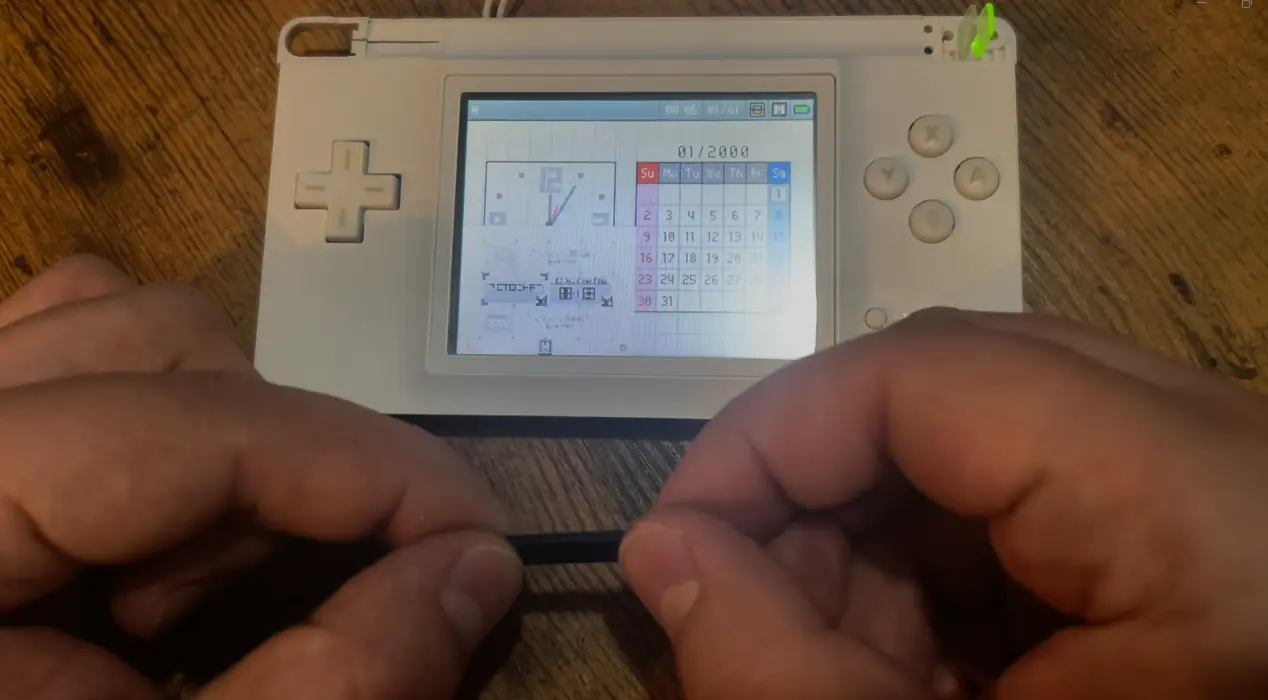
Here I've used other buttons to test the three functions and identify the wires:
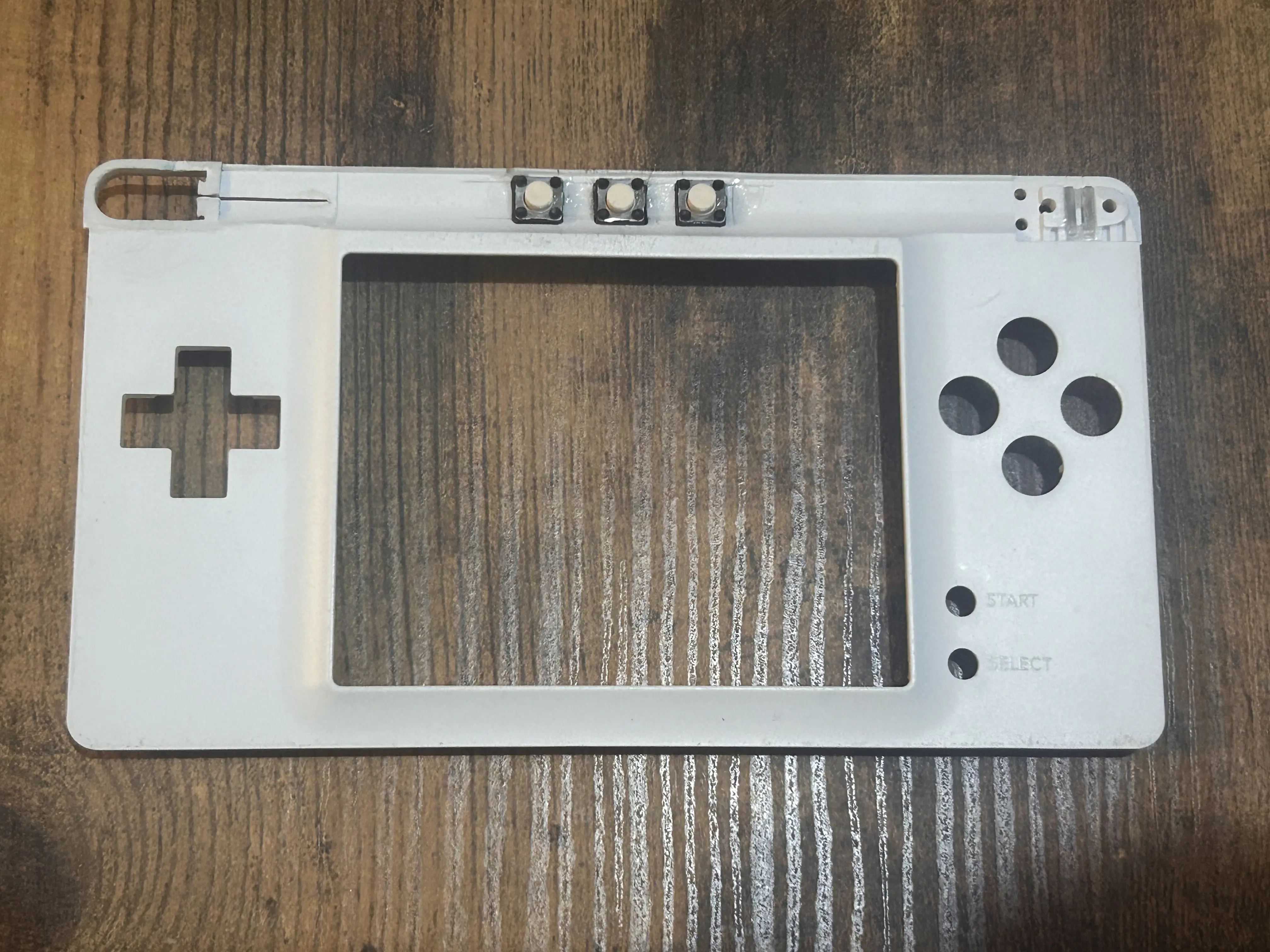
Mounted the final buttons on the desired place:
Speaker
Identified the desired audio channel for the (+) speaker and soldered a wire (near the D-PAD)
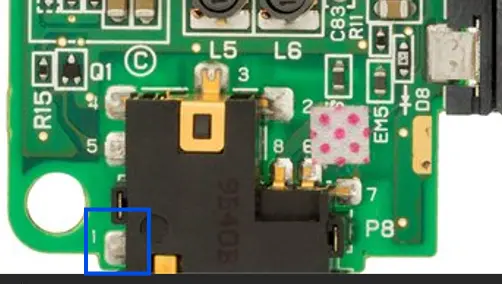
Prepared a wire for the (-) speaker. I've soldered it to the pin 1 of the 3.5mm jack (can get GND from another place but this pin deactivates your speaker when a 3.5mm plug gets connected):
Removing this component prevents the console sending the discarded audio signal to the audio jack:
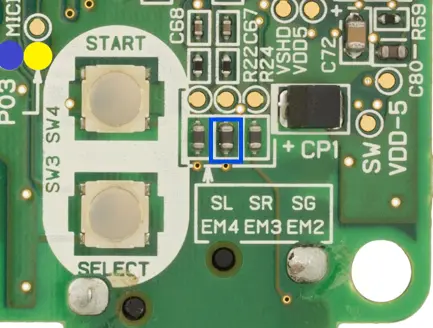
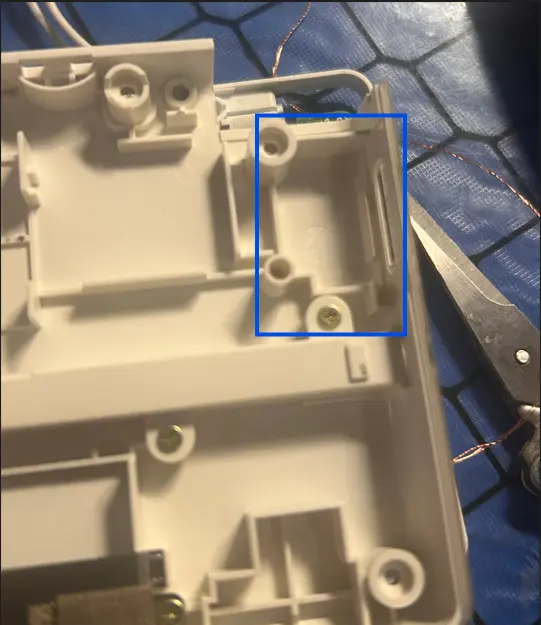
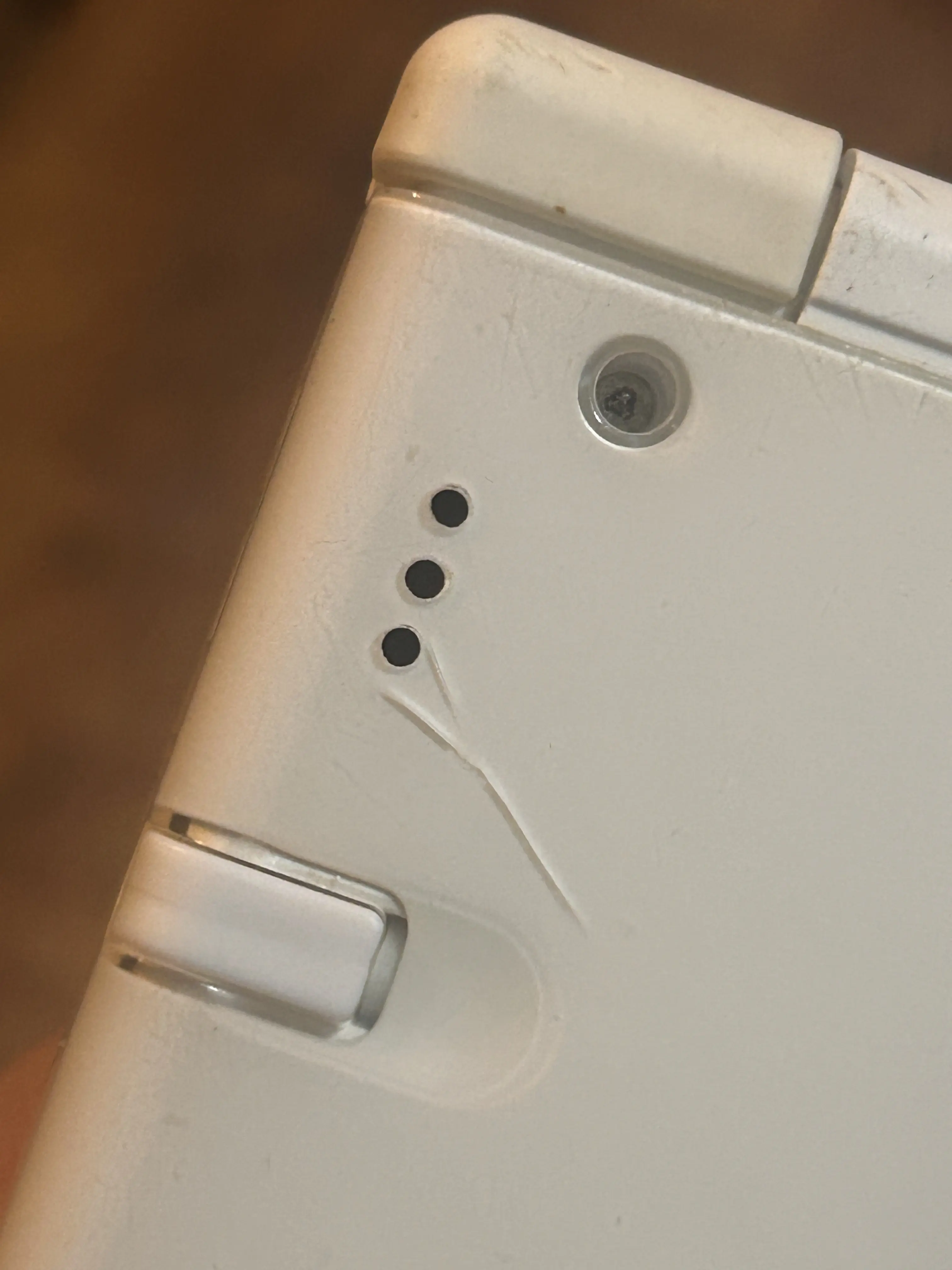
Mounted the speaker in place and drilled some holes. I've decided this place for the build (the speaker should not obstruct when mounting the console):
Customizing the front plate
The circuits are ready, so now I've used the epoxy clay to fill the places that will be sanded, carefully surrounding the buttons:
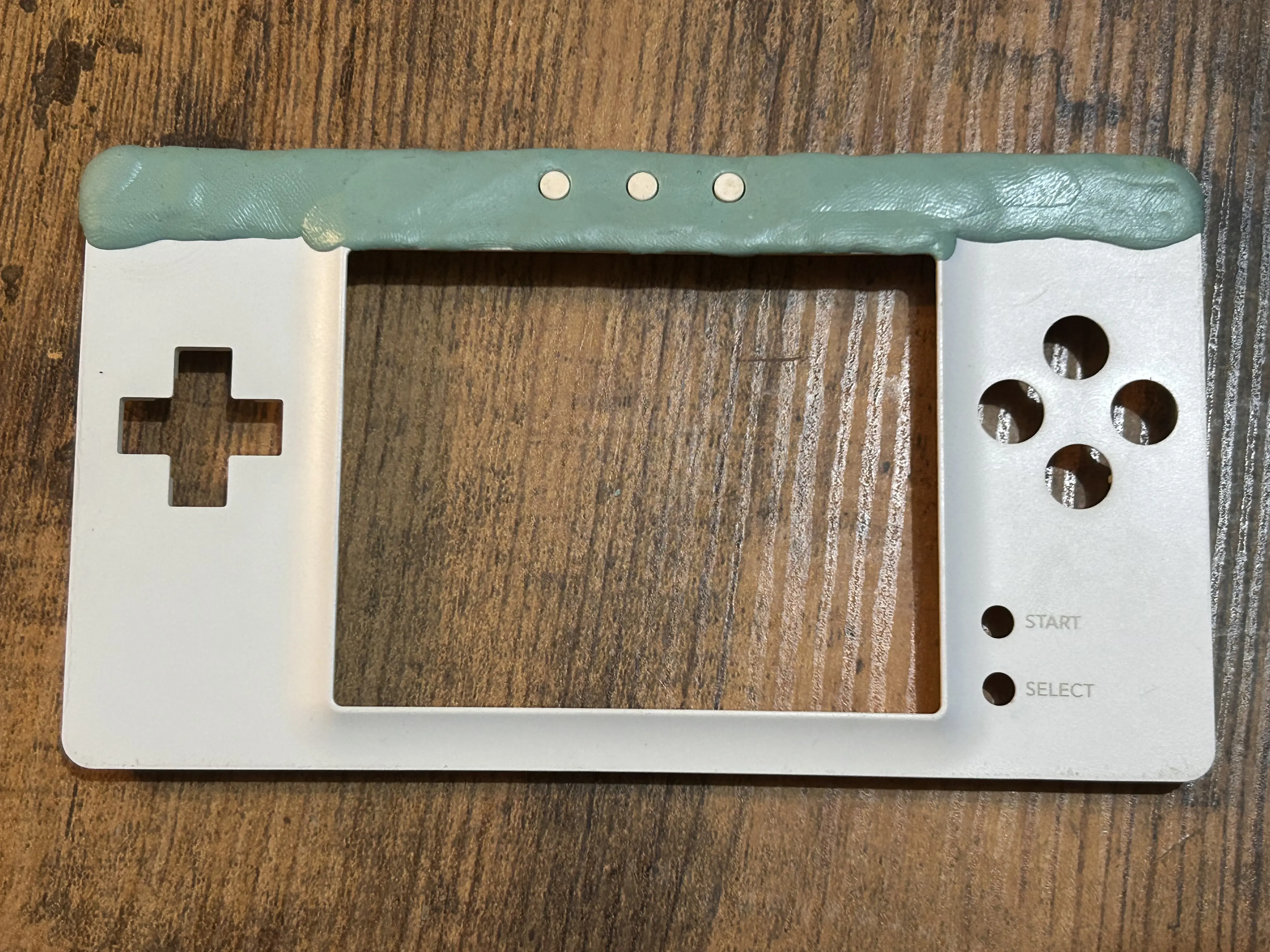
Sanded the epoxy clay switching from low to high grids to reach the desired finish. In this part is very difficult to sand around the buttons. Also being sure that the LED lightpipes can be seen:
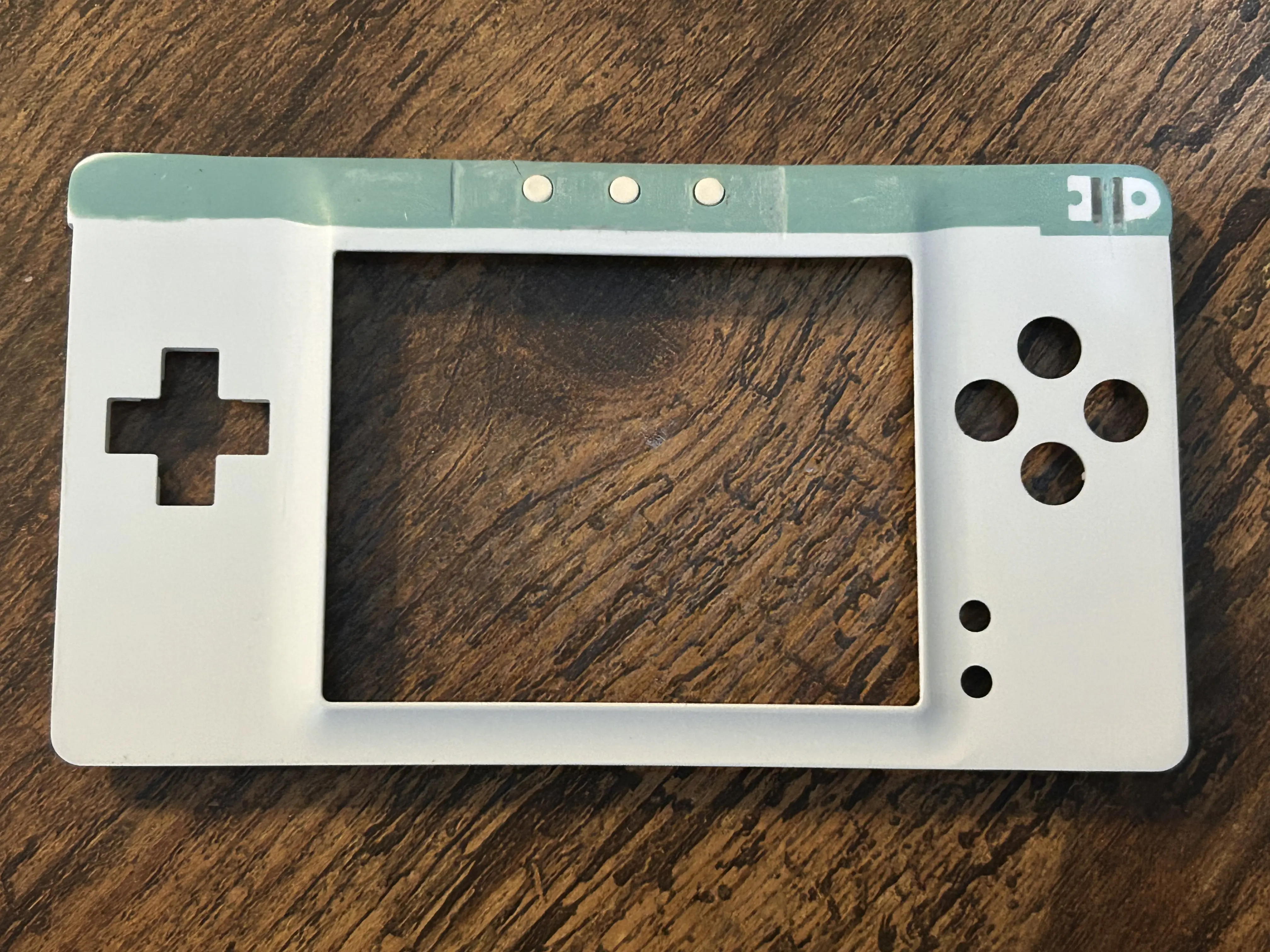
Started applying some layers of white paint:
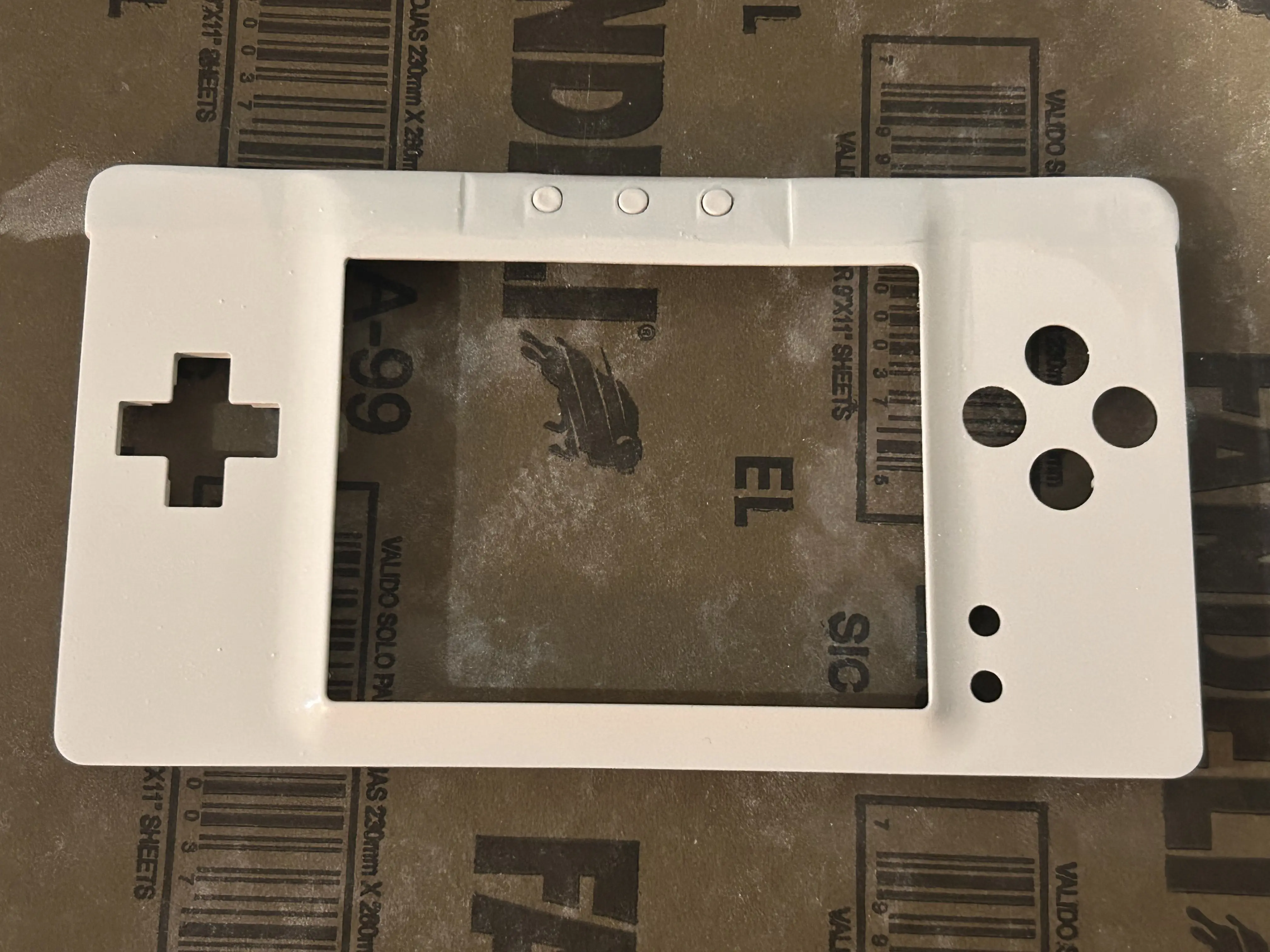
Wired the buttons, mounted the console and then....
FINAL RESULTS:
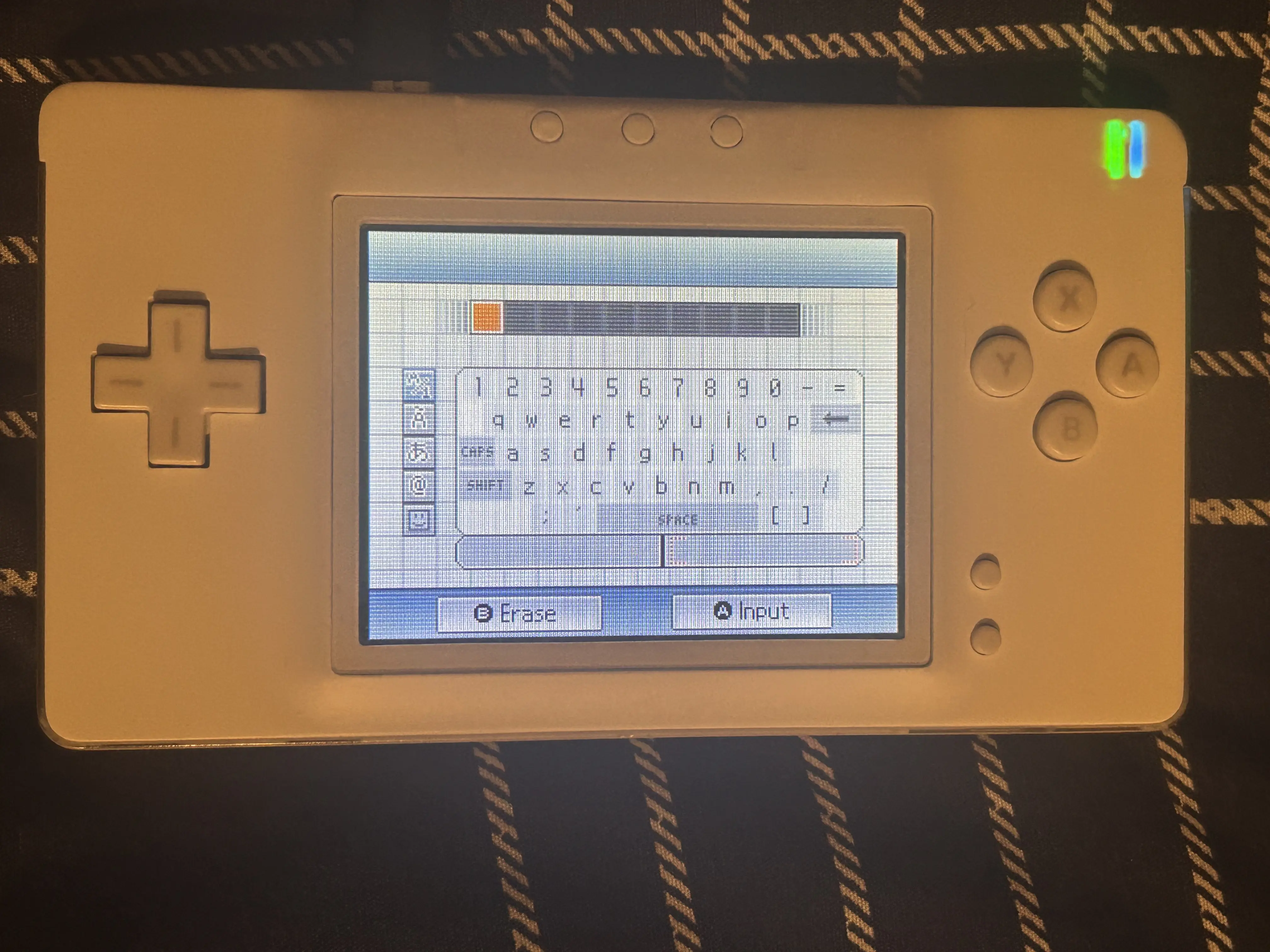
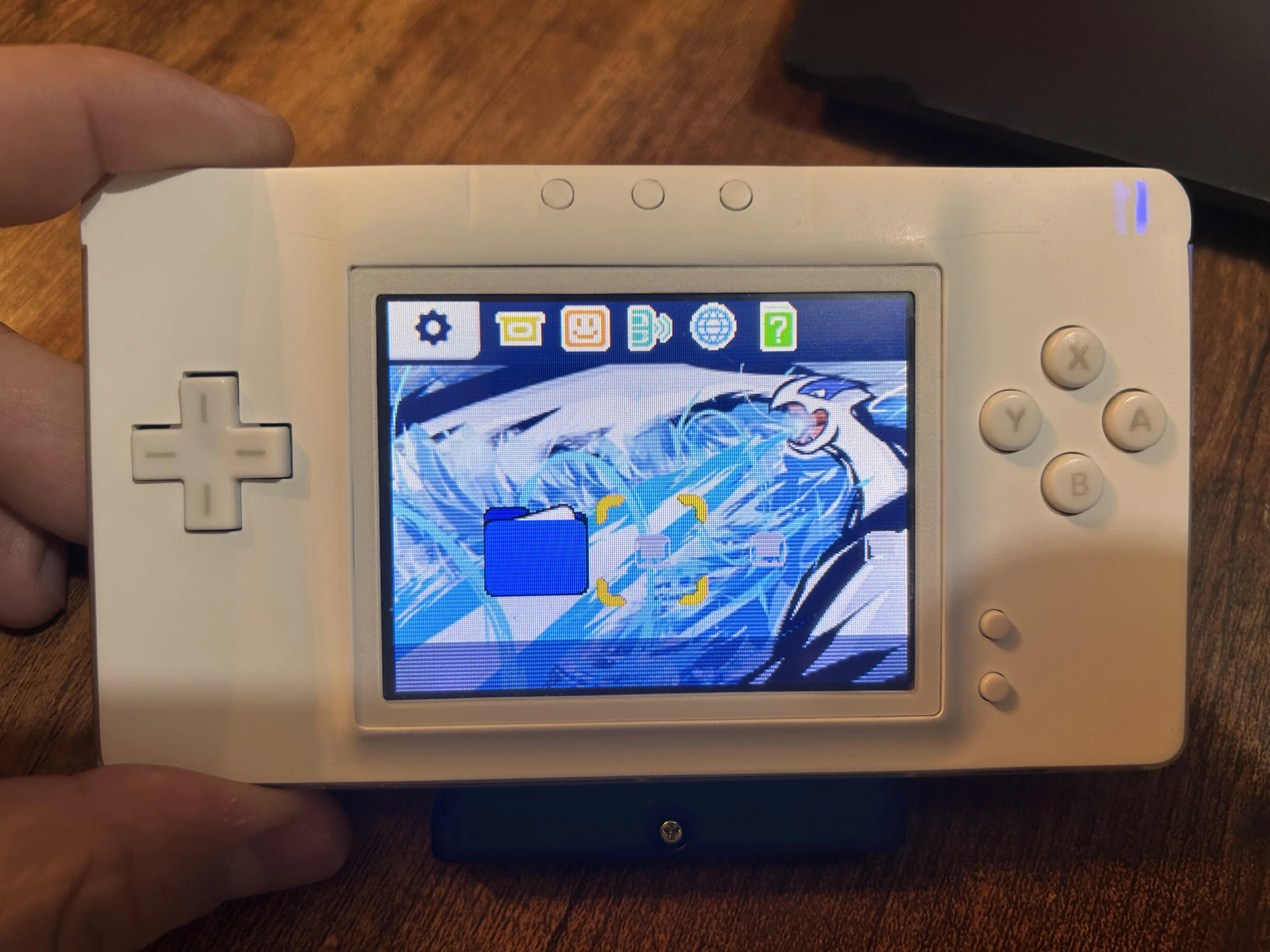
Suggestions for further projects and things to do...
-Get a USB-C charging mod which port has 12 pin and then send the video/audio output to a kind of dock, still being able to charge the console through this port
-Remove original 3.5mm jack to get extra space for another speaker (since video won't be sent through this port)
-Install both speakers from Nintendo Switch and maybe an audio amp
I usually try to do DIY mods and builds aiming to use only soldering skills (without custom PCB designs and 3D printing)
And this time I'm glad to show you my latest build, the DS Lite Macro
Why not Gameboy Macro?
-Because this build keeps ABXY, the touch feature, does not remove the DS slot or the pencil holder, as well as adding three function buttons (Screen change, Picture in Picture, Transparency)
Limitations
To keep the original 3.5mm audio jack and the mentioned features, this build doesn't have a lot of space to place both speakers, so I decided to use only one speaker, disconnect the other audio signal and send the video out through the 3.5mm jack
Tools
-Multimeter
-Dremel and small drill bits
Materials (here's why is a budget build)
-DS Lite Console. I bought a "damaged" one in the flea market for $350MXN (~18dlls) It was in great conditions, and only had to do a cleaning and reconnect the top screen flex and the console was fully functional
-R4 or any functional flashcart. I bought a cheap one on AliExpress by $122MXN (~7dlls) and I was able to install Twilight Menu ++ on it
-SMD resistors. I've harvested all the resistors from some damaged PCBAs that I had, you will need 1x 330ohm, 6x 470ohm, 4x 220ohm
-3 push buttons. Harvested from a damaged speaker PCBA, you can find them in almost every device
-Speaker. There isn't a lot of space while making this build, so I'll use a cellphone speaker (harvested) instead of the original ones
-Magnet wire. You can harvest it from a coil component
-Kapton, Scotch Tape, Electrician Tape (Temporary). $10MXN (1-2 dll) if you use scotch tape maybe?
-EPOXY clay. In this case I have used one called "Plasti-LOKA", can be found here by $30MXN (~1.50dlls)
-Paint. A can of white paint, can be found here by $67MXN (~3.5dlls)
-Sandpaper. I have used only 2 different grids, can be found here by $30MXN (~1.50dlls)
-I've done some other mods to the console (such as LED replacements, USB-C charging mod), although the mods will not be considered in budget because they're not necessary, I'll write through the process when the mods got installed (highlighted in this color), however...
-LEDs (harvested from a damaged speaker PCBA)
-USB-C Charging mod $73MXN (~3.5dlls)
The Custom Firmware
First, need to patch custom firmware on the wifi module (here's where the OS is installed), but I can't provide here the steps to do it
Here's the official documentation about installing patch for TV Out mod:
Lost-NDS-TV/fwpatch at main · LNH-team/Lost-NDS-TV
The Lost Nintendo DS Television Output, brought back to life - LNH-team/Lost-NDS-TV
github.com
Removing Top Screen
Once the firmware is patched, saved the files for making more wifi modules and only swap them on future DS builds.
Once the firmware is patched, the top screen shows something like this:
REMEMBER: This patch is planned to be used for the bottom screen only, if someone wants to be able to use the console in handheld mode with both screens installed, must install the Dual-Wifi Mod:
DS Lite dual wifi chip -TV out
tl;dr The one thing that was lacking with the TV out mod on the DS Lite was the ability to keep the top screen. See when you apply this mod it turns the DS Lite’s top screen yellow. I did see…
facelesstech.wordpress.com
Now with the firmware ready, removed the top screen assembly (I have dismounted the whole console to do a deep cleaning):
Installed the 330ohm resistor onto board to bypass the top screen (near the D-PAD)
I've replaced the power and charging LEDs at this point
Mounted the console again to see if it's working (because I will be working on the board)
In this part I've sanded the left part of the hinge mechanism and glued the lightpipes to the front plate over the LEDs
TV-Out and Screen change buttons
Made the resistor array to reach TV-Out, as well as installing the three function buttons (near the L button)
Followed this diagram:
In this part I placed some kapton tape to isolate the connections, but after testing will be glued in place
I've installed the USB-C charging port at this point
Wired the video out to the 3.5mm audio jack
Here I've used other buttons to test the three functions and identify the wires:
Mounted the final buttons on the desired place:
Speaker
Identified the desired audio channel for the (+) speaker and soldered a wire (near the D-PAD)
Prepared a wire for the (-) speaker. I've soldered it to the pin 1 of the 3.5mm jack (can get GND from another place but this pin deactivates your speaker when a 3.5mm plug gets connected):
Removing this component prevents the console sending the discarded audio signal to the audio jack:
Mounted the speaker in place and drilled some holes. I've decided this place for the build (the speaker should not obstruct when mounting the console):
Customizing the front plate
The circuits are ready, so now I've used the epoxy clay to fill the places that will be sanded, carefully surrounding the buttons:
Sanded the epoxy clay switching from low to high grids to reach the desired finish. In this part is very difficult to sand around the buttons. Also being sure that the LED lightpipes can be seen:
Started applying some layers of white paint:
Wired the buttons, mounted the console and then....
FINAL RESULTS:
Suggestions for further projects and things to do...
-Get a USB-C charging mod which port has 12 pin and then send the video/audio output to a kind of dock, still being able to charge the console through this port
-Remove original 3.5mm jack to get extra space for another speaker (since video won't be sent through this port)
-Install both speakers from Nintendo Switch and maybe an audio amp
Last edited:


