BBLoader v1.3 - beta

Status
Not open for further replies.
Yeah that seems right. I will see if I can replicate the issue somehow


When I installed bbloader, I used priiloader to go to the home brew channel to load up bbloader and installed it with no issues
 

Attachments

  • 2779ABBD-E80C-415C-939B-DCAFCCDA8D25.jpeg
    2779ABBD-E80C-415C-939B-DCAFCCDA8D25.jpeg
    2.3 MB · Views: 561
Last edited:
You'll need to find the IOS WADs Aurelio talks about in the initial post. I had this happen on a couple of my Wiis as well even though they're updated.
 
my wii is up to date an it still says this
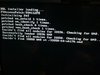
This is what I see
Can you try running the online update again? Even if you're on 4.3, it might be possible that some IOSes aren't on latest revision
 
thanks for your prompt response i just wanted to check if i would have the usb compatibility list to check if my usb drive maybe not included?

by the way thanks for this great contribution.
 
thanks for your prompt response i just wanted to check if i would have the usb compatibility list to check if my usb drive maybe not included?

by the way thanks for this great contribution.
Currently there is no list of compatible drives. In the next couple of days I will release a new version which will hopefully improve USB compatibility, then I guess we will start write a compatibility list.
 
perfect wait for that update I really like the selection menu through the c-stick although I miss the start animation as the portablizermii gave it a different touch.

excellent work .
 
Aurelio and GingerOfOz I’m going to pm both of you so I don’t take up this thread
 
Is there a way to navigate using a Wiimote on an untrimmed Wii without GC ports?
It boots to the GC game list and I can start a GC game fine, but I can't find a way to switch to the Wii game list.
 
Is there a way to navigate using a Wiimote on an untrimmed Wii without GC ports?
It boots to the GC game list and I can start a GC game fine, but I can't find a way to switch to the Wii game list.
As far as I'm aware only GC controllers are currently supported. Wiimotes may be integrated in a future release.
 
if i install bbloader, then format the wii any (hw) functionality will be missing from the console?
 
Formatting the storage does not uninstall the nowifi ioses that are most likely installed when you set up the loader. You'll also need to go into priiloader to change the settings to default to booting to the system menu instead of the installed file.
 
I've been having a strange problem where after loading BB loader once my USB drive becomes corrupted on a restart and needs to be reformated to work again. Also Nintendont will not recognize my USB drive as FAT32 even though there was no problem starting BB loader
 
can wifi be restored back, to let the console as if untouched??
Starting from next version you'll be able to relaunch the installer easily and you'll be able to do that.
I've been having a strange problem where after loading BB loader once my USB drive becomes corrupted on a restart and needs to be reformated to work again. Also Nintendont will not recognize my USB drive as FAT32 even though there was no problem starting BB loader
Uhm what USB drive are you using?
 
Thanks for your great job!
My wii laptop didn’t got a gc+ controller,I’m using wiimote to play wii games,Hope you will add wiimote support in next bbloader version,I can’t switch to wii game list at present version.
 
Wow, I really overestimated the difficulty of installing this! It's literally the simplest hack I've applied! And it saved my save from when I had portablizemii on the wii; though in retrospect, I don't see why it would somehow magically compromise my saves.
 
Status
Not open for further replies.
Back
Top