
Question Ashida right speaker issue

Nex

.
Joined
Apr 2, 2022
Messages
12
Likes
3
Hello everyone! I’m almost done with my ashida, for the most part everything works but i have one real issue left with audio, i even got the breakout board to make it easier for me to solder those audio wires to the wii board since i’ve had this issue for a while. Currently I have no audio on the right speaker of the ashida for some reason, left works fine and headphones work fine as well, what’s funny is that before i tried closing the case, both speakers worked lol. I think it’s those C,Mc,D,WC wires that may be doing it, I soldered the speakers directly onto the controller pcbs as well and i know they are in place.
basically is it just one wire that could be causing this within those four data lines? I’m also curious to what exactly those four vias do.
Any help would be appreciated ty!!!
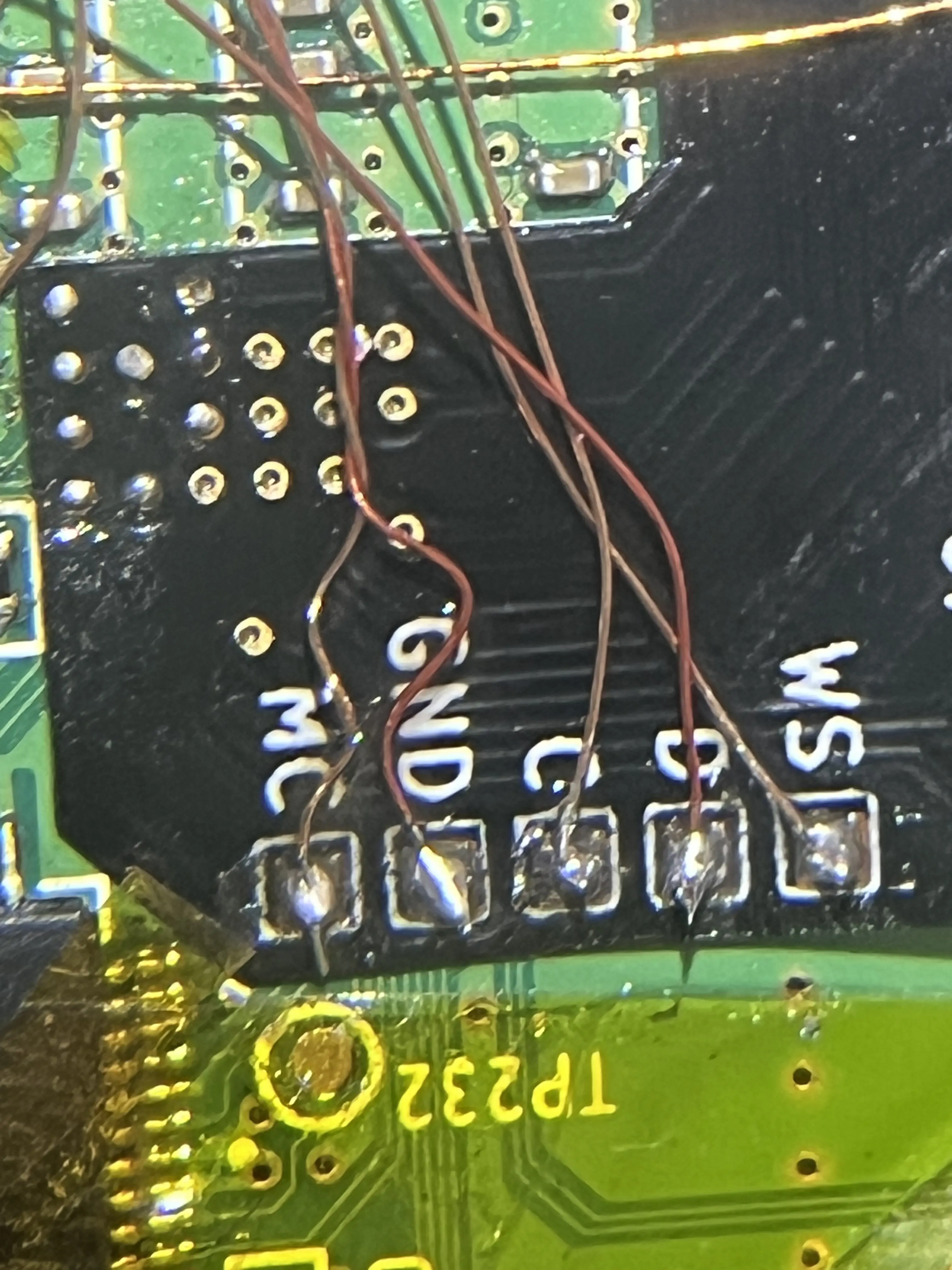
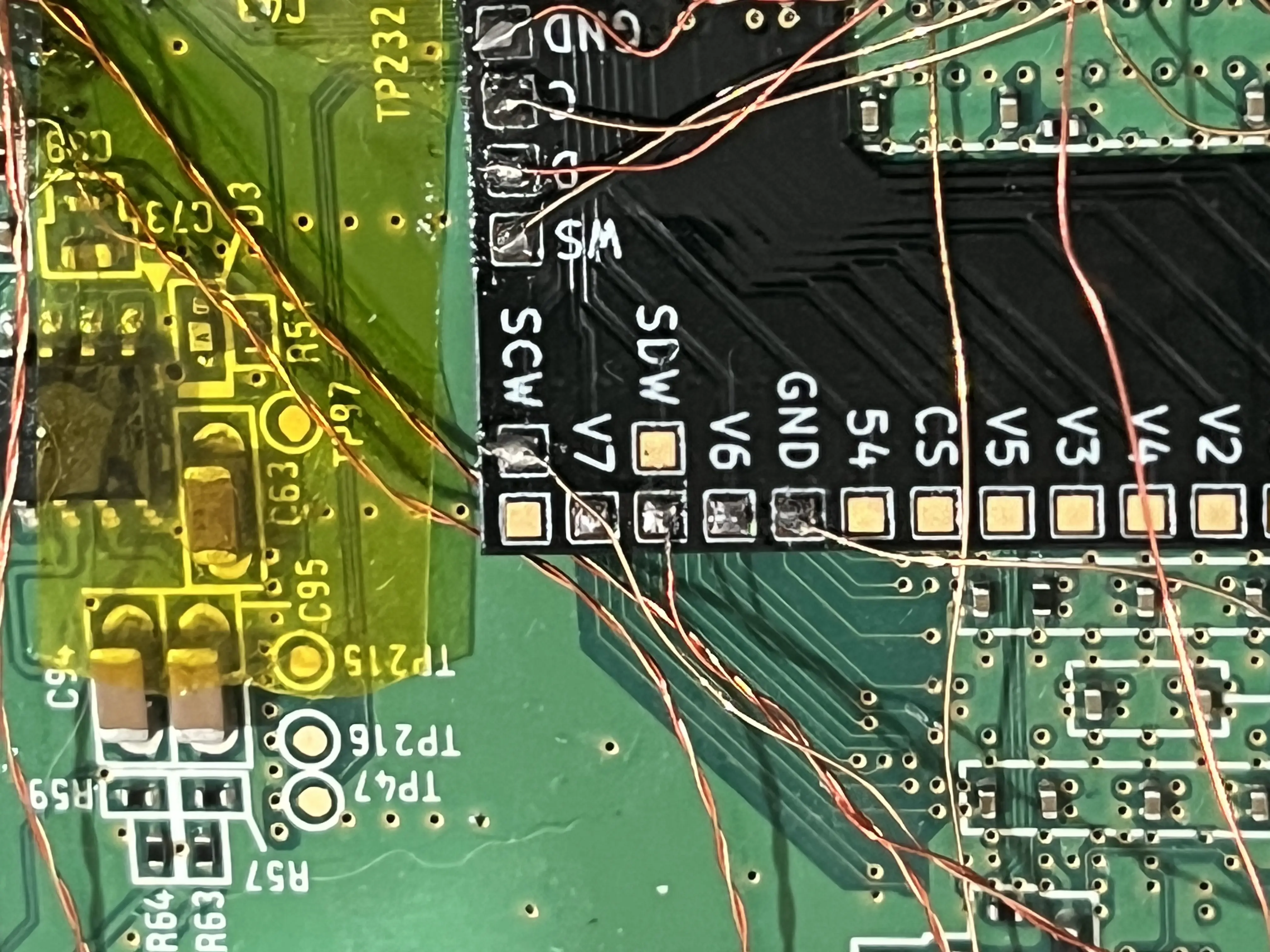
IMG_6917.webp
IMG_6919.webp

(this image below is of the right hand part of the controller pcb)
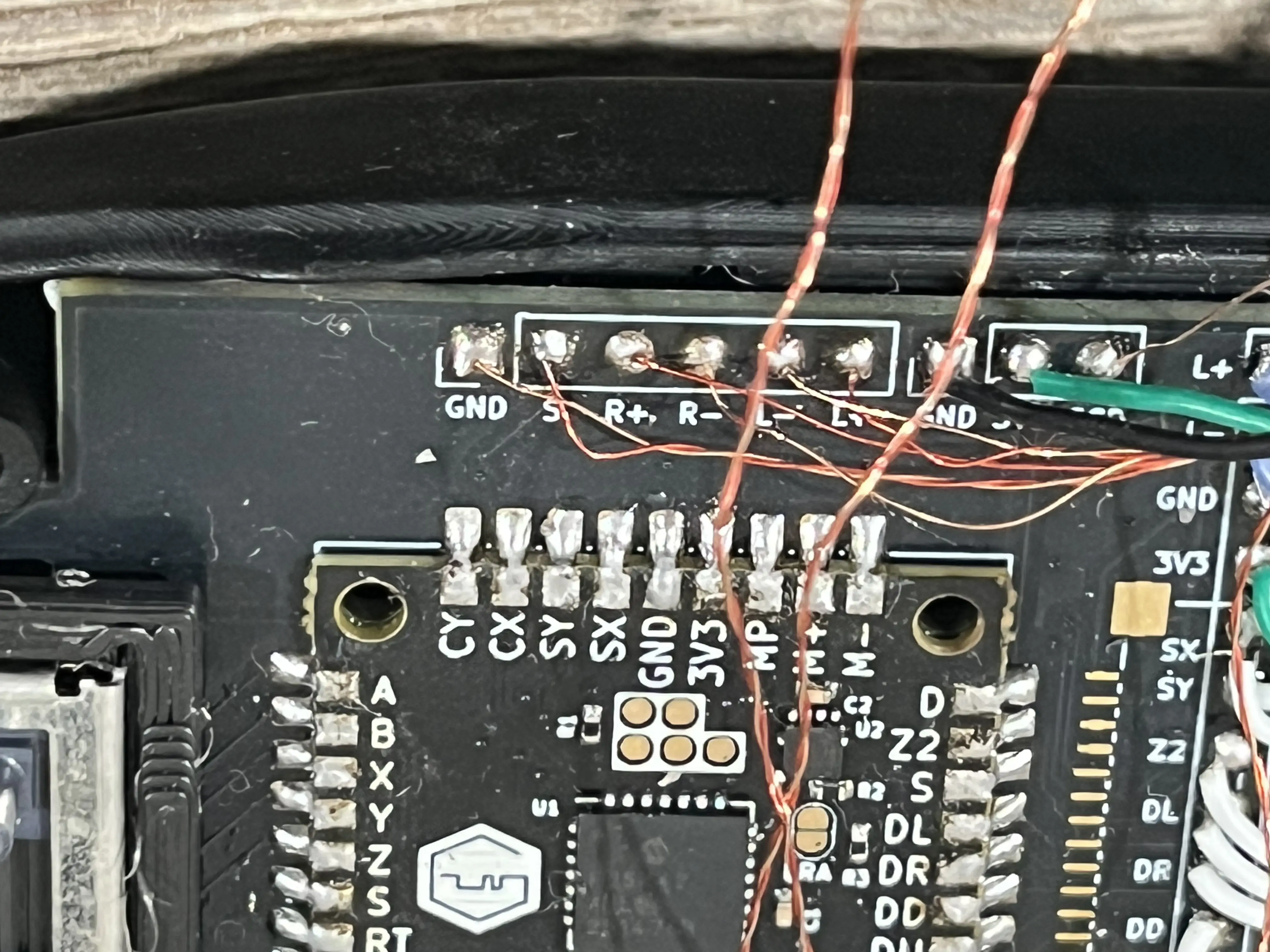
IMG_6920.webp


the speakers are soldered directly to the controller pcb as shown:
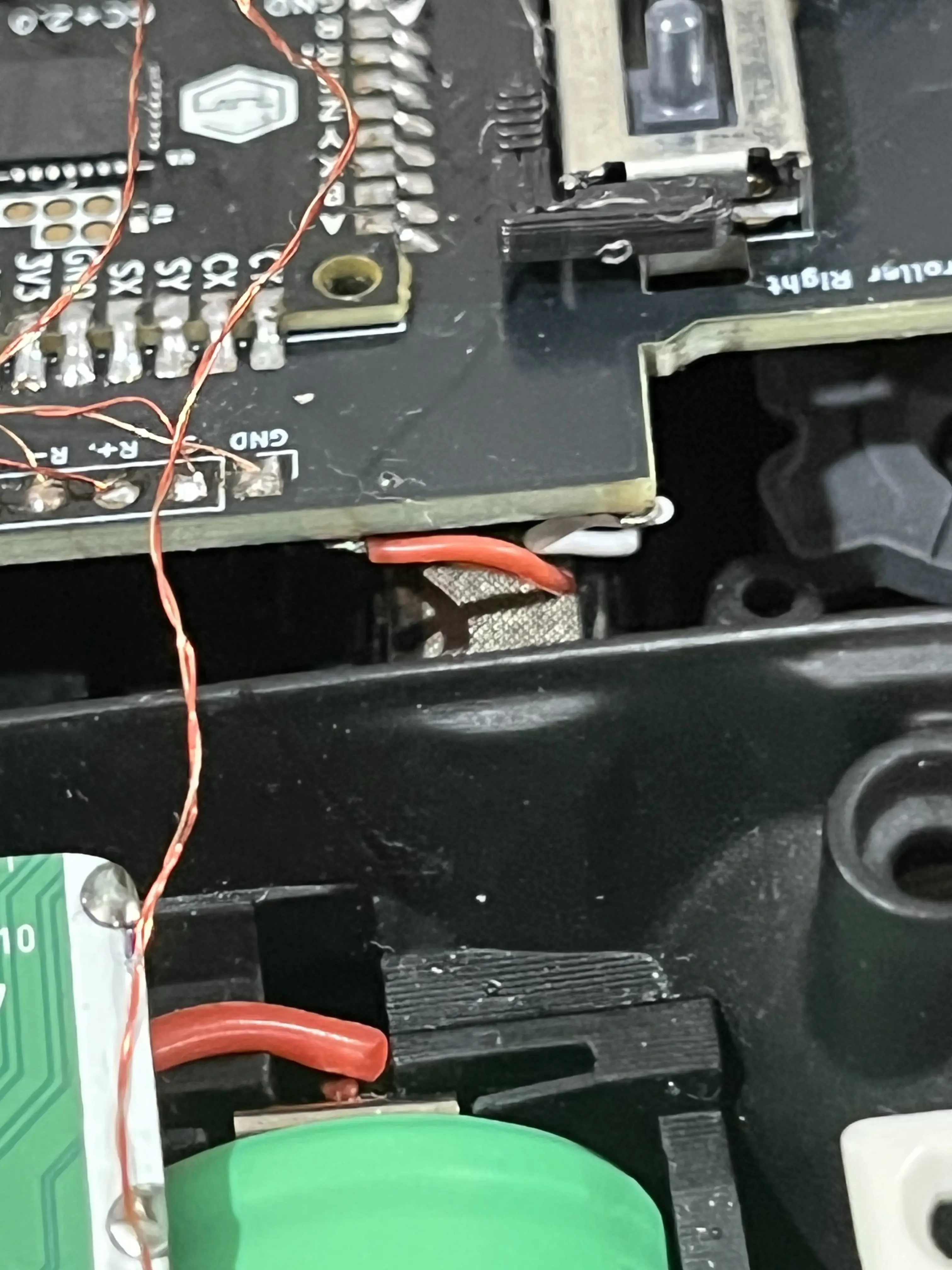
IMG_6915.webp
 
  • Like
Reactions: cy
I think you have already tested it, but have you checked the connection between the amp and the speaker?

I had this issue with a cold solder that broke when a torsion was applied to the cable
 
  • Like
Reactions: cy
I think you have already tested it, but have you checked the connection between the amp and the speaker?

I had this issue with a cold solder that broke when a torsion was applied to the cable
tysm! yeah i just kinda resolderd the R- and R+ and speakers work great now!

I just noticed another issue im having though is that the volume wheel isnt working, I wonder if that also isn't soldered correctly, I have volume control set to potentiometer in the settings, when i move the wheel am i supposed to see the number move in the settings as well? I would assume so
 
  • Like
Reactions: cy
tysm! yeah i just kinda resolderd the R- and R+ and speakers work great now!

I just noticed another issue im having though is that the volume wheel isnt working, I wonder if that also isn't soldered correctly, I have volume control set to potentiometer in the settings, when i move the wheel am i supposed to see the number move in the settings as well? I would assume so
Did you bridge J3 like it says to on the 4layer website?

1787359214140.webp
 
Did you bridge J3 like it says to on the 4layer website?

View attachment 44439
no but i’m using the rvl amp not the u amp, looking into it that’s probably why huh, if so ill just screw it all together and use the gc controller for volume control and maybe upgrade in the future
 
Last edited:
  • Like
Reactions: cy
no but i’m using the rvl amp not the u amp, looking into it that’s probably why huh, if so ill just screw it all together and use the gc controller for volume control and maybe upgrade in the future
The RVL-AMP doesn't have an ADC to handle analog volume control, you gotta use the spare ADC on the PMS instead

If you have the older revision PMS2 or older lite model you have to use one of the JTAG pads
RVL-AMP_Figure_4-LEAGCY-2.png


If you have one of the new revisions there is a dedicated pad for it
RVL-AMP_Figure_4-2.png
 
The RVL-AMP doesn't have an ADC to handle analog volume control, you gotta use the spare ADC on the PMS instead

If you have the older revision PMS2 or older lite model you have to use one of the JTAG pads
RVL-AMP_Figure_4-LEAGCY-2.png


If you have one of the new revisions there is a dedicated pad for it
RVL-AMP_Figure_4-2.png
I have the pms-lite, and it seems to be a newer version as I see the V you are talking about, so re-soldered the wire i initially had going from blue to green as seen below, taking the green end and soldering it to the V pad I had neglected before, It is still soldered to the blue endi have highlighted though. Still doesnt seem to work. Should i move the blue end of the wire to the middle prong of the volume potentiometer? , perhaps the blue end isnt connected properly?
1787398158240.webp
 
Have you tried with a game launched? The pot seems to be only read when a game was launched (On my ashida I have update only in a wii/gc game)
 
Have you tried with a game launched? The pot seems to be only read when a game was launched (On my ashida I have update only in a wii/gc game)
yeah i have, it just launches at full volume with the potentiometer setting selected, cant adjust it
 
Back
Top