Worklog Kolenot's Ashida Worklog

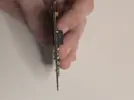
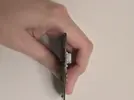
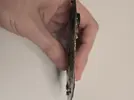
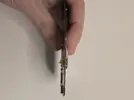
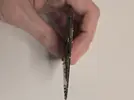
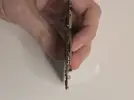
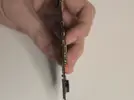
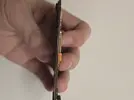
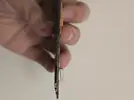
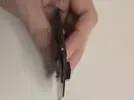
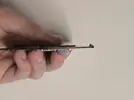
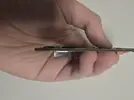
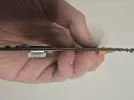
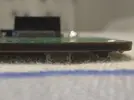
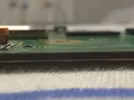
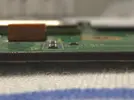
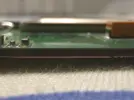
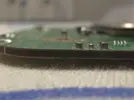
Some pictures of my hand with a wii inside them. For people who want to check if my trim is ok
 

Attachments

  • 20260115_210708.webp
    20260115_210708.webp
    135.9 KB · Views: 19
  • 20260115_210609.webp
    20260115_210609.webp
    116.9 KB · Views: 16
  • 20260115_210615.webp
    20260115_210615.webp
    160.7 KB · Views: 29
  • 20260115_210624.webp
    20260115_210624.webp
    110.8 KB · Views: 21
  • 20260115_210632.webp
    20260115_210632.webp
    139.7 KB · Views: 21
  • 20260115_210639.webp
    20260115_210639.webp
    160 KB · Views: 22
  • 20260115_210643.webp
    20260115_210643.webp
    113.7 KB · Views: 19
  • 20260115_210650.webp
    20260115_210650.webp
    135.3 KB · Views: 19
  • 20260115_210655.webp
    20260115_210655.webp
    179 KB · Views: 11
  • 20260115_210704.webp
    20260115_210704.webp
    103.6 KB · Views: 29
  • 20260115_210552.webp
    20260115_210552.webp
    111 KB · Views: 17
  • 20260115_210452.webp
    20260115_210452.webp
    152.8 KB · Views: 19
  • 20260115_210444.webp
    20260115_210444.webp
    115.1 KB · Views: 18
If things are going the way they've been for the last few weeks, then this is probably one of the last posts.

I'm getting so sick of this russian roulette game where the wii selfdestructs for no reason and I have no idea how to get proper feedback or guides to help me and others.
Lots of people have similar issues, yet there is no proper guide that's up to date or helping you to get the up to date data.
Documentation is spread over at least 5 webpages on different sites and is sometimes incomplete.
The best guide, being the video on the bottom of the Ashida's main page contains basically steps that will prevent you from playing wii games at all and might also have caused 2 of the 3 wii's to selfdestruct (CIOS).
Again, no idea why, resistances and continuity is all fine or "fine" and nobody has been able to tell me the cause even though I've done everything that got me requested to help me. 90% of the time, the help I get is as vague as can be without any info how that I can provide the correct feedback unless you're born in this community.

I've done my best to document my work and refer to it when people want to help me, so that they would be up to date. But I have the feeling barely anyone reads this.
(So what's the point?)

Right now it feels like I've wasted 1K on this project without getting anything out of it.
Unfortunately that's just kinda how this hobby has always been. What guides we have are basic frameworks to hold essential information, and it's up to each maker to extrapolate from there. The closest thing to a "step by step" guide is the old G-Boy kit assembly manual in the Manuals section in the top guide bar. We did go through a phase where we tried our best to detail by detail hand-hold every project to success, but that actually had worse results. The names Mumble and Jeffrey still invoke fear.............

The Wii self destructing for no reason is something that none of us fully understand. Over the years we have isolated and countered all the practical variables that we can find, like taping the CPU/GPU to stop conductive dust getting under the chips, graduated edge sanding to stop internal PCB layers from flaking up and shorting, using additional filtering caps on custom boards, etc., and it still isn't enough to stop Sudden Wii Death Syndrome. A trim can be perfectly functional one day, and then deadge the next with no changes other than powering it off.

My personal best guess for why is that the Wii's PowerPC silicon is simply just that fragile. Almost no-one has ever been able to remove a CPU and GPU from a Wii and transplant it to a new board successfully. The dies always crack and fry. We do know for a fact that Nintendo overengineered the fuck out of the Wii's stock voltage regulators, even going so far as to ensure the "12v-ish" feed in from the power brick is smoothed into a pure 12v baseline feed for the regs with no noise. My personal best guess is they knew the PowerPC chips would randomly die otherwise, which means our use of custom regulators is always going to be a silicon lottery gamble. You either get a Wii that survives, or you don't.

For the resistances being unexplained, we only answer the questions that are put to us. Basically no-one ever asks what the resistances mean or how they can know if a reading is good without needing to come back and ask about it. We just get asked "Is this okay?" and we answer yes or no, and point to possible causes of issues if any are present. Very rarely do we get asked to explain the methodology of this process or why we suggest specific troubleshootings, 95% of users are single project heads that just want a build to work and then we never see them again unless something breaks. The resistance values for the voltage chart are fluid, and will vary significantly in the exact ohm readings from Wii to Wii. Tiny differences in the PCB's copper density, the margin of error in the capacitors and resistors used in that particular unit, the quality of silicon used in that unit's chips, and the exact trim dimensions all result in differing values. When we say "that looks fine" to a resistance chart, it means we've checked the values against the minimum non-short values and known good pattern.
Expected value range:
1768524091415.webp

Pattern for eyeballing:
1768524330853.webp


If in doubt, you can always ask us to explain why we need a specific bit of info, or what the troubleshooting step actually means, and we will answer. We're not trying to ignore you, we just don't always have time to read and write out detailed replies to every post. Especially at this time of year. The holidays are a terrible time to start a build and get support, we're all on holiday and such.

Btw I have never watched the official Ashida vid, but any instructions for installing additional CIOS are entirely unneeded. Modern day RVLoader has all the modifications that it needs onboard and you pick the ones you want during setup. Installing additional CIOS or stock IOS modules are only for last ditch troubleshooting due to their propensity to just brick boards.

Can you explain exactly what you did with the Wii since you first verified the most recent trim's function?
 
Unfortunately that's just kinda how this hobby has always been. What guides we have are basic frameworks to hold essential information, and it's up to each maker to extrapolate from there. The closest thing to a "step by step" guide is the old G-Boy kit assembly manual in the Manuals section in the top guide bar. We did go through a phase where we tried our best to detail by detail hand-hold every project to success, but that actually had worse results. The names Mumble and Jeffrey still invoke fear.............

The Wii self destructing for no reason is something that none of us fully understand. Over the years we have isolated and countered all the practical variables that we can find, like taping the CPU/GPU to stop conductive dust getting under the chips, graduated edge sanding to stop internal PCB layers from flaking up and shorting, using additional filtering caps on custom boards, etc., and it still isn't enough to stop Sudden Wii Death Syndrome. A trim can be perfectly functional one day, and then deadge the next with no changes other than powering it off.

My personal best guess for why is that the Wii's PowerPC silicon is simply just that fragile. Almost no-one has ever been able to remove a CPU and GPU from a Wii and transplant it to a new board successfully. The dies always crack and fry. We do know for a fact that Nintendo overengineered the fuck out of the Wii's stock voltage regulators, even going so far as to ensure the "12v-ish" feed in from the power brick is smoothed into a pure 12v baseline feed for the regs with no noise. My personal best guess is they knew the PowerPC chips would randomly die otherwise, which means our use of custom regulators is always going to be a silicon lottery gamble. You either get a Wii that survives, or you don't.

For the resistances being unexplained, we only answer the questions that are put to us. Basically no-one ever asks what the resistances mean or how they can know if a reading is good without needing to come back and ask about it. We just get asked "Is this okay?" and we answer yes or no, and point to possible causes of issues if any are present. Very rarely do we get asked to explain the methodology of this process or why we suggest specific troubleshootings, 95% of users are single project heads that just want a build to work and then we never see them again unless something breaks. The resistance values for the voltage chart are fluid, and will vary significantly in the exact ohm readings from Wii to Wii. Tiny differences in the PCB's copper density, the margin of error in the capacitors and resistors used in that particular unit, the quality of silicon used in that unit's chips, and the exact trim dimensions all result in differing values. When we say "that looks fine" to a resistance chart, it means we've checked the values against the minimum non-short values and known good pattern.
Expected value range:
View attachment 41328
Pattern for eyeballing:
View attachment 41330

If in doubt, you can always ask us to explain why we need a specific bit of info, or what the troubleshooting step actually means, and we will answer. We're not trying to ignore you, we just don't always have time to read and write out detailed replies to every post. Especially at this time of year. The holidays are a terrible time to start a build and get support, we're all on holiday and such.

Btw I have never watched the official Ashida vid, but any instructions for installing additional CIOS are entirely unneeded. Modern day RVLoader has all the modifications that it needs onboard and you pick the ones you want during setup. Installing additional CIOS or stock IOS modules are only for last ditch troubleshooting due to their propensity to just brick boards.

Can you explain exactly what you did with the Wii since you first verified the most recent trim's function?
Thank you for the info. I'd really appreciate it. I have to admit that I also started with the intention for it to be a single project. But I'll probably stick a bit more since I see a second project in updating the theme.

I had no idea that it randomly dyingnwas actually known as that and wasn't seen as just us making a mistake. From my pov it looked like many things that could cause it, but nobody bothered to look at it outside for some obvious things.

I've learned and seen from my own experience now that every trimmed wii has it's pwn resistances which can change.
And the specific expected and pattern charts are 2 I haven't seen yet.

Wanna comment on the availability etc. bc I understood that and it's not completely the what the issue was etc. But it's kinda pointless to go into that.
It's easier to follow the video's since you see how people do it and most of the time you also hear tips and extra things that you otherwise wouldn't know. Like twisting wires and the issues you'll likely face bc even more experienced people also faced them.

But now to the steps of what I did after the trim. (Let's make it litterally right after the trim step by step)
-cleaned the wii from dust with ipa
-checked the resistances (expecting them to be way too small)
-sanding with 80 grit, some parts more than others to remove some stuff I was afraid to trim off
-checking resistances again (they were already good at this point)
-continue sanding with 120, 240, 400 and 600 grit (about double the time that ginger did in his trimming vod)
-checking resistances again (same as with 80 grit)
-Connecting power and av port to test it
-after the test I attached the sd data cable and t-
- tested these (t- did nothing I assumed it was bc the scw and sdw weren't connected yet)
- tested the controls (forgot start and added it later).
-tried to boot a wii game and a gc game (wii game didn't work probably bc of the cios)
- attached bluetooth and tried to go to the wii menu, opening a wii game
-learned about the cios thing
-went to look for MMM (got recommended by yveltal), noticed that it's official page and only a post of 2010 existed about it. (So I went to see what I could do and what was accessible)
-reinstalled rvloader (since it was suggested that it might fix the wii games issue) and made sure the settings were ok (vga and wifi patch on yes)

- opened the homebrew channel trying to open wadmanager and bootmii (noticed homebrewchannel was upside down)

I had wadmanager added to add some wiiware games to the main menu since not all games played nicely with my first wii and I noticed that they played perfectly via the main menu. (Didn't do anything with it on this one and couldn't use it with the gc2 controls)

-Couldn't launch bootmii from priiloader (also couldn't change any priiloader settings like making the wii region free, wanted to see if anything there could help me) and had some trouble pressing start.
-resoldering the start and gnd (for start) wires.

- Put MMM on the sd card and went to the ashida and noticed the blackscreen
-went to see what happened and if some wires broke.
-at first everything seemed fine so I tested again and then I noticed that a speaker leg came loose, resoldered it (speaker cables aren't connected yet)
- then after trying again the bracket for the t- came loose. (Gotta admit that the connection done a bit quickly)
-after re-adding it and noticing that it didn't fix anything I started removing everything piece by piece to see if it would solve my issue.
-at the end when only the power and av cables were connected I measured the resistamces again. I believe only 3v3 changed noticably, still above 1K, but still lower then without the cables.
- checked voltage of the U9 I relocated before the trim (3.2xxV came out of the extra pin and that pin still was disconnected with the ground)
-then I stopped testing and completely removed the board.
-cleaned all flux/solder dirt, sanded an edge of the wii that didn't look clean anymore (the 45 deg line) for some reason it looked gray. Could've been me but extra sanding that side couldn't hurt it.

And now it's still disassembled I even removed the power cables going to the controllerboard from the pms. (They were pretty annoying to drag along all the time)

I wanna test it out again tomorrow but I don't expect anything to change, knowing that it probably died to cios or the temptation of the wii to kill itself when testing.

Every test just feels like I'm playing the pop pirate game and a wire could pop out.
But now knowing that norma tests don't need the wii heatshield, that feeling end experience might lessen.
1768530488326.webp
 
Thank you for the info. I'd really appreciate it. I have to admit that I also started with the intention for it to be a single project. But I'll probably stick a bit more since I see a second project in updating the theme.

I had no idea that it randomly dyingnwas actually known as that and wasn't seen as just us making a mistake. From my pov it looked like many things that could cause it, but nobody bothered to look at it outside for some obvious things.

I've learned and seen from my own experience now that every trimmed wii has it's pwn resistances which can change.
And the specific expected and pattern charts are 2 I haven't seen yet.

Wanna comment on the availability etc. bc I understood that and it's not completely the what the issue was etc. But it's kinda pointless to go into that.
It's easier to follow the video's since you see how people do it and most of the time you also hear tips and extra things that you otherwise wouldn't know. Like twisting wires and the issues you'll likely face bc even more experienced people also faced them.

But now to the steps of what I did after the trim. (Let's make it litterally right after the trim step by step)
-cleaned the wii from dust with ipa
-checked the resistances (expecting them to be way too small)
-sanding with 80 grit, some parts more than others to remove some stuff I was afraid to trim off
-checking resistances again (they were already good at this point)
-continue sanding with 120, 240, 400 and 600 grit (about double the time that ginger did in his trimming vod)
-checking resistances again (same as with 80 grit)
-Connecting power and av port to test it
-after the test I attached the sd data cable and t-
- tested these (t- did nothing I assumed it was bc the scw and sdw weren't connected yet)
- tested the controls (forgot start and added it later).
-tried to boot a wii game and a gc game (wii game didn't work probably bc of the cios)
- attached bluetooth and tried to go to the wii menu, opening a wii game
-learned about the cios thing
-went to look for MMM (got recommended by yveltal), noticed that it's official page and only a post of 2010 existed about it. (So I went to see what I could do and what was accessible)
-reinstalled rvloader (since it was suggested that it might fix the wii games issue) and made sure the settings were ok (vga and wifi patch on yes)

- opened the homebrew channel trying to open wadmanager and bootmii (noticed homebrewchannel was upside down)

I had wadmanager added to add some wiiware games to the main menu since not all games played nicely with my first wii and I noticed that they played perfectly via the main menu. (Didn't do anything with it on this one and couldn't use it with the gc2 controls)

-Couldn't launch bootmii from priiloader (also couldn't change any priiloader settings like making the wii region free, wanted to see if anything there could help me) and had some trouble pressing start.
-resoldering the start and gnd (for start) wires.

- Put MMM on the sd card and went to the ashida and noticed the blackscreen
-went to see what happened and if some wires broke.
-at first everything seemed fine so I tested again and then I noticed that a speaker leg came loose, resoldered it (speaker cables aren't connected yet)
- then after trying again the bracket for the t- came loose. (Gotta admit that the connection done a bit quickly)
-after re-adding it and noticing that it didn't fix anything I started removing everything piece by piece to see if it would solve my issue.
-at the end when only the power and av cables were connected I measured the resistamces again. I believe only 3v3 changed noticably, still above 1K, but still lower then without the cables.
- checked voltage of the U9 I relocated before the trim (3.2xxV came out of the extra pin and that pin still was disconnected with the ground)
-then I stopped testing and completely removed the board.
-cleaned all flux/solder dirt, sanded an edge of the wii that didn't look clean anymore (the 45 deg line) for some reason it looked gray. Could've been me but extra sanding that side couldn't hurt it.

And now it's still disassembled I even removed the power cables going to the controllerboard from the pms. (They were pretty annoying to drag along all the time)

I wanna test it out again tomorrow but I don't expect anything to change, knowing that it probably died to cios or the temptation of the wii to kill itself when testing.

Every test just feels like I'm playing the pop pirate game and a wire could pop out.
But now knowing that norma tests don't need the wii heatshield, that feeling end experience might lessen.
View attachment 41331

Well you're certainly not crazy, you did everything correctly up until you attempted to install additional CIOS. RVLoader uses specific modified versions of essential opensource homebrew and has a custom framework that handles everything that you would normally use traditional CIOS for, so installing additonal CIOS can and will brick the system, especially if you touch Priiloader or BootMii. We had a support thread recently where a guy thought he needed to update Priiloader and it broke his system. In his case we were able to help him recover it because his board still booted to an error message. Your current trim may be beyond saving if you can't get any display with composite after the deep clean, but Wiis have resurrected themselves from worse states before. Was the CIOS that you installed to get VGA/bt emulation to work on the system menu?

I'll itemise the remainder of your questions/observations for readability:
  • I'm not sure if the thermistor reading needs I2C to be hooked up to work, it's not mentioned in the documentation, but I wouldn't be surprised if it did.
  • Homebrew Channel being upside down is normal, it's a thing the devs did to encourage people to stop modifying a certain IOS module after advances were made to make that risky method redundant. RVLoader modifies that IOS module for one of the hardware patches, wifi or bt emulation I think, so if RVLoader is properly installed then the HBC will be upside down.
  • RVLoader does support Wiiware and VC titles now via the wad folder on the USB/SD card, but yeah there are some that do not work correctly yet and the specific USB or SD card that you're using can cause compatibility problems if they aren't genuine. If you post a list of the titles that don't work properly in the RVLoader thread, Aurelio will add them to the testing list when he has time.
  • 3.3v's resistance changes a lot based on what's connected to the system, so the change when your other wires were removed is normal.
  • 3.2v from the U9/U10 output leg is an acceptable drop. Anything above 3v is sufficient I believe.
  • A deep clean is a good idea, and always the first thing that I personally suggest when encountering a boot failure issue. There's a lot of conductive debris that can get stuck in flux residue and cause just enough of a short to mess with the system logic, but not enough to show up on a multimeter.
You know the core process well now. Worst comes to worst, one more trim and you'll have a functional system.
 
Well you're certainly not crazy, you did everything correctly up until you attempted to install additional CIOS. RVLoader uses specific modified versions of essential opensource homebrew and has a custom framework that handles everything that you would normally use traditional CIOS for, so installing additonal CIOS can and will brick the system, especially if you touch Priiloader or BootMii. We had a support thread recently where a guy thought he needed to update Priiloader and it broke his system. In his case we were able to help him recover it because his board still booted to an error message. Your current trim may be beyond saving if you can't get any display with composite after the deep clean, but Wiis have resurrected themselves from worse states before. Was the CIOS that you installed to get VGA/bt emulation to work on the system menu?

I'll itemise the remainder of your questions/observations for readability:
  • I'm not sure if the thermistor reading needs I2C to be hooked up to work, it's not mentioned in the documentation, but I wouldn't be surprised if it did.
  • Homebrew Channel being upside down is normal, it's a thing the devs did to encourage people to stop modifying a certain IOS module after advances were made to make that risky method redundant. RVLoader modifies that IOS module for one of the hardware patches, wifi or bt emulation I think, so if RVLoader is properly installed then the HBC will be upside down.
  • RVLoader does support Wiiware and VC titles now via the wad folder on the USB/SD card, but yeah there are some that do not work correctly yet and the specific USB or SD card that you're using can cause compatibility problems if they aren't genuine. If you post a list of the titles that don't work properly in the RVLoader thread, Aurelio will add them to the testing list when he has time.
  • 3.3v's resistance changes a lot based on what's connected to the system, so the change when your other wires were removed is normal.
  • 3.2v from the U9/U10 output leg is an acceptable drop. Anything above 3v is sufficient I believe.
  • A deep clean is a good idea, and always the first thing that I personally suggest when encountering a boot failure issue. There's a lot of conductive debris that can get stuck in flux residue and cause just enough of a short to mess with the system logic, but not enough to show up on a multimeter.
You know the core process well now. Worst comes to worst, one more trim and you'll have a functional system.
"CIOS can and will brick the system, especially if you touch Priiloader or BootMii."
That would probably have killed the last 2 then (maybe with a little bit of a delay, like when the wii would've no power and cooled off). bc like I said before, I was trying to test out the bluetooth and didn't feel the need to go to the priiloader settings untill that point (to see if I could connect the wii remote there or fix some stuff so I could open a wii game to connect the wii remote).
Glad it wasn't my sanding bc my eyesight isn't bad (or at least I think so), but trying to find false connections is almost impossible since the layers are so close to eachother.(even a normal magnifier or my phone can't make it clear enough)

"Your current trim may be beyond saving if you can't get any display with composite after the deep clean"
Yh I believe that too, I cleaned it with 99% IPA (just went over it with a toothbrush and cleaned harder to clean parts with a cotton swab since the toothbrush)

"Was the CIOS that you installed to get VGA/bt emulation to work on the system menu?"
TBH, no clue, I just followed the info on this page
https://wii.hacks.guide/cios?tab=cios-for-wii/family-edition (Dubes recommended to follow this site bc his files might've become outdated)?
Did the same thing for the second wii but with an older version of the NUS downloader.
I also believe that I did it with the first one and found a way to remove the cios before I trimmed that one bc I was able to play wiiware games via RVLoader.
(between the first and second wii, my SD card reader broke, so I blamed it on the other sd card readers not being good enough)

"I'm not sure if the thermistor reading needs I2C to be hooked up to work, it's not mentioned in the documentation, but I wouldn't be surprised if it did."
I think I did it before and only got it to work once I hooked up the flex cable with I2C and maybe someone on discord told me it was also required.
Still not sure, but I think it's more likely that it is required imo.

"so if RVLoader is properly installed then the HBC will be upside down."
Oh, I remember reading it somewhere, didn't knew it was intended for safety reasons.
"Wiiware and VC titles"
I know that Cave Story works with the CIOS files (the only one out of the ones I've tried that always worked)
For the not working ones, I remember Pokemon Rumble constantly complaining about the controller (playable but a terrible experience bc half of your playtime, you're closing the error message)
And Blaster Master: Overdrive starts up, but doesn't once you pass the starting cutscene, It freezes before you get to actually play
The others (megaman 9/10, Ace Attorney (all 3 of them) and Sonic 4 probably only failed bc the CIOS thing bc I got them working on the first wii.
I'll double check when the new wii arrives and I've modded it, so we're sure I'm using a clean version without CIOS BS.

You know the core process well now. Worst comes to worst, one more trim and you'll have a functional system.
Yh I don't know what I'm gonna do now tbh, either I'll play it safe and just try to keep it with the GC controls, or I'll take the risk and install bluetooth again (probably not a risk, but it still feels like one to me)

The sandpaper set of 600+ grit arrived (next day deliveries are such a blessing) but I honestly can't see the difference after using them.
I'll know better when the loupe arrives, but if everything goes as planned, then I shouldn't even need it.
So the story continues next week.
 
"CIOS can and will brick the system, especially if you touch Priiloader or BootMii."
That would probably have killed the last 2 then (maybe with a little bit of a delay, like when the wii would've no power and cooled off). bc like I said before, I was trying to test out the bluetooth and didn't feel the need to go to the priiloader settings untill that point (to see if I could connect the wii remote there or fix some stuff so I could open a wii game to connect the wii remote).
Glad it wasn't my sanding bc my eyesight isn't bad (or at least I think so), but trying to find false connections is almost impossible since the layers are so close to eachother.(even a normal magnifier or my phone can't make it clear enough)

"Your current trim may be beyond saving if you can't get any display with composite after the deep clean"
Yh I believe that too, I cleaned it with 99% IPA (just went over it with a toothbrush and cleaned harder to clean parts with a cotton swab since the toothbrush)

"Was the CIOS that you installed to get VGA/bt emulation to work on the system menu?"
TBH, no clue, I just followed the info on this page
https://wii.hacks.guide/cios?tab=cios-for-wii/family-edition (Dubes recommended to follow this site bc his files might've become outdated)?
Did the same thing for the second wii but with an older version of the NUS downloader.
I also believe that I did it with the first one and found a way to remove the cios before I trimmed that one bc I was able to play wiiware games via RVLoader.
(between the first and second wii, my SD card reader broke, so I blamed it on the other sd card readers not being good enough)

"I'm not sure if the thermistor reading needs I2C to be hooked up to work, it's not mentioned in the documentation, but I wouldn't be surprised if it did."
I think I did it before and only got it to work once I hooked up the flex cable with I2C and maybe someone on discord told me it was also required.
Still not sure, but I think it's more likely that it is required imo.

"so if RVLoader is properly installed then the HBC will be upside down."
Oh, I remember reading it somewhere, didn't knew it was intended for safety reasons.
"Wiiware and VC titles"
I know that Cave Story works with the CIOS files (the only one out of the ones I've tried that always worked)
For the not working ones, I remember Pokemon Rumble constantly complaining about the controller (playable but a terrible experience bc half of your playtime, you're closing the error message)
And Blaster Master: Overdrive starts up, but doesn't once you pass the starting cutscene, It freezes before you get to actually play
The others (megaman 9/10, Ace Attorney (all 3 of them) and Sonic 4 probably only failed bc the CIOS thing bc I got them working on the first wii.
I'll double check when the new wii arrives and I've modded it, so we're sure I'm using a clean version without CIOS BS.

You know the core process well now. Worst comes to worst, one more trim and you'll have a functional system.
Yh I don't know what I'm gonna do now tbh, either I'll play it safe and just try to keep it with the GC controls, or I'll take the risk and install bluetooth again (probably not a risk, but it still feels like one to me)

The sandpaper set of 600+ grit arrived (next day deliveries are such a blessing) but I honestly can't see the difference after using them.
I'll know better when the loupe arrives, but if everything goes as planned, then I shouldn't even need it.
So the story continues next week.
Testing bluetooth sync in Priiloader is something that isn't often suggested because most people don't know it's an option. This and much other essential information will be added to an official omnibus thread later this year after I finish moving house. The difficulties you've had as a result of up-to-date info being so fragmented across the site need to not happen again. I'll also be looking at updating some of the old guides and maybe resurrect the dead Manuals section so we can have one helpful spot to point people to.

99% IPA and a toothbrush is the right way to do the cleaning!

That CIOS guide is very old and is for "normal" game loaders. RVLoader has a custom loading module called Hiidra that live patches necessary functions with minimal permanent system changes. Other loaders are more simple in construction and need CIOS to do the same. Aurelio is truly a wizard when it comes to his firmware mods. For future trims, I wouldn't install any extra CIOS modules that Aurelio hasn't made compatible with RVLoader. To my knowledge there are only 2 such modules, both are experimental expansions of the VGA patch and bluetooth emulation patch respectively. Neither are required for portable use.

Without other CIOS to mess with the patches, installing the bluetooth module is only a good thing really. Having the option to use proper Wiimote motion controls is very nice for the handful of Wii games that the emulation patch doesn't work well with (That list includes all Motion Plus titles since the advanced gyro is not well understood atm).

Progressively increasing the sanding grit is mainly just to provide a foolproof way of ensuring that no copper foil from the inner layers can flake up and touch the GND plane. I've had trims that worked perfectly with only 400 grit sanding. So far the best technique for it is to put the paper on a flat table and run the trim in a sort of figure 8 motion on the paper to get nice flat edges. It's the little dips and inside corners that usually cause problems, so if you sand well, graduate up to 600 grit, and the sanded edges feel smooth to your finger, then you've done well. Personally I use a cheap magnifying glass that I got from a news agent to inspect the edges in detail. Much easier than trying to get a phone camera to focus.

Good luck!

EDIT: I forgot to mention that RVLoader also handles region free patching for Gamecube and Wii games automatically, and while yes you can test if the Wii boots without putting the heatsink on you must not exceed 40 seconds of power on time without a heatsink or the chips will cook themselves.
 
Last edited:
Got the new (untrimmed) wii and did a sys check, but it failed.
I can show a report on my wii, but I don't get the file.
Would it be a good idea to follow this video to reset it and do everything from step 1 (if you have a something more reliable, pls share)?


I also noticed that it doesn't have bootmii yet, so I'll probably need to install a more recent version of homebrew.
Video of the log below
 
Last edited:
Just put the sd card that came with it in the usb port of the wii.
It has :
  • USB Loader GX (RVLoader but worse)
  • Pimp my Wii (No idea, but it has a purple hat in the icon and it looks like it says that it's to repare your wii in spanish/italian or french)
  • WiiMC (a media player)
 
Pimp my Wii is a CIOS manager. It's infamous for causing irrepairable bricks. The previous owner probably installed 249 and 250 for GX, and then probably some sysmenu mods.

I would say that Wii isn't safe to RVLoader in its present state, but I can help you fix it. If you go to the HBC and load into bootmii, you can make a full NAND backup onto the SD card. It'll produce a 250ish megabyte nand.bin file and a keys.bin file. Zip both files, upload them to mega or google drive or something and send me a link. I'll download the tainted image and use it build a clean one that you can then flash onto the Wii to get it back to stock firmware.

Oh and make sure to check the system menu settings and tell me which region the current firmware is. It's the letter after the number 4.something in the top right (I think)
 
Ok, no problem, Nand was 540 megabyte.

1768754841377.webp


Had to uninstall the current homebrew and install a new one since this version didn't have the bootmii option.
There was 3 bad blocks in total, but 1 couldn't be repaired 4074 (I ran it again, but the same thing happened).

It's a european wii so the version is 4.3E
 
Also found a way to get better pictures with my phone.
 

Attachments

  • 20260119_000037.webp
    20260119_000037.webp
    488.4 KB · Views: 21
  • 20260119_000024.webp
    20260119_000024.webp
    486.2 KB · Views: 22
  • 20260119_000013.webp
    20260119_000013.webp
    487.7 KB · Views: 19
  • 20260119_000003.webp
    20260119_000003.webp
    550.4 KB · Views: 21
  • 20260118_235937.webp
    20260118_235937.webp
    600.6 KB · Views: 21
  • 20260118_235922.webp
    20260118_235922.webp
    662.5 KB · Views: 19
  • 20260118_235909.webp
    20260118_235909.webp
    558.8 KB · Views: 26
Ok, no problem, Nand was 540 megabyte.

View attachment 41347

Had to uninstall the current homebrew and install a new one since this version didn't have the bootmii option.
There was 3 bad blocks in total, but 1 couldn't be repaired 4074 (I ran it again, but the same thing happened).

It's a european wii so the version is 4.3E

My bad, 540 megabytes is the correct size. Here's your clean rebuild:

Paste it over the one that Bootmii made in the root of the SD card, and load back into Bootmii and choose the flash to NAND option. IIRC it's the icon with the arrow pointing towards the chip. You'll need a Gamecube controller plugged into port 1 to input the Konami code (not a joke) as a security step before the program will let you modify the NAND. If it is a Family Edition Wii with no Gamecube controller ports, you'll need to open the shell and wire a port to the pads on the motherboard to do the flash. The Family Edition still has the pads for the ports and they work as normal.

IIRC Bootmii will do a sector by sector verification first to make sure the image is properly sized and has the needed metadata, then it will ask you to press a button to start the flash proper. Keep in mind there is a very small chance that the flash can fail due to the NAND silicon quality, or a power failure. If power to the Wii fails during the verification, no damage is done and you can try again. If power fails at any point during the flash, the system is bricked forever. Verification and flashing can take up to an hour each depending on how much overwriting is required.

There's a wiihacks guide for reference: https://wii.hacks.guide/bootmiirecover
Ignore the Family Edition warning, it's wrong.

When the flash is done, you'll be prompted to restart the system. When it restarts, if the flash was successful, you'll be greeted with the first time boot sequence. From there you follow the LetterBomb instructions as normal to install HBC and Bootmii, and then install RVLoader.
 
Last edited:
I still haven't trimmed the last(4th) wii (took some time to do some other stuff)
But I've tried wiiware and virtual console titles. Virtual console works perfectly, but wii ware doesn't want to boot at all. (screen signal goes through, but it's just black).
This is for all wiiware games outside of cave story.
I've had this issue with all my wii's and I did solve it with the first one, I just can't remember how exactly. I remember selecting a different IOS in one of the settings, around the time of fixing it, but I'm not sure if that fixed it.
Any idea what might be the cause?
 
I'm afraid I have no idea about Wiiware compatibility. I've only ever use a couple of VC titles
 
Sad, I've tried it with 2 other wiiware games and same result.
I wish I'd knew what makes cave story so special for it to be the only wiiware game that works.
My only guess is that it's the only wiiware game I have that natively has GC controls.
But even other games with bluetooth enabled don't work, the moment the game should boot, the wiimote disconnects.
 
And you're unable to sync it again when the title launches?
 
And you're unable to sync it again when the title launches?
I was probably wrong about the bluetooth thing (I probably chose a game that didn't had the bluetooth option turned on)
Can't properly test this since I just trimmed, sanded and tested that wii now. (no bluetooth or RVLoader yet)

I tried it with my 6 layered wii, but that one has CIOS installed, so it's not reliable to test the bluetooth thing and behaves different bc of it.
Wether bluetooth is turned off or on, it just stays "connected" (lights on the wiimote stay on).
Till I try to turn the wii off via the wiimote (wiimote turns off and the lights don't blink on button press till the wii is actually off).
similar to when RVLoader freezes on the menu, (happened while testing)

To add as info (think it was already known), the hiidra loading screen works etc, it's right after it's done that it freezes.

I'll see if I get the trimmed one working with bluetooth tomorrow.
 
Bluetooth and wii games work!
F U CIOS.

I'm thinking that maybe 1 of the 2 broken ones might still work, but they might boot on the wii menu, cios breaking bluetooth + autoboot being reset to the wii menu, might've caused the black screen.
 
Bluetooth relocated now that it works.
also showing how I like to daisy chain, yes it's just 1 wire.

Used some tape to prevent contact to the 1.8v spot (wrapping the bluetooth layer in 2-3 layers of tape and then using another strap to stick it on the board)
20260126_013735.webp
 
1000017839.webp
1000017840.webp

"Broken" screen is working. So everyone who said the cut didn't destroy it was right.

Also using the extension cable from the raspberry pi project for easier testing. ( I already tested the controls with the last wii's and already know the buttons work since I had to use couple of them to boot a wii game for the bluetooth connection)
 
Back
Top