- Joined
- May 5, 2020
- Messages
- 18
- Likes
- 1
Hello, I am working on a G-Wii and am having issues getting the buttons and joysticks to work. Namely, the GC+ 2.0 appears to not be working. I have spent the better half a 2 weeks researching and trying to find a solution to this issue I am having. Apparently, it's just not a problem other people seem to have.
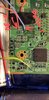
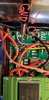
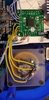
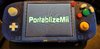
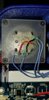
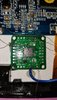
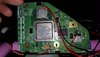
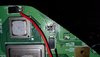
Here is what I have so far: PMS, USB C board, batteries, 5" VGA screen from store, and Wii board are all wired together. As well as all buttons , save the d pad, wired to GC plus. Composite video is connected and is displaying video to 5" screen. Data line on GC+ is wired to Trimmed Wii board to the number 1 data via indicated on the Wii Trimming Guide. In spite of this, the Wii will not sense the GC+ 2.0 board. I see no cursor on screen in PortablizeMii and buttons will not work.
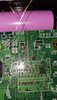
So far I have verified that the board is receiving 3.3v power, has a proper ground (grounded on PMS), and that data line connections are solid. All seems correct. Continuity test with volt meter confirm that data line is connected to via on Wii board.
I am at a loss here. I just can't get the built in controller to work. To help guide me I have been using a variety of tools from this website and have been religiously watching both of Noah's G-Wii build guides on YouTube.
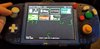
So I don't know what else to do. I'm not sure if I'm missing something or if perhaps I needed to run the GC+ configuration before the Wii trim... I did NOT have it installed on USB until after the trim. It is NOW visible on the PortablizeMii screen though. If only I could select it. -_-
In any case, I could use a hand here if anyone is able to assist. I would be eternally grateful. Thanks in advance for any help.
Here is what I have so far: PMS, USB C board, batteries, 5" VGA screen from store, and Wii board are all wired together. As well as all buttons , save the d pad, wired to GC plus. Composite video is connected and is displaying video to 5" screen. Data line on GC+ is wired to Trimmed Wii board to the number 1 data via indicated on the Wii Trimming Guide. In spite of this, the Wii will not sense the GC+ 2.0 board. I see no cursor on screen in PortablizeMii and buttons will not work.
So far I have verified that the board is receiving 3.3v power, has a proper ground (grounded on PMS), and that data line connections are solid. All seems correct. Continuity test with volt meter confirm that data line is connected to via on Wii board.
I am at a loss here. I just can't get the built in controller to work. To help guide me I have been using a variety of tools from this website and have been religiously watching both of Noah's G-Wii build guides on YouTube.
So I don't know what else to do. I'm not sure if I'm missing something or if perhaps I needed to run the GC+ configuration before the Wii trim... I did NOT have it installed on USB until after the trim. It is NOW visible on the PortablizeMii screen though. If only I could select it. -_-
In any case, I could use a hand here if anyone is able to assist. I would be eternally grateful. Thanks in advance for any help.