
ToddyHD
Guest
Today I received my screen from China and I'm really happy with it, however I would like to have screen controls in my portable but it appears the driver board for my screen only has one key pin that goes to the keyboard and not individual pins to solder to for controlling the screen menu, +/- and output source.
I'd prefer to solder directly to the driver board to save space in my portable but I can't seem to find any pins on the main board. Does this mean I need to use the daughterboard or is there another solution? Here is my current driver board. The revision is KYV-N2 V6.
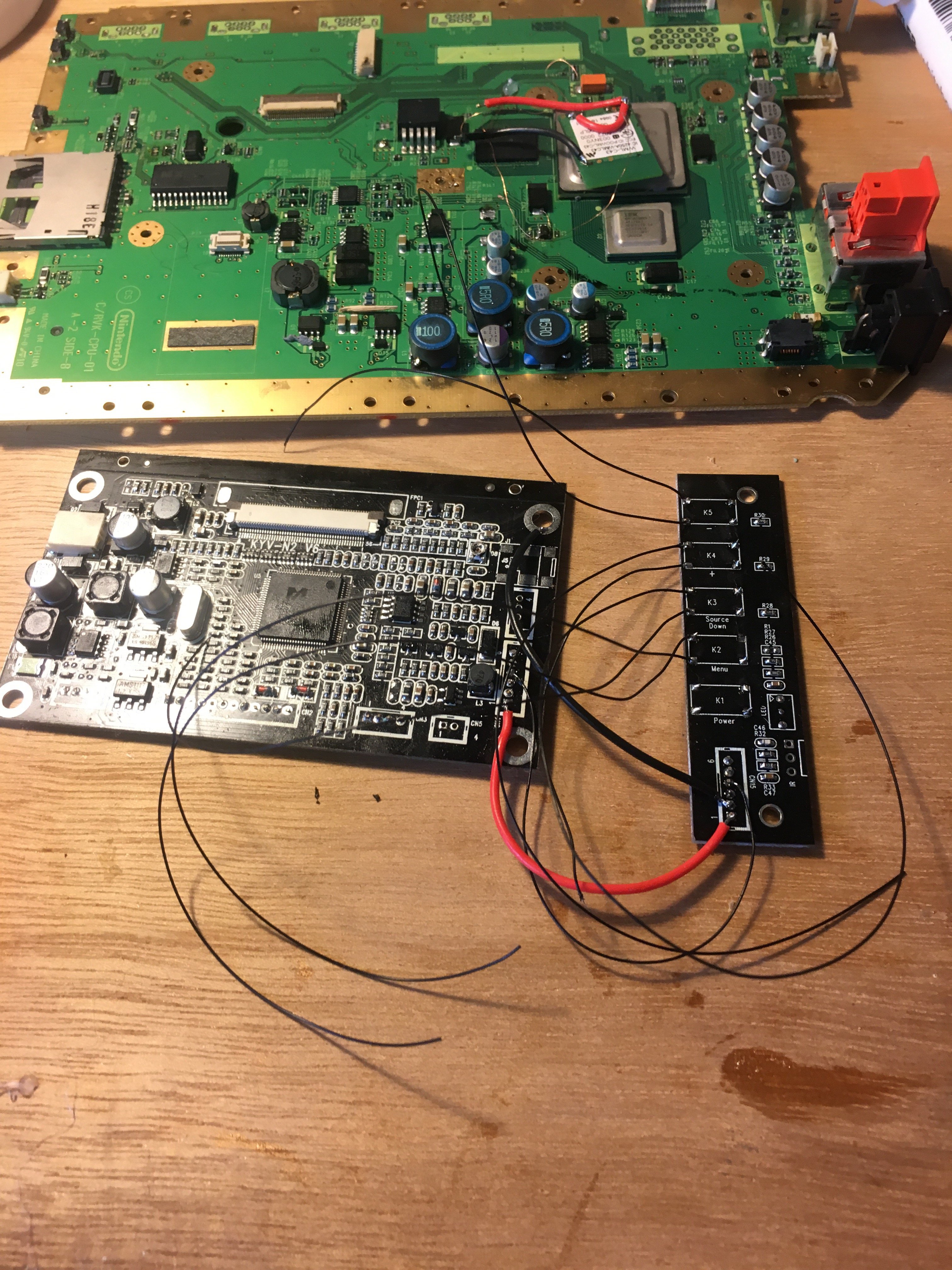
Right now I've soldered the daughterboard directly to the main board via VCC, GND and KEY which I assume sends data from the keyboard to the main board. I was wondering if anyone is familiar with this board could tell me points to solder to directly on the main board or will I have to use the daughter board as pictured?
Here is what I have done and is my current solution. I have removed the tact switches and wired up GND and data lines from the original SMD switches on the main board and am planning to relocate them:
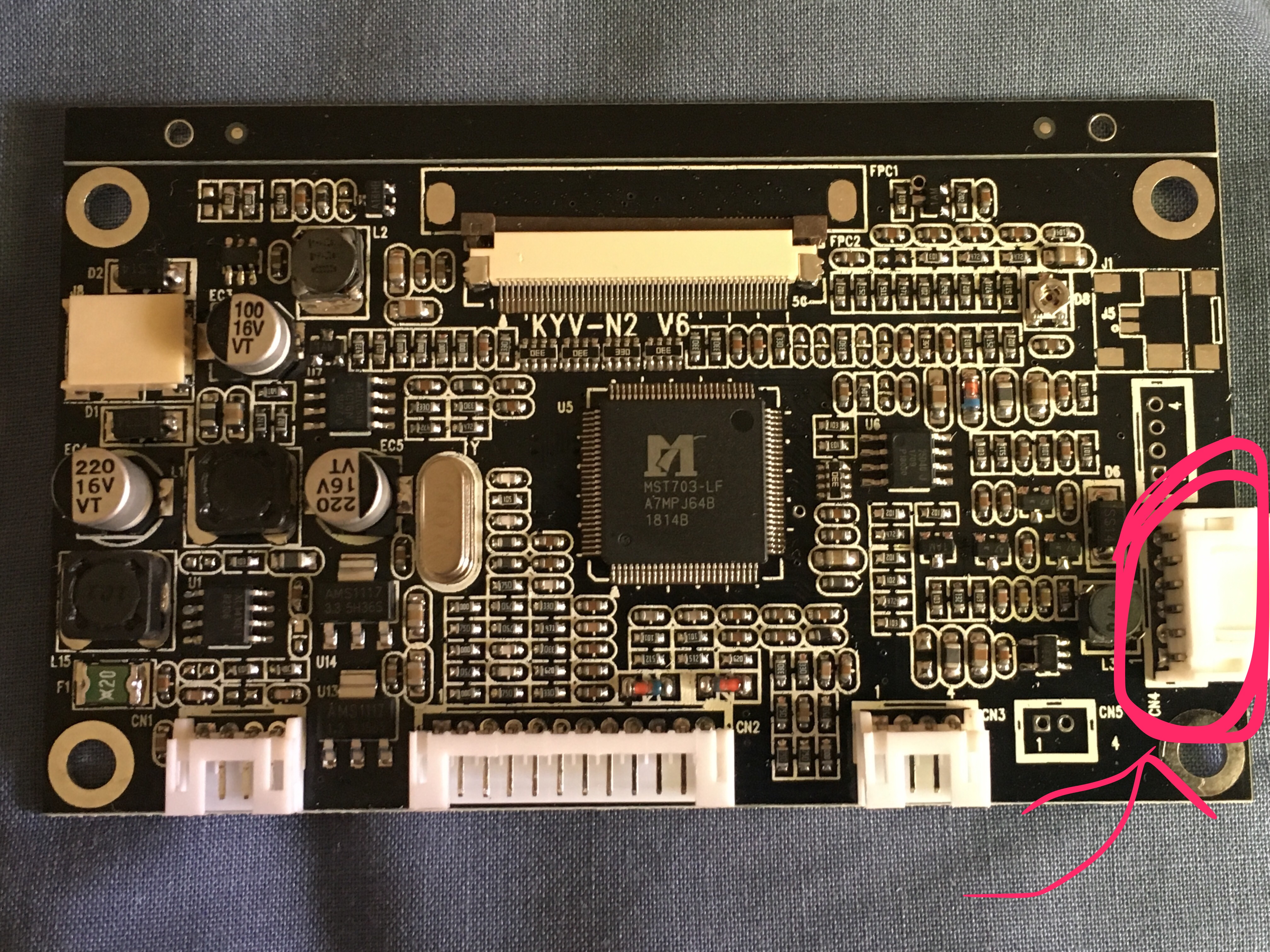
And this is the driver board. I believe this is the connector for hooking up the keyboard to the main board.
Thanks!
I'd prefer to solder directly to the driver board to save space in my portable but I can't seem to find any pins on the main board. Does this mean I need to use the daughterboard or is there another solution? Here is my current driver board. The revision is KYV-N2 V6.
Right now I've soldered the daughterboard directly to the main board via VCC, GND and KEY which I assume sends data from the keyboard to the main board. I was wondering if anyone is familiar with this board could tell me points to solder to directly on the main board or will I have to use the daughter board as pictured?
Here is what I have done and is my current solution. I have removed the tact switches and wired up GND and data lines from the original SMD switches on the main board and am planning to relocate them:
And this is the driver board. I believe this is the connector for hooking up the keyboard to the main board.
Thanks!
Last edited by a moderator:


