- Joined
- May 4, 2026
- Messages
- 2
- Likes
- 1
Hi there,
I am having trouble getting MaplePad v1.5 (https://github.com/mackieks/MaplePad) to run on my Pico 2W (RP2350). Seems like the issue might be related to MaplePad being designed to run on an RP2040, and there's some addition step I need to take to get it running.
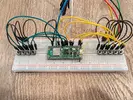
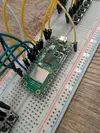
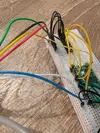
I have the RP2350 mounted to a breadboard and all of the face buttons are wired in (A, B, X, Y, Start, and D-Pad). I haven't yet wired in the analog stick or triggers. Here's where I'm:
I am realizing that it may be less headache to just buy a $10 RP2040 and use the RP2350 for something else, but this feels doable and might be a learning experience. I should mention that I am very green to microcontroller board projects like this one.
I am having trouble getting MaplePad v1.5 (https://github.com/mackieks/MaplePad) to run on my Pico 2W (RP2350). Seems like the issue might be related to MaplePad being designed to run on an RP2040, and there's some addition step I need to take to get it running.
I have the RP2350 mounted to a breadboard and all of the face buttons are wired in (A, B, X, Y, Start, and D-Pad). I haven't yet wired in the analog stick or triggers. Here's where I'm:
- I confirmed that the wires in the Dreamcast controller extension cable I am using are going to the correct corresponding pins on the Pico, according to the Pi Pico wiring diagram instructions.
- My understanding is that the RP2350 is intended to be a drop-in replacement for the RP2040 from a pinout perspective
- I tried dropping the UF2 file (controller version) from GitHub into the bootloader and nothing happened (bootloader window remained open and program was not flashed).
- I recompiled the source code in VS Code using the CMake and Raspberry Pi Pico Project extensions, and made sure the board was set to "pico2_w". The new UF2 file I built did appear to successfully flash to the RP2350 (bootloader window closed automatically after dropping the file in), but when I tested my Dreamcast I got no feedback from the buttons.
- Then I tried setting the clock speed down to 125 MHZ to mimic the RP2040, since the RP2350 runs slightly faster at 150MHZ and it sounds like this is an occasional cause for issues when trying to run RP2040 code. I made the change in the CMakeLists file by adding the following line of code:
add_compile_definitions(SYS_CLK_KHZ=125000)
This new UF2 build also appeared to have flashed successfully, but still no button feedback when i plug it into my Dreamcast.
I am realizing that it may be less headache to just buy a $10 RP2040 and use the RP2350 for something else, but this feels doable and might be a learning experience. I should mention that I am very green to microcontroller board projects like this one.