
Question Questions Thread for WMU V2 (BitBuilt 2024 Summer Build Competition Entry)

Joined
Nov 13, 2022
Messages
245
Likes
109
Hey guys. Don't want to cause any confusion here, but I've created a separate log (this one) where I will post questions regarding my BitBuilt 2024 Summer Build Competition entry. I wanted to keep my actual contest worklog as clean as possible, so I will limit that one to posts regarding progress updates on the Wii Micro Ultimate V2. Here is where I will ask for troubleshooting assistance, or just general advice regarding my project (hopefully this thread will have as few posts as possible :)).

Here is my first question: regarding the rear IO panel, should I include a VGA port or Y/Pb/Pr (component) port? I know that VGA will provide me with the nicest video quality outputable from the Wii, but I'm concerned about it's practical application given that not many large TVs support it. For context, the final build will also have an HDMI port (analog2HDMI) and the Wii original A/V port. Does VGA include any extra video latency? What option would give me the most uses when considering the other video options I am including? Any tips/advice are welcome and appreciated!

 
y think the y/pb/pr port would be better because its a very easy cable ( y think pls prove me wrong ) and estetic reasons
also you could possibly make the case bigger for an optical drive or put like an specialized port for an external disk drive . ( im a huge fan of optical media )


(y only want to learn so please tell me my mistakes.)
 
Last edited:
y think the y/pb/pr port would be better because its a very easy cable ( y think pls prove me wrong ) and estetic reasons
also you could possibly make the case bigger for an optical drive ro put like an specialized port for an external disk drive . ( im a huge fan of optical media )
and you could also use the family edition so you dont sacrifice a good backwards compatible wii

(y only want to learn so please tell me my mistakes.)
I agree, 3 perfectly aligned component ports would look much prettier on the case instead of a janky, sideways VGA port (there isn't enough room to put it horizontally). I never thought about putting in a DD port. Not sure how that would work or if it would even be compatible with RVLoader, but still a cool idea! Any video quality related suggestions?
 
y dont think the wii isint the most versatile in video formats you can output 480i or 480p take it or hate it.
hdmi indeed makes the wii video look clean and crisp (y dont think there is a better option)
the only thing y can see working would be upscaling but y dont like this idea that much
 
Last edited:
VGA output is a native function of the Wii's AVE and so does not introduce any additional latency over YPbPr. The only real difference is a minor increase in visual clarity and motion quality from VGA having separate sync lines. For better universal compatibility I personally would ditch VGA in favour of YPbPr, but you could also exploit the VGA patch's debug function to have the option of both.
 
Is that debug option the one that involves disconnecting mode from 3v3 to switch between VGA and Component?
 
Is that debug option the one that involves disconnecting mode from 3v3 to switch between VGA and Component?
That's the one! A little latching switch between 3.3v and MODE that's accessible somewhere on the case is all you need. Turn the Wii on with 3.3v connected to MODE, then hit the switch off and back on and you have YPbPr video output until the Wii is turned off again.
 
Thank you guys so much for all the help! But I just realized there is no room for either one on the IO panel anyway. That doesn’t interfere with my original plans too much though, because both Composite A/V and the VGA mod running through my HDMI port cover all my bases (no latency compatible video for playing Melee and nice looking HDMI for everything else). Again, thank you all for your time, but so goes the world of case design! Revision, revision, revision
 
To save panel space you could use a USB-C port and make a simple breakout adapter
 
Ye. Rather than having the whole ass VGA/AV port on the back, you could use a USB-C port to hold all the analog audio/video lines, and then chop a USB-C cable and break it out into the various sockets in a 3D printed adapter. It'd save rear IO space, but it might look a bit funky to have the adapter dangling off the back
 
860DAF3A-EC6A-4481-82C0-5DFFB5D09AC5.jpeg

Can anyone confirm as to whether this would be a terribly inadequate heatsink or not? Keep in mind I’m using a 6-layer Wii. My idea is for it to pull air in from the outside world, blow it onto the heatsink, and then it would naturally float out through a rear exhaust port (since I don’t have another fan small enough to fit in the case). If anyone sees any problems with this design, please let me know.
 
That fan would be doing next to nothing like that, you need a fan to push cool air over the heat-wicking fins on the heatsink. If you're going for a low profile, why not go with the tried and true 35mm fan / heatsink / copper plate combo?
 
Is that the same one used in the ashida/gboy?

Edit: I also saw Gman use a variation of my heatsink design (or I guess it’s the other way around) in his Version of the Wii Micro. Are you sure it would be completely ineffective?
 
That fan would be doing next to nothing like that, you need a fan to push cool air over the heat-wicking fins on the heatsink. If you're going for a low profile, why not go with the tried and true 35mm fan / heatsink / copper plate combo?
Is that the same one used in the ashida/gboy?

Edit: I also saw Gman use a variation of my heatsink design (or I guess it’s the other way around) in his Version of the Wii Micro. Are you sure it would be completely ineffective?

I believe that's the G-Wii's cooling setup, correct me if I'm wrong.
 
Okay, so I’m not sure if this is an issue, but I wanted to clarify anyway. I just installed RVLoader onto my Wii. This is the first time I’ve installed RVLoader 2.0. Everything seems normal, but there is a ton of delay when switching between menus in RVLoader. From the time the menu wheel icon disappears to the time the next menu loads is around 3 seconds. I can’t remember if that’s normal, probably just overthinking it. Can anyone confirm?
 
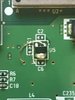
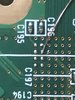
So I have completed the u10 relocation pre-trim, but we are having boot issues. Once again, I accidentally removed all the little resistors/capacitors around the u9 and u10 chips, and I’m afraid the pads are hopelessly shorted together. Can anyone confirm if that may be causing problems?
AFF1D54A-3C2F-43ED-8394-37293DE1C613.jpeg

Here are photos of my u10 relocation for reference.
7F1CD80C-4811-4B4A-8DDC-A739D385AACF.jpegDEED69A7-4993-402C-B156-E82AEAAE2924.jpeg
When I go to power the Wii on, the LED remains red even though I’ve pressed the power button and the chips remain normal temperature. If anyone has some suggestions/theories, please share!

Edit: At the end of the day, if they are shorted together it’s no big deal because I can just perform the trim anyway since it will remove the shorted location, but I would at least like a sanity check that u10 was done properly.
 
If U9 is removed, the two pads of its footprint need to be shorted for the system to boot. This isn't really possible with the passives missing tho
 
If I put a chip back in the u9 spot (this one came from another Wii’s u10) will that solve the issue even though the passives are still missing? I haven’t tested it yet because I wanted to run it by you first.
C64F240F-68EF-4977-AAC7-4544411BD1F3.jpeg

Will this allow the system to boot?
 
I don't think so, no. The left leg is no longer pulled low and the right leg isn't pulled high. If you want this to boot without trimming, you'll have to check Shanks Super Thread for the values of those passives and replace them. Shouldn't be too hard to harvest a few from an old dead board
 
Back
Top