PMS dead?

Joined
Feb 27, 2024
Messages
31
Likes
13
Location
Alberta Canada
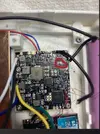
I think I just messed up big time… I was soldering my portable together, and when I went to connect the batteries to test the wii, the red wire grazed a component on the pms 2… it sparked and some smoke came out… how screwed am I? It touched this component
 

Attachments

  • remix-f089d8db-c9af-47e9-b64f-47667a9c3eca.webp
    remix-f089d8db-c9af-47e9-b64f-47667a9c3eca.webp
    95.4 KB · Views: 81
First,you ALWAYS need to set off the battery when you are soldering something.I think your pms is not dead,it already happen to others guys on bitbuilt.I will say to first clean up your pms to make sure there are not some residues of solder.After that, put the battery inside your console and see what happens.If you're lucky,it will works.Hope this helps :)
 
If you're making mistakes like this, it may be worth reading into electronics more before you work on this. It can help you prevent making more costly mistakes since components like the one you may have damaged are not cheap. Be aware that while some parts of the PMS may still work after this, other parts may not. I found this out the hard way when I made a similar mistake years ago.

Also, the way I disconnect the batteries before testing is I have the ground wire cut in half at all times with both sides of it stripped. When I want to test the console, I hold the stripped ground ends together and turn on the console. This makes it so I don't have to solder the ground wire to and from the PMS2 every time I want to test the console which was how I made the mistake in the first place.
 
After a scare like that, you need to disconnect the PMS from everything except the battery cradle, and use your multimeter to check of all the voltage outputs on the PMS. If the output voltages all read as expected, then you can reconnect the PMS to just the Wii and see if you can power it on and get video.

And for the future, as Cy and random have already said, you never connect the batteries until you are 100% sure that all your wires are good and there are no loose contacts. Soldering while live batteries are connected can and will kill your system.
 
I have checked it, and all voltages work. The one issue I am having is that the battery percentage is no longer working, and says my batteries are at 1% while they are actually fully charged. If I forgot to say in the original post, I am building a louii. Another weird issue I am having is that when I connect volume controls and screen controls to the same buttons on the button board(pretty sure this is what I’m supposed to do, correct me if I’m wrong tho), the screen start flashing. It will show the tv loader page for a second, then go black, and keep flashing like that. It has no issues when I disconnect the volume controls though, which I find odd… any ideas on whay could be causing this? And is there a way to fix the pms?

 
The issue you're having with the PMS happens on most portables. You can fix it by going into the PMS settings in RVLoader under settings and changing the battery capacity to something that's incorrect and then immediately changing it back to whatever your battery capacity actually is. If you haven't yet set your battery capacity, then that's probably why it's happening in the first place.

Doing what I described should cause your console to update to the correct battery percentage. Not sure about the other issue you're having though. Have you tried disconnecting the screen controls?
 
Ah ok, Ty for the information on the batteries. And for the screen controls, I have tried that, and it goes back to normal. But, I’m pretty sure those buttons are meant for both volume and screen controls, so I’m just confused as to why my screen would flicker when both volume up and plus are connected together. It’s not a huge deal, but it would be nice to have both lol
 
When I made my Louii, I relocated the IR LED that was on the control daughter board for screen control functionality, so I never had the chance to have this issue. Sorry I can't be of more help. @GingerOfOz might have a clue though since he knows the ins and outs of this build pretty well. There are a number of things that need to be done a certain way in this build or else it won't work, so maybe ask him.
 
When I made my Louii, I relocated the IR LED that was on the control daughter board for screen control functionality, so I never had the chance to have this issue. Sorry I can't be of more help. @GingerOfOz might have a clue though since he knows the ins and outs of this build pretty well. There are a number of things that need to be done a certain way in this build or else it won't work, so maybe ask him.
Ok. Thank you so much for the help!
 
  • Like
Reactions: cy
I have checked it, and all voltages work. The one issue I am having is that the battery percentage is no longer working, and says my batteries are at 1% while they are actually fully charged. If I forgot to say in the original post, I am building a louii. Another weird issue I am having is that when I connect volume controls and screen controls to the same buttons on the button board(pretty sure this is what I’m supposed to do, correct me if I’m wrong tho), the screen start flashing. It will show the tv loader page for a second, then go black, and keep flashing like that. It has no issues when I disconnect the volume controls though, which I find odd… any ideas on whay could be causing this? And is there a way to fix the pms?
The simple answer is that there are 2 primary ways for a device to register a button press. A signal line can output a voltage and wait to be connected to GND to register a button press, or be grounded and wait to be connected to a voltage to register a button press. Controller buttons and most basic inputs like the digital volume controls are the former, but some inputs like the Wiimote sync button and some LCD screen controls are the latter.

Inputs from the same device that have a dedicated signal line per input, like controller buttons on a GC+, can be tied to the same physical button if for some reason you need to. Screen controls on the other hand tend to have a single signal line for all of the buttons (it's cheaper), and use an array of resistors to output different voltages to that one signal line depending on what button is pressed. This approach is not compatible with the volume controls. The volume control signal line is outputting a voltage, while the screen controls are waiting for a voltage. The result of this is the screen controls being constantly triggered by the volume control signal without you pressing the button.

You'll have to keep them separate.
 
  • Like
Reactions: cy
The simple answer is that there are 2 primary ways for a device to register a button press. A signal line can output a voltage and wait to be connected to GND to register a button press, or be grounded and wait to be connected to a voltage to register a button press. Controller buttons and most basic inputs like the digital volume controls are the former, but some inputs like the Wiimote sync button and some LCD screen controls are the latter.

Inputs that have a dedicated signal line per input, like controller buttons on a GC+, can be tied to the same physical button if for some reason you need to. Screen controls on the other hand tend to have a single signal line for all of the buttons (it's cheaper), and use an array of resistors to output different voltages to that one signal line depending on what button is pressed. This approach is not compatible with the volume controls. The volume control signal line is outputting a voltage, while the screen controls are waiting for a voltage. The result of this is the screen controls being constantly triggered by the volume control signal without you pressing the button.

You'll have to keep them separate.
Dang, ok. Thank you
 
The simple answer is that there are 2 primary ways for a device to register a button press. A signal line can output a voltage and wait to be connected to GND to register a button press, or be grounded and wait to be connected to a voltage to register a button press. Controller buttons and most basic inputs like the digital volume controls are the former, but some inputs like the Wiimote sync button and some LCD screen controls are the latter.

Inputs from the same device that have a dedicated signal line per input, like controller buttons on a GC+, can be tied to the same physical button if for some reason you need to. Screen controls on the other hand tend to have a single signal line for all of the buttons (it's cheaper), and use an array of resistors to output different voltages to that one signal line depending on what button is pressed. This approach is not compatible with the volume controls. The volume control signal line is outputting a voltage, while the screen controls are waiting for a voltage. The result of this is the screen controls being constantly triggered by the volume control signal without you pressing the button.

You'll have to keep them separate.
What you're saying here makes sense, but shouldn't he be able to include the screen controller board in the circuit and wire the button presses to where each of the switches go accordingly? Obviously this could be optimized with resistors being soldered to the right point on the driver board, but what I just suggested is something I've done on multiple G-Wiis, and I took the resistor approach on my Cyxty Four for screen power, so I'm assuming Ginger did something similar, jankiness aside.
 
All this means really is that you must disconnect the screen control buttons from the volume control buttons so they don't share a common signal connection. Depending on which version of the Louii you're building, this is as simple as either lifting the GND legs off the PCB for the screen buttons, or running a dedicated return wire to the matching pad on the screen driver board instead of the usual shared GND wire
 
  • Like
Reactions: cy
Back
Top