Worklog G-Wii Yellow

Joined
Apr 12, 2020
Messages
207
Likes
236
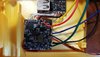
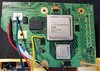
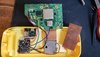
Here we go!

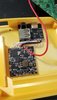
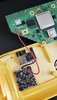
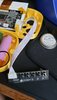
I'm not 100% on what I am doing but figuring it out as I go. I have some great mentors here and really appreciate them answering all my crazy questions! Thank you G-Man for printing the case for me and answering my questions!
Cyframe thanks for helping me out with all the troubleshooting so far! I need all the help I can get around here haha!

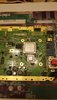
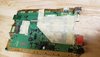
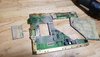
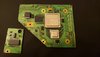
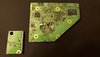
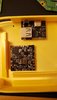
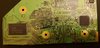
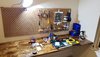
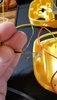
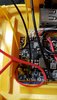
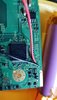
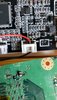
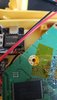
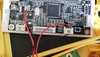
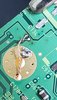
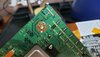
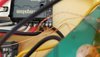
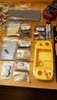
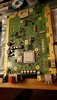
I've taken off the caps that I don't need so far and marked my cutting area off. I will be cutting once we complete our office workstation!

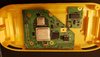
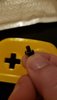
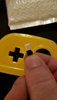
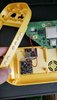
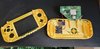
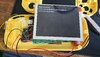
The G-Wii will be yellow and match the yellow switch light (buttons being all white). As you might tell... yellow is my favorite color!
 

Attachments

  • 20210807_183537.jpg
    20210807_183537.jpg
    1.3 MB · Views: 816
  • 20210807_203058.jpg
    20210807_203058.jpg
    1.2 MB · Views: 793
  • 20210807_233208.jpg
    20210807_233208.jpg
    1.4 MB · Views: 617
  • 112212_1280x720.jpg
    112212_1280x720.jpg
    117.4 KB · Views: 647
Trim complete (Wii + MX Chip)! I went from 240 and worked up to 1000 grit. Let me know if anyone has any suggestions or if the cut looks okay!
 

Attachments

  • 20210811_191856.jpg
    20210811_191856.jpg
    3.1 MB · Views: 603
  • 20210811_193359.jpg
    20210811_193359.jpg
    3.2 MB · Views: 629
  • 20210811_204306.jpg
    20210811_204306.jpg
    2.5 MB · Views: 587
  • 20210811_204348.jpg
    20210811_204348.jpg
    2.9 MB · Views: 668
  • 20210811_204603.jpg
    20210811_204603.jpg
    1.2 MB · Views: 624
  • 20210811_204422.jpg
    20210811_204422.jpg
    817.3 KB · Views: 595
  • 20210811_204441.jpg
    20210811_204441.jpg
    696 KB · Views: 585
that trim is not going to fit in the gwii case

below the cpu and above the gpu you have to trim closer in order to fit beside the batteries
 
just be careful to avoid the nand lines above the gpu and below the cpu you gotta get pretty close to the screw holes
 
You're taking it slow, going through all the right steps. You're doing great. As others have said you'll need to trim it a bit smaller to make it fit, you can see with test placement of the batteries. You can confirm you've sanded enough with the resistance test. Measure the resistance from each voltage point to ground and none should be less than 20 ohms. Going up to 1000 grit I've never had a wii fail the resistance test but it is still an important one to test before applying power, always.
 
You're taking it slow, going through all the right steps. You're doing great. As others have said you'll need to trim it a bit smaller to make it fit, you can see with test placement of the batteries. You can confirm you've sanded enough with the resistance test. Measure the resistance from each voltage point to ground and none should be less than 20 ohms. Going up to 1000 grit I've never had a wii fail the resistance test but it is still an important one to test before applying power, always.

Alright copy that. I will trim and make sure it fits with the batteries in that case and go from there. Thank you!

Edit: Small update:
Mounted couple of the boards.
 

Attachments

  • 20210812_192117.jpg
    20210812_192117.jpg
    1 MB · Views: 652
Last edited:
Here we go!

I'm not 100% on what I am doing but figuring it out as I go. I have some great mentors here and really appreciate them answering all my crazy questions! Thank you G-Man for printing the case for me and answering my questions!
Cyframe thanks for helping me out with all the troubleshooting so far! I need all the help I can get around here haha!

I've taken off the caps that I don't need so far and marked my cutting area off. I will be cutting once we complete our office workstation!

The G-Wii will be yellow and match the yellow switch light (buttons being all white). As you might tell... yellow is my favorite color!

When this is finished, I would love to buy it, keep on working! It will be great.
 
When this is finished, I would love to buy it, keep on working! It will be great.
Hey thanks! That is a super nice compliment but not sure if I could part ways with my first finished wii portable :).

I will keep you and others posted though in terms of progress!

Speaking of which here are some button caps to help keep all the tac switches matching with the white button theme!
 

Attachments

  • 20210815_201813.jpg
    20210815_201813.jpg
    612.1 KB · Views: 594
  • 20210815_201829.jpg
    20210815_201829.jpg
    645.5 KB · Views: 597
Last edited:
Alright! Update time!

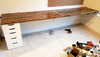
I got me and my wife's work desk in the office together and ready to start jumping on this G-Wii some more!

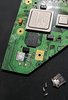
Cut the board more on top and bottom to fit and made sure to stay away from important nand lines!

Grinded LDO chip and will slide it off tomorrow with some solder!
 

Attachments

  • 20210825_200636.jpg
    20210825_200636.jpg
    743.3 KB · Views: 544
  • 20210825_202234.jpg
    20210825_202234.jpg
    1.5 MB · Views: 525
  • 20210825_202306.jpg
    20210825_202306.jpg
    907.6 KB · Views: 524
  • 20210827_212046.jpg
    20210827_212046.jpg
    3.3 MB · Views: 545
  • 20210827_203108.jpg
    20210827_203108.jpg
    1 MB · Views: 527
  • 20210827_212100.jpg
    20210827_212100.jpg
    1.1 MB · Views: 536
  • 20210827_195735.gif
    20210827_195735.gif
    121 KB · Views: 555
  • 20210827_212158.jpg
    20210827_212158.jpg
    3 MB · Views: 574
Drilled out the holes on the bottom of the case and got the button caps to fit! Not perfect but good enough for now.
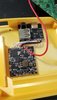
Wired up the PD board and got more to go but its progress :)

@Ethan
@SparkleBear
@Cyframe

You guys are the reason I have gotten so far! Of course along with all the amazing documentation on this site and @Gman for the 3d printing and creating this masterpiece! Thank you all for helping me so far and answering all my questions!
 

Attachments

  • 20210828_174811.jpg
    20210828_174811.jpg
    1.3 MB · Views: 529
  • 20210828_174811.jpg
    20210828_174811.jpg
    1.3 MB · Views: 489
  • 20210828_180238.jpg
    20210828_180238.jpg
    1.4 MB · Views: 494
  • 20210828_181258.jpg
    20210828_181258.jpg
    1.4 MB · Views: 515
  • 20210828_181333.jpg
    20210828_181333.jpg
    1.7 MB · Views: 558
looking good man, glad to see your progress and developing skills, and also your developing work setup!
 
Got the fan all wired up.. and the 1v, 1.15v, 1.8v & 3.3v all wired up as well! Trying to use different colored cables to help me differentiate :). Coming a long slowly but surely!
 

Attachments

  • 20210907_124726.jpg
    20210907_124726.jpg
    3.1 MB · Views: 511
  • 20210907_124806.jpg
    20210907_124806.jpg
    2.3 MB · Views: 528
  • 20210907_133612.jpg
    20210907_133612.jpg
    2.9 MB · Views: 552
Tested with a battery and the fan spins and the USB shows up on the computer!!! I've never been so happy and nervous to get some plastic moving around in a circle in my life ! I'm super pumped!
 

Attachments

  • 20210908_122231.jpg
    20210908_122231.jpg
    3 MB · Views: 554
  • 20210908_122836.jpg
    20210908_122836.jpg
    2.3 MB · Views: 531
Huge update today!!!

Huge thanks to @Gman & @SparkleBear helping me troubleshoot/guidance!

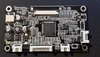
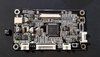
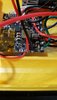
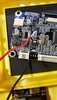
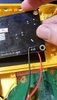
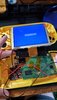
I took off the cap to the video driver board and connected the PMS 5V. Made sure all my voltage points were good on the Wii and did a test. Blue screen win! Then didn't realize this until later that I had to plug in my daughter board and switch video output lol! Thought something was wrong when testing the boot. Then I also had a bridge connection with the USB on the Wii that he pointed out and then after fixing that.. I also needed to reformat my USB to 32k! Lol.. I was getting too excited!

And then bam!!! Boot baby!!!

Got the led wired up for later as well.

I am on a high right now and really am excited to keep on going. Got a surprise coming up too... I'm really excited about that...

Next will be the controls wired up! Stay tuned!
 

Attachments

  • 20210915_100550.jpg
    20210915_100550.jpg
    2.8 MB · Views: 531
  • 20210915_100946.jpg
    20210915_100946.jpg
    2.6 MB · Views: 499
  • 20210915_102856.jpg
    20210915_102856.jpg
    1.3 MB · Views: 475
  • 20210915_102912.jpg
    20210915_102912.jpg
    2.3 MB · Views: 491
  • 20210915_104543.jpg
    20210915_104543.jpg
    1.2 MB · Views: 473
  • 20210915_104547.jpg
    20210915_104547.jpg
    1.5 MB · Views: 488
  • 20210915_104553.jpg
    20210915_104553.jpg
    1.2 MB · Views: 491
  • 20210915_105922.jpg
    20210915_105922.jpg
    1.3 MB · Views: 486
  • 20210915_113344.jpg
    20210915_113344.jpg
    878.1 KB · Views: 473
  • 20210915_113353.jpg
    20210915_113353.jpg
    1.2 MB · Views: 476
  • 20210915_132733.jpg
    20210915_132733.jpg
    1.2 MB · Views: 470
  • 20210915_132740.jpg
    20210915_132740.jpg
    1.2 MB · Views: 464
  • 20210915_150101.jpg
    20210915_150101.jpg
    975.6 KB · Views: 444
  • 20210915_150908.jpg
    20210915_150908.jpg
    2.9 MB · Views: 443
  • 20210915_151209.jpg
    20210915_151209.jpg
    811.5 KB · Views: 437
  • 20210915_151531.jpg
    20210915_151531.jpg
    2.7 MB · Views: 448
  • 20210915_152101.jpg
    20210915_152101.jpg
    801.2 KB · Views: 459
  • 20210915_161451.jpg
    20210915_161451.jpg
    2.5 MB · Views: 443
  • 20210915_161550.jpg
    20210915_161550.jpg
    1.9 MB · Views: 435
  • 20210915_160532.jpg
    20210915_160532.jpg
    3 MB · Views: 458
  • 20210915_160537.jpg
    20210915_160537.jpg
    3 MB · Views: 473
Back
Top