- Joined
- Aug 7, 2024
- Messages
- 17
- Likes
- 22
Hey all, I finally finished something that's been in my head for a while. I call it the CRTreamcast, and it's an original VA1 Dreamcast board, an iPad 1/2 LCD panel, and an NT68676 interface/scaler, all inside a 3D printed CRT-style case that I designed in OpenSCAD.
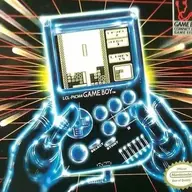
It's obviously inspired by the CRT iPad Retina case by Greg/Laserbear:

Side view, showing the screen controls (part of the LCD interface board), the Dreamcast power button & LED, and the SD card for the GDEMU.

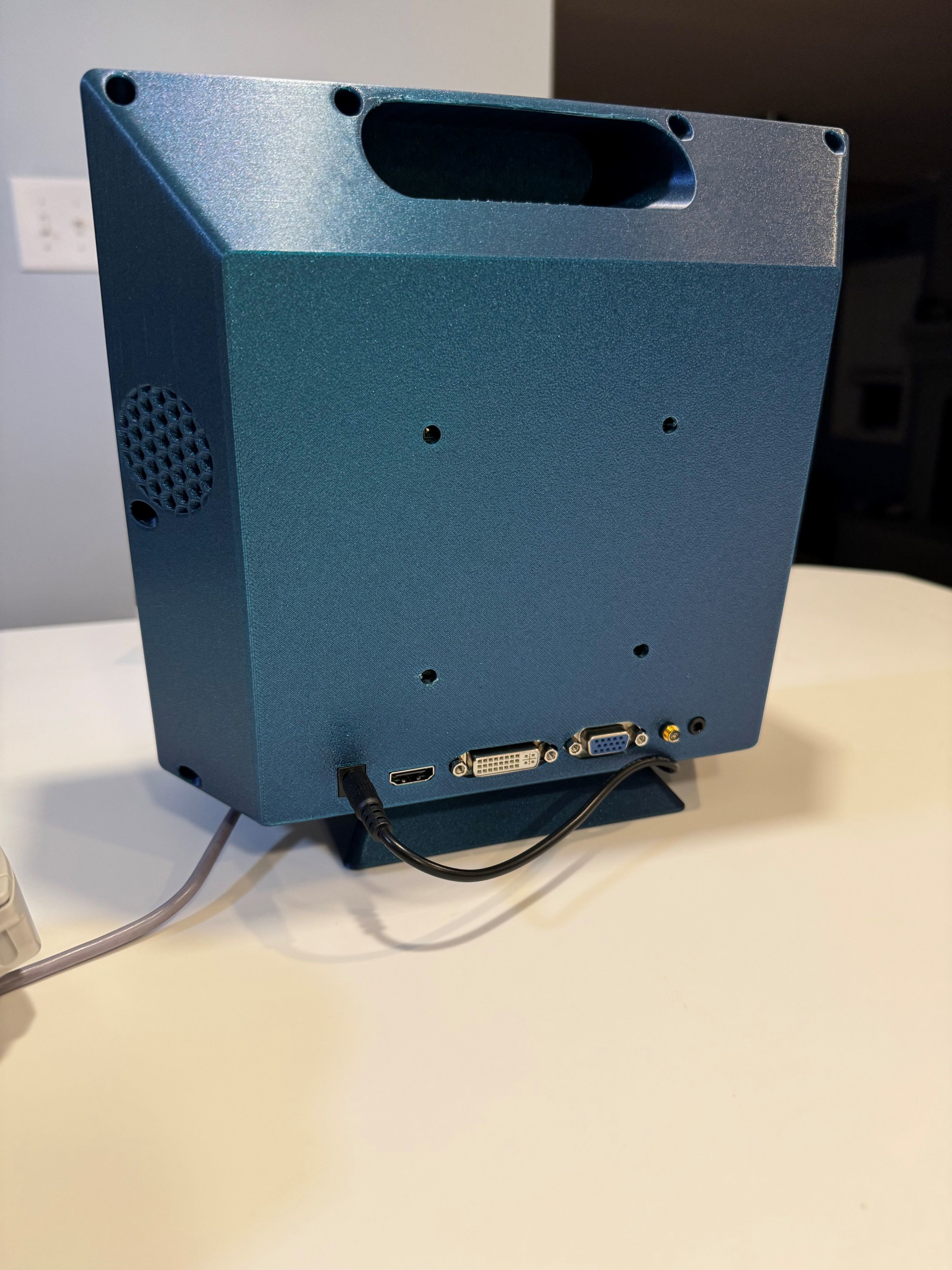
Rear view, showing the LCD interface board inputs. The VGA output from the Dreamcast is wired to a header on the LCD interface board, and the analog audio is soldered to the LCD interface board. In order for the audio to function, a 3.5mm cable must be plugged into the jack there- it physically lifts a couple pins inside the jack. I cut open an old headphone cable and extracted the jack and use that to "enable" the audio (it's the little gold thing). The holes in the back were originally meant for a VESA mount option, but they were too deep and were impeding the Dreamcast mainboard, so I had to cut them off. I should probably reprint the case as I had to bodge a couple other spots, but I think it's good enough. Eventually I might print some small plugs for those holes. The LCD interface board uses 12V power and so does the PicoPSU for the Dreamcast, so I carry both a wall wart and a 12V battery pack.
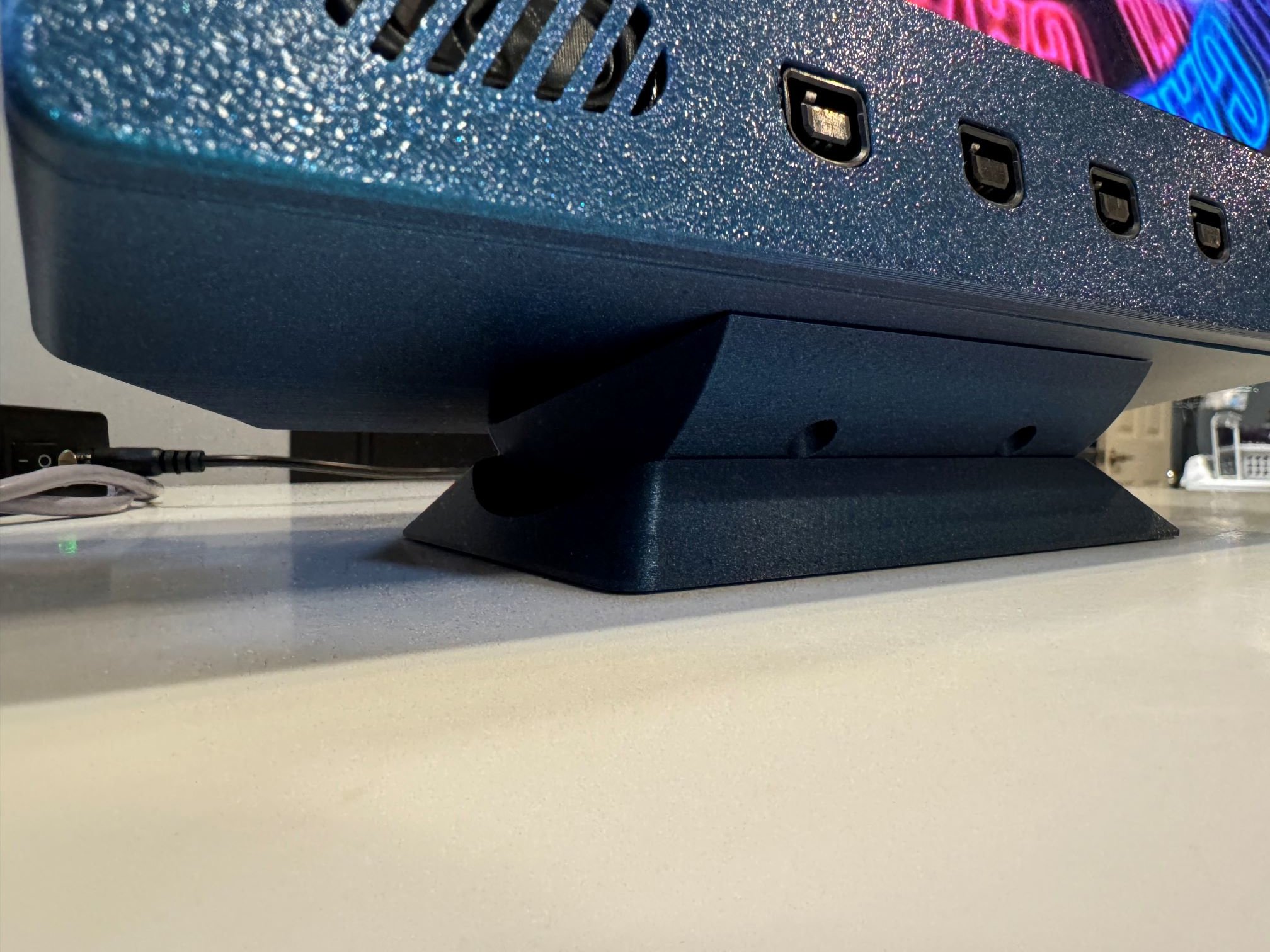
Close-up view of the tilt stand I made for it, which attaches to 4 heat-set threaded inserts set into the bottom of the main body. Also I used the same speakers that Greg uses for his iPad CRT case.
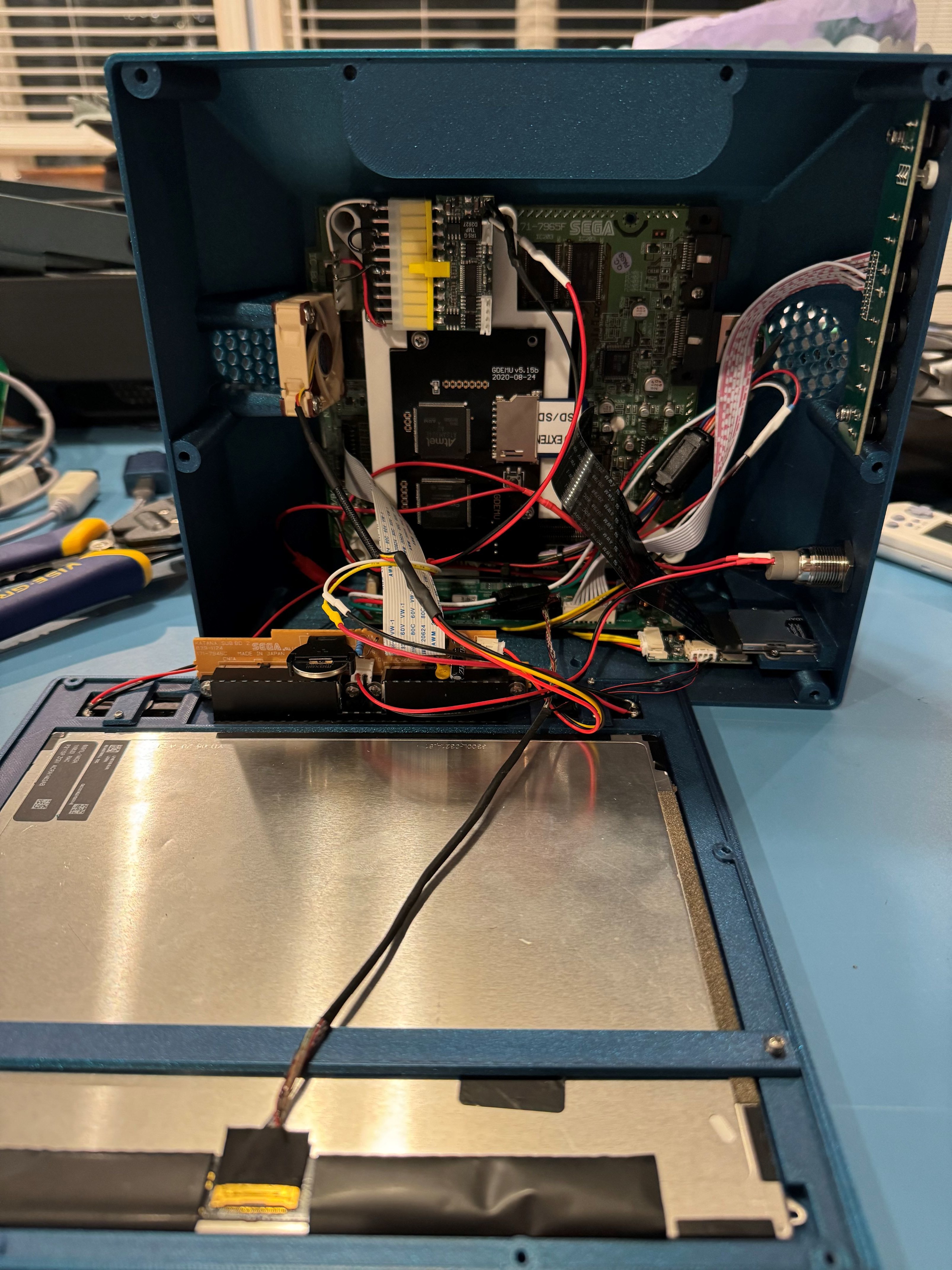
Internals! On the left you can see the Noctua fan, which is a popular replacement part in stock consoles. Next you can see the white bracket that holds the GDEMU (clone) and PicoPSU. I had originally built a small PTH08080-based board for 5V and 3.3V output, but I didn't use good enough filtering caps and it added some video noise. There's still a bit of noise even with the PicoPSU, but it's not really noticeable. I soldered the ground, 5V and 3.3V wires to the Dreamcast power pins. Other than the soldering to the power pins, the Dreamcast mainboard is completely stock and unmodified. I added a couple adhesive-backed heat syncs on the CPU and GPU in lieu of the stock heat spreader.
For A/V, I used a cheap black VGA cable from Aliexpress, and I basically cracked open the plastic shell of the Dreamcast connector end, then desoldered the factory wires. This left me with a Dreamcast A/V connector and nice little PCB. The included PCB doesn't have all the requisite DC filtering caps, but the cable length is short enough that it doesn't seem to matter (I tested it plenty against a known "good quality" VGA adapter).
On the bottom is the LCD interface board and the little backlight driver board.
On the front you can see the stock Dreamcast controller port board. I did remove the LED from this board and replace it with a 2-pin JST connector so I could use the green LED included with the power switch.
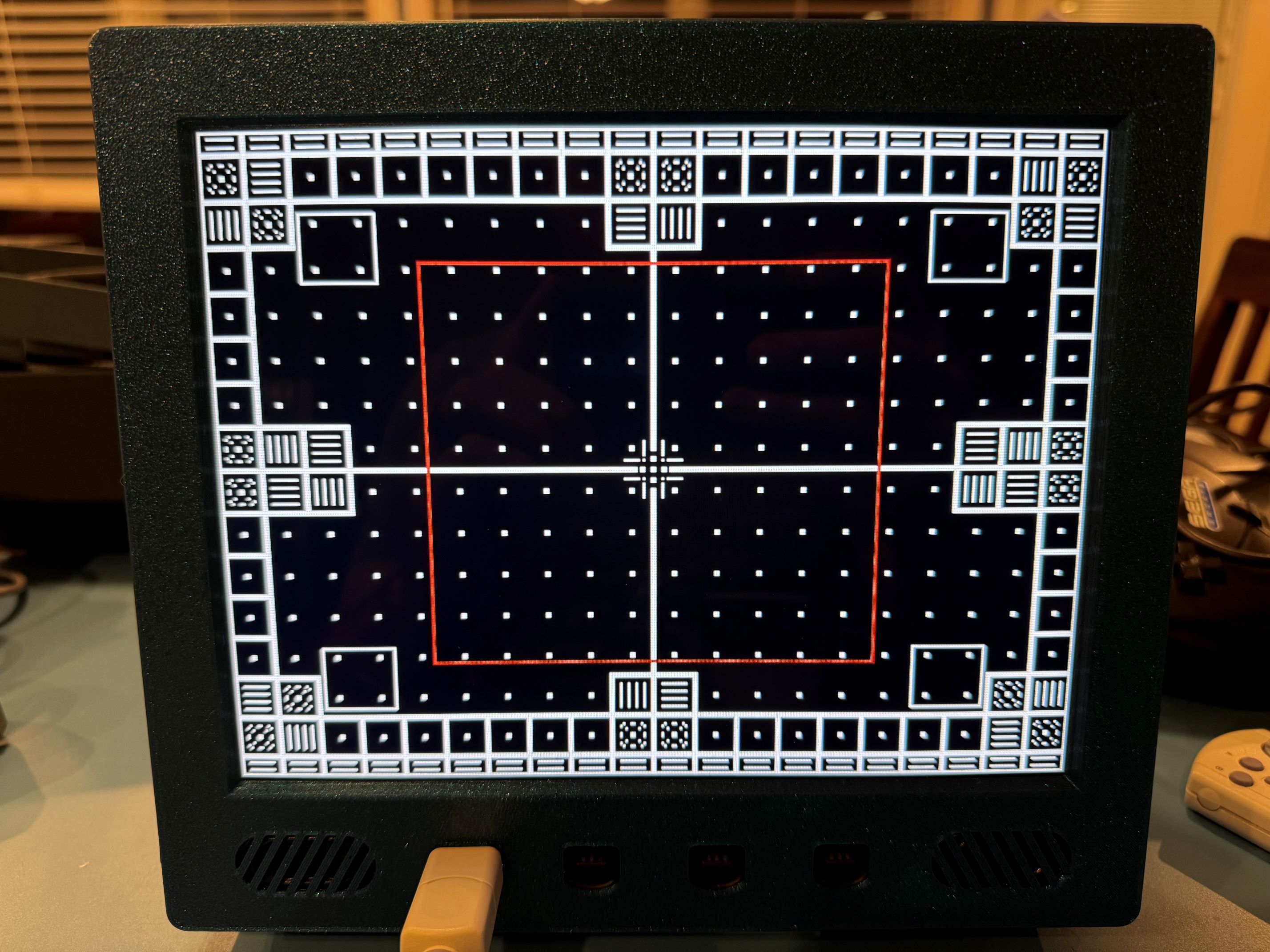
Here's a quick shot of 240p test suite, showing geometry (using an early test print of the case). This little LCD interface/scaler manages to correctly scale the Dreamcast's non-standard 640x480 VGA timings! Unfortunately it has 1-2 frames of lag, but I'm ok with the tradeoff. The display looks really fantastic in person.
And that's all the pics I have for now! I'm happy to post the OpenSCAD script and generated STLs up on Github if there's any interest in them. Keep in mind that the OpenSCAD script is well over 1000 lines at this point, and like many large OpenSCAD scripts, has nearly reached the point of becoming write-only code
It's obviously inspired by the CRT iPad Retina case by Greg/Laserbear:
Side view, showing the screen controls (part of the LCD interface board), the Dreamcast power button & LED, and the SD card for the GDEMU.
Rear view, showing the LCD interface board inputs. The VGA output from the Dreamcast is wired to a header on the LCD interface board, and the analog audio is soldered to the LCD interface board. In order for the audio to function, a 3.5mm cable must be plugged into the jack there- it physically lifts a couple pins inside the jack. I cut open an old headphone cable and extracted the jack and use that to "enable" the audio (it's the little gold thing). The holes in the back were originally meant for a VESA mount option, but they were too deep and were impeding the Dreamcast mainboard, so I had to cut them off. I should probably reprint the case as I had to bodge a couple other spots, but I think it's good enough. Eventually I might print some small plugs for those holes. The LCD interface board uses 12V power and so does the PicoPSU for the Dreamcast, so I carry both a wall wart and a 12V battery pack.
Close-up view of the tilt stand I made for it, which attaches to 4 heat-set threaded inserts set into the bottom of the main body. Also I used the same speakers that Greg uses for his iPad CRT case.
Internals! On the left you can see the Noctua fan, which is a popular replacement part in stock consoles. Next you can see the white bracket that holds the GDEMU (clone) and PicoPSU. I had originally built a small PTH08080-based board for 5V and 3.3V output, but I didn't use good enough filtering caps and it added some video noise. There's still a bit of noise even with the PicoPSU, but it's not really noticeable. I soldered the ground, 5V and 3.3V wires to the Dreamcast power pins. Other than the soldering to the power pins, the Dreamcast mainboard is completely stock and unmodified. I added a couple adhesive-backed heat syncs on the CPU and GPU in lieu of the stock heat spreader.
For A/V, I used a cheap black VGA cable from Aliexpress, and I basically cracked open the plastic shell of the Dreamcast connector end, then desoldered the factory wires. This left me with a Dreamcast A/V connector and nice little PCB. The included PCB doesn't have all the requisite DC filtering caps, but the cable length is short enough that it doesn't seem to matter (I tested it plenty against a known "good quality" VGA adapter).
On the bottom is the LCD interface board and the little backlight driver board.
On the front you can see the stock Dreamcast controller port board. I did remove the LED from this board and replace it with a 2-pin JST connector so I could use the green LED included with the power switch.
Here's a quick shot of 240p test suite, showing geometry (using an early test print of the case). This little LCD interface/scaler manages to correctly scale the Dreamcast's non-standard 640x480 VGA timings! Unfortunately it has 1-2 frames of lag, but I'm ok with the tradeoff. The display looks really fantastic in person.
And that's all the pics I have for now! I'm happy to post the OpenSCAD script and generated STLs up on Github if there's any interest in them. Keep in mind that the OpenSCAD script is well over 1000 lines at this point, and like many large OpenSCAD scripts, has nearly reached the point of becoming write-only code
Last edited: