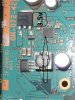
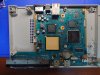
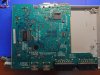
Board scan BOARD SCAN PS2 90006-90010

That is very possible. If everything checks out okay on the hardware side of things, then it's possible something software wise got corrupted.

Try testing the resistor arrays that are between the cpu and gpu on both sides of the motherboard. They should be 47 ohm iirc, but if they're not in that range, you could try running jumper wires.
 
That is very possible. If everything checks out okay on the hardware side of things, then it's possible something software wise got corrupted.

Try testing the resistor arrays that are between the cpu and gpu on both sides of the motherboard. They should be 47 ohm iirc, but if they're not in that range, you could try running jumper wires.
This morning I tested all the resistors, in my case between the CPU and the GPU they are all 68ohm as shown in the images on the first page, I tested them all, and on both sides, they all have a value between 67.7 and 68.2 ohm so they seem to be ok, to be sure I tested all the voltages and fuses again and everything is ok.
 
If your sure everything is okay hardware wise, you could put a disc in it and listen to see if it's spinning as it should when booting a game just to confirm if things work software wise.

Again, if your sure on the hardware aspect, it could also be stuck in YpBpR or RGB mode. If it was set to one of these modes, regular composite cables won't work. It's a long shot but you could either try component cables plugged in to see if it works, or try blindly going through the menu to see if you can change the mode. There's some videos on this if your curious.

If a disc sounds like it's booting, and you've tried this mode change method and it still doesn't seem to work, I would start looking at any components related to the DAC as an issue possibly, but it's hard to say
 
If your sure everything is okay hardware wise, you could put a disc in it and listen to see if it's spinning as it should when booting a game just to confirm if things work software wise.

Again, if your sure on the hardware aspect, it could also be stuck in YpBpR or RGB mode. If it was set to one of these modes, regular composite cables won't work. It's a long shot but you could either try component cables plugged in to see if it works, or try blindly going through the menu to see if you can change the mode. There's some videos on this if your curious.

If a disc sounds like it's booting, and you've tried this mode change method and it still doesn't seem to work, I would start looking at any components related to the DAC as an issue possibly, but it's hard to say
Hey.I did some tests, I tried to change the menu mode blindly and change the cable and nothing changed, I assembled the DVD player and put in a game, the disc spins and the lens moves but the lens keeps trying to read, but also from what I remember the player is defective, I tried to resolder the video chip (CXM4015AR) and the board after that started to show a short in the line that feeds the IC, so I assumed it was it, so I tried to change it for another one, but nothing changed, it continues to give video but it gets stuck on a black screen, but I get the chip from a scrap board so it may be defective.
 
Hi all ,I have an issue with my ps2 slim 90004,av cable only display black and white in start menu,there is no color in RGB mode,but when I launch the game it turn to color,display looks normal,and when I switch back to Y cb/pb cr/pr mode and connect correct into TV in component mode,ps2 slim start without any images but when the game launch images appear. I do have another ps2 ,and test the cable,everything looks fine,I even change the battery inside the console,still same issue,when I connect composite converter to HDMI ,the color shows too,I am confusing.please help me with this
 
Hi all ,I have an issue with my ps2 slim 90004,av cable only display black and white in start menu,there is no color in RGB mode,but when I launch the game it turn to color,display looks normal,and when I switch back to Y cb/pb cr/pr mode and connect correct into TV in component mode,ps2 slim start without any images but when the game launch images appear. I do have another ps2 ,and test the cable,everything looks fine,I even change the battery inside the console,still same issue,when I connect composite converter to HDMI ,the color shows too,I am confusing.please help me with this


What type of console do you have? I.e NTSC or PAL? Sometimes this can happen if you connect your NTSC console to a PAL TV and vice versa

It's likely that if you have a NTSC console and are playing PAL games on a PAL TV for example, that the menu is running in NTSC mode (so to speak) which is not compatible with your TV, but when you boot a PAL game (which is compatible with your TV) the color shows fine.

I hope this makes sense lol
 
What type of console do you have? I.e NTSC or PAL? Sometimes this can happen if you connect your NTSC console to a PAL TV and vice versa

It's likely that if you have a NTSC console and are playing PAL games on a PAL TV for example, that the menu is running in NTSC mode (so to speak) which is not compatible with your TV, but when you boot a PAL game (which is compatible with your TV) the color shows fine.

I hope this makes sense lol
my back of console shows :PAL
 
Sorry to post in this old thread. The board scan image is awesome!

I have a Hong Kong version PS2 SCPH-90006, and the layout is different from this one. I attached the photo of my board in the end.

I just want to ask a very stupid question. I accidentally wired 15V power into my PS2 90k, and I think some part of it is broken because the LED doesn't turn on.
I tested the voltage based on this board scan. Even though my PS2's board is different, I think it follows a similar logic.

I found that the input voltage is 7.5V going into an 8-pin chip, which delivers different voltages to the board (5V / 3.5V / 2.5V). I marked this part from the scan — it's this section:

input-power.jpg

But on my fried board, the output of this chip is all zero. The input is 7.5V, but the rest of the board reads zero everywhere.
I assume this chip is dead, but I couldn’t find an exact match because the marking isn’t very clear. It seems to be:
4830A
AF
(with a triangle symbol)
L78K
mine-input.jpg


From the discord channel,@jameshehfefld kindly tole me this is 'Vishay SI4830ADY' (Thanks a lot!)

Then I found another picture — in fact in the scanned GH-072-42 version, it's a different component:
2218
0C2
6100
2218.jpg

I'm not very good at reading PCB layouts, so now I'm not even sure if I actually found the faulty part.
On my board (GH-070-42), I can’t even find the square chip that I think is supposed to be the controller for the MOSFET — if that’s what it is?
Any thoughts? Thanks in advance!!

My boards:
20250313_133422.JPG20250313_133443.JPG
 
Sorry to post in this old thread. The board scan image is awesome!

I have a Hong Kong version PS2 SCPH-90006, and the layout is different from this one. I attached the photo of my board in the end.

I just want to ask a very stupid question. I accidentally wired 15V power into my PS2 90k, and I think some part of it is broken because the LED doesn't turn on.
I tested the voltage based on this board scan. Even though my PS2's board is different, I think it follows a similar logic.

I found that the input voltage is 7.5V going into an 8-pin chip, which delivers different voltages to the board (5V / 3.5V / 2.5V). I marked this part from the scan — it's this section:

View attachment 37915
But on my fried board, the output of this chip is all zero. The input is 7.5V, but the rest of the board reads zero everywhere.
I assume this chip is dead, but I couldn’t find an exact match because the marking isn’t very clear. It seems to be:
4830A
AF
(with a triangle symbol)
L78K
View attachment 37914

From the discord channel,@jameshehfefld kindly tole me this is 'Vishay SI4830ADY' (Thanks a lot!)

Then I found another picture — in fact in the scanned GH-072-42 version, it's a different component:
2218
0C2
6100
View attachment 37918

I'm not very good at reading PCB layouts, so now I'm not even sure if I actually found the faulty part.
On my board (GH-070-42), I can’t even find the square chip that I think is supposed to be the controller for the MOSFET — if that’s what it is?
Any thoughts? Thanks in advance!!

My boards:
View attachment 37916View attachment 37917

Okay, the PCB board you show me as yours has a different layout than the board I did the color voltage mapping on, the one I did the mapping on is the most common (I believe it is), call me privately so I can help you.
 
  • Like
Reactions: fdr
Okay, the PCB board you show me as yours has a different layout than the board I did the color voltage mapping on, the one I did the mapping on is the most common (I believe it is), call me privately so I can help you.

Thank you! I think your scan might be more common outside of Asia (like Japan or Hong Kong), or maybe it’s from a newer revision.
My board seems to match the one used in this post — it looks like Asian modders used this version quite a lot:
https://bitbuilt.net/forums/index.p...know-the-reset-location-for-a-gh-070-42.5399/

Anyway, I just wanted to ask if you can spot the PMIC on my board — PM sent!
 
Hello. Just a quick question: My fan's ribbon cable is torn, so can I wire it directly to the sections of the board that correspond to the fan's connector pins? Instead of soldering the wires to the tiny GND pin and 7.5v LDO pin on the fan's connector, I could just scrape a little bit of the board and solder into that which would be much easier. Would that be ok? I'd also like to know which section corresponds to the last pin as I can't really identify it.
 
fIUV6b6.jpeg
JOHeyW4.jpeg

Hey can you or someone please help me
So when i try to install a modchip to the ic chip legs, i make a solder bridge and wick it, but for some reason now the legs are bended and i scrap them off and lifted the pad where the legs supposed to attach.

I've learn that you you reattach it if u expose the trace and possibly make a connection around the trace path. But i have a question.

The second picture where i red circled, some of those pads doesn't have any trace for me to expose the wire. Is that pad isolated? or is that pad connected to other layer with inner connnection like a via in pad? idk i try to scratch it but i can't find a copper where my solder can stick to. Thanksss i really hope i can save this PS2 :(
 
Hey can you or someone please help me
So when i try to install a modchip to the ic chip legs, i make a solder bridge and wick it, but for some reason now the legs are bended and i scrap them off and lifted the pad where the legs supposed to attach.

I've learn that you you reattach it if u expose the trace and possibly make a connection around the trace path. But i have a question.

The second picture where i red circled, some of those pads doesn't have any trace for me to expose the wire. Is that pad isolated? or is that pad connected to other layer with inner connnection like a via in pad? idk i try to scratch it but i can't find a copper where my solder can stick to. Thanksss i really hope i can save this PS2
:(


I took a quick and dirty look at the layers in GIMP to see what is immediately under that layer and I wasn't able to identify anywhere these pads would connect. Between that and the fact that they aren't clearly connected to any traces or vias on the board, it appears as though they are unused at least as far as the board goes. So you're probably free to leave these pads unconnected at least, to the motherboard.

With all of that being said, reconnecting all these broken legs to a board this damaged isn't something most people are willing or able to do. If you're able to carefully solder bodge wires from each individual leg to each point these legs were originally soldered to, then maybe it MIGHT work again.

I don't mean to upset you when I say any of this, but it is very clear that you need to better your soldering skills before you work on anything else like this, or you'll just end up making more expensive mistakes. This is among the worst damage I've seen done to a circuit board, and it very likely isn't something you'll be able to fix at your current skill level.

Some general advice I would give is to make sure you're using leaded solder (I use a 40/60 blend if I remember correctly). Some quality flux like Chipquik SMD291, and have a soldering iron that lets you adjust the temperature (It looks like you had your soldering iron turned up WAY too high for this job). Having these three things and a bit of practice can make all the difference.
 
I took a quick and dirty look at the layers in GIMP to see what is immediately under that layer and I wasn't able to identify anywhere these pads would connect. Between that and the fact that they aren't clearly connected to any traces or vias on the board, it appears as though they are unused at least as far as the board goes. So you're probably free to leave these pads unconnected at least, to the motherboard.

With all of that being said, reconnecting all these broken legs to a board this damaged isn't something most people are willing or able to do. If you're able to carefully solder bodge wires from each individual leg to each point these legs were originally soldered to, then maybe it MIGHT work again.

I don't mean to upset you when I say any of this, but it is very clear that you need to better your soldering skills before you work on anything else like this, or you'll just end up making more expensive mistakes. This is among the worst damage I've seen done to a circuit board, and it very likely isn't something you'll be able to fix at your current skill level.

Some general advice I would give is to make sure you're using leaded solder (I use a 40/60 blend if I remember correctly). Some quality flux like Chipquik SMD291, and have a soldering iron that lets you adjust the temperature (It looks like you had your soldering iron turned up WAY too high for this job). Having these three things and a bit of practice can make all the difference.
Heyy, first of all i really appreciate your reply, i've been asking on other platforms like reddit and still got no answer i wanted. I join this forum just because i wanted to ask this question hoping someone could help. So thanks alot.

Also what i've noted from you're reply is a better tools is needed for better result, cuz tbh i don't even look on that i just bought some random flux and solder, but im pretty sure i don't need a really pricey soldering iron right? mines pretty good with a temp control, but the problem i faced when working to connect wire to these IC leg is it keeps making a solder bridge, what i assume in the tip is too big, i never really solder before so idk if it's the right size for this specific instance.

And yeah i wanted to work on some scrap board for practice first from now on. But i just relieved that there's a possiblity that i could recover this specific PS2, i mean i have others but it's just that this specific unit has a special place in my heart and i really want to save it. Thanks again.
 
Heyy, first of all i really appreciate your reply, i've been asking on other platforms like reddit and still got no answer i wanted. I join this forum just because i wanted to ask this question hoping someone could help. So thanks alot.

Also what i've noted from you're reply is a better tools is needed for better result, cuz tbh i don't even look on that i just bought some random flux and solder, but im pretty sure i don't need a really pricey soldering iron right? mines pretty good with a temp control, but the problem i faced when working to connect wire to these IC leg is it keeps making a solder bridge, what i assume in the tip is too big, i never really solder before so idk if it's the right size for this specific instance.

And yeah i wanted to work on some scrap board for practice first from now on. But i just relieved that there's a possiblity that i could recover this specific PS2, i mean i have others but it's just that this specific unit has a special place in my heart and i really want to save it. Thanks again.
If you have solder braid, you can easily remove the bridges. Your soldering iron may be good enough if it has a temperature control, if you're not going to be doing much beyond fixing this console, then it might not make sense to pick up a better iron. I don't know for sure that your iron, flux, or solder was the problem, I just know that the advice I gave you solves 90% of these kinds of scenarios that I've seen. I tend to think you either used way too much solder, or your soldering iron was turned up too high, or possibly both. I don't know what iron, flux, or solder you have though so better tools might not lead to a better result, it could just be down to execution.

Either way, until you get better at soldering there isn't much reason to keep working on this board. You probably won't make things any better at your current skill level.
 
If you have solder braid, you can easily remove the bridges. Your soldering iron may be good enough if it has a temperature control, if you're not going to be doing much beyond fixing this console, then it might not make sense to pick up a better iron. I don't know for sure that your iron, flux, or solder was the problem, I just know that the advice I gave you solves 90% of these kinds of scenarios that I've seen. I tend to think you either used way too much solder, or your soldering iron was turned up too high, or possibly both. I don't know what iron, flux, or solder you have though so better tools might not lead to a better result, it could just be down to execution.

Either way, until you get better at soldering there isn't much reason to keep working on this board. You probably won't make things any better at your current skill level.
I see, maybe while you're still here i wanna ask, when you said too much solder did u assume im doing it with solder blop on the tip of the iron or when you touch a solder after you're heating the pad? cuz if you're heating a pad and touching the solder, the solution is not to touch it too long right? cuz it just melt right away so idk if i can control it, but if ur assume im doing it like dragging it with solder already on the iron tip, u can control how big of a solder blop is there.

Also when im doing this work, my only problem come when working on the ic legs, i have no troble connecting the modchip to any other componenet on the board like transistor or anything but any IC legs, it's a bummer.

The bended IC legs actually happen when i try to remove the solder bridge with a wick, first, i try to remove the big blop with a pump. idk if the force of the sucking make it bends, but since the bridge is keep happening on the inside part, and i've tried a couple times with the pump it just won't go, i try my solder wick for the first time. Idk if the width of the wick really matter since beforehand i've search that i might need a 1.5mm widht but i can't find one available so i just got with 2mm. I put the wick on the legs and kinda push it a little since the solder just won't melt to the wick, and when i try to pull it, it sticks to the leg and i just pull it, and then i see the legs bend everywhere even making another bridge. Maybe u can give advice for what i did wrong here, that's the execution i did as far as i could remember.
 
Last edited:
It sounds like you may have soldered the solder braid to what you were trying to wick up. You need to heat when this happens so you don't rip the pads up. You probably also used too much solder if you bridged the legs. The legs on this component are small enough to where you need almost no solder at all to solder to one of the legs. Anyways, this board is probably a lost cause - this is the type of thing that even the most skilled in this community would struggle to fix. Before you try installing this on a different board though, I would definitely learn how to properly solder to this component. You can use this board as practice.
 
Last edited:
Back
Top