Worklog 5th GEN64 Assembly

Joined
Feb 20, 2023
Messages
64
Likes
32
Starting a worklog for my GEN64 kit assembly. This is my first worklog so go easy on me. Thank you @Downing for all of your hard work creating this kit!

Before I start following the actual instructions for the kit, I'm just gonna recap the board so that I don't have to worry about bad caps after I've turned it into a portable.

Cap Replacement:

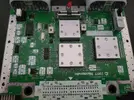
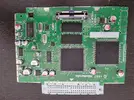
Board with original caps:
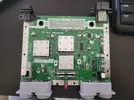
20260409_155537.webp

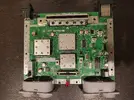
Board with caps removed:
20260409_170652.webp

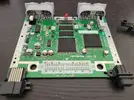
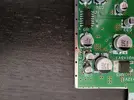
Board with new caps:
20260409_224957.webp

New caps confirmed working with the greatest video game of all time:
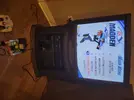
20260409_224610.webp

Next, I'll start to prep the board for trimming.


I waited a few days to work on this again because I decided to finally buy a desoldering gun - a Hakko FR-301 - before desoldering the components.

I used it to remove the DD slot and it worked really well. I kept the plastic bracket on while desoldering the pins. Then I just pulled the bracket off and only a small number of pins stayed attached to the board. Those were barely hanging on and came right off with some gentle nudging from the soldering iron.

DD Slot Removed:
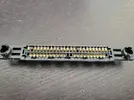
20260417_123944.webp

Motherboard with DD Slot Removed:
20260417_123955.webp

I'll work on desoldering the remaining components soon.

Got a bit more work done today. Desoldered the power LED, power switch, reset switch, controller ports, and the metal brackets (P8 and P9).

Board with Components Removed:
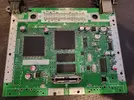
20260419_182748.webp

I should be ready to cut the board soon.

I drilled the holes and cut the board today. If I were to do this again, I would desolder the AV port and Power port before cutting. It worked with them still on the board, but it would've been easier to remove them, I think. I also slipped while cutting and nicked the board.

Holes Drilled and Board Marked:
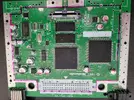
20260422_105856.webp

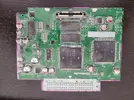
Board After Cutting:
20260422_143142.webp

Board After Cleaning:
20260422_145045.webp

Accidental Nick:
20260422_145052.webp

I think the nick in the board will be okay. It didn't sever the trace from pin 7 on chip U2 to the + side of C26. I checked with a multimeter and also compared it against an uncut/working N64 board. I think if I just cover it with some kapton tape it should be fine. Anybody agree/disagree?
 
Last edited:
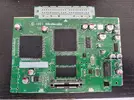
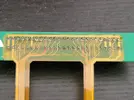
I removed the 7805 transistor and prepared the solder points for the cart slot cable.
20260423_144830.webp


Then I prepared the Cart Slot
20260423_152147.webp

When I tested for continuity, there were a few solder points that weren't connected, so I reflowed them and they worked. Definitely test the connections!
 
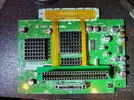
Tonight I soldered the cart slot flex cable to the trimmed board and confirmed continuity with a DMM. I also stuck the heatsinks on. The flex cable fits perfectly. This has been a really high quality kit, so far.

20260426_220229.webp
 
Today, I wired up the connections to the motherboard.

That included the 5V and 3.3V lines, the audio, the video, the controller data line, and the reset button. I also used used some twisted wire to keep them reasonably tidy.

Video:
20260429_140251.webp

Controller Data Line:
20260429_214247.webp

Reset Button:
20260429_220206.webp

5V, 3V, Audio, and everything tied together:
20260429_221249.webp
 
I did this next step out of order since I have to wait on some materials before working on the case.

Soldered in the controller board, PMS2 board, and U-AMP
20260430_163525.webp

I tested each solder point with a multimeter to make sure there was proper connectivity and no unintended bridges. Everything checked out fine. But I did find continuity between 3.3V and PD on the U-AMP. But the 4 Layer Tech documentation says that should be that way when you connect the J2 jumper, and Downing confirmed in his discord.
 
Last edited:
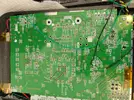
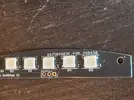
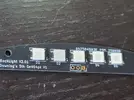
Today I soldered the back light LEDs to the LED board. I *think* they look okay but I'm not sure how to actually test. I might ask Downing if I can run a current through them from my bench top power supply to make sure they light up
20260505_161922.webp
20260505_161902.webp

I soldered the tactile switches onto their board.
20260505_165357.webp

And I soldered the battery holder together and confirmed a positive 3.5V with my DMM
20260505_165425.webp
20260505_165409.webp

I'm gonna wait on doing the headphone jack until the board is in the case so the fit is as good as possible.

The Rapid Tac is supposed to arrive tomorrow, and I'll start working on the case once it arrives
 
Last edited:
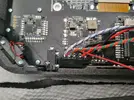
Today I soldered the back light LEDs to the LED board. I *think* they look okay but I'm not sure how to actually test. I might ask Downing if I can run a current through them from my bench top power supply to make sure they light up
View attachment 42743
View attachment 42744

I soldered the tactile switches onto their board.
View attachment 42745

And I soldered the battery holder together and confirmed a positive 3.5V with my DMM
View attachment 42746
View attachment 42747

I'm gonna wait to do the headphone jack until the board is in the case so the fit is as good as possible.

The Rapid Tac is supposed to arrive tomorrow, and I'll start working on the case once it arrives
Thanks for this build log! Sorry it took me so long to find it! TBH, it's easier just to wire up the whole LED PCB to the main Motherboard and see if it works after the fact. Putting power too it won't do anything because it requires code from the N64 PMS. RGB LED's most of the time require a signal from the data line before they will do anything.
 
Thanks for this build log! Sorry it took me so long to find it! TBH, it's easier just to wire up the whole LED PCB to the main Motherboard and see if it works after the fact. Putting power too it won't do anything because it requires code from the N64 PMS. RGB LED's most of the time require a signal from the data line before they will do anything.
Thanks! Yeah, I thought that might be the case. I was hoping they might just light up white without a data signal but oh well. It sounds like it won't be too hard to fix any issues if they come up later in the build anyway. And I think the solder joints are solid so we'll see.
 
Still waiting on materials so I'm a little limited in what I can work on right now.

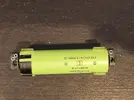
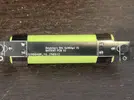
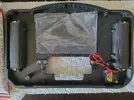
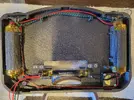
Started working on the back case. Added the batteries, some screw brackets, and the fan. One of the battery covers wasn't sitting flush, so I did some sanding and that seemed to do the trick.
20260507_160043.webp
20260507_103603.webp
 
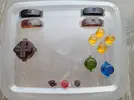
I painted the buttons with alcohol-based inks from 'Let's Resin' per Downing's recommendation. I just used a paint brush to apply the ink. I think it came out reasonably well.

20260508_183001.webp
 
Not bad! It took me a few tries but it eventually got easier! The trick is to put a few drops of ISO on the button first, a drop of ink and then just dab with the paint brush. You can get some very vibrant colors from it!
20241222_131318.webp
 
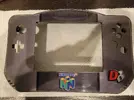
Finally got the Rapid Tac in the mail, so I applied the decal to the front face plate and glued the face plate to the front bracket.

20260509_212759.webp
 
Last edited:
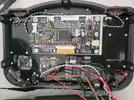
Completed the front face assembly today.

20260513_144516.webp

It wasn't bad at all but, if I had to do it again, I would've desoldered the connectors rather than leaving them on. It was kind of a pain cutting away the plastic to get access to the pins. But not a huge deal either way.

I checked all of the connections with my DMM and everything looks good.
 
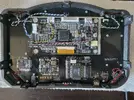
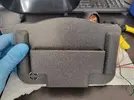
Installed the cartridge reader, connected the reset switch, installed the battery, confirmed polarity, installed the jumper pack facing the correct direction. Added kapton tape in a few places where I wanted to make sure I didn't get a short.
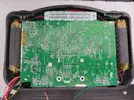
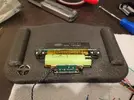
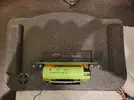
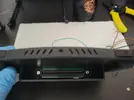
20260518_222213.webp20260518_222222.webp20260519_115600.webp20260519_115603.webp
 
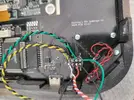
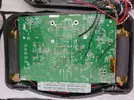
Connected the two halves. (Some of the pictures were taken before I cleaned off the flux, but I swear I cleaned it off afterwards ).

20260519_130226.webp20260519_130232.webp20260519_134447.webp20260519_134451.webp20260519_134457.webp
 
Moment of truth!

I power it on and...

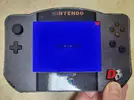
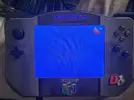
Just a blue screen?
20260519_135313.webp

Turns out you need to change the video input on the screen as it defaults to VGA.

I connected the board that comes with the kit and changed the input to AV and...

Still just a blue screen?
20260519_153414.webp
 
Troubleshooting:

At first, I thought I didn't get sound, but I just needed to increase the volume.

I can tell that sound works and the buttons work (I can hear the noises they make in the game when I press them).

Then, randomly, as I was pressing buttons, the video popped on! I didn't have my phone on me to take a picture, but it was working fine. I did notice it would sort of fade out a bit intermittently. I power cycled it, and it went back to a blue screen.

So it's likely a loose connection. I think all my yellow wire connections are okay, so I'm wondering if it's a video connection in the cartridge connector. I'm gonna let it charge for a bit and take a break. Then I'll troubleshoot some more.
 
Back
Top