Worklog G-Wii Attempt 2026

Joined
Sep 17, 2025
Messages
24
Likes
27
Location
Melbourne, Australia
Hey everyone. Long time lurker, first time poster.

I'm about to start my Wii Portable journey and I thought I should start a thread and track my progress. I'm a novice console modder and an *okay* solderer from Australia. Also a huge GameCube fan and I'd love a new way to play some of the classics (as well as a few Wii games). I've picked up quite a few Nintendo Wiis over the years so I'm very familiar with the software side of things, plus I can afford to stuff up a motherboard or two . I've just softmodded a black Wii with no controller ports.
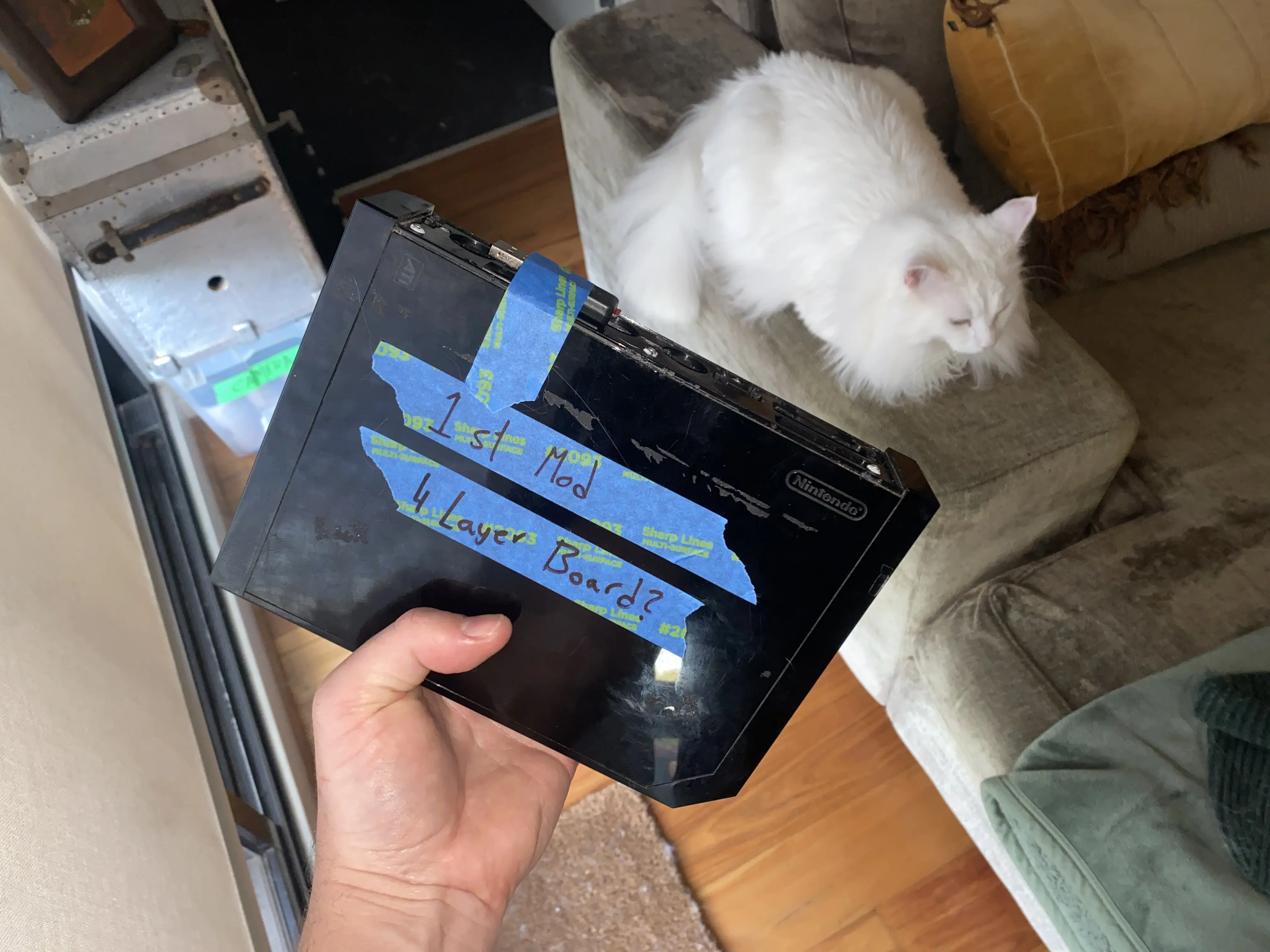
IMG_2104.webp


I've heard the Ashida is one of the best beginner Wii Portables. If I were smarter I'd start with an Ashida but I'm not a fan of the 16:9 screen, I'd rather have a portable with a 4:3 screen for the GameCube's library. Plus even though I love the switch/gameboy advance horizontal layout (buttons on the sides), I'm not a huge fan of the GameCube style controller arms of the Ashida. I'm drawn towards the G-Wii, I really like the form factor. I'm hoping that with the G-Wii cad files and a couple of guides I can figure it out, but if anyone has any resources they can point me to I'd be very appreciative.

(Sidenote, is there a reason people often use a 16:9 screen on a portable that's mostly going to play GameCube games? Are widescreen hacks for GC games good enough across the whole library now? Or are people happy playing 4:3 games stretched?)

I'm currently making a parts list, looking for clarification on the circuit boards I'll need from 4 Layer Technologies. Am I right for thinking I'll need the following?

- RVL-PMS-2 (For power management)
- RVL-AMP (For speaker/headphone amplification)
- PMS PD 3 (I don't fully understand this board. It features the USB-C charger and the MicroSD slot right?)
- GC+ 2 (For the controller)
- Joystick Breakout Board (I'd love to use joycon sticks instead of GameCube ones, but I'm aware that I'm creating a headache for myself. Feel free to talk me out of this one.)

Thanks! Appreciate any help/advise.

Wish me luck!
 
Hey again. I'll keep updating this thread, if nothing else but to keep a log for myself.

All my parts seem to have arrived including the 4 layer tech boards, fan, heat sincs, miscellanious wires and buttons and so on. Found a great 5.6 inch 640x480 LCD display with a controller board and VGA. I've softmodded the Wii and installed RVLoader.

Just did the tear down, photos below:
IMG_2790.webp
IMG_2793.webp
IMG_2795.webp


Next step (and scariest one!) is trimming the motherboard on the Wii. First time, feeling nervous. Going to watch a couple of videos and keep reminding myself I have a least two more Wiis handy if I stuff this one up.

Wish me luck!
 
Last edited:
Trim lines look good! Nice and straight, rounded corners, no cut through components, plenty of margin around the essential traces. Well done
 
Looks great! Where did you get the wii from though? In Melbourne I've basicially never seen a non 6-layer one other than online at CEX?
 
Looks great! Where did you get the wii from though? In Melbourne I've basicially never seen a non 6-layer one other than online at CEX?
Really? I haven't had much trouble finding them. Not as common but still around. I'm always checking marketplace and eBay.

Unless I'm mistaken all non-white Wii's are 4 layer right?
 
I’ve been testing voltages this afternoon. I’m not amazing at it so I have no idea if these numbers are within reason or if I’ve got a problem. Let me know what you think:

IMG_3109.webp


Most of these are nowhere near the guide I was using.
 
I’ve been testing voltages this afternoon. I’m not amazing at it so I have no idea if these numbers are within reason or if I’ve got a problem. Let me know what you think:

View attachment 41848

Most of these are nowhere near the guide I was using.
Resistances are never exact due to differing trim dimensions and part tolerances. It's mainly about matching the big/small pattern to known good margins and making sure nothing comes up as a single digit resistance, which would indicate a short.

Your readings looks good.
 
It’s alive!


Didn’t think this would work (I’m extremely bad at micro-soldering) but it ended up giving me the screen I was hoping for. What a relief!

Well that’s the easy part done, now to call in some favours with my friend with a 3D printer.
Heck yeah dude! There's really nothing like trimming your first Wii and getting it to boot successfully! This is always a GREAT sign for these projects and it's one of the toughest hurdles to overcome!

I don't know if this will help you to improve your micro soldering, but I made a guide for most of the micro soldering involved in making a Wii portable. You can find that here:
https://bitbuilt.net/forums/threads/wii-micro-soldering-guide.7013/
Having the right tools and knowing the right way to go about each form of micro soldering is half the battle! Hope this helps!
 
Fantastic work on giving it a go and doing well!
I'm also from Aus and also made my first G-Wii over the Summer holidays.
The 4LT boards make things much easier to get going. There's heaps of documentation on their site for pinouts and where things go etc.
You can 3d print your own shell if you don't care much about the potential quality (consider which angle you print on - vertically was best for me) or you can order one using the files. There are a few revisions. Don't grab the first one in the main Gwii files post. I think the correct version is the 2.2 one (this works for the newer PMS and PMS PD)

I also recommend wiring in a switch for MODE so you can switch between composite and VGA as needed (this was super helpful for me when testing things out). For the Gwii, stick to standard thumbsticks rather than joycon ones (and avoid hall effect; i've had calibration issues, though i haven't confirmed this is the cause).

If you get stuck, feel free to message or reply me, or jump on the discord!
 
Thanks to both of you, appreciate the help!

Heck yeah dude! There's really nothing like trimming your first Wii and getting it to boot successfully! This is always a GREAT sign for these projects and it's one of the toughest hurdles to overcome!

I don't know if this will help you to improve your micro soldering, but I made a guide for most of the micro soldering involved in making a Wii portable. You can find that here:
https://bitbuilt.net/forums/threads/wii-micro-soldering-guide.7013/
Having the right tools and knowing the right way to go about each form of micro soldering is half the battle! Hope this helps!

Awesome, I’ll read through and invest in some equipment I reckon. I only *just* got away with my soldering job for the test, wouldn’t take much for the composite wire to get pulled out.

Fantastic work on giving it a go and doing well!
I'm also from Aus and also made my first G-Wii over the Summer holidays.
The 4LT boards make things much easier to get going. There's heaps of documentation on their site for pinouts and where things go etc.
You can 3d print your own shell if you don't care much about the potential quality (consider which angle you print on - vertically was best for me) or you can order one using the files. There are a few revisions. Don't grab the first one in the main Gwii files post. I think the correct version is the 2.2 one (this works for the newer PMS and PMS PD)

I also recommend wiring in a switch for MODE so you can switch between composite and VGA as needed (this was super helpful for me when testing things out). For the Gwii, stick to standard thumbsticks rather than joycon ones (and avoid hall effect; i've had calibration issues, though i haven't confirmed this is the cause).

If you get stuck, feel free to message or reply me, or jump on the discord!

My dream would be to have a translucent shell, but I’m expecting that the first couple of prints won’t work so I’ll print them until it feels like it’s there. The screen I bought isn’t standard size for one thing, might need a couple of passes.

That’s great advice regarding the joysticks. I mean it breaks my heart because I love the feel and how low-profile switch joysticks are (perfect handheld joysticks in my opinion), but since it’s my first portable I should keep it simple.

While I’m rambling… I’ve always hated the D-pad on GameCube controllers. Giant flaw in an otherwise perfect controller. Would it be an easy tweak to put a Wii D-Pad in its place? Or a four button configuration like the switch?
 
  • Like
Reactions: cy
I went through a few shells until I got the correct revision, and even then I just heated up or ground sections that needed adjusting.

In regards to joysticks and D-pad, you can always download and modify the 3d files to suit your preference. Nothing is stopping you from putting a joycon stick or a wii dpad in the shell, it's just a matter of modifying it or finding someone else who has done it.
 
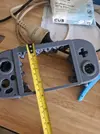
Good news and bad news. The good is that my friend who has a 3D printer was able to test print a G-Wii shell. Out plan (ambitious and maybe a bit stupid) is to print a shell then physically modify it until it works well, then to use it to make a mould and cast the final shell in a colour/texture we like better (like transluscent for example).

So the bad news: the screen I ordered off AliExpress is too big for this shell. I got a 5.6" instead of the recommended 5" because I found one that ticked a bunch of boxes (mainly that it was 640x480 VGA, whilst a lot that I saw were 800x600). I think a big screen is a good problem to have, but it's going to require some problem solving...

CE60BBED-2630-479D-AF53-D480D08BEB0D.webpIMG_3545.webpIMG_3546.webp
 
Good news and bad news. The good is that my friend who has a 3D printer was able to test print a G-Wii shell. Out plan (ambitious and maybe a bit stupid) is to print a shell then physically modify it until it works well, then to use it to make a mould and cast the final shell in a colour/texture we like better (like transluscent for example).

So the bad news: the screen I ordered off AliExpress is too big for this shell. I got a 5.6" instead of the recommended 5" because I found one that ticked a bunch of boxes (mainly that it was 640x480 VGA, whilst a lot that I saw were 800x600). I think a big screen is a good problem to have, but it's going to require some problem solving...


I didn't know there was a 5.6" 4:3 screen floating around out there. I'm interested in seeing how it looks in a portable. G-Wii wasn't designed with this screen in mind though, so your easiest approach is to hold onto it for a future project and a compatible 4:3 5" LCD. If you're interested in doing that, you can find the one most people use here. I'd be interested in seeing how this screen looks in a portable, though I imagine you'll have to modify the existing shell files to get it working.

Regardless that shell looks pretty good! I'm really interested in seeing how your approach to making a shell comes out! I've experimented with sanding shells in the past, but having something that's smooth to begin with would be really neat!
 
Well I warned you, I might do something a little bit stupid...

SHELL CUT 002.webp
SHELL CUT 001.webp


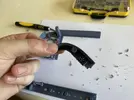
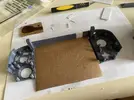
Rather than alter the CAD files (I know it would have been easier but I have no expreience with 3D printing/modelling) I decided to quarter the 3D print with a dremel. I made sure to cut around the standoffs so it won't affect any specific internals like button mounts. Also I tried to avoid ending the cuts on the curve of the shell.

In case it's not clear, I've done this to accomodate the larger screen since the size difference was negligible (5" vs 5.6"). So I'll be spacing out the quarters by about a centimetre in height and width. Then I'll pack the gaps with styrofoam sheet, super glue and some kind of modelling clay. Once the finished prototype has been sanded and sealed we're going to make a mold and cast the final shell.

Before I fix this quarted shell I need to test the 5.6" screen. Slightly neurotic but I've seen screens that don't have a centered image, if that's the case with this one I might slightly offset it.
 
Well I warned you, I might do something a little bit stupid...

Rather than alter the CAD files (I know it would have been easier but I have no expreience with 3D printing/modelling) I decided to quarter the 3D print with a dremel. I made sure to cut around the standoffs so it won't affect any specific internals like button mounts. Also I tried to avoid ending the cuts on the curve of the shell.

In case it's not clear, I've done this to accomodate the larger screen since the size difference was negligible (5" vs 5.6"). So I'll be spacing out the quarters by about a centimetre in height and width. Then I'll pack the gaps with styrofoam sheet, super glue and some kind of modelling clay. Once the finished prototype has been sanded and sealed we're going to make a mold and cast the final shell.

Before I fix this quarted shell I need to test the 5.6" screen. Slightly neurotic but I've seen screens that don't have a centered image, if that's the case with this one I might slightly offset it.
I won't lie, this has me on the edge of my seat. Definitely a bold move cutting the shell in quarters like this. I'm going to trust the process though, I'm genuinely dying to see where this goes - I don't doubt this can be done successfully. It's safe to say I've never seen anyone take this approach before! You've got a creative and ambitious mind to even attempt something like this!

As for the screen, it's likely that if you get a video signal that's off center, you can almost certainly fix that by using the screen driver board to adjust and realign the image.

Also, I couldn't tell from your first picture, but from these pictures you've shared, it looks like this shell is darn near GameCube indigo! Are you able to share what filament that shell was printed in?
 
Forgive the spam, I’m using this thread as a personal work log so I’m going to post some WIP photos.

IMG_3647.webpIMG_3638.webpIMG_3645.webpIMG_3646.webp

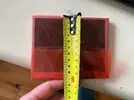
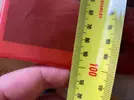
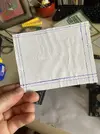
Cleaned up those rough cut edges, made a dummy screen, calculated the screen’s metal edge, black border and actual display area, chocked out one edge of the screen to accomodate, now I’m beginning the process of packing out the gaps in the shell with polystyrene sheet. This might be a slow process so I’ll do a proper update when it’s done.

I won't lie, this has me on the edge of my seat. Definitely a bold move cutting the shell in quarters like this. I'm going to trust the process though, I'm genuinely dying to see where this goes - I don't doubt this can be done successfully. It's safe to say I've never seen anyone take this approach before! You've got a creative and ambitious mind to even attempt something like this!

As for the screen, it's likely that if you get a video signal that's off center, you can almost certainly fix that by using the screen driver board to adjust and realign the image.

Also, I couldn't tell from your first picture, but from these pictures you've shared, it looks like this shell is darn near GameCube indigo! Are you able to share what filament that shell was printed in?

So I finally fired up the display, looks gorgeous! It didn’t come with a remote and the menu options are very rudimentary. So no realignment options. I tested it with composite but I wasn’t sure how to test VGA without doing some serious wiring, and a weird issue with a Wii I tested where it cut off half the image. Other 4:3 sources were fine, I’ll test further before I start troubleshooting here.

Long story short, image is slightly off centre so I’ve packed the edge a few mm and I believe that’ll sort it out.

As for the filament, I’m sorry to say but it’s a trick of the light/camera. It’s a gun metal grey, almost a bit blue. I’m a bit of a heathen because I’ve never loved the GameCube indigo, we had the black which I always thought was sleek.

But if I start rambling about shell colours this will be a long post (considering translucent black, pink or maybe even turquoise).
 
  • Like
Reactions: cy
Back
Top