Mini PS2 Slim Build

Yes that should do it. The firmware should work on a 16MB also as posted by another user. 5V on CS pin might have damaged the chip.. Once the router turns on you see red/blue very quickly in beginning then just solid red during normal boot and operation. The stock one goes to blue for wifi activity but modded fw will just stay red throughout. The UDPBD changes above is what I did to switch to UDPBD. On mine I just disabled samba from startup so i can easily switch back if desired.
 
Yes that should do it. The firmware should work on a 16MB also as posted by another user. 5V on CS pin might have damaged the chip.. Once the router turns on you see red/blue very quickly in beginning then just solid red during normal boot and operation. The stock one goes to blue for wifi activity but modded fw will just stay red throughout. The UDPBD changes above is what I did to switch to UDPBD. On mine I just disabled samba from startup so i can easily switch back if desired.
Yes, I now see that @Luigid used the same MX25L128 chip that I’m working with.


I think the problem has to be the 5V on CS. After flashing, when I power on the board, both the red and blue LEDs just stay dim. What’s strange is that the programming software doesn’t throw any errors — it verifies fine and everything looks correct. My suspicion is that the firmware is technically on the chip, but the section of the chip that interfaces with the controller may have been damaged in the process.

 
Yes, I now see that @Luigid used the same MX25L128 chip that I’m working with.


I think the problem has to be the 5V on CS. After flashing, when I power on the board, both the red and blue LEDs just stay dim. What’s strange is that the programming software doesn’t throw any errors — it verifies fine and everything looks correct. My suspicion is that the firmware is technically on the chip, but the section of the chip that interfaces with the controller may have been damaged in the process.

I used a normal ch341, but I use the much more stable neoprogrammer program
 
Excellent work. I'll try installing UDPBD according to your instructions. I replaced the flash drive with an 8MB one. It successfully programmed and booted. SMB is up and running! I'd like to point out the improved SMB speed right away. I'm using OPL Tester 0.5 ISO for testing. While the original firmware showed a maximum read speed of 1.5 MB/s, OpenWRT shows 2.3 MB/s, responce time 4300ms vs 2300 ms, and the speed remains stable, . Excellent results!

Afterwards, I tried setting up UDPBD following your instructions. I had problems mounting the USB.
I tried a variety of flash drives, including HDD-to-USB adapters and different format options.
I had three different cases:
-OpenWRT doesn't detect the USB device at all.
-it wont detect USB drive automatically, but device is visible when i add mount points via UUID. After mounting it shows in table as "UUID: 110D-1A53 (not present)", Filesystem is "?"
-It automatically mounts the /mnt/usb device. This only happened to me once, when I connected a 1TB NTFS HDD. As far as i know, UDPBD does not support NTFS.
Since you've already posted the chip dump, I'd appreciate it if you shared the pre-configured UDPBD dump. I might be doing something wrong.
Im using a5-v11, the only difference mine RAM is K4S561632H-UC75, i wont sure it is 16mb or 32mb.
UPD: I noticed that UDPBD in the startup menu turns off after some time, even if I force it to enable or restart
 
Last edited:
The UDPBD is probably turning off because it cannot see dev/sda1. Did you disable samba and ntfsmount script from the startup?
That might be causing a conflict.
Once that is done, login to the terminal via SSH and run command df
You should see whats attached via USB.

Then you just change the UDPBD script to match the name and it should work. And as far as I know there is no need to mount the drive to mnt/usb for example.
Thats only necessary for samba to work.

I think the changes are not that confusing that another firmware dump is necessary. Refer to this page for some info on how to mount flash drive , hdd on usb in openwrt:

 
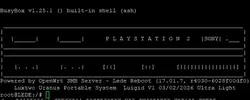
After spending some nerve cells, I managed to get UDPBD running. Here's what I learned:

-UDPBD is very "picky" about formatting, even if you're running a Windows server. To maximize success, you should format the drive to GUID (not MBR) and exFat using a Gparted Live USB.
For some reason, the UDPBD program poorly identifies formatted disks via Windows 10, it recognize, but simply does not work with this

-If you want to get UDPBD running on the A5-V11, first make sure that USB drive working in UDPBD Server Linux/Windows

-Micro USB has power pass-through to the USB-A port. I checked with a multimeter, and it's 0 ohms between the Micro USB 5V and USB-A 5V. The router doesn't use any additional 5V regulation, so don't reinvent the wheel. If your 700 mAh HDD runs off Single USB, that's perfectly sufficient.

-I saw a power consumption comparison after bootup on a foreign forum:
230mA with WiFi on
160mA with WiFi off
110mA with WiFi off and Unused 4 LAN off
It said that the Ralink chip uses power for the four unsoldered 4 LAN ports, even when they're not in use. They need to be disabled to reduce heat generation.In this thread above there were script on how to disable this.

-Sometimes the router doesn't turn on on the first try. The router exhibits the following behavior: its red and blue LEDs glow dimly. To fix this, modify the board by removing 4 SMDs and soldering in a MAX809TTR chip. I added a photo under the spoiler showing how to install it.

-As mentioned earlier, the router is overheating and needs a CPU heatsink. After the work is done, I plan to remove the connectors, hide inside PS2 and place it on the PS2 shielding using a thermal pad. I think this will be enough to dissipate heat.

These are the results I was able to achieve:
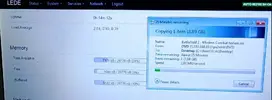
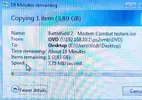
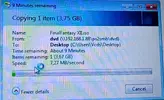
A5-V11 Stock Firmware SMB: 1.1 mb/s
A5-V11 OpenWRT SMB: 2.2mb/s
A5-V11 OpenWRT UDPBD: 4.1mb/s

Unfortunately, this isn't the most impressive speed of UDPBD. When running it on a PC, I got 7.1mb/s. But keep in mind that the maximum linear speed of the PS2 DVD drive in laboratory conditions is 4.5 MB/s

Once I've polished the process, I'll dump the flash drive and write more detailed instructions. Huge thanks to @moahdib for breathing new life into this device; we couldn't have done it without you.

1.webp
2.webp
3.webp
4.webp
 
Last edited:
After spending some nerve cells, I managed to get UDPBD running. Here's what I learned:
-UDPBD is very "picky" about formatting, even if you're running a Windows server. To maximize success, you should format the drive to GUID (not MBR) and exFat using a Gparted Live USB.
For some reason, the UDPBD program poorly identifies formatted disks via Windows 10, it recognize, but simply does not work with this
-If you want to get UDPBD running on the A5-V11, first make sure that USB drive working in UDPBD Server Linux/Windows

These are the results I was able to achieve:
A5-V11 Stock Firmware SMB: 1.1 mb/s
A5-V11 OpenWRT SMB: 2.2mb/s
A5-V11 OpenWRT UDPBD: 4.1mb/s

Unfortunately, this isn't the most impressive speed of UDPBD. When running it on a PC, I got 7.1mb/s. But keep in mind that the maximum linear speed of the PS2 DVD drive in laboratory conditions is 4.5 MB/s

Once I've polished the process, I'll dump the flash drive and write more detailed instructions. Huge thanks to moahdib for breathing new life into this device; we couldn't have done it without you.

Wow, a lot of work is being done here—you guys are awesome! It would be great to get this nailed down into a standard install with a proper write-up. Big thanks to @GorGylka as well for all the effort. The speeds with UDPBD are looking really solid! Hopefully we can get the setup process fully dialed in so it’s nice and straightforward.

Thank you @moahdib taking on this project and sharing.
Thank you @Luigid for sharing your results too.

Very impressive!!

 
Pleasure is all mine to help out the community. I am not kidding when I said I spent a lot of time getting the firmware configured and installed correctly to retain the most functionality of openWRT out of that router. I am happy to see it's being put to good use!
Great work and interesting findings with comparing transfer speed. It is noticeably faster for sure than SMB when playing games and during intro videos.

I have also noticed that it is a hit and miss powering up the router but I just look for the red light and if it doesn't turn on, i just reset it again. I might look into doing that max IC mod later on.

In regards to the external drive, for some reason I had no problem formatting my drive from NTFS to exFAT using Win10 when i switched to UDPBD.
You are correct on the drive having to be set to GPT and not MBR. I suspect the speed being slower due to the low processing power. I am wondering where can i download that OPL tester 0.5? I would love to run some tests of my own. One can always strip the firmware even more to barebones... no GUI, disabled Wifi, no DHCP... but that will take some work and experimentation as removing a module can break other vital functionality.
 
After spending some nerve cells, I managed to get UDPBD running. Here's what I learned:

-UDPBD is very "picky" about formatting, even if you're running a Windows server. To maximize success, you should format the drive to GUID (not MBR) and exFat using a Gparted Live USB.
For some reason, the UDPBD program poorly identifies formatted disks via Windows 10, it recognize, but simply does not work with this

-If you want to get UDPBD running on the A5-V11, first make sure that USB drive working in UDPBD Server Linux/Windows

-Micro USB has power pass-through to the USB-A port. I checked with a multimeter, and it's 0 ohms between the Micro USB 5V and USB-A 5V. The router doesn't use any additional 5V regulation, so don't reinvent the wheel. If your 700 mAh HDD runs off Single USB, that's perfectly sufficient.

-I saw a power consumption comparison after bootup on a foreign forum:
230mA with WiFi on
160mA with WiFi off
110mA with WiFi off and Unused 4 LAN off
It said that the Ralink chip uses power for the four unsoldered 4 LAN ports, even when they're not in use. They need to be disabled to reduce heat generation.In this thread above there were script on how to disable this.

-Sometimes the router doesn't turn on on the first try. The router exhibits the following behavior: its red and blue LEDs glow dimly. To fix this, modify the board by removing 4 SMDs and soldering in a MAX809TTR chip. I added a photo under the spoiler showing how to install it.

-As mentioned earlier, the router is overheating and needs a CPU heatsink. After the work is done, I plan to remove the connectors, hide inside PS2 and place it on the PS2 shielding using a thermal pad. I think this will be enough to dissipate heat.

These are the results I was able to achieve:
A5-V11 Stock Firmware SMB: 1.1 mb/s
A5-V11 OpenWRT SMB: 2.2mb/s
A5-V11 OpenWRT UDPBD: 4.1mb/s

Unfortunately, this isn't the most impressive speed of UDPBD. When running it on a PC, I got 7.1mb/s. But keep in mind that the maximum linear speed of the PS2 DVD drive in laboratory conditions is 4.5 MB/s

Once I've polished the process, I'll dump the flash drive and write more detailed instructions. Huge thanks to @moahdib for breathing new life into this device; we couldn't have done it without you.

I’m with you on mounting it inside—I’ve got the same idea. I’m planning to drill three holes in the RF shield so the caps can clear, then make a bracket to hold it against the shield with a thermal pad.
 
Pleasure is all mine to help out the community. I am not kidding when I said I spent a lot of time getting the firmware configured and installed correctly to retain the most functionality of openWRT out of that router. I am happy to see it's being put to good use!
Great work and interesting findings with comparing transfer speed. It is noticeably faster for sure than SMB when playing games and during intro videos.

I have also noticed that it is a hit and miss powering up the router but I just look for the red light and if it doesn't turn on, i just reset it again. I might look into doing that max IC mod later on.

In regards to the external drive, for some reason I had no problem formatting my drive from NTFS to exFAT using Win10 when i switched to UDPBD.
You are correct on the drive having to be set to GPT and not MBR. I suspect the speed being slower due to the low processing power. I am wondering where can i download that OPL tester 0.5? I would love to run some tests of my own. One can always strip the firmware even more to barebones... no GUI, disabled Wifi, no DHCP... but that will take some work and experimentation as removing a module can break other vital functionality.

I always thought that app is spreading aroung to measure OPL speed, but it turns out it's only available on the russian VK and nowhere else.
Here, its a DVD iso
 

Attachments

To run the UDPBD on the 3g/4g A5-v11 Router
You will need:
-CH314A programmer
-8MB Flash W25Q64FV or similar
-Any USB Drive
A5-V11 Router:
Program the image (below) to 8mb flash
swap memory chip on router
Router is Done!
USB Drive:
Format USB to GUID partition table / GPT, exFat, Standart Cluster Size
I highly recommend using GParted Live USB over Windows formatting
Do standart USB config for PS2 (create CD/DVD folders, add backups, ARTs, e.t.c.)
PS2:
place OPNPS2LD-v1.2.0-Beta-1973-88079d7-UDPBD.elf into bootable memory card
delete/archive opl .cfg files, there are stored in:
mc0:/OPL/conf_network.cfg
mc0:/OPL/conf_opl.cfg
make this version of OPL apperable on FMCB/Funtuna menu or config to autoboot this version of OPL
remove any USB Drive from PS2 (important!)
Connect power to the router, having first connected the LAN to PS2 and USB Drive to router
run OPNPS2LD..UDPBD
Settings->BDM Start Mode->Manual
Settings->Default Menu->BDM Games->OK->Save Changes
Notes:
Router take some time to start and init. I didn't time it exactly, please wait 2 minutes in FMCB Menu or press Start ->Exit -> (run OPL
I disable WiFi and disable unsoldered LANs to reduce power consumption, but it still strongly require heatsink on Ralink Chip and hardmod MAX809TTR / ADM809 is recommended (see some posts above)
If you don't see the list of games, first try setting up UDPBD with configured USB on your PC
I use 8 wire LAN cable. Cross 8 wire lan also works, but didnt test it on 4 wire / 4 cross wire
 

Attachments

Last edited:
I always thought that app is spreading aroung to measure OPL speed, but it turns out it's only available on the russian VK and nowhere else.
Here, its a DVD iso
Is there an ELF application version or can the contents be extracted to run from memory card? Unfortunatelly my ps2's all had bad laser and i already gutted some dvd chips off of the motherboards lol
 
Is there an ELF application version or can the contents be extracted to run from memory card? Unfortunatelly my ps2's all had bad laser and i already gutted some dvd chips off of the motherboards lol
u can try run iso with opl?
 
Good news everyone!
I managed to fit UDPBD onto the original A5-V11 3g/4g Mini Router 4MB flash chip, which means no soldering required, software FW upgrade only. I've made it a separate project.
You can follow updates and instructions here.
have fun;)
777.webp
 
Last edited:
@GorGylka : That's awesome bro.. thanks for the writeup and making it fit onto the 4MB flash No more flash soldering mod required =)
I suspect the sale of these mini routers will shoot up on aliexpress lol

BTW. what is that skin you are using on OPL?. Looks great.
 
@moahdib Ha! I keep coming back to this thread for information. I am working on building the PSX Mem Card gen2 using a RP2040 Zero dev board but with out the display. Thank you for sharing your work! So much fun!
 
@GorGylka : That's awesome bro.. thanks for the writeup and making it fit onto the 4MB flash No more flash soldering mod required =)
I suspect the sale of these mini routers will shoot up on aliexpress lol

BTW. what is that skin you are using on OPL?. Looks great.
@GorGylka yeah! that theme is awesome, what one is that?
 
good-news-everyone-hubert.gif

Hi guys, I wanted to develop a new standard fw to squeeze the most out of this small rt5350, I also successfully experimented with more recent versions of openwrt reaching 21 and 22 but they were too heavy for this cpu. On the contrary, trying older versions like 14 had other problems, the new versions are interesting for the support of kSMBD, on the contrary however it only supports SMB2.1 protocols and is therefore not compatible with OPL (smb1/NT1).
I made two versions for those who still want to "play" the light and super light,I used the superlight more so it is definitely more stable:
  1. I removed everything that could be removed (literally) and I only left OPKG so that anyone who wants to install or manage something else can do so and the UART shell (SSH disable)
  2. consumption in idle between 50mA and 100mA, with a USB it does not consume more than 150mA - 170mA peak
  3. the chip remains practically less than 40 degrees so the heatsink is no longer necessary(though recommended for applications such as a portable or other closed-loop computer)
  4. NTFS driver removed, too heavy for the chip and lower performance, only support for FAT32 and EXFAT remained
  5. blue led enabled after boot if usb drive is recognized and mounted perfectly
  6. Booting with online samba takes about 30 seconds after powering on (it could be further reduced by blocking the u-boot timeout, it would be like the PC's BIOS)
  7. The only downside is that the file has this size because it has a 16MB flash, but the system and everything is based on 8MB, so those with a 4MB flash might have trouble (since it doesn't have anything, as written, those who are tech-savvy can easily adapt it to 4MB).
old.webpwin old.webp
we went from about 2.5 mb/s with web interface and more --> to about 3.5 mb/s by streamlining the fw to the final stage:
win new.webp
We've had speeds of over 6.5 mb/s, with peaks of almost 8 mb/s.
The only problem is that testing with all my PS2s still doesn't get above 2200kb/s with OPL v0.5:
IMG_20260202_222214.webp
I have tried various systems:
  • 50004 + original network adaptator - same result for ethernet
  • 70004 - same result for ethernet (principal tests)
  • 77004 - same result for ethernet (little highter 2,4mb/s)
  • 75004 - same result for ethernet (little highter 2,4mb/s)
  • 90004 -- I was unable to do any tests as it is a revision not compatible with standard freemcboot , It didn't even read the opl test cd to me.
all the plays (except fat and 90004) the CDs with opl were recognized and had similar results between the models between 1400 and 1500 kb/s, also tried with usb with a peak of 775kb/s, I don't know why I burned two DVDs with different types but either they are not recognized or recognized as video DVDs and I was not able to do this test... but I doubt that you have the famous 4.5mb/s.
I've seen some screenshots of people who used hdloader to install games and got from 2.5mb/s to a final peak of less than 4mb/s.
usb.webpcd.webp
obviously numbers incomparable with the IDE interface also limited by the micro SD card (15mb/s) :
ide.webp
I'm curious to try another identical hardware but with higher performance... I think the bottleneck is the very heavy SMB protocol for both hardware but mainly for the PS2, I wasn't able to make a comparison with the PC, I used the latest beta version of OPL launched by MemoryCard
Let me know if you try it and what impressions you get, always remember that it is software without warranty that could brick your device.
2026-02-03_10h59_20.webp
 

Attachments

Last edited:
Back
Top