Controller panel resistances for VGA screen old bitbuilt store used to sell (5" ZJ050NA-08C)

Joined
Mar 21, 2021
Messages
90
Likes
17
Hi,

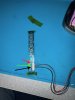
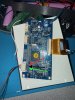
It's bugging me that I can't do this project. I would really appreciate the help. I removed the buttons on the controller panel for this screen, and I think that's when it stopped working. Does anyone have the three resistances for the two sets of pins that link the red, green and black wires between the screen driver board and controller board? They are all reading 0 for me currently. When I power on the wii the fan turns on from the PMS and I am outputting 5V to the screen. The screen used to work. I am using a PMS-2 and USB-C PD.

I bought a 4layer tech screen this year, but it doesn't fit into the G-wii case. I guess getting this screen to work again is my last chance.
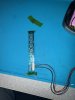
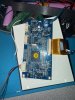
IMG_7478.jpegIMG_7479.jpeg
 
I dont think that the removed buttons from the controller board should really hinder the screen from working, the screen should also work without the entire board. Have you hooked up video lines between the wii and the screen? If you did, make sure they are properly connected. Also verify that the wii is actually outputting sth by connecting it to an external display if possible. Does the lcd show any sign of life or does it simply stay black with no backlight? It could also be that the lcd driver is looking for the wrong video signal, though I do not how that specific driver board works.
 
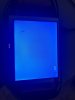
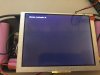
It was connected via vga and previously working. When the vga was not hooked up and 5V was supplied to the driver board, the screen was blue.

IMG_7481.jpegIMG_7482.jpeg
I’m not sure what the issue is and at this point I’m calling it. I don’t have time or money to throw at this and I haven’t for a long time.
 
Which pads specifically did you probe? For each button footprint, 3 of the pads are voltage supply and 1 is the signal line. The signal pad is the bottom right pad of each footprint if the control board is oriented for the silkscreen text to be right way up.

Removing the buttons alone wouldn't break the board. I see one resistor per button still present, so it doesn't look like you're missing anything
 
Looks like it could be a usb issue, try checking for corruption or reformatting your microsd card. Might also be worth it to try a couple of different ones.
 
Which pads specifically did you probe? For each button footprint, 3 of the pads are voltage supply and 1 is the signal line. The signal pad is the bottom right pad of each footprint if the control board is oriented for the silkscreen text to be right way up.

Removing the buttons alone wouldn't break the board. I see one resistor per button still present, so it doesn't look like you're missing anything

IMG_7478.jpegIMG_7479.jpeg

I probed these lines specifically, and got some unusual resistances (900 Ω) at first on the green, but I checked them again and they are all reading zero. Supplying power doesn't change anything.


Looks like it could be a usb issue, try checking for corruption or reformatting your microsd card. Might also be worth it to try a couple of different ones.
I've got another USB stick and card, but I don't think that is the issue. The screen used to turn on even when there wasn't a usb plugged in. Now it doesn't show any signs of life.

IMG_7480.jpeg
 
Back
Top