Question Signs of fried GC CPU and GPU? No output.

Joined
Dec 29, 2016
Messages
38
Likes
21
Right when i thought i'm close to finishing my portable. Roadblock

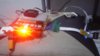
Just got my wasp fusion working after 3 days of wiring. Had a problem with either the pin 23 or region switch. But i got passed that. And right after 30 mins of enjoying wasp fusion capabilities, video freezes. Restarted, no dice. No more signal output on my 6 inch screen (Still has power wired from the mainboard, On but no signal). Done resetting it multiple times. Absolutely nothing. Fan is working from the regulator, screen is on, no signal,yellow led from the controller board is lit. There is definitely current running to the board. But no signal. Tried attaching a speaker and an amplifier (first time at this point) to confirm if perhaps video was the only problem, no audio signal as well. I have replaced the thermal paste a day ago and made sure it was sufficient enough to make contact and bridge the gap between the heatsink and chips. Heat was definitely flowing to the sink. Prior to the final freeze, noticed the gamecube did freeze 5 minutes into a game like 3 times. I assume it heats up enough until it cant function anymore. Any thoughts about this fam? Can the motherboard still be saved? :\
 

Attachments

  • 20170222_015429.jpg
    20170222_015429.jpg
    2.5 MB · Views: 533
First I'd try making sure that the wire going from the gc to the screen is good. If it came disconnected it could cause this. Check all your other wires too, but especially that one and all the wires for the wasp.

If you've got pictures, that might help :)

If nobody else has a better suggestion, you could try disconnecting your wasp. I know it's a pain, but I thought I fried my gc and disconnecting my wasp fixed it. I had a faulty ribbon cable that was causing basically the same issue as yours.

If taking the wasp off fixes it, put it in a wii to see if the wasp still works (check the ribbon cable too lol).
 
I've had games freeze due to bad Wasp wiring, so I think you may need to rewire. I guess you're not using custom regulators, but if you are, make sure the voltages aren't too low.
 
I'm having the same problem but the only things wired are stock regulator ,composite,audio,and all the power for the AV(12v,5v,and ground)I think there is something wrong with the regulator wiring/board in my case,but maybe you have the same problem of mine,I've tried desoldering and resoldering every single wire,but nothing,only one time the screen became black and the audio was working but then it doesn't worked anymore.
The strange thing is that every thing worked since the audio dead,then I wired composite ,and blue screen w/ no signal appeared,then I relocated regulator,but no
signal...As I said only one time it re-worked,then it fuck*d itself up like before,but I really think everything is still working.

Edit the regulator looks wired good,and I rewired it three times,and another thing,when I said av power,I meant that the regulator was fully wired and those 12v 5v and ground was for screen and amp
 
I have tried basically stripping it all down just to the motherboard and the screen. Desoldered the wasp and audio. Dewired and rewired everything. Checked the sitting of the sink for God only knows how many times now. Still no signal. But can still power the screen and controller port board led. Using the rev A regulator unmodded, still uses the port for power. Have to get a fresh motherboard i guess. My thoughts is that i fried the chip even though i replaced the thermal paste accordingly. Sigh

Would try one last option though. And solder the component signal to the vid relocation as located on trimmed boards. Wish me luck. <3
 
I'm having a similar issue as of today. With me the Almost trim drops voltages very sporadicly.

I dropped it yesterday :(. Can that cause issues?
 
My thoughts is that i fried the chip even though i replaced the thermal paste accordingly
It getting hot won't fry it. It would turn it off to cool down, but it shouldn't break the console. Frying it would be like "whoops I accidentally connected 120v instead of 12v." :P I think thermal paste was like the last thing I put on.
So, to clarify, you have your gamecube hooked up only to power and a composite screen. The gamecube turns on but doesn't display anything. Have you tried plugging something else into your screen to test it?

Also, this is a long shot, but you seem really concerned about the heatsink so I'll run it by you anyways.

Did you get your arctic silver on the circuit board?
If you used something conductive and it got on the circuit board, it's possible it's causing a short. If you can see any that isn't on top of the chips, clean that off. Arctic Silver isn't supposed to be, but it says to keep it away from traces anyways. An off brand might be more conductive. Just a good idea to clean it up just in case
 
I had this issue as well with a 101 cube. After 3 days of testing I found the AVE chip had shorted and died. Probably from conductive dust in my workshop. As Madmorda said, try cleaning the board really well and look for any bits and pieces of thermal compound, dust and solder blobs that shouldn't be there. Sometimes tiny little beads of it manage to find spots to hide and destroy everything :(
 
After trimming and sanding my boards I submerge my boards in a bath of cleaning alcohol. That way I can remove any metal resedue that may have found it’s way between components or under the GPU or CPU.
 
After trimming and sanding my boards I submerge my boards in a bath of cleaning alcohol. That way I can remove any metal resedue that may have found it’s way between components or under the GPU or CPU.
100℅ alcool? Please pm me on how to do this process,and the requirements.thanks

Anyway when a Mobo fries I think a little spark comes out from the short or bad wirng,if this doesn't happen I think everything is OK(or almost OK).
 
100℅ alcool? Please pm me on how to do this process,and the requirements.thanks

Anyway when a Mobo fries I think a little spark comes out from the short or bad wirng,if this doesn't happen I think everything is OK(or almost OK).

Not 100%

Just some alcahol you get at the pharmacy
 
100℅ alcohol? Please pm me on how to do this process,and the requirements.thanks

Anyway when a Mobo fries I think a little spark comes out from the short or bad wiring,if this doesn't happen I think everything is OK(or almost OK).

That's just simply not true. You may have a short that could potentially fry your motherboard and not see a single spark whatsoever.
 
Last edited:
It getting hot won't fry it. It would turn it off to cool down, but it shouldn't break the console. Frying it would be like "whoops I accidentally connected 120v instead of 12v." :P I think thermal paste was like the last thing I put on.

Haha i think the right word to describe it is 'overheating'. I allowed it to run multiple times that i have seen freezes being common as of late (it wasn't just three times as i remember now) and could have been the sign of the main chip or gpu chip overheating. Mounting irreparable each time a freeze would occur. Like nerves on your brain dying as minutes pass your blood vessels are deprived of oxygen due to a clot.

Enough of medical analogies. I have tried hooking up the screen to a cable box and sure enough, it had signal. It runs. Wired it even to a relocation point on as mapped on trimmed boards although it was for composite. Nothing. And optimistic with your suggestion, i scrubbed the board clean with little alcohol soaked pads to clean any minute traces of thermal paste (it was off brand - deep cool Z5 cause AS is too much bruh). And...still no dice. At this point. I declare this motherboard dead. Gonna get a new one in a couple of days. But after this, i really dont have enough to plans to let that stock heatsink separate away from the motherboard. :\
 
Haha i think the right word to describe it is 'overheating'. I allowed it to run multiple times that i have seen freezes being common as of late (it wasn't just three times as i remember now) and could have been the sign of the main chip or gpu chip overheating. Mounting irreparable each time a freeze would occur. Like nerves on your brain dying as minutes pass your blood vessels are deprived of oxygen due to a clot.

Enough of medical analogies. I have tried hooking up the screen to a cable box and sure enough, it had signal. It runs. Wired it even to a relocation point on as mapped on trimmed boards although it was for composite. Nothing. And optimistic with your suggestion, i scrubbed the board clean with little alcohol soaked pads to clean any minute traces of thermal paste (it was off brand - deep cool Z5 cause AS is too much bruh). And...still no dice. At this point. I declare this motherboard dead. Gonna get a new one in a couple of days. But after this, i really dont have enough to plans to let that stock heatsink separate away from the motherboard. :\
I've never heard of a gamecube that broke because it got too hot. They have an automatic shutoff to prevent damage. So if you were playing it and it kept turning off and you kept turning it back on repeatedly for hours at a time, you might have damaged it over time. But it's not like it would've just died out of nowhere because of it.

Did you trim your gamecube at all? I can't really tell from the picture, but if you trimmed it, make sure you sand the edges really good. It might be a short.

A clear picture of the top and the bottom of the motherboard would help :P
 
Does the thermal protection circuit work with custom regulators? It has its own pin on the stock reg board, so I assumed it wasn't supplied with any power.
 
Using the rev A regulator unmodded, still uses the port for power.

Does the thermal protection circuit work with custom regulators? It has its own pin on the stock reg board, so I assumed it wasn't supplied with any power

It sounds like it's an untrimmed motherboard with the stock regulators, running off the original power brick.

@bascocarmelo You are using a Nintendo brand power brick right(assuming you're using the brick)? Not off brand?
 

Similar threads

Back
Top