
Question wii games do not load black screen with portabilizemii

Joined
Jan 4, 2018
Messages
27
Likes
0
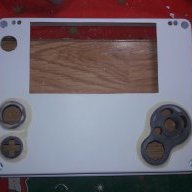
hello I have a doubt yesterday I prepared my 4-layer wii to make my portable not cut the plate even install the portabilizemii and leave it ready but I have a problem gamecube games run me without problem but when loading the wii games with the portabilizemii it I have a black screen and I am not loading any games that I am doing wrong that I need to install before installing the portabilizemii install the ciosd2x in case anyone asks me that help please
 
For wii game running
1. bluetooth module installed
2.press start botton to copy sync file from system nand in PM channel
3. wii game put inside wbfs folder,and must be name in english without any special mark

4.if problem still exist,redownload PM,change PM region to Japanese ,cover file in your usb.If still not work,forget what i am saying
 
hello I have a doubt yesterday I prepared my 4-layer wii to make my portable not cut the plate even install the portabilizemii and leave it ready but I have a problem gamecube games run me without problem but when loading the wii games with the portabilizemii it I have a black screen and I am not loading any games that I am doing wrong that I need to install before installing the portabilizemii install the ciosd2x in case anyone asks me that help please
What USB are you using?
 
[QUOTE = "xsping, post: 36127, member: 3275"] Para ejecutar el juego de wii
1. módulo bluetooth instalado
2.Presione el botón de inicio para copiar el archivo de sincronización del sistema y el canal PM
3. Juego de wii puesto dentro de la carpeta wbfs, y debe estar en inglés sin ninguna marca especial

4.si el problema persiste, vuelva a descargar PM, cambie la región PM a japonés, cubra el archivo en su usb. Si aún no funciona, olvide lo que estoy diciendo [/ QUOTE]
hello thanks for answering option 1 and 3 if I have them ok option 2 and 4 could you be more specific i don't understand them well especially the 2 thank you very much for your patience and time
 
[QUOTE = "xsping, post: 36127, member: 3275"] Para ejecutar el juego de wii
1. módulo bluetooth instalado
2.Presione el botón de inicio para copiar el archivo de sincronización del sistema y el canal PM
3. Juego de wii puesto dentro de la carpeta wbfs, y debe estar en inglés sin ninguna marca especial

4.si el problema persiste, vuelva a descargar PM, cambie la región PM a japonés, cubra el archivo en su usb. Si aún no funciona, olvide lo que estoy diciendo [/ QUOTE]
hello thanks for answering option 1 and 3 if I have them ok option 2 and 4 could you be more specific i don't understand them well especially the 2 thank you very much for your patience and time
make sure your usb is below 32 Gb, and 2 is
in PM channel on the top of screen
 
[QUOTE = "xsping, post: 36154, member: 3275"] asegúrese de que su usb esté por debajo de 32 Gb, y 2 sea
en el canal PM en la parte superior de la pantalla
I have followed the 4 steps you told me and they only charge me emulators and gamecube the problem is only with wii games nothing else I don't know what to do now
 
[QUOTE = "Puntadas, publicación: 36134, miembro: 892"] ¿Qué USB está utilizando? [/ QUOTE]
32gb I already tried several USB and nothing remains on the black screen I don't know what to do
 
[QUOTE = "Puntadas, publicación: 36134, miembro: 892"] ¿Qué USB está utilizando? [/ QUOTE]
32gb I already tried several USB and nothing remains on the black screen I don't know what to do
please mention what usb you use, and upload pictures of your usb folder &game folder will help
 
[QUOTE = "xsping, post: 36172, member: 3275"] por favor menciona qué usb usas, y sube fotos de tu carpeta usb y la carpeta del juego ayudará [/ QUOTE]

la verdad he probado este programa con varias memorias diferentes capacidades 16 gb 32 gb 64 gb marcas chinas, sandisk, kingston, toshiba, samsung etc y ninguna memoria me corre juegos de wii él intentado de todas las maneras y nada mis juegos estan perfectamente adaptados como la pagina solo me queda comprar la memoria samsung que recomiendan es la unica forma
 
[QUOTE = "xsping, post: 36172, member: 3275"] por favor menciona qué usb usas, y sube fotos de tu carpeta usb y la carpeta del juego ayudará [/ QUOTE]

la verdad he probado este programa con varias memorias diferentes capacidades 16 gb 32 gb 64 gb marcas chinas, sandisk, kingston, toshiba, samsung etc y ninguna memoria me corre juegos de wii él intentado de todas las maneras y nada mis juegos estan perfectamente adaptados como la pagina solo me queda comprar la memoria samsung que recomiendan es la unica forma

Rough translation: I tested this program with memory of various capacities (16 GB, 32 GB, 64 GC) of the brands Chinas, Sandisk, Kingston, Toshiba, Samsung, etc. and none of them played Wii games. It seems that I must buy the recommended Samsung flash drive.

This problem commonly happens (black screen on games) if the console was softmodded prior to using cheese installer. Another, minor cause could be the game itself. For Super Mario Galaxy at least, changing the language settings before booting it worked. I'm not sure whether any other games are like that. Also, make sure to format FAT32 with 32 kB clusters.
 
[QUOTE = "FallenLogic, post: 36187, miembro: 4854"] Traducción aproximada: probé este programa con memoria de varias capacidades (16 GB, 32 GB, 64 GC) de las marcas Chinas, Sandisk, Kingston, Toshiba, Samsung, etc. . y ninguno de ellos jugó juegos de Wii. Parece que debo comprar la unidad flash Samsung recomendada.

Este problema ocurre frecuentemente (pantalla negra en los juegos) si la consola fue modificada antes de usar el instalador de queso. Otra causa menor podría ser el juego en sí. Al menos para Super Mario Galaxy, cambie la configuración del idioma antes de arrancar funcionó. No estoy seguro de si algún otro juego es así. Además, asegúrese de formatear FAT32 con clústeres de 32 kB. [/ CITA]


I have already followed all the steps to the letter and nothing is a memory compatibility problem that is all because of the wiiflow program runs with any memory
 
I have already followed all the steps to the letter and nothing is a memory compatibility problem that is all because of the wiiflow program runs with any memory
Postloader is more finnicky than Wiiflow when it comes to USBs. More drives work with Wiiflow, but Postloader has more useful patches like VGA and Wiimote emulation.
 
Last edited by a moderator:
Back
Top