
You are using an out of date browser. It may not display this or other websites correctly.
You should upgrade or use an alternative browser.
You should upgrade or use an alternative browser.
Question trimmed wii weird RGB pattern on video and wont boot
- Thread starter N3croxs
- Start date
-
- Tags
- #ashida portable wii

- Joined
- Sep 3, 2020
- Messages
- 433
- Likes
- 958
- Portables
- 8
This is a tough one. You appear to have done your due diligence - trim resistances look good, u10 is relocated, wire gauge is large enough (although it wouldn't hurt to shorten the exposed part of some of these a tad bit). The NAND traces don't look like they've been trimmed through or anything, and your board looks beautifully sanded. The only thing I can think of here is maybe the solder joint for the video mode isn't good? Or maybe the video mode on your monitor is wrong? You need to have ground connected to the video connector, and you appear to have done so. Maybe try double checking that you've got GND and Composite video going to the correct points on the connector with a multimeter? Maybe try removing the aluminum caps on the front of the board? This is probably the best advice I can give honestly.
I feel like the most likely thing here is that your monitor's video mode is wrong, or perhaps there's something going wrong with how your monitor is interpreting the video signal. Do you have a secondary monitor or CRT to test this with? It doesn't look like there's anything wrong with your trim, it's honestly a beautiful example!
And no, I doubt the wire gauge being 20awg is causing this, but if you have 22 or 24 gauge, it may be worth testing I guess? Or honestly, just make sure the video cable isn't near the wiring at all so there's no interference. You might also want to try reflowing u10. It is a little difficult to see your solder joints due to how blurry and zoomed out the picture is. Maybe make sure it's also not bridging the nearby via. That's about all I've got.
You've genuinely done some really good work so far. I'm surprised this isn't working! Good luck with this!
I feel like the most likely thing here is that your monitor's video mode is wrong, or perhaps there's something going wrong with how your monitor is interpreting the video signal. Do you have a secondary monitor or CRT to test this with? It doesn't look like there's anything wrong with your trim, it's honestly a beautiful example!
And no, I doubt the wire gauge being 20awg is causing this, but if you have 22 or 24 gauge, it may be worth testing I guess? Or honestly, just make sure the video cable isn't near the wiring at all so there's no interference. You might also want to try reflowing u10. It is a little difficult to see your solder joints due to how blurry and zoomed out the picture is. Maybe make sure it's also not bridging the nearby via. That's about all I've got.
You've genuinely done some really good work so far. I'm surprised this isn't working! Good luck with this!

try booting with a 2s battery configuration. i remember hearing somewhere the rvl pms2 has issues with a 1s config
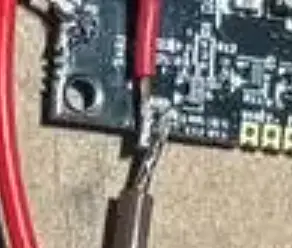
also this looks problematic
N3croxs
.
- Joined
- May 13, 2026
- Messages
- 12
- Likes
- 5
I'll try to check all these indications! Thanks a lotThis is a tough one. You appear to have done your due diligence - trim resistances look good, u10 is relocated, wire gauge is large enough (although it wouldn't hurt to shorten the exposed part of some of these a tad bit). The NAND traces don't look like they've been trimmed through or anything, and your board looks beautifully sanded. The only thing I can think of here is maybe the solder joint for the video mode isn't good? Or maybe the video mode on your monitor is wrong? You need to have ground connected to the video connector, and you appear to have done so. Maybe try double checking that you've got GND and Composite video going to the correct points on the connector with a multimeter? Maybe try removing the aluminum caps on the front of the board? This is probably the best advice I can give honestly.
I feel like the most likely thing here is that your monitor's video mode is wrong, or perhaps there's something going wrong with how your monitor is interpreting the video signal. Do you have a secondary monitor or CRT to test this with? It doesn't look like there's anything wrong with your trim, it's honestly a beautiful example!
And no, I doubt the wire gauge being 20awg is causing this, but if you have 22 or 24 gauge, it may be worth testing I guess? Or honestly, just make sure the video cable isn't near the wiring at all so there's no interference. You might also want to try reflowing u10. It is a little difficult to see your solder joints due to how blurry and zoomed out the picture is. Maybe make sure it's also not bridging the nearby via. That's about all I've got.
You've genuinely done some really good work so far. I'm surprised this isn't working! Good luck with this!
N3croxs
.
- Joined
- May 13, 2026
- Messages
- 12
- Likes
- 5
You're right, I'll try to improve this and try it with double batteryalso this looks problematic
View attachment 44394

What's your battery voltage? I've seen this exact issue when the batteries are too low. PMS stops working when the battery is around 3.4V.
N3croxs
.
- Joined
- May 13, 2026
- Messages
- 12
- Likes
- 5
I made sure to charge it before doing the first test and its voltage was 4.2vWhat's your battery voltage? I've seen this exact issue when the batteries are too low. PMS stops working when the battery is around 3.4V.
N3croxs
.
- Joined
- May 13, 2026
- Messages
- 12
- Likes
- 5
I managed to solve the problem; by following all the instructions and measuring the values, I realized the issue was with U10. I was only getting 1.6V on pin 4, and after reading this https://bitbuilt.net/forums/threads/rough-draft-u10-troubleshooting-guide.2317/, I saw that the reading was incorrect, so I used the U10 from the PMS, and it works.
I'm not sure if you would recommend removing U10 from the board entirely.
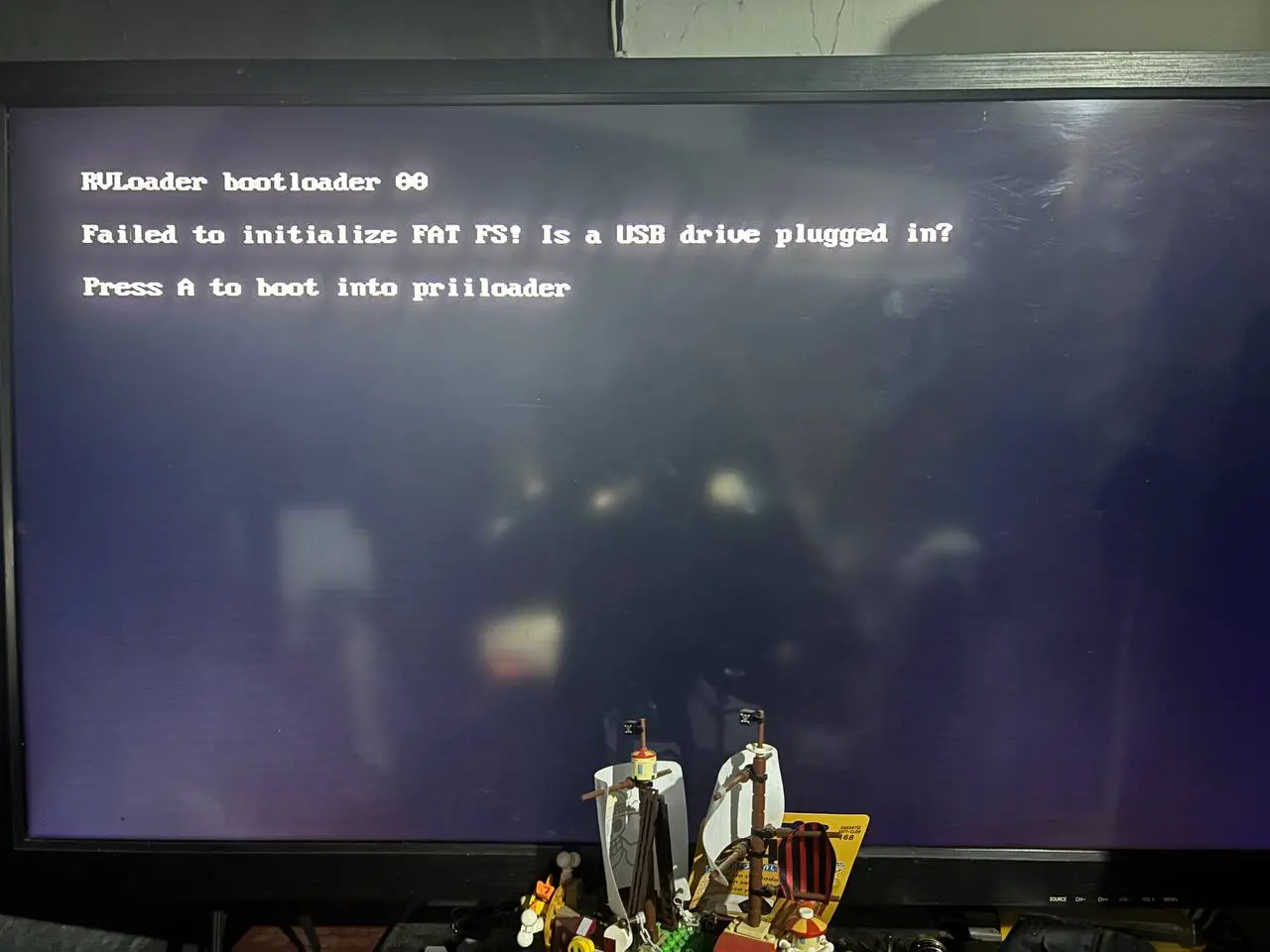
I'm not sure if you would recommend removing U10 from the board entirely.

