RVLoader Help - Am I doing something wrong?

Joined
Jun 26, 2026
Messages
19
Likes
13
Hi all! just combing through my build, and wanted to ask a specific question in the softmodding phase of my Ashida build: after installing homebrew, priiloader, cios, and RVLoader I'm noticing the wii doesn't pick up the microSD unless I'm using an additional adapter, I'll put pictures and describe the difference I'm getting, but before I go ahead and trim the board, just wanted to run this by you all and see if there's anything wrong, because looking through BitBuilt no one seems to have this problem.

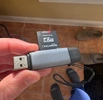
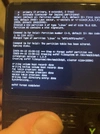
Scenario #1: Using a USB-micro SD adapter with the micro SD directly plugged into the adapter, and into the wii's rear USB, RVLoader is unable to detect the microSD and I get the 'failed to initialize FAT etc.." screen

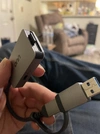
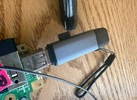
Scenario #2: Using the same USB-SD adapter, but not putting that micro SD into an additional SD adapter so that I now use the full-size SD slot on the USB-SD adapter, the wii now recognizing the card and boots up RVLoader

I've used different microSD cards, and confirmed on my PC that the USB's slots aren't the issue. I just know once I trim the board, I definitely won't be able to jerry-rig any full size SD type thing to make the board happy so really want to figure this out and make the board recognize the micro SD without the extra adapter. Thanks in advance!
 

Attachments

  • #1. Not working confirgutation without extra adapter.webp
    #1. Not working confirgutation without extra adapter.webp
    698 KB · Views: 2
  • #2. Working confirguation with SD adapter.webp
    #2. Working confirguation with SD adapter.webp
    228.9 KB · Views: 1
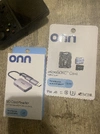
It works with sdxc adapter configuring the larger size..I don’t like card readers either my Onn sdxc adapter card reader gives errors sometimes on my stock sd card in the r36s handheld so I backed it up and deleted it just copping the stock .dtb long rf353k3 .dtb raw number…some of the .dtb screen panel have a different string..

That said it hasn’t still worked or find the right one manually injected into the boot partion..so I was able to use the .dtb selector app and match screen panels for aeolusUX and Arkos4clone/darkos4clone.

That said I’m not sure what 5-18-v20 board batch 2628 is it’s either a clone or k36 kinhank clone..

That said in that way I did when the shipping and rebranding lottery it’s not a bad build or deal to get a ok more unsupported clone instead of the fake gb350 and emuelecc internal clones.

Ones that say stuff on the screen when there’s no card in tf1 or more boot failure.

That said running pretty good..but idk just wait for stock sd card to corrupt more or quit all together I can’t switch sd2roms from menu and dual boot either so it don’t read the card in tf2.

So you’ll have that the brand and or quality of cards is picky about certain slots might be what it is..alittle different example ArkOS is hard on writes and cards though and the card really needs to do a 100mb/s speeds or can bottleneck the system.

Idk I’m running good the rockchip rk3326 is pretty forgiving and backed off the clock speed at 1248mhz and the 150mb vram limit on with the 1gb total so no not running hot or nothing..it don’t need heatsink modded or nothing.

That said maybe try another adapter card reader.

That said it’s ciggarettes and coffee this model and just the lottery but not quite and not a bunch of OSes work with batch 2628
So it is what it is and don’t feel like fighting trying to load Linux .boot .inis and strings to and pulling it out the card reader every few minutes to black screen and led blipping.

So I just boot what works.

But yeah try another card adapter reader. One of the more non convent dongle one probaly works.
 

Attachments

  • IMG_1505.webp
    IMG_1505.webp
    2.9 MB · Views: 1
  • IMG_1449.webp
    IMG_1449.webp
    2.3 MB · Views: 2
  • IMG_1545.webp
    IMG_1545.webp
    2.2 MB · Views: 1
  • IMG_1489.webp
    IMG_1489.webp
    2.3 MB · Views: 1
  • IMG_1491.webp
    IMG_1491.webp
    3 MB · Views: 1
  • IMG_1531.webp
    IMG_1531.webp
    2.9 MB · Views: 1
  • IMG_1529.webp
    IMG_1529.webp
    2.2 MB · Views: 1
  • IMG_1534.webp
    IMG_1534.webp
    2.2 MB · Views: 1
  • IMG_1535.webp
    IMG_1535.webp
    3.1 MB · Views: 2
  • IMG_1536.webp
    IMG_1536.webp
    3.4 MB · Views: 1
  • IMG_1541.webp
    IMG_1541.webp
    2.7 MB · Views: 1
  • IMG_1540.webp
    IMG_1540.webp
    3.6 MB · Views: 1
  • IMG_1502.webp
    IMG_1502.webp
    1.8 MB · Views: 2
Back
Top