Question No VGA video output on Ashida

Joined
Sep 18, 2025
Messages
9
Likes
8
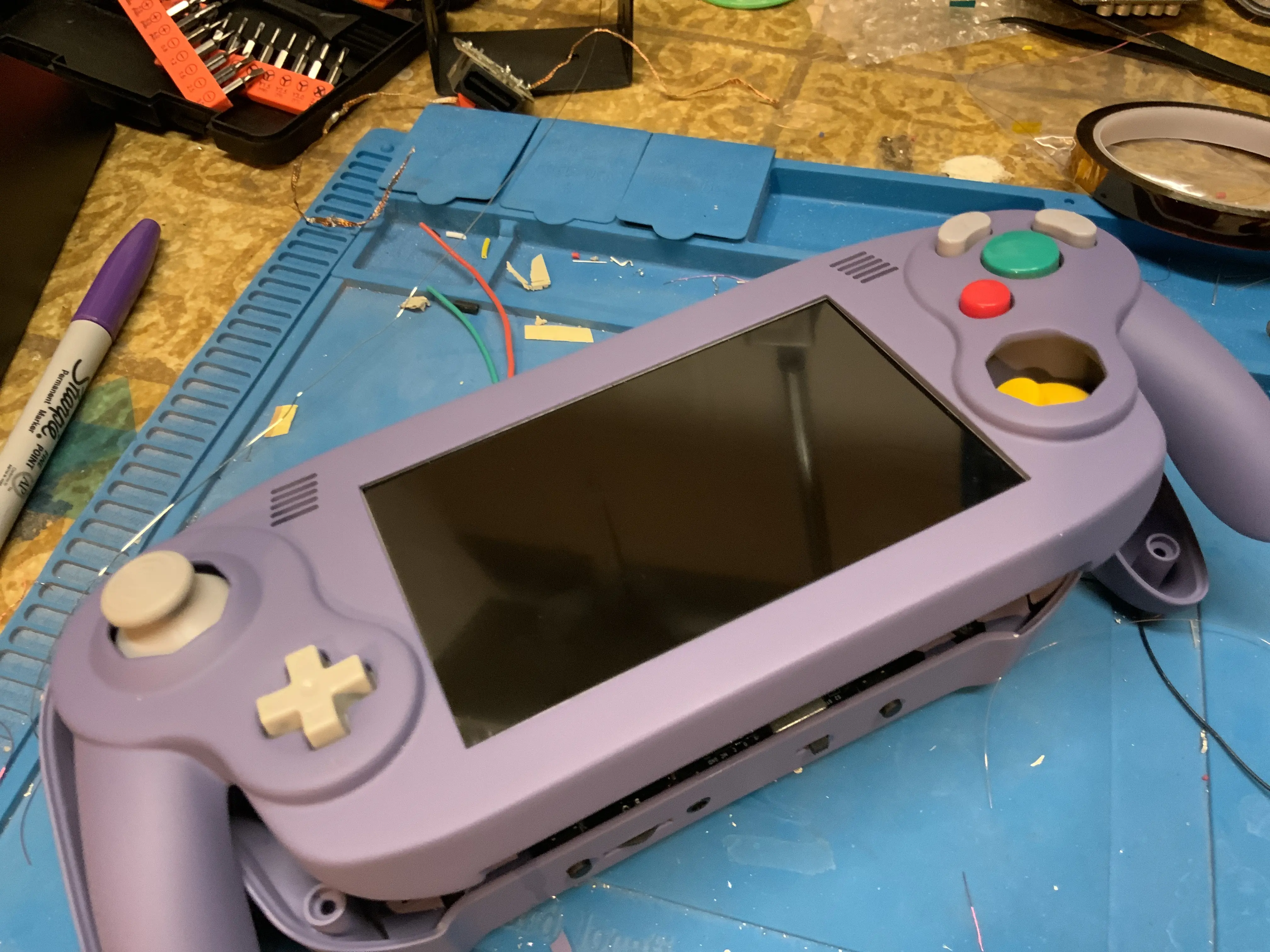
I have an Ashida that I have been working on for a while, and I’m testing it. But when I turn it on, the screen boots, and then it just turns black
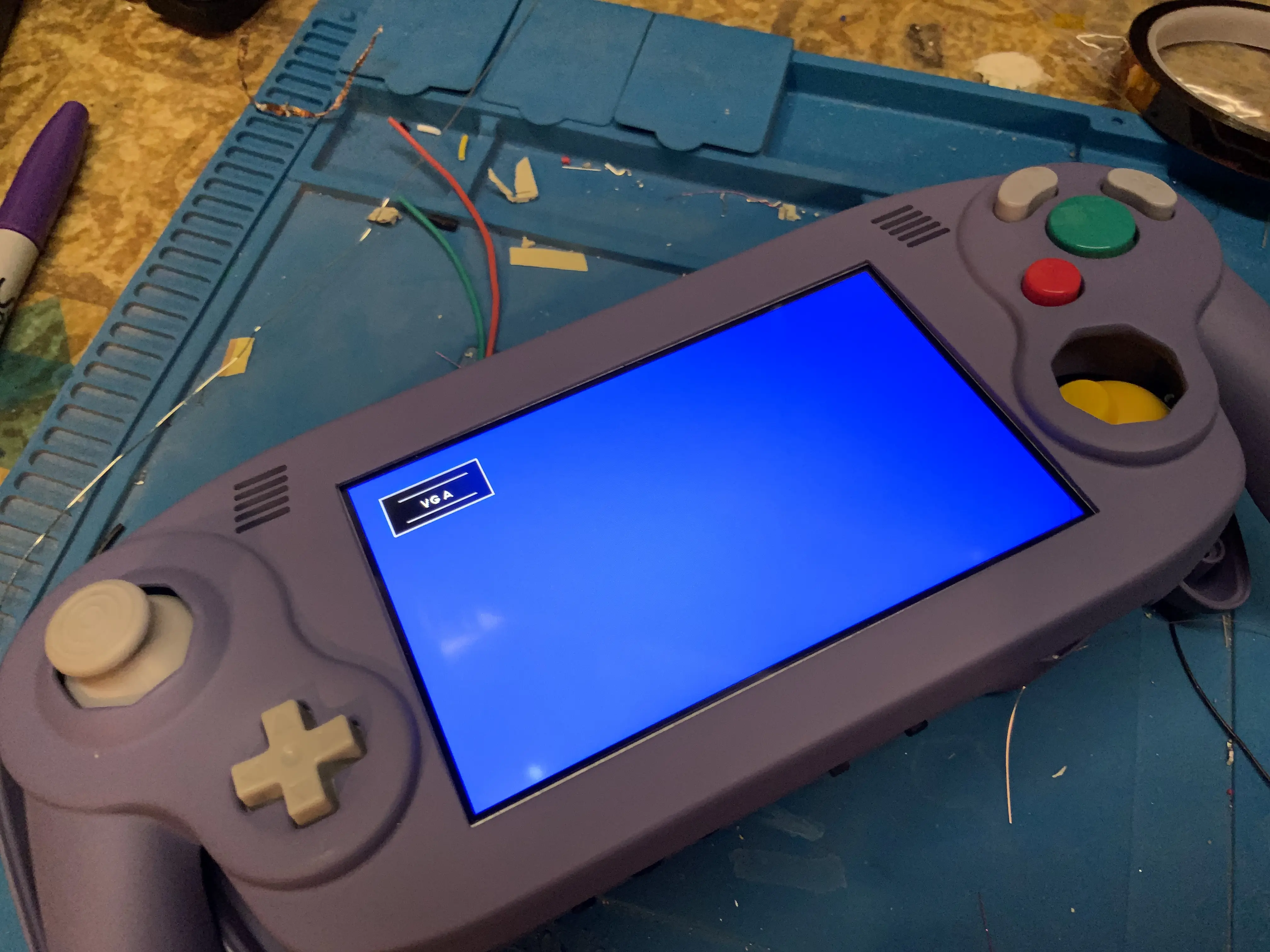
image.webp
image.webp

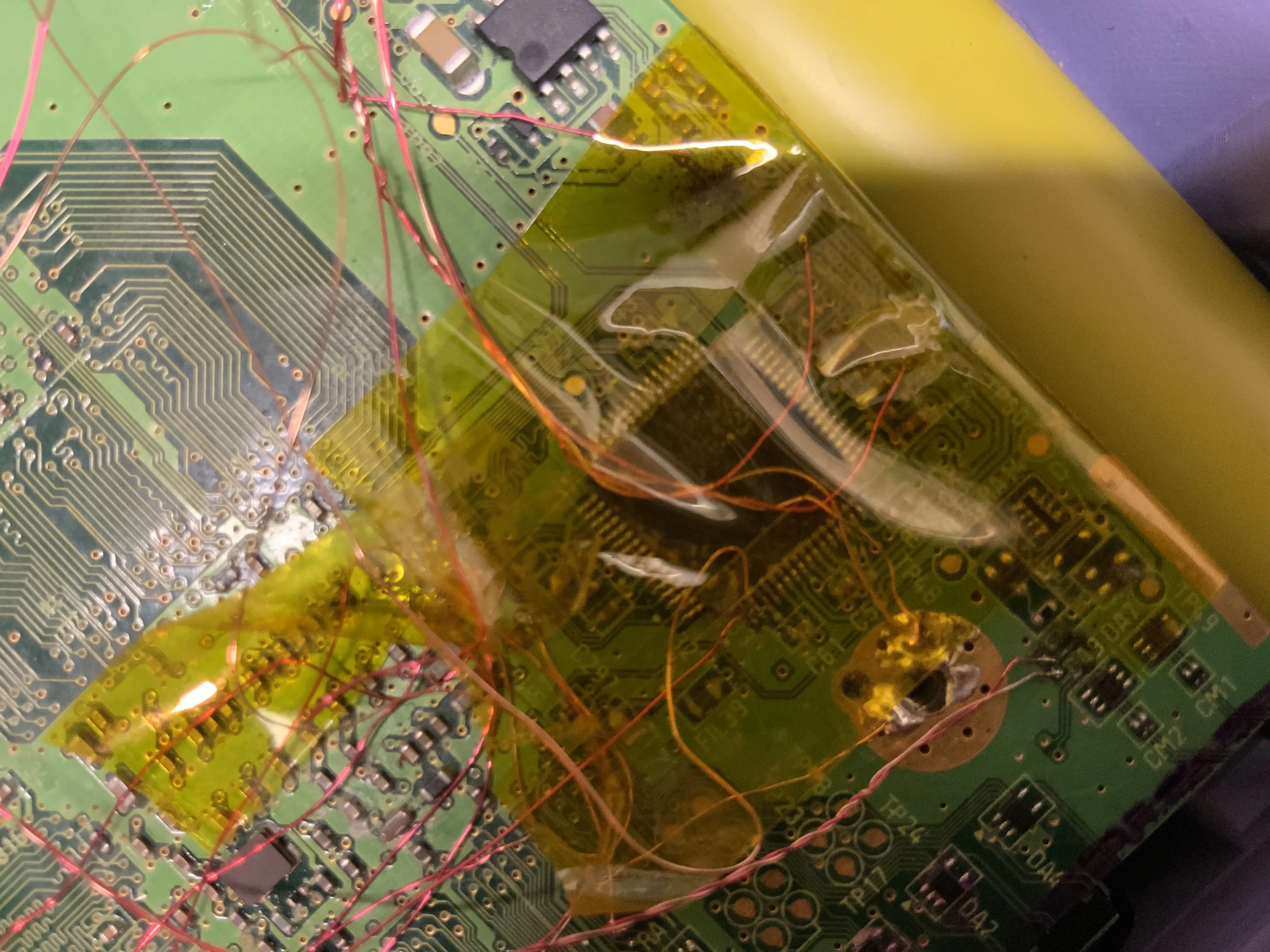
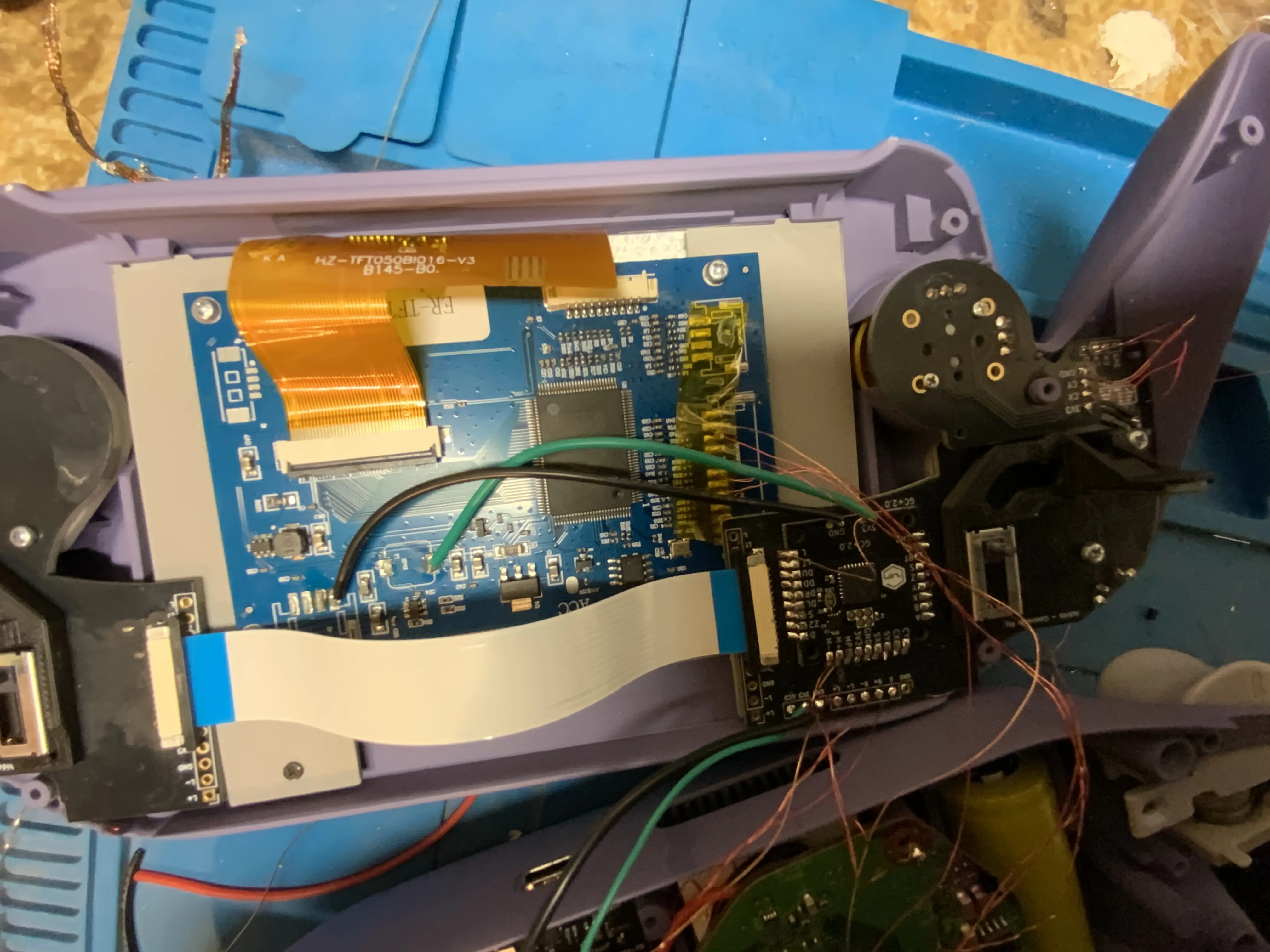
Here’s a look at the internals
image.webp
image.webp

What should I do
Also, I tried shortening the USB wire and it still doesn’t work, so I’m pretty sure that’s not the issue

 
Sweet case!
A few things to check:
  1. The VGA option needs to be enabled in the RVLoader installer. If you didn't do that, you need to re-run the installer.
  2. Make sure that the MODE pin is connected to 3.3v, if it isn't VGA will not display. It's hard to tell in the photos if it is connected.
  3. Sometimes the labels for the H-Sync and V-Sync pads are reversed on the driver board, try swapping them and see what happens.
  4. The twisted magnet wire for the RGB lines should be twisted much tighter to properly "shield" the sensitive analog signals. The best way is to twist them with a drill until it breaks. Here is an example from the Discord:
1763436234892.webp
 
@fluffypenguin covered just about all the bases, but I did want to add that you should really shield the GC Player 1 data line. The Ashida is a very noisy build in general, and the controller inputs can cut out on that line if you don't shield it.

I would also recommend experimenting with routing the wires inside your case if your VGA signal ends up having a lot of noise. Effective routing and shielding both play a critical role in getting the best image quality!
 
The picture is fuzzy so I can't tell for sure, but when looking at the AVE it looks like your H and V sync legs may have solder spikes shorting against neighbouring legs. Can you pull the kapton tape off and take a more clear photo of that?
 
Back
Top