Solved No VGA on My G-Boy

Joined
Apr 23, 2020
Messages
13
Likes
11
Location
US CA
Portables
1
Just realized I should have posted this in G-Boy questions forum not wii.. oops.

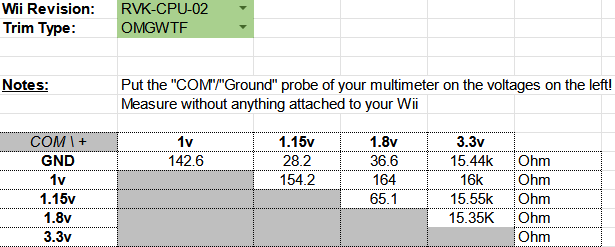
Greetings, never posted here but have lurked for a long time. I finally got around to working on the G-Boy I ordered 4 years ago, and pulled out my first trim and could not find the 7ohm short between my 3.3v and ground were after many re-sanding attempts and searching discord and the forums for any hints I ended up just shelving that trim and started a new one. Good news is I had another broken wii to trim and started that and the resistances are as below.
1738123882759.png


And after looking through the forums and the resistances page it looked ok so I got to work on the G-Boy
When it first booted up during the composite check step and I saw the RVLoader screen pop up on the little G-Boy display I was very happy. But that did not last long.
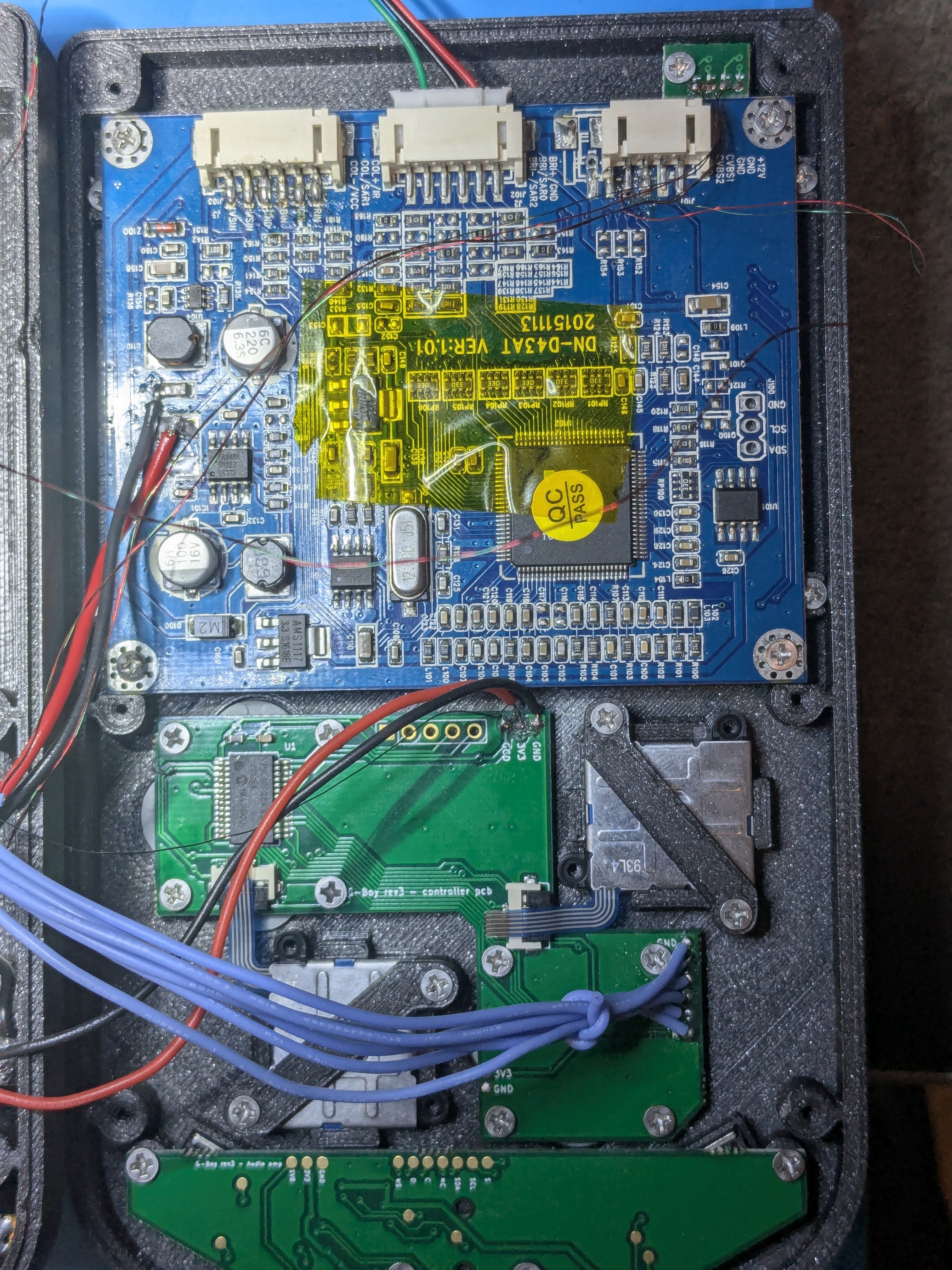
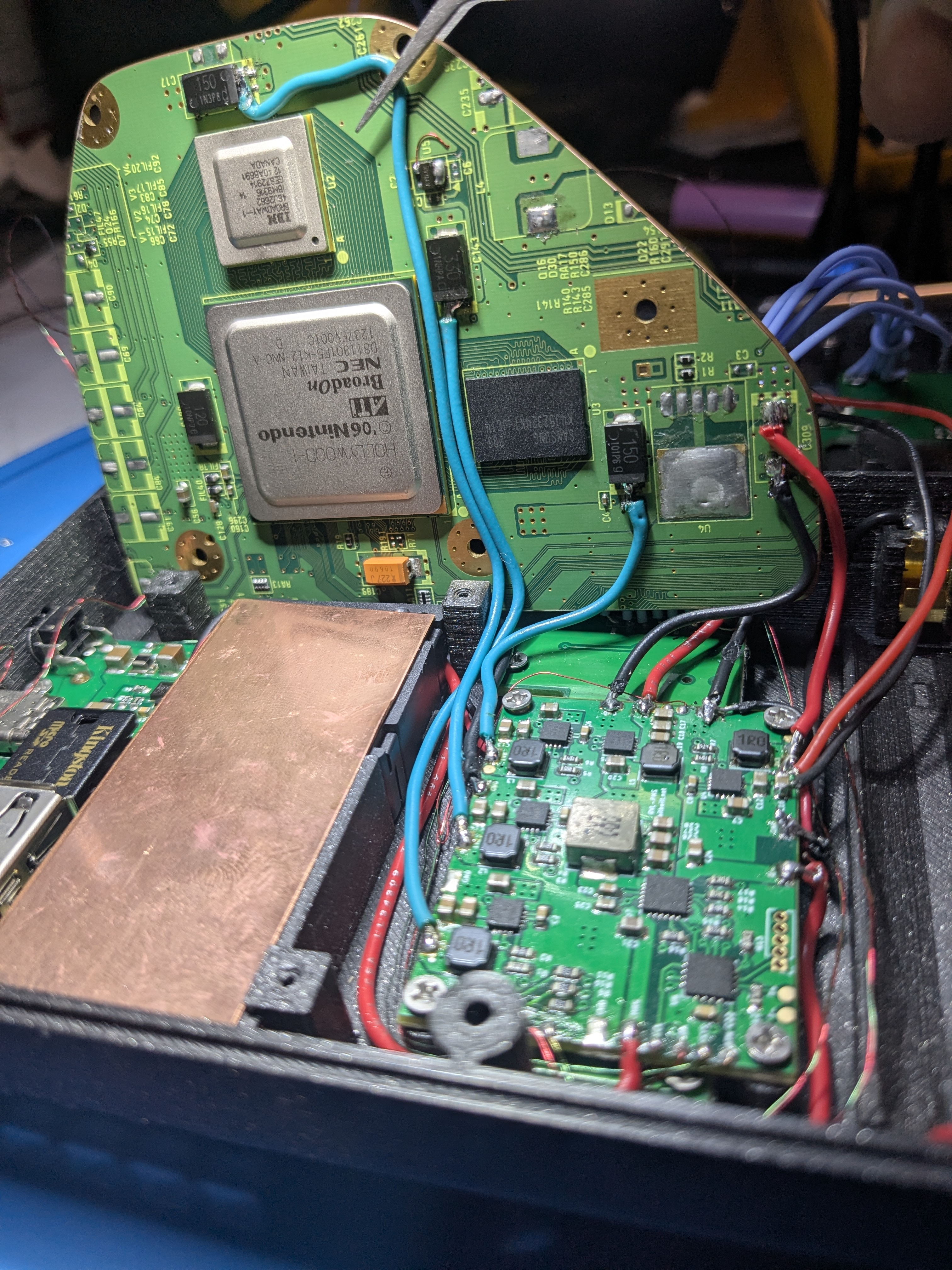
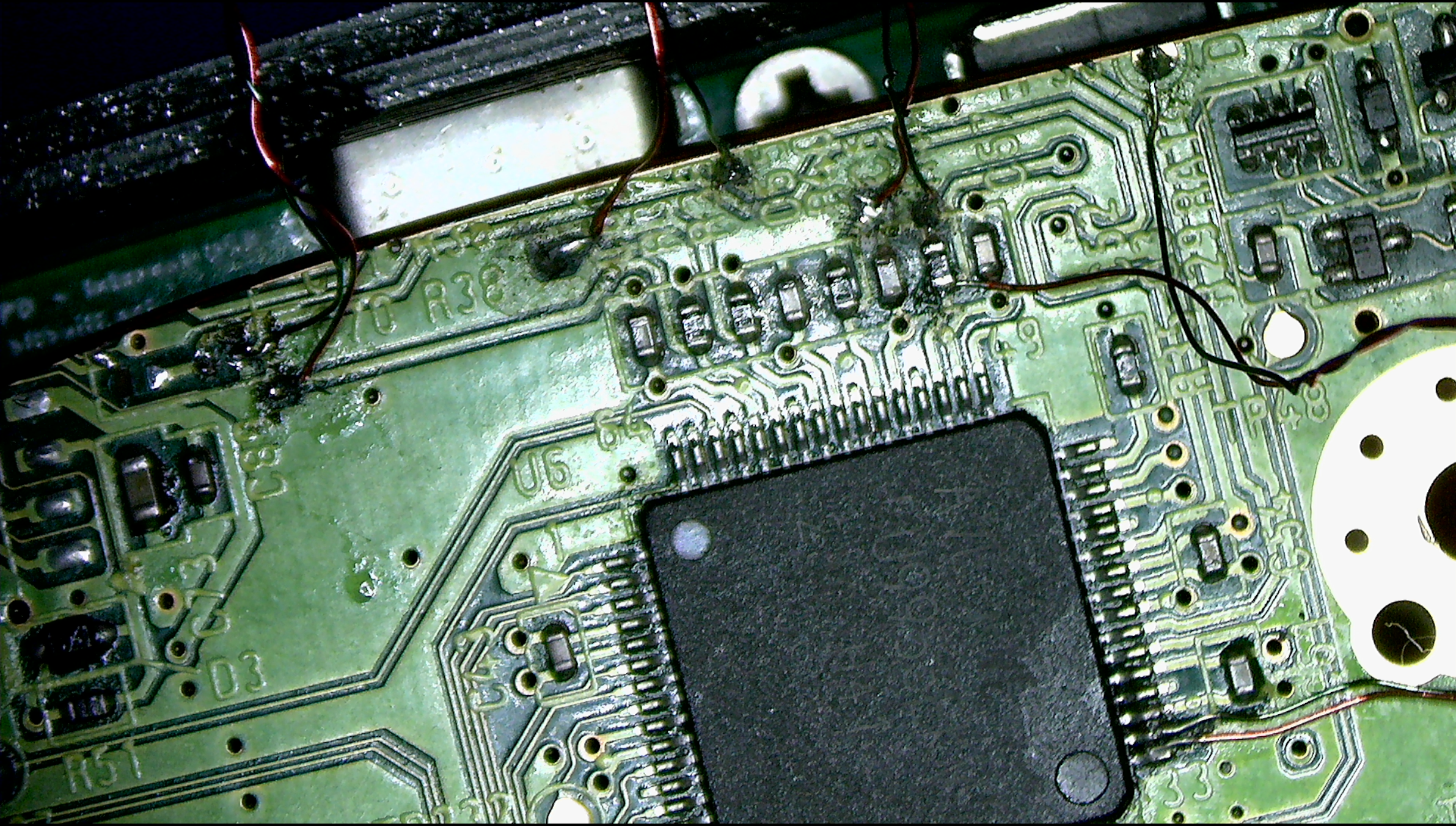
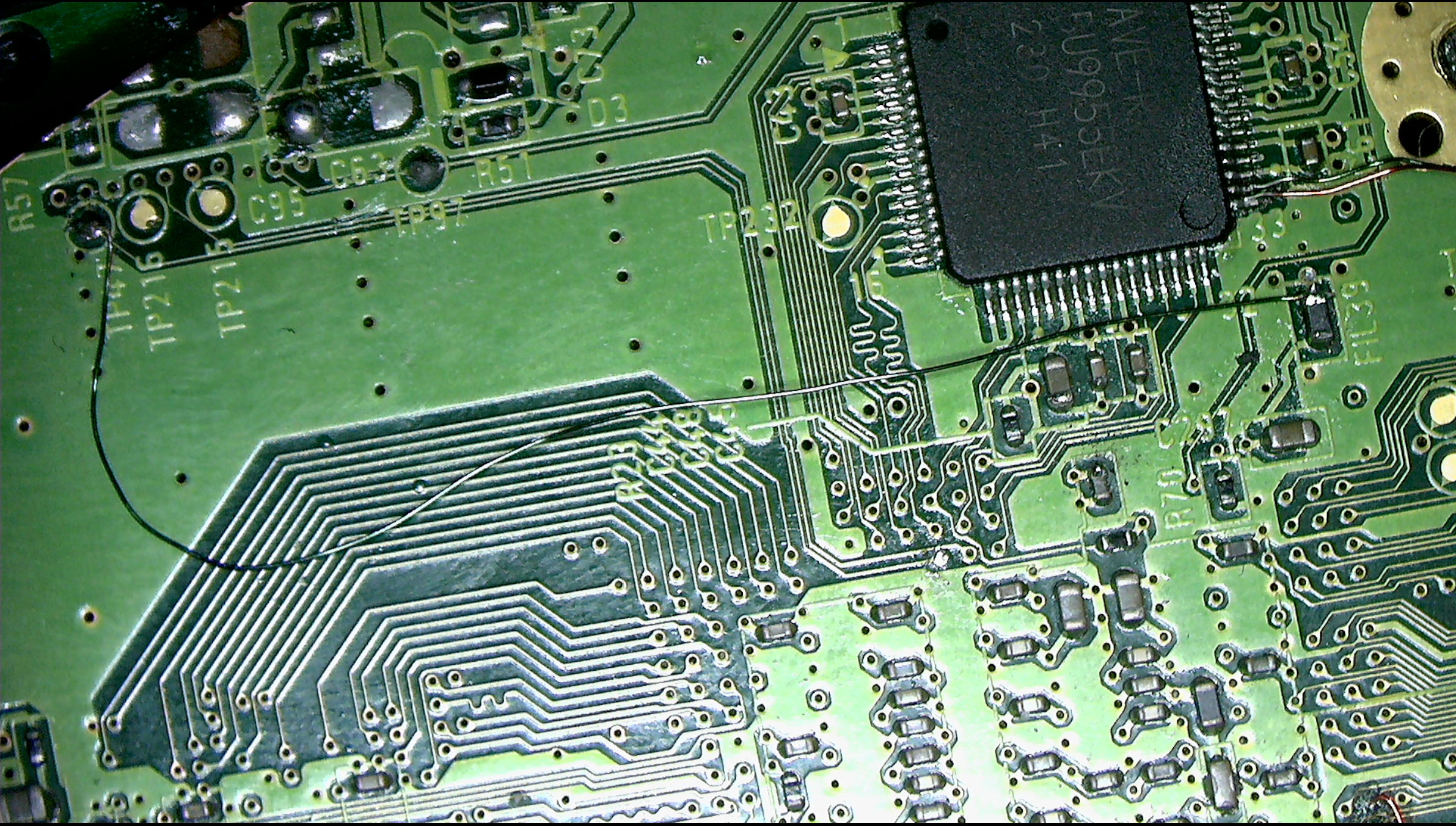
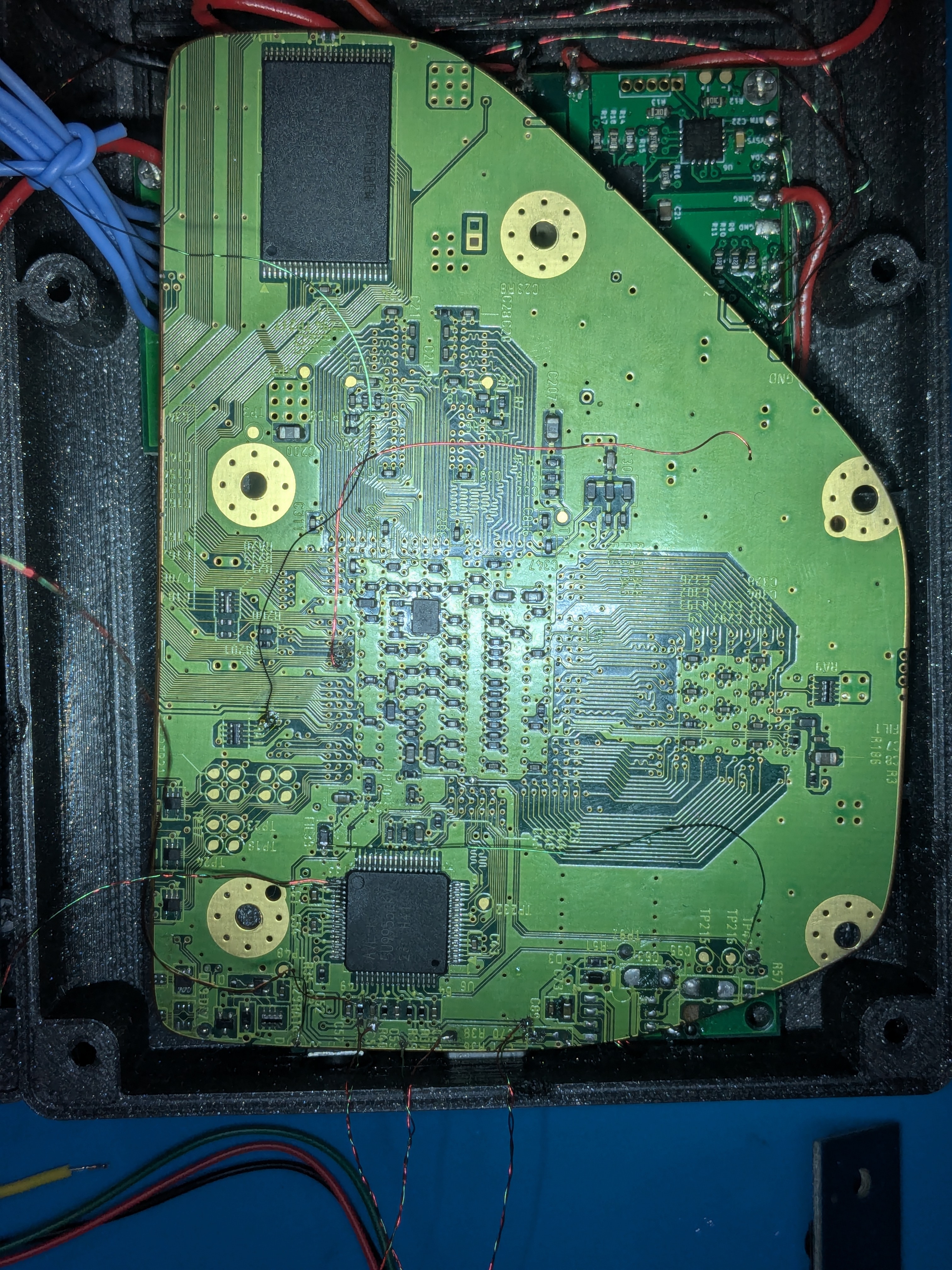
I wired up the GC+ G-Boy panel and wired up the VGA wires. Then added the 3.3v to mode connection and connected the display's control panel. Booted it up and hit source. Nothing just a quick black flash. Checked continuity between the display VGA connections and the AVE pins and it seems good. Did some re-soldering with different magnet wire after using the drill to make it all nicely wrapped and still no dice. Disconnected the mode - 3.3v wire and reconnected composite and booted it up, hit source on the screen, RVLoader pops up. So then I wired up a VGA cable to connect to a desk monitor and re attached mode - 3.3v and booted up, still no dice. So the last thing I did was I went back to composite, booted up into RVLoader and reinstalled it just incase I some how did not hit yes on the enable vga option. Reconnected mode - 3.3v and no dice. So now I am here asking if y'all have any suggestions below are some microscope pictures of the AVE area and overall pics. Right now the display is disconnected from vga due to wiring up the wii to a different monitor.
PXL_20250129_035952979.jpg

PXL_20250129_040002472.jpg
PXL_20250129_040212064.jpg
Screenshot 2025-01-28 202450.png
Screenshot 2025-01-28 202459.png


Any help is greatly appreciated!
-Gart
 
Yes, in my wall of text I mention I used composite to see if the trim was still working, board heats up yes, and in the microscope picture you can see I still have composite wired up since I've been using it to debug and rerun the installer for RVLoader to make sure VGA patch is applied.

My next step is going to be to try re-wire the VGA cables from the AVE side on the resistors, but I have good continuity as it is so I'm not very hopeful of it.
 
It's all looking pretty good to me. It's been a while since I've worked on a Wii though so I could be missing something obvious. I see you even have mode connected to 3.3v. Something that did jump out at me though was the H Sync and V Sync wires being twisted. I remember hearing you never want to twist those, not sure if this could be causing VGA to not work, but I think it's worth mentioning. You might also try swapping the H Sync and V Sync lines on the screen driver board along with switching the video source with the screen control board whenever you test this. Some screen driver boards have a silk screen misprint for the H Sync and V Sync lines, so whenever I have to troubleshoot VGA wiring, swapping H & V syncs around is something I do consistently seeing how you'll never really know for sure whether H & V sync were properly labeled.
 
Cy you are awesome. I removed the H & V sync wires added new ones that are not twisted and it worked. Today I learned no twisting H and V sync wires. Worked like a charm. Now i need to go back and clean up all these connections again and probably replace some of the power lines that have been singed by my iron.
 
  • Like
Reactions: cy
And then it suddenly stopped working LUL, V-sync to ground is like 2ohm so that's probably the issue now. Removed everything and checked the trim by itself and its still v-sync to ground at 2ohm. I know that pin is right next to ground so Im going to be trying to reheat it a few times to remove that issue.
 
I'm so glad it was working initially! Yeah, twisted H & V sync lines are a bad idea. I probed the V sync line on an untrimmed board and 2 trimmed boards with Mr. Multimeter to sanity check your suspicion. I was having trouble seeing the exact resistance value (given that holding the multimeter probes that precisely without looking is a real juggling act), but I can say that my resistances were nowhere near that low (And my audible multimeter didn't beep, so I know there wasn't continuity). As you had suggested, I'm willing to bet you accidentally shorted that V sync line to the ground pin next to it. It might help to take a picture of it and zoom in. That way we can have a better look at it, and you might be able to see details you couldn't otherwise.

If it is indeed a short between that pin and ground (which I'd put money on it being that) I would suggest fluxing the board, and touching up the pins a bit with your soldering iron. It's important to ensure your iron doesn't have any solder on it when doing so, otherwise, you'll likely end up making it worse. I'd prioritize getting the short out, and then you can resolder the wire after you verify it's no longer shorted.

In the event that you can't get the solder off, or accidentally make the problem worse with a blob of solder, you can always use solder wick to remove any excess solder.
 
Yep that's exactly what I did for a minute there, unsoldered the entire trim checked for any grounds on the voltage lines for sanity, then checked the v-sync line and still shorted, I'm half convinced maybe it wasn't the twisted wires and my v-sync was just shorted to ground anyways, I checked it under the microscope, did some flux and desolder wick, no luck figured I'd do it a little more with a different tip, but went to make dinner, when I came back and turned on the iron it didn't heat up so I proceded to tear it down checked the little green fuse and sure enough that's blown, ordered a replacement fuse on mouser just gotta wait for it to come. I've had this Weller station since the before fry's and circuit city vanished and it's seen a lot of work and should probably be replaced with a digital temp setting one instead of this old potentiometer dial one but it worked this whole time so eh, I'm tempted to just short around the fuse with my butane iron while I wait for the replacement fuse.
 
I did a bunch of flux and soldering wick and still have the short. So I lifted the H and V sync pins and checked them to ground after cleaning under them. Same 2.5 ohm short so my guess is its shorted through the AVE. Im gonna resand all the edges but its starting to look like this guy is destined to only be composite. but it also looks like other pins might be shorted so I need to hit the whole side again
1738292265485.png
 
Well I decided to remove the AVE and swap it with the one I have on the trim I mentioned in the beginning using my reflow station.Good news is the Vsync short is gone, unfortunately the 7ohm short to 3.3v rail from the first trim followed the AVE to the this trim. So at this point looks like I have 2 AVE-s that are bad in different ways. Unfortunate.
 
The pad for H seems like it's gone? (although it wouldn't matter much if you solder directly to the AVE leg, I think)

EDIT: BTW is the nand capacitor located at the edge of the board gone? it kinda looks like it... I don't think you're supposed to remove it.
 
Last edited:
Aside question: When connecting a battery to the RVL-PMS prior to hitting the power button I notice the resistance on my 3.3v line goes down to 170ohm, when I remove the battery the resistance climbs back to normal values. Is this expected behavior? I checked it both attached and unattached to the wii trim.
 
Measuring the resistance of a powered circuit doesn't give accurate results. Even when the PMS is "off", the lines are still live and there's a tiny bit of flow. Just enough to throw off readings, so yeah that's pretty expected.

It's why the docs for the PMS say to always disconnect the batteries before doing any soldering to the PMS or anything connected to it. Not doing so can damage your equipment, the PMS, and everything downstream
 
Thanks just wanted to make sure that it was normal for the RVL-PMS.I'm used to circuits that do not have any power down the line prior to "closing" the circuit ie with button or switch. I recalled all those physics and electronics classes and typically do not connect my ohm meter to powered circuits cause it can break the meter, I was under the impression it was all isolated until power on received.
 
Back
Top