
- Joined
- Oct 2, 2026
- Messages
- 22
- Likes
- 7
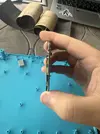
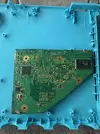
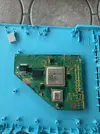
Hello, my name is Garrett or by my username Brosome1015. I've been infatuated by the Wii potabilization community for years now, starting with Shank Mods PiiWii he built all the way back in 2018. When i first watched his video it sparked a new interest leading me down the rabbit hole of Wii portables and console hacking. The only problem was I was 12 at the time and had no money. But now since I'm older with a income I want to start to make my childhood dream come true, building a portable Wii.
Now this is something I know from lurking on this forum that it's not an easy thing to do, especially for a beginner who has zero experience with soldering but I am very determined to learn and make this thing work. If there are anyone with tips for absolute beginners please feel free to post on here or message me on discord, I will usually respond pretty fast. But anyhow I do have a couple of Questions to start off with.
1. What is the difference between the Rvl-DD and the driver board that comes with the 5" widescreen
2. Is there any guides for the steps of wiring of the portable
3. Whats better the U-Amp 2 or the Rvl-Amp
That's all i can think of for now I will respond asap but i may be busy, thank you for taking the time to read and respond.
Now this is something I know from lurking on this forum that it's not an easy thing to do, especially for a beginner who has zero experience with soldering but I am very determined to learn and make this thing work. If there are anyone with tips for absolute beginners please feel free to post on here or message me on discord, I will usually respond pretty fast. But anyhow I do have a couple of Questions to start off with.
1. What is the difference between the Rvl-DD and the driver board that comes with the 5" widescreen
2. Is there any guides for the steps of wiring of the portable
3. Whats better the U-Amp 2 or the Rvl-Amp
That's all i can think of for now I will respond asap but i may be busy, thank you for taking the time to read and respond.