Question Help with driver board

Joined
Jan 4, 2023
Messages
78
Likes
27
Ok so I'm building an Ashida and I'm having a video issue, but I think that's due to me not patching in VGA when I installed RVLoader, I was wondering if anyone knows how to switch the display over to composite so I can see if everything is wired correctly. I bought the 5" IPS display and driver board from 4layer tech and it boots to VGA, but I need to switch over to composite. I was sent the blue drive board from 4layer. Board says PCB80050V9 on it, but I cant seem to find any info on how to switch the display from one source to another.
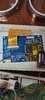
 

Attachments

  • 20230305_171957.jpg
    20230305_171957.jpg
    1.2 MB · Views: 297
Ok so I'm building an Ashida and I'm having a video issue, but I think that's due to me not patching in VGA when I installed RVLoader, I was wondering if anyone knows how to switch the display over to composite so I can see if everything is wired correctly. I bought the 5" IPS display and driver board from 4layer tech and it boots to VGA, but I need to switch over to composite. I was sent the blue drive board from 4layer. Board says PCB80050V9 on it, but I cant seem to find any info on how to switch the display from one source to another.
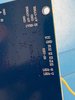
Did you end up figuring it out?
 
I found this photo on Ali Express, just don’t know what buttons do what
IMG_4594.jpeg
 

Attachments

  • IMG_4595.jpeg
    IMG_4595.jpeg
    1.1 MB · Views: 294
Ok so I'm building an Ashida and I'm having a video issue, but I think that's due to me not patching in VGA when I installed RVLoader, I was wondering if anyone knows how to switch the display over to composite so I can see if everything is wired correctly. I bought the 5" IPS display and driver board from 4layer tech and it boots to VGA, but I need to switch over to composite. I was sent the blue drive board from 4layer. Board says PCB80050V9 on it, but I cant seem to find any info on how to switch the display from one source to another.
K1-K5 are the input pads for the screen controls. You can find out what pads do what by soldering a wire to a ground location and poking the K pads with the other end of the wire. Once you know which pad corresponds to which button, you can look at either wiring buttons for them or using CrazyGadget's OSD control board
 
I ended up getting my hands on that break out board in the photo above, and verifying the following controls:

1682959192710.png
 
I just tried this without luck. Shorting K5 to K4 didn't work for me. I had to short K5 (Source/Auto) to Ground to change the input. Hopefully, this helps someone else in the future. :)
 
Back
Top