I managed to run this with usb loader GX on a wii untrimmed
This is my configuration:
* Fresh uneek + di generated by ModMII
* Ios + cios automatically generated by ModMII
* USB loader GX channel with ahbprot
* Generic 8GB SDHC formatted in FAT32 in 32k
* Generic SATA USB case with 320GB disk formatted in FAT32 in 32k
* The file that is in the first POST
The steps to follow are the same published by
@Aurelio
with some changes
Unzip the archive and copy all the content of WMEmuHack to the root of your USB drive. Very important: merge the folders, don't replace them.
- 1) Power on your Wii and run the homebrew "BTWiimoteInject" and when it's done turn off your Wii (there's no soft-exit).
- 2) Run "WiimoteEmuConfig" in homebrew channel and map the controls for your games (it will list all the games in the wbfs folder).
- 3.a) Power on the Wii again and from USB loader GX go in Features settings and select the option "Export SYSCONF to EMUNAND"
(You need to have previously configured the path of the emunand in "Custom paths", ModMii nand path is USB:/nands/PL_US);
Go to the USB loader GX channel (without leaving the usb loader GX) open configuration> Game load> change emunand option to "neek" > save
- 3.b)Video step by step
NOTES
To play without GC2 Wiimote:
Run usb loader GX> start your game of preference
To play with GC2 Wiimote:
Run usbloaderGX, while in usbloadergx run usbloader GX (this will activate the emunand) run your game of choice
If someone is interested could put some screenshots, my English is not the best I apologize for the errors



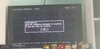
 nands\PL_US);

