- Joined
- Jun 1, 2024
- Messages
- 18
- Likes
- 3
Hello all,
first of all a quick intro.
my name is Rick from the Netherlands. Im new to the channel and recently started my first build of an Ashida Wii portable.
I have to say that at the beginning it went well, but know its almost finished im having some trouble.
while doing the build I constantly kept testing the functionality of the Wii incl RVloader with a AV connector. So I know it worked.
The issues started when I was almost finished and also the Ashida screen was connected.
Because that moment I wanted to change all setting and update the PMS lite to 1.2.
I copied the downloaded file on my sd card and I started the download.
the download froze up at 51% and did not continue. So in the end needed to reset the console by removing the battery.
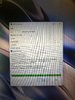
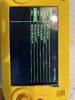
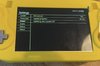
After reconnecting the battery I could re-do the update but at 99% procent the console reboots and the update is not done. (See picture )
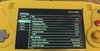
The PMS lite fw version currently is 0.0, is this correct? Im worried this happened after the first try of doing the update (see picture)
Sometimes the update succeeds, but it tell me it updated it to 0.0. And I double checked the downloaded 1.2 file. If i remove it the console tells me to put the file on the sd card. So file is at least seen but not correctly downloaded.
And im seeing all the modules. So I should at least have some communication.
The second issue I have. That the Ashida automatically turns on when I insert the battery. Does not need the power switch at all and also does not respond at all at the switch. Rechecked my wiring. The switch wil go to ground ones toggles. Should be good. But for now I need to remove the battery.
With not the proper firmware on the PMS lite, I can’t use the fan. So console feels at least really hot. Also im not able to check the current battery temp. Guess related to the fw I cant install.
I am able to play a game sometimes. But in most situations the game does not boot up or I have only audio. And the screen stays blue.
I’ve contacted 4layer too, they told me to check my I2C wiring.
i re-did them. With new magnet wires. Directly from Wii to Pms lite, and from there to the Audio board.
Also to be sure, re-did my usb wires and made them as short as possible.
For know, no changes.
Please help me out where to continue my troubleshooting.
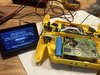
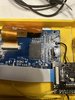
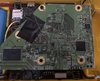
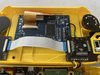
Added some pics. Hopefully that helps.
used components:
Pms lite
Pms pd 3 (with sd card reader)
Rvl amp
Blue lcd board
RVloader 2.0
-Rick
first of all a quick intro.
my name is Rick from the Netherlands. Im new to the channel and recently started my first build of an Ashida Wii portable.
I have to say that at the beginning it went well, but know its almost finished im having some trouble.
while doing the build I constantly kept testing the functionality of the Wii incl RVloader with a AV connector. So I know it worked.
The issues started when I was almost finished and also the Ashida screen was connected.
Because that moment I wanted to change all setting and update the PMS lite to 1.2.
I copied the downloaded file on my sd card and I started the download.
the download froze up at 51% and did not continue. So in the end needed to reset the console by removing the battery.
After reconnecting the battery I could re-do the update but at 99% procent the console reboots and the update is not done. (See picture )
The PMS lite fw version currently is 0.0, is this correct? Im worried this happened after the first try of doing the update (see picture)
Sometimes the update succeeds, but it tell me it updated it to 0.0. And I double checked the downloaded 1.2 file. If i remove it the console tells me to put the file on the sd card. So file is at least seen but not correctly downloaded.
And im seeing all the modules. So I should at least have some communication.
The second issue I have. That the Ashida automatically turns on when I insert the battery. Does not need the power switch at all and also does not respond at all at the switch. Rechecked my wiring. The switch wil go to ground ones toggles. Should be good. But for now I need to remove the battery.
With not the proper firmware on the PMS lite, I can’t use the fan. So console feels at least really hot. Also im not able to check the current battery temp. Guess related to the fw I cant install.
I am able to play a game sometimes. But in most situations the game does not boot up or I have only audio. And the screen stays blue.
I’ve contacted 4layer too, they told me to check my I2C wiring.
i re-did them. With new magnet wires. Directly from Wii to Pms lite, and from there to the Audio board.
Also to be sure, re-did my usb wires and made them as short as possible.
For know, no changes.
Please help me out where to continue my troubleshooting.
Added some pics. Hopefully that helps.
used components:
Pms lite
Pms pd 3 (with sd card reader)
Rvl amp
Blue lcd board
RVloader 2.0
-Rick
Attachments
Last edited: