Alright, so as a part of the ongoing bits towards building my Gamecube Laptop, still in it's infancy of the design stages, I am going to be building a custom arcade style controller to use as the main controls.
I plan to use Aurelio's controller board for the ease of use and space saving, as I will be using this in the keyboard area of my project and do not want to add any ridiculous amount of thickness to it.
Now I have seen several different controllers on the web that are considered arcade style, which is all well and dandy,


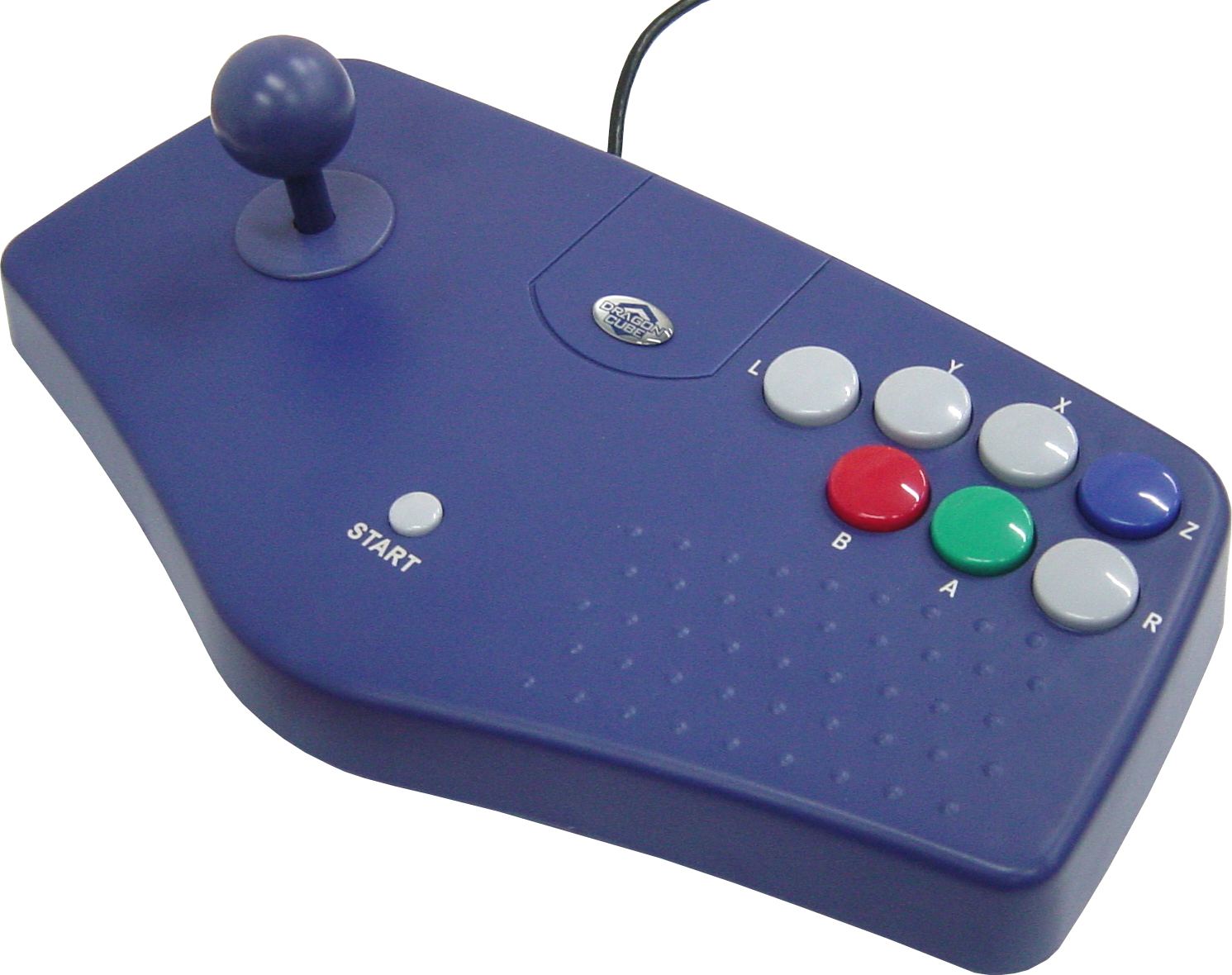
but I haven't seen any that actually make use of all the inputs.
What I am asking here is, what do you guys think would be a comfortable layout for using all available inputs?
I already intend to use the double-tact method for the L and R buttons, and was thinking of trying with a layout similar to last image I showed above when it comes to the main buttons, where the L,R,A,B,X,Y buttons would be accessible with a single hand, and perhaps the c-stick (going to change the actually stick to something more flat) being thumb accessible nearby the primary buttons.
This is the basic work space I am dealing for adding the controls in, I apologize as it is poorly done, and realistically not even scale as I haven't finished an actual design.

The black lines around the edges are the no-mans-land space I intend to use for rubberized material for when I close the laptop, the blue/grey bar where it says System Control Space, is for where I will be putting the assorted controls and switches that power and control the laptop itself, and the center oval is where I will be placing an opening panel that covers the WODE slave board and screen.
What spacing and setup do you guys think would be comfortable to you for a flat arcade style controller?
I plan to use Aurelio's controller board for the ease of use and space saving, as I will be using this in the keyboard area of my project and do not want to add any ridiculous amount of thickness to it.
Now I have seen several different controllers on the web that are considered arcade style, which is all well and dandy,
but I haven't seen any that actually make use of all the inputs.
What I am asking here is, what do you guys think would be a comfortable layout for using all available inputs?
I already intend to use the double-tact method for the L and R buttons, and was thinking of trying with a layout similar to last image I showed above when it comes to the main buttons, where the L,R,A,B,X,Y buttons would be accessible with a single hand, and perhaps the c-stick (going to change the actually stick to something more flat) being thumb accessible nearby the primary buttons.
This is the basic work space I am dealing for adding the controls in, I apologize as it is poorly done, and realistically not even scale as I haven't finished an actual design.
The black lines around the edges are the no-mans-land space I intend to use for rubberized material for when I close the laptop, the blue/grey bar where it says System Control Space, is for where I will be putting the assorted controls and switches that power and control the laptop itself, and the center oval is where I will be placing an opening panel that covers the WODE slave board and screen.
What spacing and setup do you guys think would be comfortable to you for a flat arcade style controller?