Hello! I'm currently building my first ashida and i was just getting finished with closing everything up. USB, audio, video and other scary things luckily all work flawlessly but I'm having some trouble with the sticks.
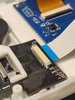
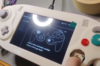
When I first tried it yesterday i noticed that the C-stick was working fine while the left sticks x axis didn't seem to work at all. I redid the ribbon cable connector pin soldering because i noticed that the pin responsible for SX wasn't looking good. When i tested it afterwards the left stick wasn't working anymore at all (no input from the x axis and now the y axis) and for some reason the C stick now also controls part of the left stick (as you can see in the image below: i press down on the C stick and it moves to the left while the main left sticks input appears as "down".)
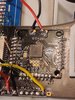
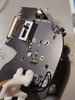
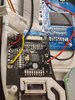
I checked all my solder points and redid some, cleaned off the flux, checked and cleaned the ribbon cable connectors + the ribbon cable itself, checked the sticks wiring and i did many continuity checks between the SX/SY and CX/CY pads and there doesn't seem to be a short (which would've explained both sticks moving at the same time).
Any ideas or any places I should check next?I can provide more images if necesary
Thank you!
When I first tried it yesterday i noticed that the C-stick was working fine while the left sticks x axis didn't seem to work at all. I redid the ribbon cable connector pin soldering because i noticed that the pin responsible for SX wasn't looking good. When i tested it afterwards the left stick wasn't working anymore at all (no input from the x axis and now the y axis) and for some reason the C stick now also controls part of the left stick (as you can see in the image below: i press down on the C stick and it moves to the left while the main left sticks input appears as "down".)
I checked all my solder points and redid some, cleaned off the flux, checked and cleaned the ribbon cable connectors + the ribbon cable itself, checked the sticks wiring and i did many continuity checks between the SX/SY and CX/CY pads and there doesn't seem to be a short (which would've explained both sticks moving at the same time).
Any ideas or any places I should check next?I can provide more images if necesary
Thank you!