

VectorPad - A Modern Vectrex Controller
8/4/26:
The Vectrex is my favorite retro game console of all time. I love the crisp vector lines/graphics that the deflection circuit draws. It is truly an unmatched experience and I plead to you, if you have the chance to use one in person, take that chance! For this Summer Building Competition, I wanted to build a modern version of the Vectrex controller since they are getting more expensive year after year. I was able to find a Vectrex on eBay for a good price ($280 USD). The seller listed it as "100% dead", but I didn't really believe that. The reason I was willing to spend that much on a "dead" console is because I had reason to believe that the power switch just had dried-out grease that made it non-conductive (very common failure point).
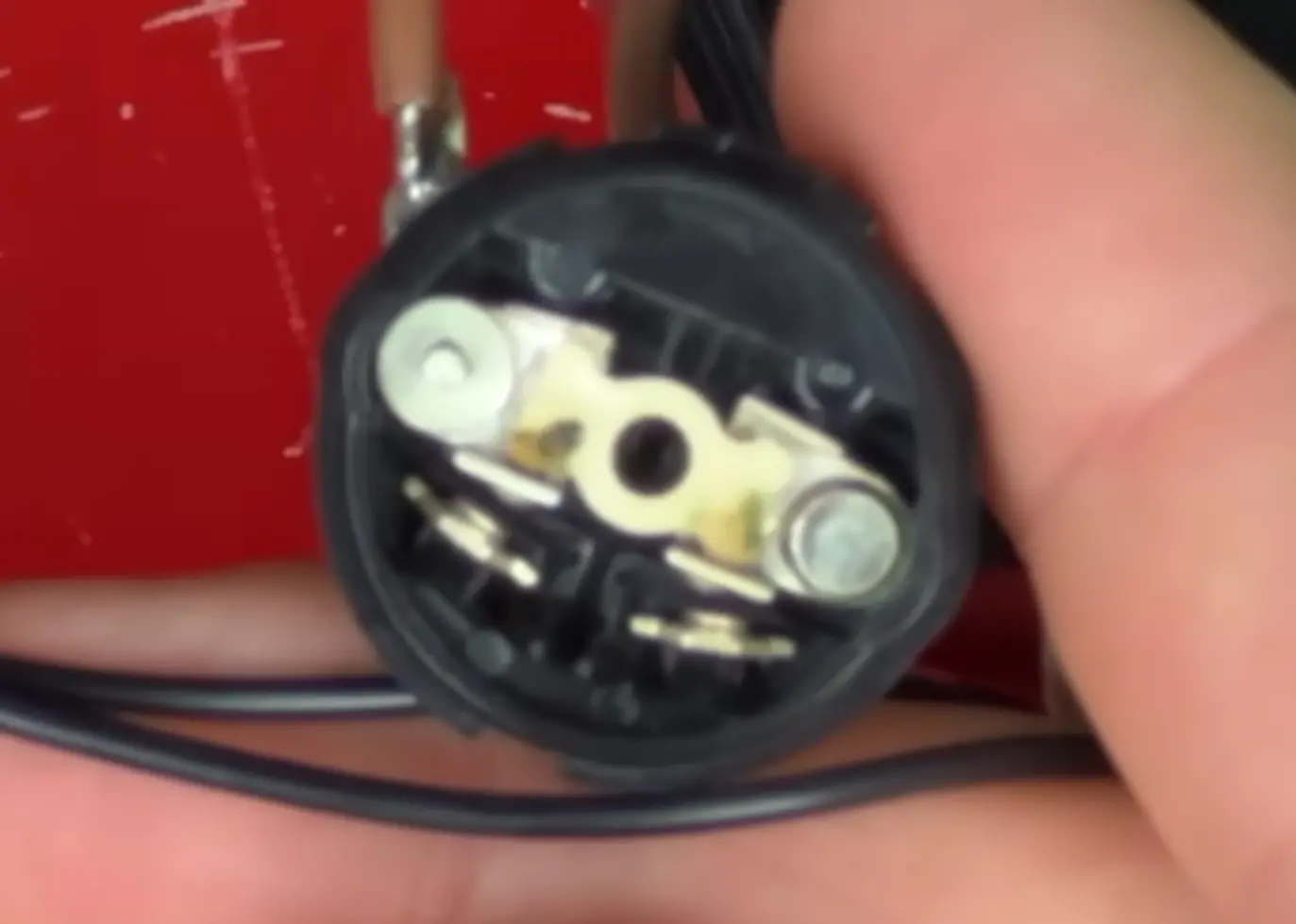
IMAGE CREDIT: JAMES CHANNEL ON YOUTUBE
This can be a simple fix—just flick the power switch back and forth with the Vectrex unplugged and it can free any of that old grease. Luckily for me... that was the fix that it needed! I'd say I got pretty lucky since my unit is in great shape!
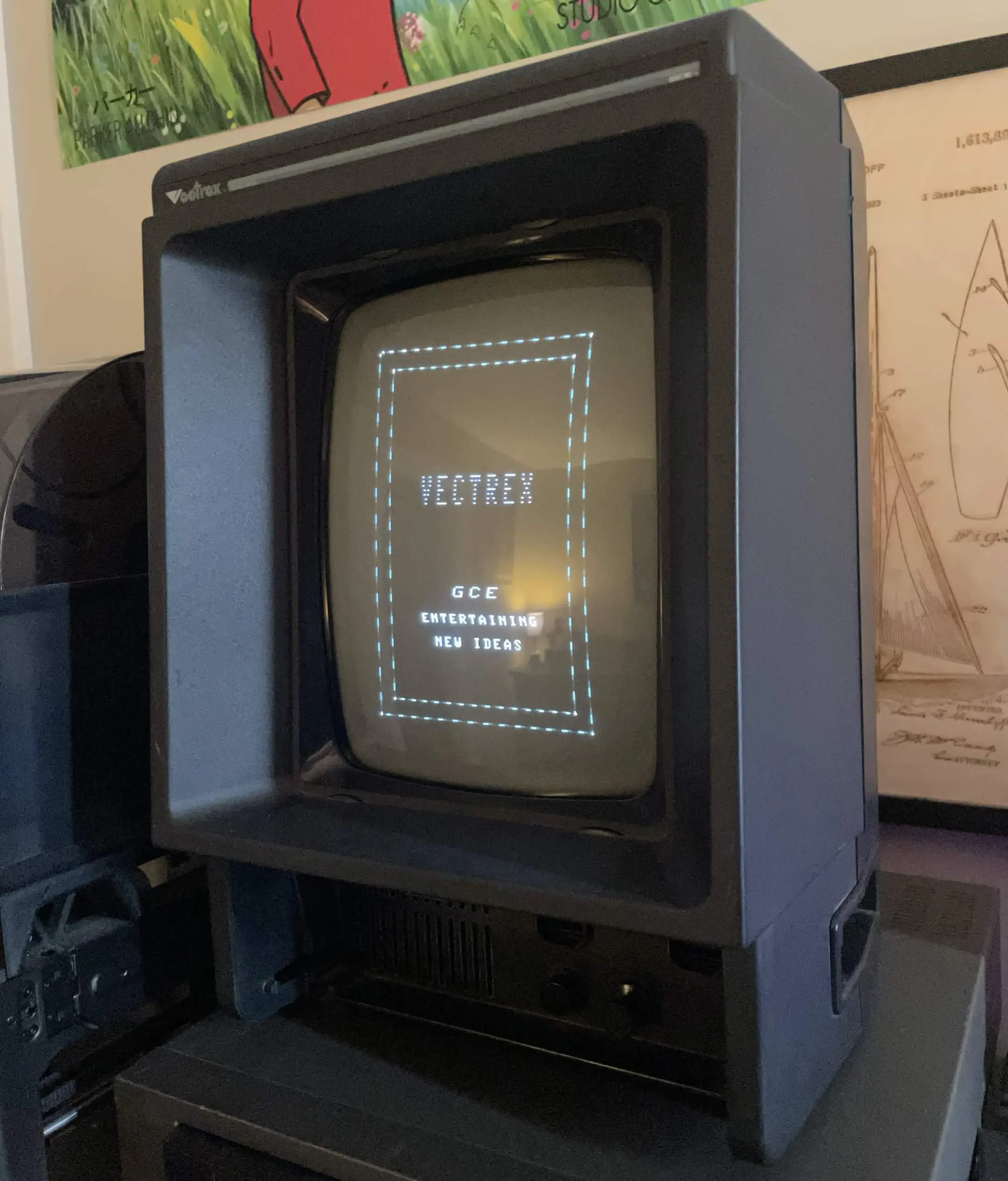
There's one issue with my Vectrex, and that is that it didn't come with a controller, and controller replacements can be VERY expensive! Even reproduction controllers can cost a lot of money ($100 to $200+), so my aim is to re-make the Vectrex controller with modern components, parts, and a custom PCB and housing!
Goals:
8/11/26:
The Vectrex's service manual includes a schematic for the controller. The controller uses a standard DB9 connector (exact connector out of an Atari 2600). The Vectrex was actually the first game console to include an analog stick for a controller!
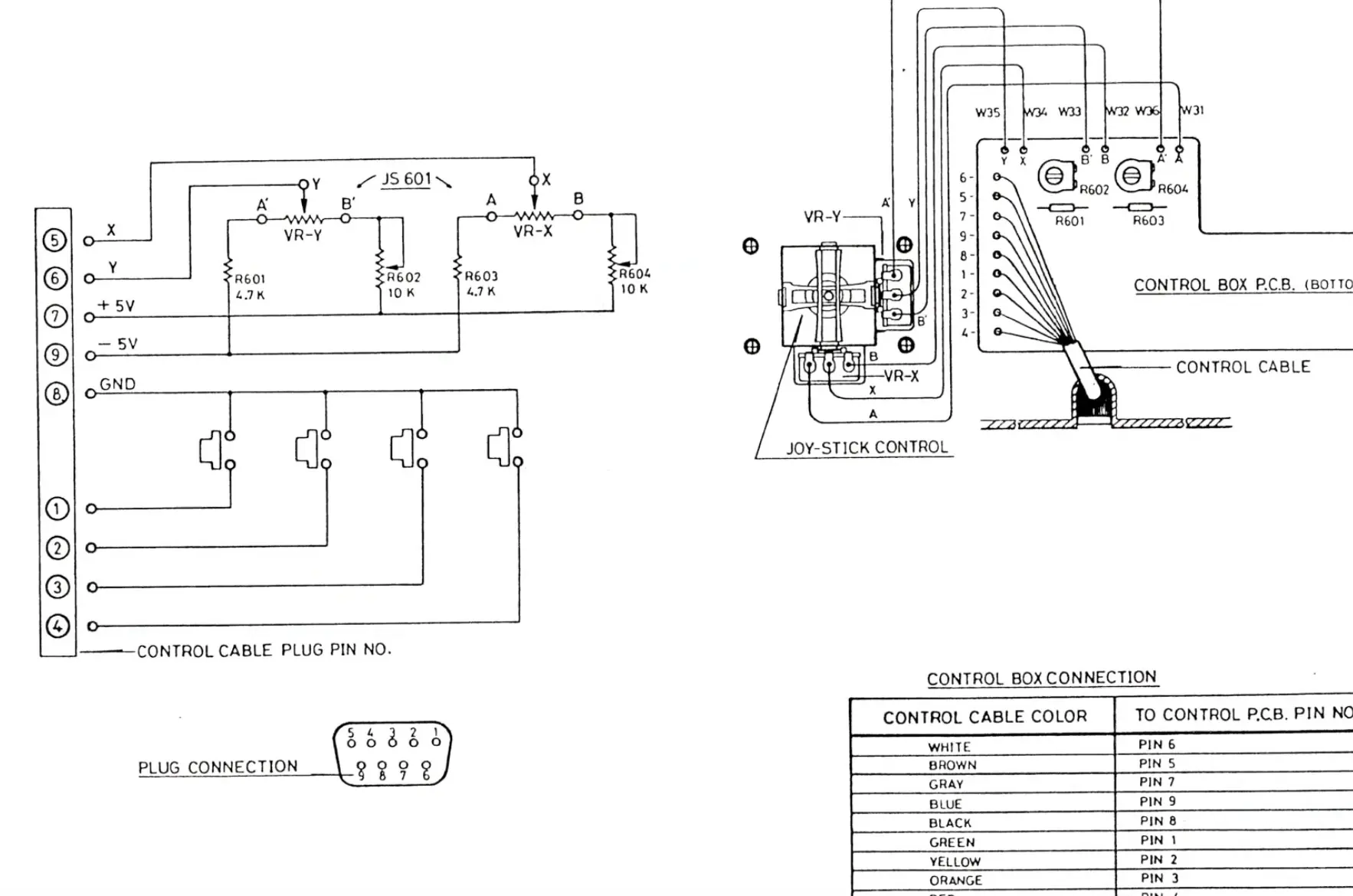
IMAGE CREDIT: G.C.E. HP-3000 VECTREX ARCADE SYSTEM SERVICE MANUAL
In my EDA software, I recreated this schematic, but with modern components:
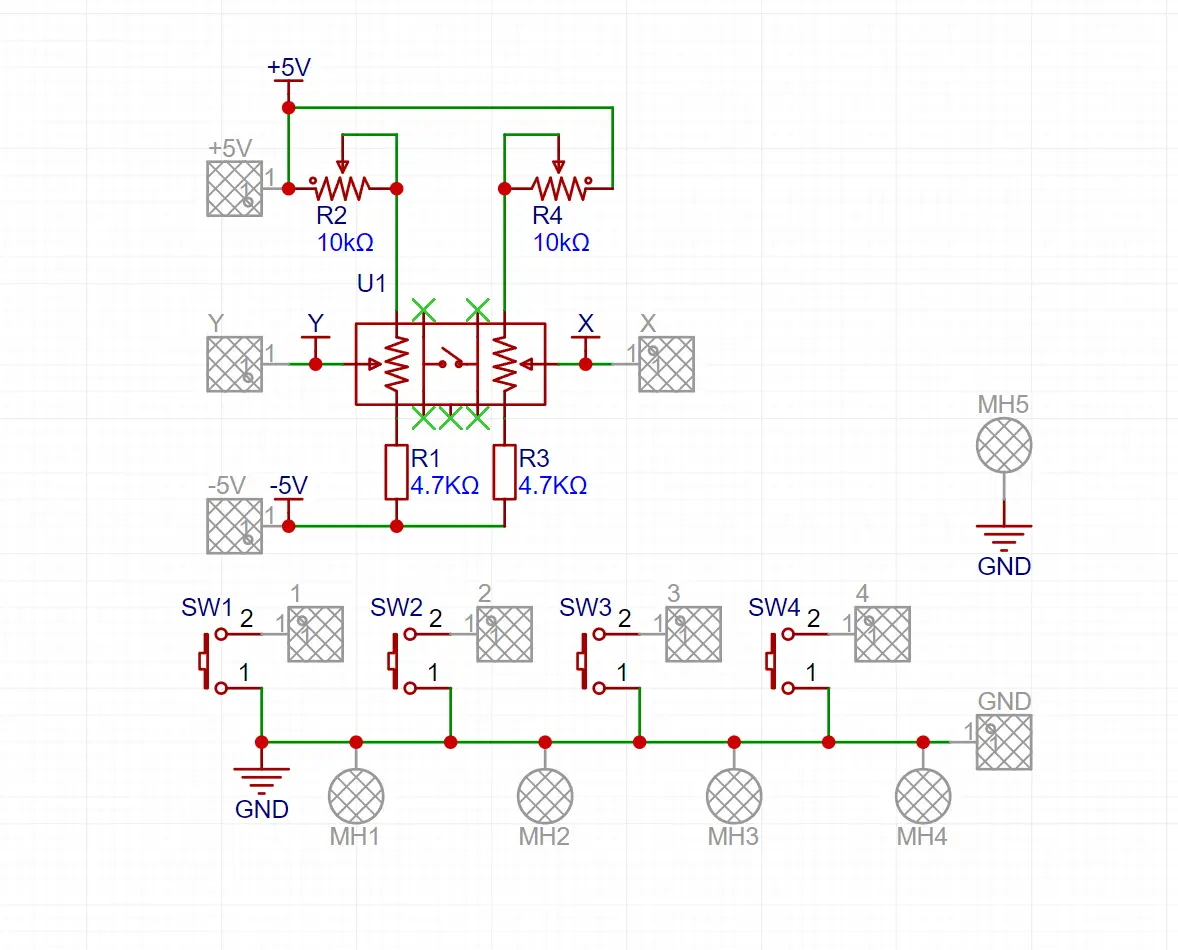
My design uses:
8/13/26:
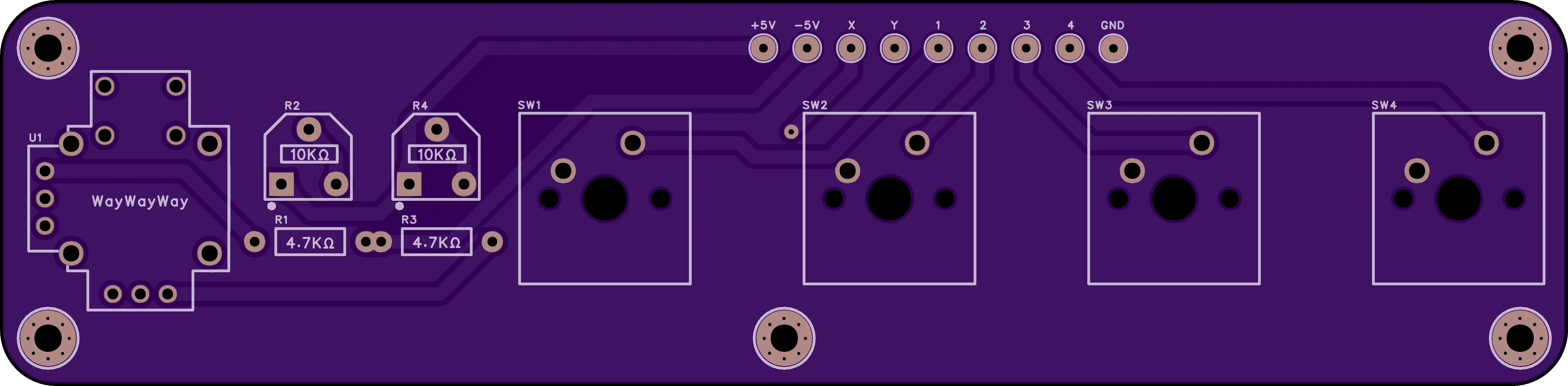
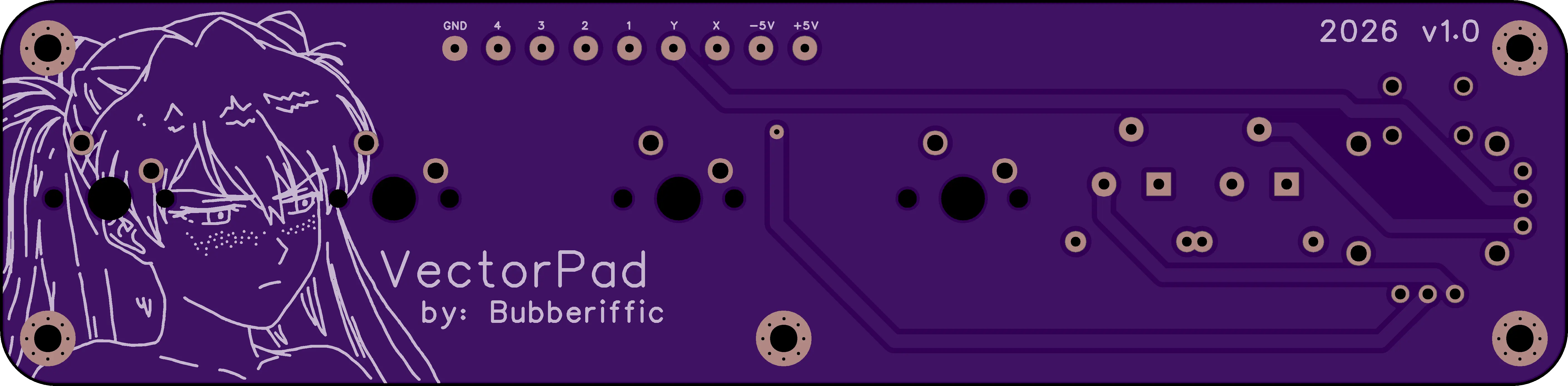
I've started working designing a PCB for this project, and I've completed the design. I have not ordered the boards as of now because I need to double check if the analog stick is in the right orientation (I'll do that when I get the sticks in the mail). I also did some custom art for the back of the PCB since I've never done that before for a project and I thought it would be fun to start here!
8/15/26:
I've got all the parts ordered that I hadn't ordered already, so I'll update more as those begin to arrive. I plan on making a crude version of the controller on Prototyping Board just to double check the schematic and measurements that I made are 100% correct and functional.
8/4/26:
The Vectrex is my favorite retro game console of all time. I love the crisp vector lines/graphics that the deflection circuit draws. It is truly an unmatched experience and I plead to you, if you have the chance to use one in person, take that chance! For this Summer Building Competition, I wanted to build a modern version of the Vectrex controller since they are getting more expensive year after year. I was able to find a Vectrex on eBay for a good price ($280 USD). The seller listed it as "100% dead", but I didn't really believe that. The reason I was willing to spend that much on a "dead" console is because I had reason to believe that the power switch just had dried-out grease that made it non-conductive (very common failure point).
IMAGE CREDIT: JAMES CHANNEL ON YOUTUBE
This can be a simple fix—just flick the power switch back and forth with the Vectrex unplugged and it can free any of that old grease. Luckily for me... that was the fix that it needed! I'd say I got pretty lucky since my unit is in great shape!
There's one issue with my Vectrex, and that is that it didn't come with a controller, and controller replacements can be VERY expensive! Even reproduction controllers can cost a lot of money ($100 to $200+), so my aim is to re-make the Vectrex controller with modern components, parts, and a custom PCB and housing!
Goals:
- Design a custom PCB for all components
- Be affordable and cheap to produce ($25-$30)
- Include an analog stick (
preferably hall-effect) - Use standard Mechanical Keyboard switches for custom button feel.
- Include a custom right-angle DB9 cable to connect to the console.
- Make custom artwork for the PCB (for fun)
- Finish on-time like last year (2025)
8/11/26:
The Vectrex's service manual includes a schematic for the controller. The controller uses a standard DB9 connector (exact connector out of an Atari 2600). The Vectrex was actually the first game console to include an analog stick for a controller!
IMAGE CREDIT: G.C.E. HP-3000 VECTREX ARCADE SYSTEM SERVICE MANUAL
In my EDA software, I recreated this schematic, but with modern components:
My design uses:
- A
Hall-EffectAnalog Stick - Cherry-MX Profile Mechanical Keyboard Switches
- Custom PCB
8/13/26:
I've started working designing a PCB for this project, and I've completed the design. I have not ordered the boards as of now because I need to double check if the analog stick is in the right orientation (I'll do that when I get the sticks in the mail). I also did some custom art for the back of the PCB since I've never done that before for a project and I thought it would be fun to start here!
8/15/26:
I've got all the parts ordered that I hadn't ordered already, so I'll update more as those begin to arrive. I plan on making a crude version of the controller on Prototyping Board just to double check the schematic and measurements that I made are 100% correct and functional.
Last edited:


