Worklog [2026 Contest Entry] Wiiwata - Wii U Portable

s00per64

.
.
Joined
Jun 11, 2018
Messages
32
Likes
133
Location
South Florida
Portables
1
Hello and welcome back everyone! I'm back for another competition entry this year. After some discussion with @YveltalGriffin at MGC this year, I decided to go for broke and attempt a Wii U portable!

Wiiwata​

The name Wiiwata came to me one day after I got hooked on reading Ask Iwata. (Google him if you're unfamiliar.) The Wii U was one of the last hardware projects he oversaw before his passing, so I thought it'd be something special if the first Wii U build bore his name. (Although it turns out I'm not the only person naming builds after big names in the industry!)

The Essentials:​

  • Trimmed Wii U with Caféflex
  • 1s battery with Bistro or equivalent power board
  • Just one screen (I'm not sure the "big DS" idea is my cup of tea for Wii U games)
  • Controls mapped to the Gamepad, either with real Gamepad hardware or a USB controller through HIDtoVPAD
...And honestly those are all the essentials I'm promising. I've got four months to build the first completed Wii U portable, I'd rather not claim it'll be the next Ashida.

Stretch Goals:​

  • One-port charge and play (The Wii U's high current draw makes this one a massive stretch, especially from scratch in a limited amount of time)
  • Asymmetric gameplay via a second screen/HDMI out/Vanilla on my laptop for proper Wii U shenanigans
  • All the Gamepad toys like the mic, camera and NFC (easy if I use a real Gamepad but impossible otherwise)

Not goals, just musings:​

  • I'm thinking another portrait layout like my previous build, I love how that one turned out.
  • Power is gonna be the toughest part I think. The Wii U draws a LOT of current, and all the operating voltage options have big tradeoffs. (See the WURD for details.) I'm gonna attempt to build a Bistro to save space, and maybe charging + AC power will be through two separate ports like Hailrazer used to do.
  • I'm leaning towards a real Gamepad as it'd solve a lot of problems at once. That combined with SwipSwapMe would make everything semi-playable.
  • I will likely not be using Vanilla within the portable itself, like for a DS-style second screen. Vanilla really only works properly on a dedicated device like a Linux machine or Switch, so it'd be more useful for casting the view to another device entirely.

Good luck to everyone this year!
 
This is awesome! Good luck!
 
Alright... good news and bad news.

83d105ee-2d08-4dc7-af2e-d24fc633c153.webp
IMG_3667.webp


The good news is after getting the SLC onto a Caféflex, I got it to boot into minute after messing with the vias on the flex. The bad news is, it only worked briefly.

Here lies one of the big hurdles of the Wii U: I'm 99% sure that this was because of the plugged vias on the WUP-50. If you're not familiar, the Wii U revision that's been the hot topic is the elusive "WUP-50" which features a die-shrunk SoC. It's superior to the other revisions thanks to lower power consumption... but the downside is it has its vias filled up with solder mask. Why is that an issue? Have a look at this:

IMG_3645(1).webp


Notice how some of the vias have those nice, complete "bubbles" of solder and others are doughnut-shaped? That's because the solder just refuses to ball up nicely over the plugged via. They're all supposed to be perfect in order for this to work. And I know I could've done a better job scraping mask off some of these points, but every time I come in with a knife I risk permanently damaging the board.

I know from my last build that ordinary vias are much easier to do this trick on. (I had to do so for RVL-DD, and that worked perfectly.) I'm not the best board mechanic in the world, which is why this is bugging me from a future reliability standpoint. I think I'm gonna get ahold of a different motherboard revision to experiment with. It's the "worse" choice for a portable, but it may be the one that ends up working.

In the meantime I'll get to work on Bistro. Later!

IMG_3671.webp
 
Awesome to see a Wii U portable worklog!

While the WUP-50's plugged vias are more difficult to deal with, they're definitely not finicky enough to warrant the ~11W hit of using a WUP-01/30/40. That's two whole Wiis worth of additional heat you have to dissipate, not to mention way more voltage drop over your 1V wires, lower regulator efficiency, ~30% worse battery life, etc.

Based on your picture, you didn't scrape enough mask off the vias before you tinned them. If you look closely in this pic, you can see deep scratches in the motherboard around each via. I use a sacrificial pair of sharp tweezers to do the scraping; it's a lot safer and more controlled than an X-acto knife.

1779645979490.webp


The goal is to get ALL of the mask off, forming a little 'well' or divot in the mask, which encourages a solder bubble to form.

The term "solder bubble" is very literal because when you tin the via, the air trapped near the soldermask plug will expand and burst out, popping the solder bubble. You can see how that looks on the marked Wi-Fi via below.

1779646173955.webp


When this happens, you must keep your iron on the via and feed more solder in. Eventually all of the trapped air will bubble out, and the solder will completely fill the pocket above the soldermask plug. If you remove the iron, don't feed in more solder, or don't have the entire annular ring completely exposed and tinned, it won't work well.

Also, flux is key to getting solid joints. After you've tinned all the vias with convex solder bubbles, use your finger to rub a thin layer of tacky, high-solids flux (Chipquik SMD291 / SMD491, Stirri-V2-TF, 759-ASX, MG Chem 8341) onto the board. Then tack the flex down on top, solder each via while applying surrounding pressure with tweezers to ensure good contact, and finally feed more rosin-core solder into each joint.

I know that was a little handholdy, but I hope it helps. I really want to see you utilize a WUP-50, cause they're sooo much better than A5X boards! Good luck on your build!
 
Last edited:
Also you can use a fibreglass pencil to smooth out the via after scraping. I find it helps them to hold tin better
 
I'm back with an update! While waiting on extra Caféflexes, I tried my hand at assembling a Bistro. It went alright. I need to retry the two BGA-package regs, they both have shorts. But this isn't necessary until I trim and that's still a step or two away.

IMG_3674.webp


With an extra flex and some advice from @YveltalGriffin, I managed to get the memories relocated! I opted to skip WiFi this time around, I burnt up a ferrite bead during the last attempt. But the board still works! Relocating the two memories and reinstalling the OS was a big hurdle, but it boots reliably now!

IMG_3696.webp


IMG_3693.webp


Be back soon!
 
After getting the memories relocated, the next item on my agenda was to relocate the two wireless modules. (WiFi was successfully patched out.)

IMG_3718.webp


IMG_3705.webp
IMG_3711.webp


The Bluetooth module worked on the first try, but the 5GHz module sent the power management into panic mode. To be clear, I didn’t find any shorts or signs of burnt parts. I admit my lines to the SMC are not neat, so there’s a chance of interference. Removing the module brought the console back with no issue. After reading the WURD a little more, it looks like 5GHz relocations have only happened after power relocations or board trimming, so I’m chalking this one up to some unknown SMC confusion. NBD, I can try again later and I have a spare lying around somewhere.

Meanwhile, I’ve also been deciding on the case. I want this case to be *comfortably* large enough to hold everything, but after doing some rough sketches in 2D and 3D I realized that might be too large for my printer. So one trip to the thrift store later:

IMG_3698.webp
IMG_3713.webp
IMG_3716.webp


I came back with this GBA SP-like Leap Frog book. It’s big, but there’s no arms race for size here, at least for now. :awesome: I’m thinking of sticking the whole Gamepad into the upper clamshell. It’s not very thick, but I can make cutouts in the top of the lid if I need more room.

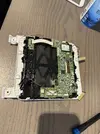
There’s clearance between the lid and base to make room for the pages, but I’ll probably leave that for the controls. The controls are gonna sit adjacent to the board as you see it laid out. I anticipate I’ll go with the Switch/XBox style of offset sticks rather than the parallel Wii U style since most games use the face buttons more than the right stick. I still plan on just the one screen for now, but if I add a second it’ll go wherever a big 16:9 screen will best fit in the base.

Later!
 
For the 5GHz module, I wouldn't bother with wiring to the SMC at all (i wonder if the module is 'pulsing' TP146 when it gets powered which the SMC REALLY doesn't like..), just the pulldowns/TP99/SDIO. i've gotten the relocation working like that w/o any custom regs.
 
Last edited:
Back
Top