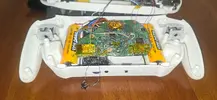
Question Maybe Ashida bricked wii

Joined
Jul 14, 2025
Messages
17
Likes
5
Hi everyone, as the title says i have a problem with my ashida.
I almost completed the project exept minor issues. One of them is that I can't access wii system because of some errors. I opened priiloader from rvloader and clicked system menu, and it shows the errors in this photo.
1000137465.webp

Someone had a similar issue and a guy said that the problem was priiloader not updated. I tried ways to update it but i fucked up...
I put installer and loader in the apps folder of the ashida, booted priiloader, and used the install files functions to install priiloader, then used load priiloader. It was stuck on a screen saying that it was loading but here I got anxious and turned everything off.
Now when I turn on the system the screen remains blue saying "Vga", and from what I know is because it's not receiving a video signal...
Please everyone any suggestion?
I heard that a nand restoration could help, but there are some problems, the first is that I can't access anything because I have no video signal.
The second one is that from what I remember I did make a nand backup but if i'm right it was only right after the soft modding, so without rvloader installed, and i'm worried that the wii could not boot anyways because it doesn't "read" the real regulators, but i'm no expert.
Any suggestion could be very helpful.
 
So to clarify you:

- Opened priiloader on an ashida that already had a working RVLoader install
- Saw that error in the photo
- Updated priiloader using the priiloader homebrew from https://oscwii.org/library/app/priiloader (or github)
- And are now getting no video out?

If I'm understanding that correctly, try booting your ashida while holding R+L+Z+B. It should force it into VGA mode if RVLoader is still installed. You can also try L+R+Z to put it in safe mode. Let me know if either of those give you a display.
 
So to clarify you:

- Opened priiloader on an ashida that already had a working RVLoader install
- Saw that error in the photo
- Updated priiloader using the priiloader homebrew from https://oscwii.org/library/app/priiloader (or github)
- And are now getting no video out?

If I'm understanding that correctly, try booting your ashida while holding R+L+Z+B. It should force it into VGA mode if RVLoader is still installed. You can also try L+R+Z to put it in safe mode. Let me know if either of those give you a display.
Thank you for the advise, now i'm working so i can try it only this evening, i will update for news.
 
So to clarify you:

- Opened priiloader on an ashida that already had a working RVLoader install
- Saw that error in the photo
- Updated priiloader using the priiloader homebrew from https://oscwii.org/library/app/priiloader (or github)
- And are now getting no video out?

If I'm understanding that correctly, try booting your ashida while holding R+L+Z+B. It should force it into VGA mode if RVLoader is still installed. You can also try L+R+Z to put it in safe mode. Let me know if either of those give you a display.
Just to be sure that I was indeed clicking the buttons i shorted the contacts of r, l and z individually and then tried to power the ashida with the switch clicking manually the b button and then without, nothing showed up.
 
Last edited:
Not being able to access the system menu on a trimmed Wii is normal. Hardware that is required for it to load (wifi module) is missing, and IIRC the current implementation of the VGA patch doesn't properly support the system menu either. The version of Priiloader that is installed with RVLoader is also customised, so by updating it you've overwritten those customisations, which include the safe mode bindings.

I believe you can salvage it though. If you connect composite video to your screen and disconnect the mode line, you can get video out. If you then hold the reset button down when starting the system,that will boot it into Priiloader if the system is still able to boot. If you can get that far, then you can access the settings pane via the GC controller and set Priiloader to automatically open RVLoader upon system boot. Doing that should let you use the system normally again, and you can try a safe mode re-install to get everything back to known good defaults.
 
Not being able to access the system menu on a trimmed Wii is normal. Hardware that is required for it to load (wifi module) is missing, and IIRC the current implementation of the VGA patch doesn't properly support the system menu either. The version of Priiloader that is installed with RVLoader is also customised, so by updating it you've overwritten those customisations, which include the safe mode bindings.

I believe you can salvage it though. If you connect composite video to your screen and disconnect the mode line, you can get video out. If you then hold the reset button down when starting the system,that will boot it into Priiloader if the system is still able to boot. If you can get that far, then you can access the settings pane via the GC controller and set Priiloader to automatically open RVLoader upon system boot. Doing that should let you use the system normally again, and you can try a safe mode re-install to get everything back to known good defaults.
Thank you for you reply, I was aware of the wi-fi needed to boot the wii, but in my process to build the ashida, before putting everything in the case I arrived at the point where on the trimmed wii I relocated u10, mx chip, Bluetooth module, usb and a gc port. And wiring up a pms gave the ability to boot into rvloader, and there i went to the wii system where I was able to scroll everything, connect a wii remote, and used it with a sensor bar. Everything without a wi-fi module, so without the whole ashida built i didn't know why I couldn't access the system anymore... I guess now I know wii system doesn't work with vga...
I will try everything you said, I will update this week-end, thank you so much.
So just to be sure, I will have to wire a button to the reset pad near the u10 zone?
 
Thank you for you reply, I was aware of the wi-fi needed to boot the wii, but in my process to build the ashida, before putting everything in the case I arrived at the point where on the trimmed wii I relocated u10, mx chip, Bluetooth module, usb and a gc port. And wiring up a pms gave the ability to boot into rvloader, and there i went to the wii system where I was able to scroll everything, connect a wii remote, and used it with a sensor bar. Everything without a wi-fi module, so without the whole ashida built i didn't know why I couldn't access the system anymore... I guess now I know wii system doesn't work with vga...
I will try everything you said, I will update this week-end, thank you so much.
So just to be sure, I will have to wire a button to the reset pad near the u10 zone?
Yeah you'll need to connect a button to the reset via
 
If you've disabled the Wi-Fi module, you can still boot into the Wii system without Wi-Fi. If you only see a black screen upon startup, you should check whether Bluetooth is properly connected. Also, the Wii system does not support VGA display.
Thank you for you reply, I was aware of the wi-fi needed to boot the wii, but in my process to build the ashida, before putting everything in the case I arrived at the point where on the trimmed wii I relocated u10, mx chip, Bluetooth module, usb and a gc port. And wiring up a pms gave the ability to boot into rvloader, and there i went to the wii system where I was able to scroll everything, connect a wii remote, and used it with a sensor bar. Everything without a wi-fi module, so without the whole ashida built i didn't know why I couldn't access the system anymore... I guess now I know wii system doesn't work with vga...
I will try everything you said, I will update this week-end, thank you so much.
So just to be sure, I will have to wire a button to the reset pad near the u10 zone?
 
Yeah you'll need to connect a button to the reset via
I got a display with composite and reset button.
Thank you so much, i'm know on priiloader and I went to see the settings pane as you said but I didn't have an rvloader option in "autoboot", I had something like disabled, installed file, system, priiloader, what should I do?
Also if you could give advise for repair everything with rvloader and its personalized priiloader version, thank you very much.
 
Choose the "Installed File" option, save, restart Wii, while booting hold L + R + Z, "Run Installer"
To add onto this, make sure that you select the same options that you did originally. Especially patching out wifi! If you don't, you'll be forced to magnet wire in the wifi module to boot the system again.
 
Hi guys, now switching on the ashida leads again to rvloader booting as expected, thank you all so much.
I wanted to ask you another thing, why right now after all of this the gc built in the ashida works only on priiloader screen but not in rvloader?
 
The controls aren't working in RVLoader anymore? That's very odd. I'm not sure.
Do any inputs work as expected or are they all unresponsive?

@Aurelio might know
 
The controls aren't working in RVLoader anymore? That's very odd. I'm not sure.
Do any inputs work as expected or are they all unresponsive?

@Aurelio might know
I just tried to be sure, and if I press the reset button while booting to get the priiloader screen d pad, a and b button works because I can scroll the menu and select things, while in rvloader I tried c stick to get the gear on the screen but It didn't work and neither the a button. So I know for sure a works with priiloader but not in rvloader.
 
I just tried to be sure, and if I press the reset button while booting to get the priiloader screen d pad, a and b button works because I can scroll the menu and select things, while in rvloader I tried c stick to get the gear on the screen but It didn't work and neither the a button. So I know for sure a works with priiloader but not in rvloader.
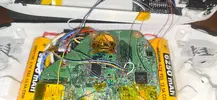
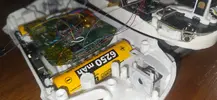
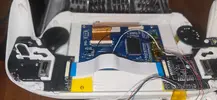
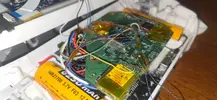
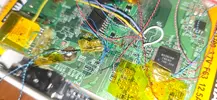
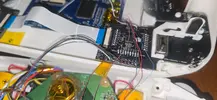
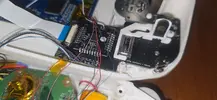
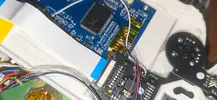
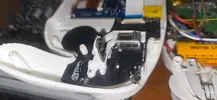
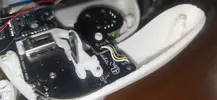
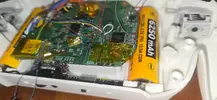
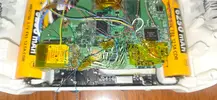
That's very odd. Maybe post pictures of your wiring
 

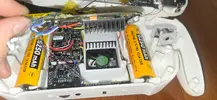
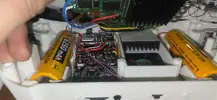
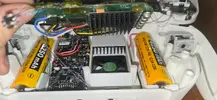
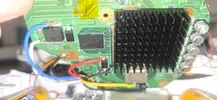
Attachments

  • 20251126_185252.webp
    20251126_185252.webp
    2 MB · Views: 27
  • 20251126_185257.webp
    20251126_185257.webp
    1.5 MB · Views: 36
  • 20251126_185305.webp
    20251126_185305.webp
    1.5 MB · Views: 31
  • 20251126_185302.webp
    20251126_185302.webp
    1.7 MB · Views: 28
  • 20251126_185315.webp
    20251126_185315.webp
    2.3 MB · Views: 27
  • 20251126_185309.webp
    20251126_185309.webp
    1.5 MB · Views: 32
  • 20251126_185322.webp
    20251126_185322.webp
    1.4 MB · Views: 37
  • 20251126_185326.webp
    20251126_185326.webp
    1.5 MB · Views: 40
  • 20251126_185424.webp
    20251126_185424.webp
    1.9 MB · Views: 35
  • 20251126_185420.webp
    20251126_185420.webp
    1.2 MB · Views: 32
  • 20251126_185416.webp
    20251126_185416.webp
    1.5 MB · Views: 36
  • 20251126_185406.webp
    20251126_185406.webp
    1.8 MB · Views: 29
  • 20251126_185338.webp
    20251126_185338.webp
    1.1 MB · Views: 24
  • 20251126_185332.webp
    20251126_185332.webp
    951.9 KB · Views: 34
  • 20251126_185249.webp
    20251126_185249.webp
    1.6 MB · Views: 35
  • 20251126_185245.webp
    20251126_185245.webp
    2.1 MB · Views: 26
  • 20251126_185241.webp
    20251126_185241.webp
    2 MB · Views: 33
Nothing jumps out at me wiring wise. Unfortunately as far as I know the only way to access safe mode to reinstall RVLoader is the gamecube button combo on boot. There's no option to reboot into safe mode in the settings, so I can't even suggest syncing a wiimote to do it.

My assumption is that something got overwritten when you updated priiloader and it's interfering with RVLoader's ability to recognise the controller. You could try cutting the controller data line and putting a switch on it. If turning the switch off and on again to simulate unplugging and replugging the controller causes it to work again, maybe you can time it to get into safe mode?
 
Nothing jumps out at me wiring wise. Unfortunately as far as I know the only way to access safe mode to reinstall RVLoader is the gamecube button combo on boot. There's no option to reboot into safe mode in the settings, so I can't even suggest syncing a wiimote to do it.

My assumption is that something got overwritten when you updated priiloader and it's interfering with RVLoader's ability to recognise the controller. You could try cutting the controller data line and putting a switch on it. If turning the switch off and on again to simulate unplugging and replugging the controller causes it to work again, maybe you can time it to get into safe mode?
So I should shortcircuit r, l and z independently, put a switch/button in the middle of data line and continuing pressing it while trying to boot the console?
If I understood it right I will try, but first, I forgot to include something. When you guys told me to open priiloader and selecting install file on autoboot I got the dacotaco screen where I had to press a or something like that. No sign of the controller working, but again in priiloader it was working, so I resoldered a gc port and tried with a real gc controller and I was able to finish the installer. I don't remember if it worked on rvloader too, but I wasn't happy about it because obviously it has to work with the gc+ 2.0. But now i'm thinking could that help with the safe mode? I will try... after going into safe mode what should I do to repair rvloader and make it recognize the gc+2.0?
 
Back
Top